
If you’re running a BigCommerce store, you’re already competing in a crowded search landscape. Ranking isn’t just about keywords anymore, it’s about how well search engines understand your content. That’s where schema markup comes in.
But here’s the catch: simply adding schema isn’t enough. In fact, many store owners unknowingly introduce BigCommerce schema markup mistakes that either break their structured data or prevent rich results from appearing altogether.
This guide will walk you through the most common issues, why they happen, and exactly how to fix schema markup in BigCommerce the right way.
Understanding BigCommerce Schema Markup
Before diving into BigCommerce schema markup mistakes, it’s important to understand BigCommerce schema markup and how it works behind the scenes.
BigCommerce schema markup is typically implemented using JSON-LD structured data, the format recommended by Google. It helps search engines clearly interpret key information on your pages instead of guessing.
This includes:
- Product name, price, and availability
- Reviews and ratings
- Breadcrumb navigation
- Organization details
When done right, this enables rich results like star ratings and product snippets.
However, most BigCommerce SEO schema problems start with the built-in theme schema. While helpful, it’s often incomplete, outdated, or conflicting with apps, leading to hidden BigCommerce structured data errors.
The Most Common BigCommerce Schema Markup Mistakes (And Fixes)
1. Duplicate Product Schema
The problem:
One of the most frequent BigCommerce schema markup mistakes is duplicate product schema. This usually happens when:
- The theme already includes product schema
- A third-party BigCommerce schema app adds another layer
This creates conflicting signals for search engines.
Why it matters:
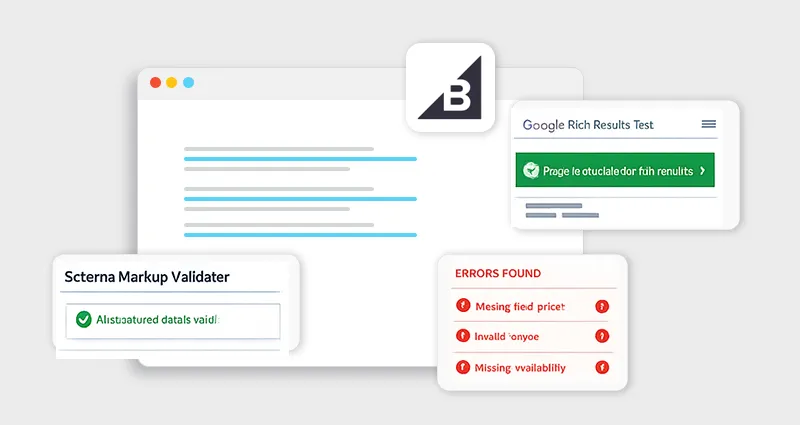
Google may ignore both schemas or flag BigCommerce schema validation errors, preventing rich snippets.
How to fix it:
- Audit your page source using Google’s Rich Results Test
- Remove duplicate schema from either the theme or the app
- Ensure only one valid Product schema exists per page
2. Missing Required Fields in Product Schema
The problem:
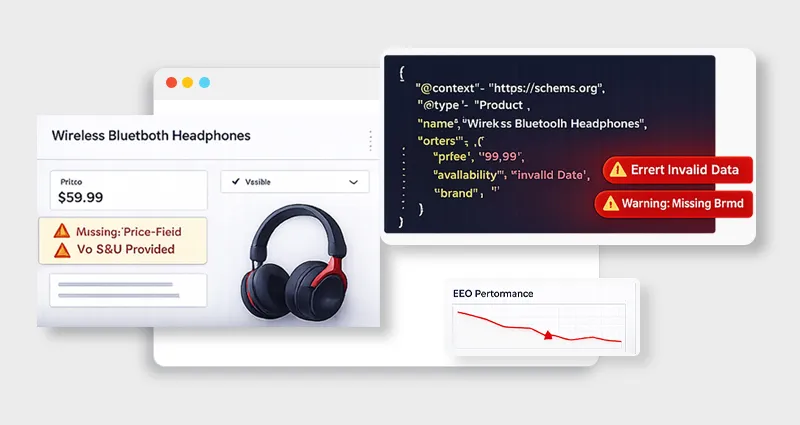
An incomplete schema is a major cause of BigCommerce product schema errors. Common missing fields include:
- price
- availability
- review or aggregateRating
Why it matters:
Without required properties, your schema becomes ineligible for rich results.
How to fix it:
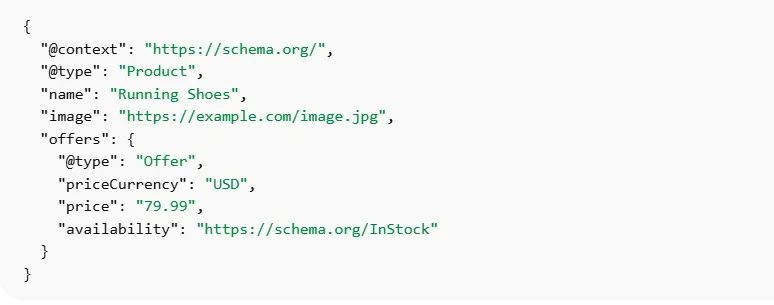
Here’s a correct example:
Always validate using:
3. Invalid JSON-LD Formatting
The problem:
Even a small syntax error can break your entire schema. These BigCommerce JSON-LD errors often include:
- Missing commas
- Incorrect brackets
- Improper nesting
Why it matters:
Search engines won’t parse invalid JSON, making your structured data useless.
How to fix it:
- Use a JSON validator before deployment
- Avoid manual editing unless necessary
- Use trusted tools or apps for implementation
4. Using the Wrong Schema Type
The problem:
Many stores use generic schema types instead of specific ones. For example:
- Using WebPage instead of Product
- Missing BreadcrumbList schema
Why it matters:
This leads to poor contextual understanding and contributes to BigCommerce rich snippets issues.
How to fix it:
- Match schema type to page intent
- Use:
- Product for product pages
- CollectionPage for category pages
- BreadcrumbList for navigation
5. Inconsistent Data Between Page and Schema
The problem:
If your schema says a product costs $49, but the page shows $59, that’s a red flag.
Why it matters:
Google considers this misleading and may ignore your schema entirely.
How to fix it:
- Sync schema dynamically with page data
- Avoid hardcoding values
- Use platform variables or automation tools
6. Not Updating Schema Dynamically
The problem:
Static schema doesn’t reflect real-time changes like:
- Price updates
- Stock availability
Why it matters:
An outdated schema leads to BigCommerce SEO optimization schema issues and inaccurate search listings.
How to fix it:
- Use dynamic variables within BigCommerce
- Or rely on a reliable BigCommerce schema app
7. Ignoring Schema Validation Errors
The problem:
Many store owners never check for BigCommerce schema validation errors after implementation.
Why it matters:
Even small warnings can prevent eligibility for rich results.
How to fix it:
- Regularly audit using:
- Google Search Console (Enhancements Report)
- Rich Results Test
- Fix both errors and warnings
8. Overusing or Spammy Schema Markup
The problem:
Trying to “game” the system by adding excessive schema, like fake reviews or irrelevant FAQ schema.
Why it matters:
This can result in manual penalties and loss of rich snippets.
How to fix it:
- Only mark up visible, accurate content
- Follow structured data guidelines strictly
Implementing BigCommerce Schema Markup the Right Way
To avoid common BigCommerce schema markup mistakes and fixes, you need a simple, structured approach.
Step-by-Step Implementation
1. Audit existing schema (theme + apps)
Check what schema already exists using tools like Google Rich Results Test or Google Search Console. If you’re using a BigCommerce schema app, make sure it’s not duplicating or conflicting with your theme’s built-in markup.
2. Remove duplicates
Ensure only one version of each schema type (especially Product schema) exists per page to avoid confusion.
3. Choose the correct schema types
Match schema to page intent:
- Product pages → Product
- Category pages → CollectionPage
- Navigation → BreadcrumbList
4. Ensure required fields are present
Missing fields like price, availability, or ratings can cause BigCommerce product schema errors and block rich results.
5. Validate JSON-LD format
Fix syntax issues like missing commas or incorrect nesting, which are common causes of BigCommerce JSON-LD errors.
6. Test with Google tools
Use Rich Results Test and Google Search Console to confirm eligibility and catch issues.
7. Monitor regularly
The schema can break after updates. Keep checking Search Console to prevent ongoing BigCommerce schema validation errors.
How to Fix BigCommerce Structured Data Errors (Quick Checklist)
If you’re troubleshooting:
- Check for duplicate schema
- Validate JSON-LD syntax
- Ensure required fields exist
- Match schema type with page content
- Keep data consistent and updated
- Monitor Search Console regularly
This checklist alone can resolve most common BigCommerce schema markup mistakes and fixes.
Conclusion
Schema markup is one of the most powerful yet misunderstood aspects of technical SEO. The reality is, most stores don’t fail because they lack schema, they fail because of BigCommerce schema markup mistakes that quietly undermine their efforts.
By identifying and fixing these issues, whether it’s duplicate schema, missing fields, or JSON-LD errors, you can transform your structured data into a real SEO asset.
Done right, schema doesn’t just help search engines understand your store, it helps your listings stand out, attract more clicks, and ultimately drive better results.
FAQs
1. What are the most common BigCommerce schema markup mistakes?
Duplicate schema, missing required fields, invalid JSON-LD, and inconsistent data are the most common issues affecting rich results.
2. How do I fix BigCommerce structured data errors?
Start by validating your schema using Google’s Rich Results Test, remove duplicates, fix missing fields, and ensure proper formatting.
3. Why is my BigCommerce schema markup not working?
It’s usually due to validation errors, incorrect schema types, or mismatched data between the page and structured data.
4. Do I need a BigCommerce schema app?
Not necessarily. Apps help automate schema, but manual implementation offers more control. A hybrid approach often works best.
5. How often should I audit schema markup?
At least once a month or after major site updates to catch new BigCommerce SEO schema problems.
6. Can schema markup improve rankings?
Schema doesn’t directly impact rankings but improves visibility, click-through rates, and eligibility for rich results.
7. What tools can I use to validate schema?
Google Rich Results Test, Schema Markup Validator, and Google Search Console are essential tools.
8. What is the best schema type for product pages?
Use Product schema with Offer and AggregateRating properties for best results.