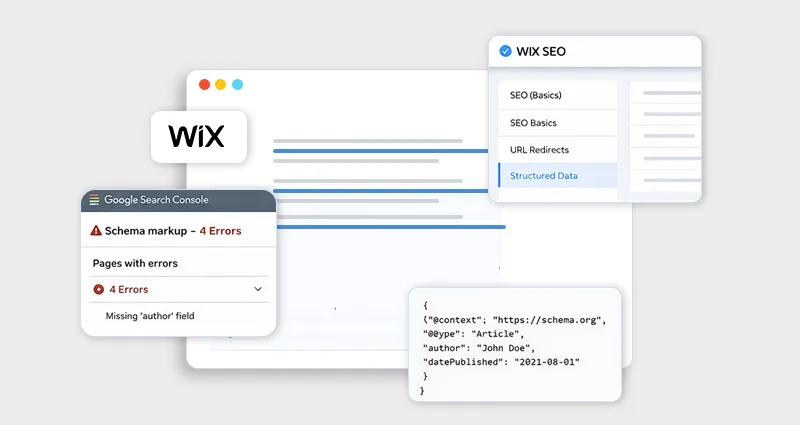

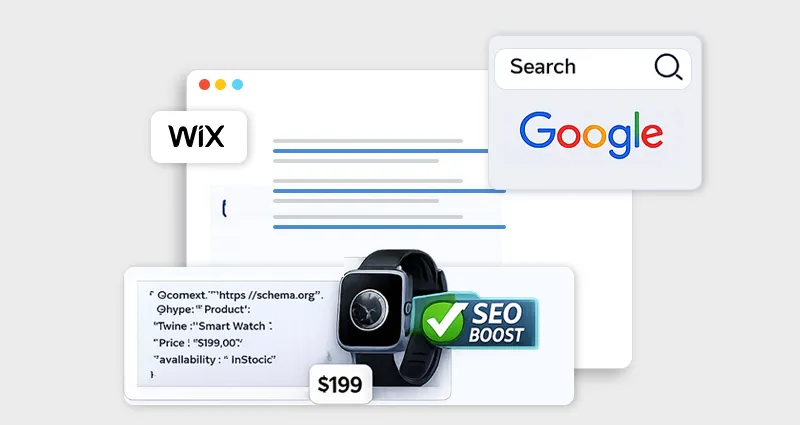
If you run an online store on Wix, getting your products noticed in search results can be challenging. Product pages often compete with large marketplaces and established e-commerce brands. One practical way to improve visibility is by implementing Wix product schema, a type of structured data that helps search engines understand your product pages more clearly.
Product schema tells search engines important details about a product, such as its name, price, availability, brand, images, and reviews. When implemented correctly, this structured data can help Google display rich results that show additional information directly in search listings. These enhanced results often improve click-through rates and make product pages more competitive in search.
In this guide, we’ll walk through how to add product schema in Wix stores, explain how Wix handles structured data by default, and show how to implement Wix product schema markup using JSON-LD for better SEO.
Understanding Wix Schema Markup
Before implementing product schema, it’s important to understand how Wix schema markup works.
Schema markup is a structured data format that helps search engines interpret page content. Instead of simply reading the text on a webpage, search engines can use schema markup to understand what the content represents, a product, an article, a business, an event, or a review.
Wix supports structured data using JSON-LD, which is also the format recommended by Google for structured data implementation.
JSON-LD schema works by embedding a small script in your page that describes the content in a structured format that search engines can easily interpret.
For example, a product page might include structured data that tells Google:
- The product name
- Price
- Brand
- Availability
- Product images
- Customer ratings
This additional context allows search engines to display enhanced listings known as rich results.
If you’re new to schema implementation,
What Is Wix Product Schema?
Wix product schema is a structured data format specifically designed to describe e-commerce products to search engines.
It typically uses the Product schema type from Schema.org and includes fields that define product information.
Common attributes in Wix product structured data include:
| Schema Property | Description |
|---|---|
| name | Product name |
| image | Product image URL |
| description | Product description |
| brand | Brand or manufacturer |
| offers | Price, currency, availability |
| sku | Product identifier |
| aggregateRating | Customer rating summary |
When this structured data is present and valid, search engines may show Wix product rich snippets in search results.
These can include:
- Product price
- Stock availability
- Ratings and reviews
- Product image
This enhanced presentation can increase visibility and CTR even if the ranking position stays the same.
Does Wix Automatically Add Product Schema?
Yes,Wix stores schema markup is partially generated automatically.
When you create a product page in Wix Stores, the platform automatically creates a preset Product structured data markup based on the content of the product page.
This built-in schema automatically pulls information from the product listing, including:
- Product title
- Product description
- Product images
- Price
- Availability
This preset schema helps search engines understand that the page contains a product and may allow Google to show product information in search results.
However, the default schema may not always include advanced fields such as:
- detailed brand attributes
- review schema
- product identifiers
- enhanced offers data
That’s why many e-commerce stores choose to add custom Wix product schema JSON-LD to improve structured data coverage.
If you want more control over your structured data or need to manage schema across multiple pages, using a Wix schema app can help automate the process and simplify structured data implementation.
Benefits of Implementing Wix Product Schema
Implementing product schema for Wix stores provides several SEO and visibility advantages.
Better Search Visibility
Structured data helps search engines interpret product information accurately. This makes it easier for Google to categorize and display product pages correctly.
Rich Product Results
Correct Wix e-commerce schema markup can enable rich results such as:
- product price
- stock availability
- star ratings
These elements make listings visually stronger in search results.
Improved Click-Through Rate
Even when rankings stay the same, rich results often attract more clicks because users can see key product information directly in search.
Better AI Search Understanding
Structured data also helps AI search engines and large language models better interpret e-commerce pages. This improves the likelihood of your products appearing in AI-driven search experiences.
How to Add Product Schema in Wix Stores
There are two main ways to implement Wix product schema markup:
- Using Wix built-in schema
- Adding custom JSON-LD schema
Let’s go through each approach one by one.
Method 1: Using Wix Built-In Product Schema
The easiest way to implement the Wix product schema is to rely on the built-in schema that Wix automatically generates.
To review or edit this schema:
Step-by-Step
- Open your Wix Editor
- Go to Pages & Menu
- Select your product page
- Click SEO Basics
- Open the Advanced SEO tab
- Go to Structured Data Markup
- Review or edit the markup
Wix allows you to add up to five structured data markups per page. This approach works well for most stores that want simple Wix SEO schema markup without writing code.
Method 2: Add Custom Wix Product Schema JSON-LD
For advanced SEO control, you can manually add Wix JSON-LD schema to product pages.
This allows you to include additional attributes that Wix may not automatically generate.
Example Product Schema JSON-LD
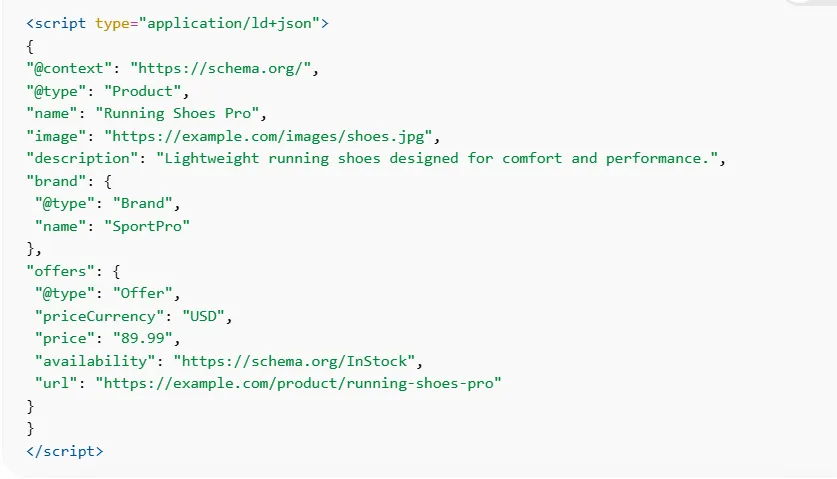
How to Add It
- Open the Wix Editor
- Navigate to the product page
- Go to SEO Settings → Advanced SEO
- Select Structured Data Markup
- Paste the JSON-LD code
- Save and publish the page
Wix only accepts structured data in JSON-LD format, and the markup must follow proper script tag formatting.
Best Practices for Wix Product Structured Data
When implementing structured data for Wix products, follow these best practices.
Match Schema with Visible Content
Search engines require that schema information match what appears on the page. If the schema includes details not visible on the page, it may be ignored.
Use Complete Product Information
The more complete your structured data, the better search engines understand your products.
Include:
- price
- brand
- availability
- images
- product description
Avoid Duplicate Schema
Adding a custom schema without reviewing Wix’s preset schema can create duplicates. Always check existing structured data before adding new markup.
Validate Structured Data
After implementing the schema, test it using:
- Google Rich Results Test
- Schema Markup Validator
Testing ensures your Wix product rich results are eligible for enhanced search features.
How to Validate Wix Product Schema
Validation is a critical step when implementing Wix schema markup for e-commerce.
Follow this process:
- Publish your Wix website
- Copy the product page URL
- Open Google Rich Results Test
- Paste the URL and run the test
- Review warnings or errors
If issues appear, revise your Wix product schema JSON-LDaccordingly.
This step ensures your schema is eligible for rich product results in search.
Common Mistakes When Adding Schema in Wix
Even experienced site owners can run into issues when implementing Wix schema markup, especially when combining Wix’s default structured data with custom code. Small mistakes can prevent search engines from properly reading your markup or make your pages ineligible for rich results.
Duplicate Product Schema
Wix Stores already generates basic Wix product schema automatically for product pages. If you manually add another Product schema without checking the existing markup, it can create duplicate structured data. This may confuse search engines or cause them to ignore the schema. Always review the preset markup before adding custom Wix product schema JSON-LD.
Missing Required Fields
To qualify for Wix product rich results, your schema must include essential properties such as name, image, offers, and price. If these required fields are missing, search engines may crawl the page but will not display enhanced product snippets in search results.
Invalid JSON Formatting
Because Wix JSON-LD schema follows strict JSON formatting, even a small syntax error, like a missing comma or bracket, can break the entire markup. Always validate your Wix product structured data using a schema testing tool before publishing to ensure it works correctly.
Advanced Tip: Dynamic Product Schema with Velo
For larger stores or developers who want greater control, implementing product schema in Wix using Velo can automate the process.
Velo allows you to dynamically generate structured data for Wix products by pulling information directly from your site’s data sources. Instead of writing a schema manually for every product page, the markup can be generated automatically based on product data stored in your store database or CMS.
A dynamic schema can retrieve product information from sources such as:
- the Wix Stores product database
- CMS collections that store product details
- inventory or pricing systems connected to the store
This approach ensures that schema updates are automatically made whenever product information changes, such as price adjustments or stock availability. For e-commerce stores with large product catalogs, dynamic schema helps maintain accurate Wix e-commerce schema markup across hundreds or thousands of pages without manual updates.
Conclusion
Implementing the Wix product schema is a powerful way to improve how search engines understand and display your product pages. While Wix automatically generates a basic schema for Wix Stores, adding custom Wix product schema JSON-LD and validating your structured data can further strengthen your SEO.
Whether you rely on Wix’s built-in schema or use a Wix schema app to manage structured data, properly implemented schema helps increase product visibility and enables richer search results for your store.
FAQs:
What is the Wix product schema?
Wix product schema is structured data markup that describes product information on Wix store pages. It helps search engines understand details like price, availability, brand, and product descriptions.
Does Wix automatically add schema markup to product pages?
Yes. Wix automatically generates preset Product schema markup for Wix Stores product pages using the content entered in the product listing.
Can I add a custom schema to Wix product pages?
Yes. You can add custom JSON-LD schema markup through the Advanced SEO settings in the Wix editor.
What format does Wix use for schema markup?
Wix only supports JSON-LD structured data for adding custom schema markup.
Does product schema improve rankings?
Schema markup itself is not a direct ranking factor, but it helps search engines understand page content and enables rich results, which can increase click-through rates.
What tools can validate Wix structured data?
You can validate Wix product structured data using:
- Google Rich Results Test
- Schema Markup Validator
These tools check whether your schema is eligible for rich results.
Can schema apps automatically add product schema in Wix?
Yes. Some Wix schema apps can automatically generate JSON-LD schema for product pages and other content types.
Can schema improve product-rich snippets?
Yes. Correctly implemented Wix product schema markup can enable product-rich snippets that display price, availability, and ratings in search results.