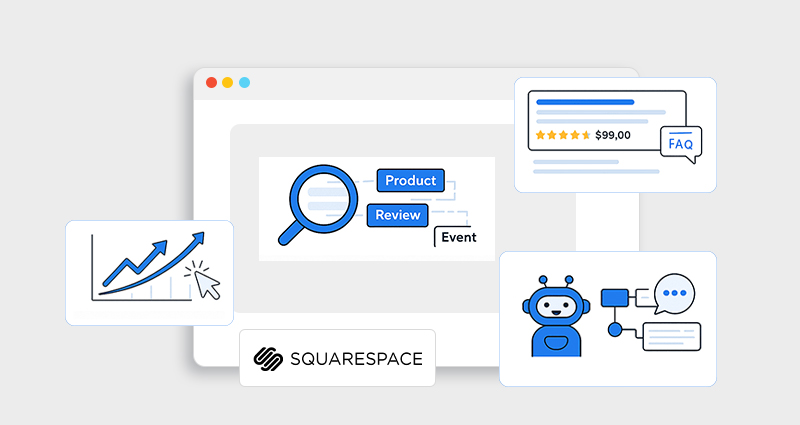

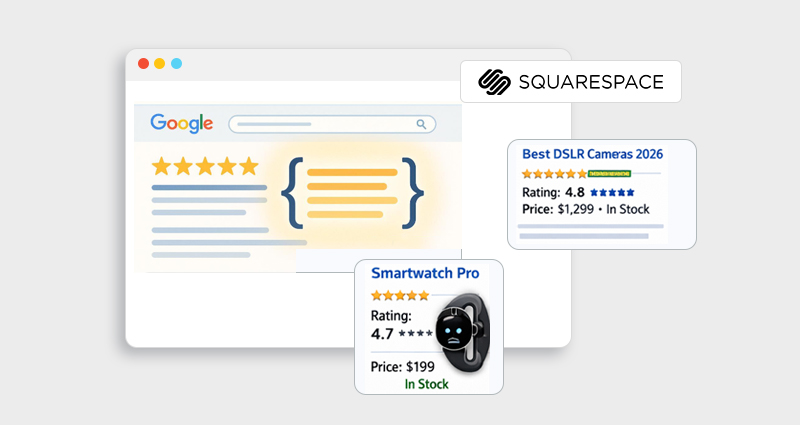
If you’re building or growing a site on Squarespace, you’ve likely heard about rich snippets, those standout search results with star ratings, FAQs, prices, and more. But what exactly are Squarespace rich snippets, why do they matter in 2026, and how to get them?
Unlike plain organic listings, rich snippets (or rich results) display extra information on Google’s Search Engine Results Pages (SERPs) pulled from structured data on your page. They improve visibility, increase click-through rates, and more clearly communicate your page’s purpose to both users and search engines. A strong Squarespace structured data implementation, using Squarespace schema, is the only way to earn these rich features.
What Are Squarespace Rich Snippets?
In simple terms, Squarespace rich snippets are enhanced search results that appear when Google detects structured data (Schema Markup Squarespace) on your site. These results go beyond the basic title and meta description, featuring visual or informational elements like ratings, prices, breadcrumbs, FAQs, recipes, and events.
Squarespace itself automatically outputs basic structured data for many page types (like products, articles, and business info). However, this default schema often isn’t enough to earn rich snippets, especially for more advanced rich results.
Why Squarespace Rich Snippets Matter in 2026
In 2026, search is no longer just “10 blue links.” Google’s results are increasingly visual, interactive, and AI-driven. If your Squarespace site only shows a standard title and meta description, you’re competing at a disadvantage. Squarespace rich snippets help you take up more space in search results, communicate value instantly, and stand out in crowded SERPs.
But the real reason they matter now? Search behavior has changed.
-
Increased Visibility in SERPs
In 2026, search results are more visual and competitive. Squarespace rich snippets (like star ratings, FAQs, and pricing) take up more space and stand out compared to plain listings.
-
Higher Click-Through Rates (CTR)
Enhanced listings build trust and attract attention. When users see reviews, prices, or clear business details, they’re more likely to click.
-
Better Search Engine Understanding
Proper Squarespace structured data and Squarespace schema markup help Google clearly interpret your content, whether it’s a product, article, event, or local business.
-
Stronger Trust Signals
Rich results display key information upfront, such as ratings and availability, which increases credibility before users even visit your site.
-
Future-Proof SEO Strategy
With AI-driven search relying heavily on structured data, implementing accurate Squarespace JSON-LD schema ensures your site remains competitive and eligible for rich results in 2026 and beyond.
What Is Structured Data?
Structured data is a standardized format (usually JSON-LD) that tells search engines what your content means, not just what it says. It’s built on the Schema.org vocabulary, a shared language that search engines use to understand your pages.
JSON-LD (JavaScript Object Notation for Linked Data) is currently Google’s recommended format for structured data, and by far the easiest way to add schema on Squarespace.
Schema Markup Squarespace: What’s Included by Default
Squarespace automatically adds basic structured data for things like Articles, Products, Local Business info, and Organizations. But it won’t automatically mark up Pages as FAQ, HowTo, Recipe, or JobPosting, even if those page types exist on your site.
So to earn rich snippets, you often need to supplement or customize the default markup with your own JSON-LD. That’s where tools like Squarespace schema app and manual code injection come into play.
Types of Rich Snippets You Can Aim For in 2026
In 2026, Google supports 30+ types of rich results powered by structured data. However, not every schema type is equally relevant for Squarespace users. The key is choosing rich snippets that match your content and business model.
Below are the most impactful types from the Squarespace Rich Snippets List , along with what they actually do for your visibility and clicks:
-
Product Snippets
Product schema allows Google to display pricing, availability, and star ratings directly in search results, helping e-commerce Squarespace sites attract high-intent buyers.
-
Review Snippets
Review or AggregateRating schema adds visible star ratings beneath your listing, increasing trust and improving click-through rates.
-
FAQ Rich Results
FAQ schema enables expandable question-and-answer sections in SERPs, giving your listing more space and addressing user concerns before they click.
-
Breadcrumbs
Breadcrumb schema replaces long URLs with a clean navigation path, improving search appearance and helping Google understand your site structure.
-
LocalBusiness
LocalBusiness schema displays key business details like address, phone number, and hours, strengthening local SEO and credibility in search results.
The Role of Structured Data & Schema in Rich Snippets
Squarespace rich snippets are powered by structured data. Without schema markup, search engines only see plain text and may not understand the context of your content. When you add Squarespace structured data using Schema.org vocabulary (usually in JSON-LD format), you clearly tell Google what your page represents, whether it’s a product, FAQ, article, or local business.
This clarity is what makes your page eligible for enhanced results like star ratings, pricing, FAQs, and breadcrumbs. In short, Squarespace schema markup is the foundation that enables rich snippets to appear in search results.
How to Add Schema Markup on Squarespace (Actionable Steps)
Getting Squarespace Rich Snippets 2026 isn’t automatic, you need to implement structured data the right way.
1. Identify the Schema Type You Need
First ask: “What rich result aligns with this page?” A product page deserves a Product schema. A FAQ page deserves a FAQ schema. A recipe deserves a recipe schema. Each schema type schema type has required fields that make it eligible for rich results.
2. Generate your JSON-LD
There are three main ways to do this:
Manual JSON-LD creation:
You can write JSON-LD markup yourself; here’s a product example:
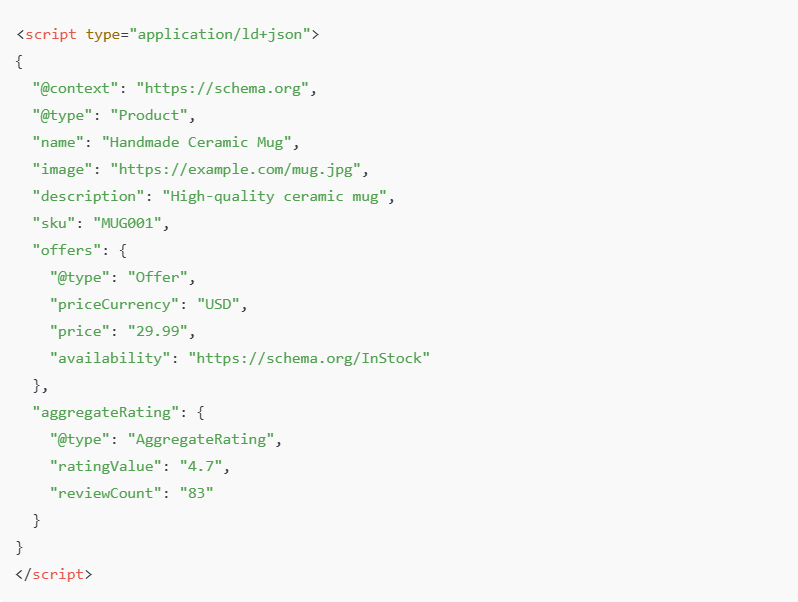
This code must be injected via Settings > Advanced > Code Injection or into a code block to ensure Google can read it.
Tools & Generators:
- Google’s Structured Data Markup Helper
- Schema App
- JSON LD generators
- These tools generate ready-to-use code you can paste into your site.
3. Use a Schema Management Tool (Optional)
Squarespace schema tools like Schema (JSON-LD)let you define markup visually and deploy it to your site via Schema App’s script injection. This is especially helpful if you want to automate Schema Markup across many pages without editing code manually.
Testing & Validating Your Schema Markup
After adding your structured data:
-
Use Google’s Rich Results Test
Use Google Search Console Rich Results Report to see what rich result types Google has detected and whether they are valid.
Keep in mind that even valid structured data doesn’t guarantee a rich snippet, Google ultimately determines what it shows based on relevance and quality.
Common Mistakes and Pitfalls to Avoid
Even experienced SEOs stumble with Squarespace structured data:
Duplicate or conflicting schema
Squarespace’s auto schema and your custom JSON-LD can overlap and conflict, causing Google to ignore your markup. Pay attention to fields like “name” and “address” in the LocalBusiness schema, missing these can invalidate your rich result eligibility.
Invalid or incomplete fields
Schema types require specific properties. For example, Product schema needs price and availability to trigger pricing rich snippets.
Not using the right format
Google prefers JSON-LD. While microdata and RDFa are technically supported, they’re harder to manage on Squarespace.
Best Practices for Squarespace Rich Snippets in 2026
To maximize your chances of Squarespace Rich Snippets Success:
- Always include rich, human-friendly content that matches your schema type.
- Validate after every deployment.
- Ensure your visible page content matches your schema markup, avoid schema drift.
- Monitor in Search Console for errors or warnings.
Structured data supports search engines and AI systems to understand and trust your content, but it must be accurate.
Conclusion
Earning Squarespace rich snippets in 2026 starts with understanding structured data and Schema Markup Squarespace. While Squarespace provides basic schema out of the box, rich results often require custom JSON-LD or schema implementation tools to generate and deploy properly.
With thoughtful planning, testing, and ongoing validation, you can significantly enhance how your Squarespace site appears in SERPs, turning ordinary listings into powerful, eye-catching rich results that increase engagement and visibility.
FAQs
What exactly are Squarespace rich snippets?
Squarespace rich snippets are enhanced search listings that pull extra details from structured data on your Squarespace site, like star ratings, FAQ drop-downs, and pricing.
Does Squarespace automatically add schema markup?
Yes, but only basic structured data for core content types. More advanced rich snippets require custom JSON-LD or tools.
What format should I use for schema on Squarespace?
JSON-LD is recommended by Google and easiest to implement for Squarespace JSON-LD schema.
How do I test if rich snippets are working?
Use Google’s Rich Results Test and check your Search Console rich result reports.
Can rich snippets boost my rankings?
Structured data doesn’t guarantee higher rankings, but it improves visibility and can increase click-through rates.
What tools help automate schema on Squarespace?
Schema App and custom scripts via code injection help automate Schema Markup Squarespace.