

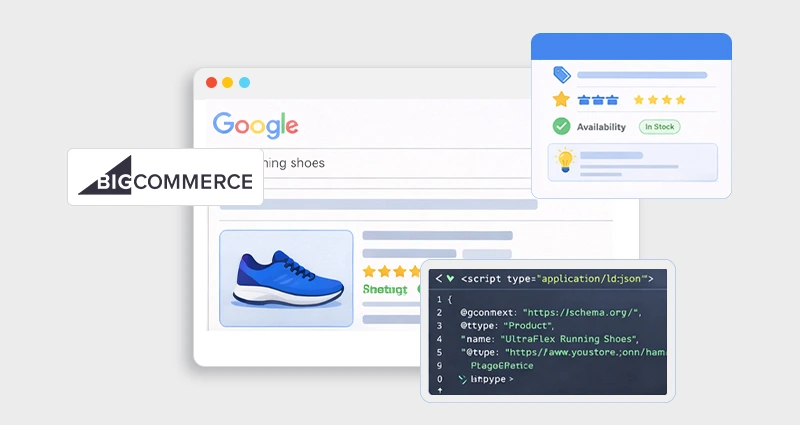
If you’re running an online store on BigCommerce, you’ve likely heard about BigCommerce rich snippets, those enhanced search results that show star ratings, pricing, availability, FAQs, and more right in Google’s search listings. But how do they work, why are they so valuable, and what’s required to get them?
In this expert guide, we’ll walk through everything you need to know about rich snippets , schema markup, implementation methods, and common pitfalls, with real insights that go beyond surface-level SEO advice.
What Are BigCommerce Rich Snippets?
BigCommerce rich snippets are enhanced search listings that display additional, structured information about your products or pages directly in search engine results. Instead of showing just a blue link, URL, and meta description, rich snippets add context that helps users evaluate your product before they even click.
For eCommerce stores, these enhancements commonly include:
- Star ratings and review counts
- Product pricing (including sale prices)
- Availability status (In Stock / Out of Stock)
- Shipping or return details (when eligible)
- FAQ dropdowns beneath listings
- Breadcrumb navigation paths
These enhancements are powered by structured data using vocabulary from Schema.org and interpreted by search engines like Google to generate what are officially called “rich results.”
Standard Result vs. Rich Snippet (Quick Comparison)
| Feature | Standard Listing | BigCommerce Rich Snippet |
|---|---|---|
| Visuals | Title + Meta Description | Title + Rating + Price + Availability |
| Trust Signals | No visual trust signals | Social proof (reviews) visible instantly |
| SERP Impact | Less SERP real estate | More visual space + attention |
Why Schema Markup Matters in BigCommerce
Schema markup matters in BigCommerce because it helps search engines clearly understand your product and page data, making your store eligible for enhanced BigCommerce rich snippets like ratings, pricing, and availability in search results.
Here’s why it’s important:
-
-
Improves Search Visibility
-
Structured data increases your eligibility for rich results, which take up more space in SERPs and attract more attention than standard listings.
-
-
Increases Click-Through Rate (CTR)
-
Showing price, stock status, and reviews directly in search builds trust before users even click.
-
-
Reduces Misinterpretation by Search Engines
-
Instead of guessing what your content represents, search engines like Google can clearly interpret product details, offers, and ratings.
-
-
Enhances Competitive Advantage
-
In crowded eCommerce niches, listings with structured data often outperform plain results.
Although BigCommerce includes some default structured data on product pages, it may not fully support advanced elements like complete pricing structures, review counts, FAQ schema, or custom attributes. Optimizing your BigCommerce schema markup ensures your store is fully eligible for the most valuable rich result features.
Types of Structured Data for BigCommerce
The main types of structured data used for BigCommerce rich snippets include Product, FAQ, Breadcrumb, Organization/Local Business, and Review (AggregateRating) schema. Each schema type serves a different purpose, from enabling star ratings and price visibility to improving site hierarchy understanding and brand trust. Choosing the right BigCommerce schema markup ensures your pages are eligible for enhanced search results and better visibility.
- Product Schema – Includes product name, description, images, offers, prices, availability, and ratings.
- FAQ Schema – Adds frequently asked questions so they can show directly in SERPs.
- Breadcrumbs Schema – Helps Google understand your site hierarchy.
- Organization & Local Business Schema – Enhances trust and local SEO.
- Review & AggregateRating Schema – Enables star ratings in search.
JSON-LD vs. Microdata: What BigCommerce Uses
Structured data can be implemented in multiple formats, but the two most common in BigCommerce are JSON-LD and Microdata.
JSON-LD (Recommended Format for BigCommerce)
JSON-LD (JavaScript Object Notation for Linked Data) is the format recommended by Google. It is added inside a <script type=”application/ld+json”> block and exists separately from your visible HTML.
Why it’s preferred:
- Cleaner implementation
- Easier debugging
- Less risk of breaking layout
- Simpler to update dynamically
- More scalable for large catalogs
Most advanced BigCommerce JSON-LD schema implementations use this format because it allows structured data to be injected programmatically without modifying visual elements.
Microdata
Microdata works differently. Instead of being placed in a script block, it is embedded directly within HTML tags using attributes like itemtype and itemprop.
<div itemscope
itemtype="https://schema.org/Product">
<span itemprop="name">Product Name</span>
</div>
Some BigCommerce themes include basic microdata by default. While functional, microdata can become difficult to manage when themes are updated or customized. It also increases the risk of markup conflicts when review apps or third-party tools inject additional structured data.
Which Format of Structured Data Should You Use?
For most stores, JSON-LD is the better choice for implementing BigCommerce schema markup. It’s the format recommended by Google and is added in a separate script block, which keeps your HTML clean and reduces theme conflicts.
JSON-LD is also easier to update and scale, especially for stores with changing prices, stock levels, or reviews.
While Microdata still works, it’s embedded directly into HTML and can become harder to manage with theme edits or third-party apps. For long-term BigCommerce SEO optimization, JSON-LD offers more flexibility and control.
How to Get Rich Snippets in BigCommerce
There are two primary ways to enable BigCommerce rich snippets: implementing structured data manually or improving the schema your store already outputs. The right approach depends on how much control you want, and how much maintenance you’re willing to handle long term.
1. Manual Schema Markup (Custom JSON-LD Implementation)
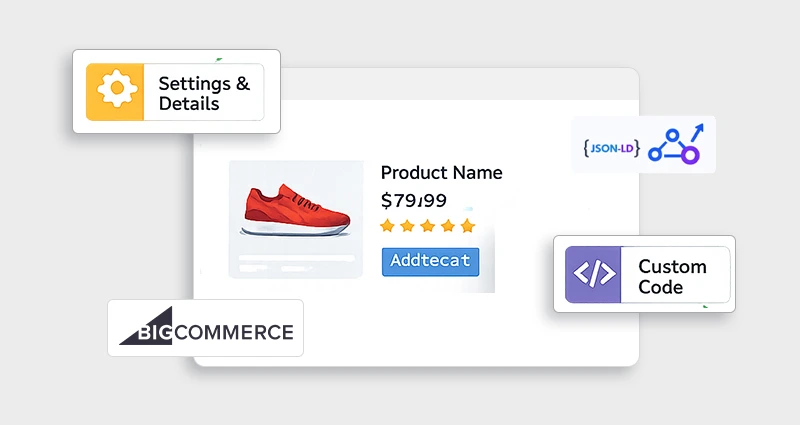
If you want full control over your BigCommerce schema markup , you can manually add JSON-LD structured data to your theme files. This approach is ideal for stores with custom product fields, complex pricing logic, bundled products, or advanced SEO requirements.
Most BigCommerce themes already output some structured data, but it’s often incomplete. Adding your own JSON-LD ensures your products qualify for enhanced BigCommerce SEO rich results , including price, availability, and star ratings.
Below is a simplified example of BigCommerce product schema using JSON-LD:
<script type="application/ld+json">
{
"@context": "https://schema.org/",
"@type": "Product",
"name": "{{product.name}}",
"image": "{{product.main_image.url_standard}}",
"description": "{{product.description}}",
"sku": "{{product.sku}}",
"offers": {
"@type": "Offer",
"price": "{{product.price}}",
"availability": "https://schema.org/InStock"
},
"aggregateRating": {
"@type": "AggregateRating",
"ratingValue": "{{product.ratingValue}}",
"reviewCount": "{{product.reviewCount}}"
}
}
</script>
What is this code?
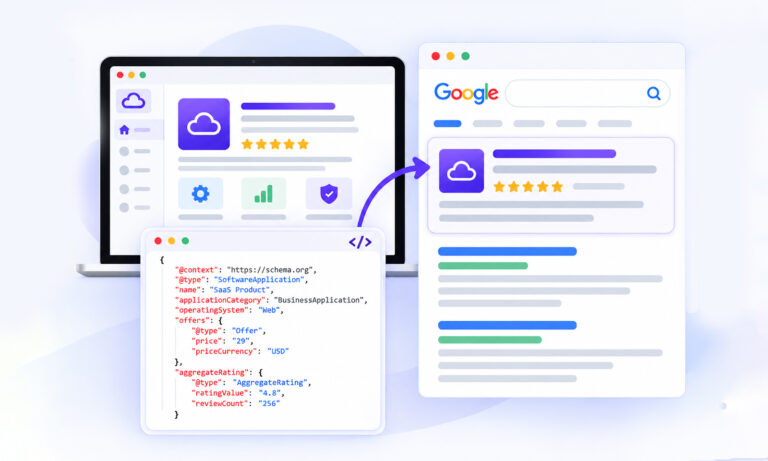
This is JSON-LD structured data , the format recommended by Google for implementing schema markup. It tells search engines that your page represents a product and clearly defines:
- Product name
- Image
- Description
- SKU
- Offer price
- Stock availability
- Review rating and count
The {{product.variable}} placeholders are dynamic Handlebars variables from your BigCommerce theme. They automatically pull real product data so your BigCommerce structured data stays aligned with what users see on the page.
That said, manual BigCommerce JSON-LD implementation requires ongoing monitoring. If your pricing changes, products go out of stock, reviews update, or variants change, your schema must reflect those updates accurately.
For many store owners, maintaining structured data across dozens or hundreds of SKUs becomes time-consuming and error-prone. In these situations, using a dedicated BigCommerce schema app can automate JSON-LD generation, prevent duplicate markup, and keep pricing, availability, and review data synced in real time, without manually editing theme files.
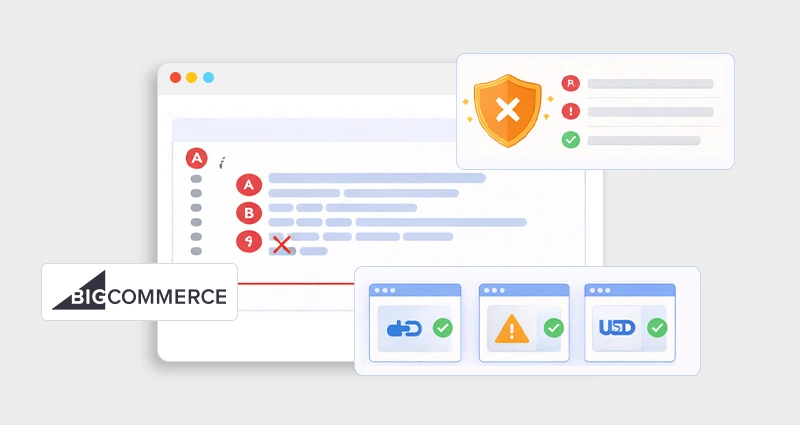
2. Audit & Improve Your Existing Structured Data
Before adding anything new, it’s smart to audit what your store already outputs.
BigCommerce often includes a default schema, but it may:
- Miss aggregateRating
- Omit complete offer details
- Fail to include review counts
- Duplicate schema from review apps
- Trigger warnings in structured data reports
Use:
- Google Rich Results Test
- Google Search Console
These tools show exactly what structured data Google detects on your pages and whether your products are eligible for rich results.
If your BigCommerce rich snippets are not appearing, common causes include:
- Missing required fields (price, availability, review count)
- Invalid JSON formatting
- Duplicate product schema blocks
- Mismatch between visible content and structured data
Cleaning up these issues is often enough to unlock enhanced BigCommerce SEO optimization benefits without rebuilding everything from scratch.
Best Practices for BigCommerce Schema Markup
Implementing BigCommerce schema markup correctly is just as important as adding it. Poorly structured or duplicated markup can prevent your BigCommerce rich snippets from appearing, even if the data exists on the page.
Here are the key best practices to follow:
- Use only one primary Product schema per page
Multiple or duplicate schema blocks (often caused by review apps or theme conflicts) can confuse search engines and invalidate your structured data.
- Include all required fields
For Product schema, make sure name, price, currency, availability, and (if applicable) aggregateRating are properly defined. Missing required properties can disqualify your page from rich results.
- Match structured data with visible content
Search engines like Google require that schema reflects what users actually see. Don’t mark up reviews or prices that aren’t displayed on the page.
- Test before and after publishing
Use Google Rich Results Test to validate eligibility and check for warnings or errors before pushing updates live.
- Avoid mixing Microdata and JSON-LD unnecessarily
Running both formats on the same page can create duplication or conflicting signals. Choose one clean implementation approach, preferably JSON-LD for scalability.
BigCommerce SEO Optimization: How Rich Snippets Help
While structured data is not a direct ranking factor, BigCommerce rich snippets significantly impact user behavior, which influences overall SEO performance.
Here’s how they help:
- Higher Click-Through Rate (CTR)
Listings with visible ratings, pricing, and availability stand out visually, attracting more clicks compared to plain results.
- Stronger Buyer Intent Filtering
Showing price and stock status upfront ensures that users clicking your result are already qualified and purchase-ready.
- Improved Trust & Credibility
Star ratings and review counts act as social proof directly in search results.
- Lower Bounce Rates
When expectations match what users see in SERPs, they’re less likely to leave immediately.
In competitive eCommerce niches, stores often report noticeable CTR improvements, sometimes in the 20–30% range, when rich snippets replace standard listings. Even modest CTR gains can translate into significant revenue increases over time.
Conclusion
Getting rich snippets on your BigCommerce store is a high-impact SEO strategy that helps your products stand out, especially in competitive search landscapes. With BigCommerce rich snippets powered by structured data, you boost both visibility and trust. Whether you choose an app, manual JSON-LD implementation, or a combination of both, make sure your schema is valid, unique, and updated regularly.
Begin with an audit, validate your implementation, and monitor Google Search Console to ensure ongoing success.
FAQs
Q1: How to add product schema in BigCommerce?
You can add product schema via a plugin/app that generates JSON-LD automatically, or manually insert JSON-LD into your product template. Testing with Google’s Rich Results Tool ensures correctness.
Q2: How to implement JSON-LD in BigCommerce?
JSON-LD scripts can be added to theme templates underor near the end of your body tag. Make sure they pull dynamic product data using Handlebars variables.
Q3: Why are rich snippets not showing in BigCommerce?
Common reasons include missing required data (price, availability, review count), duplicate schema blocks, or errors in your schema syntax. Fixing these increases eligibility.
Q4: My BigCommerce rich snippets are not appearing, what should I check?
Confirm your schema includes all required properties, test with Google’s Rich Results Test, and ensure there’s no duplicate or conflicting structured data present in your source code.
Q5: What are the best schema types for BigCommerce stores?
For product pages, Product, Offer, AggregateRating, and Breadcrumb schema. For site content, FAQ, How-To, Organization, and Blog schema help unlock additional rich features.
Q6: How do I fix structured data errors in BigCommerce?
Use Google Search Console’s structured data reports to identify missing fields, remove duplicates, and add or correct fields such as price, review counts, or images.







 Wix Schema
 Squarespace Schema
 BigCommerce Schema
 Shopify Schema
 Hubspot Schema
 Webflow Schema
 GoHighlevel Schema
 Duda Schema
 Weebly Schema