

If you’re handling technical SEO for a growing BigCommerce store, you’ve probably run into BigCommerce schema markup errors, whether flagged in Google Search Console , failing in Rich Results Test, or reflected in rich snippets suddenly disappearing from SERPs.
Here’s the confusing part: BigCommerce schema markup is included by default in most themes. Yet even well-built stores still encounter persistent structured data errors in BigCommerce, such as:
- Missing required offer properties
- Invalid or improperly formatted prices
- Duplicate Product entities caused by the theme and custom scripts
- BigCommerce rich snippet issues where the price or availability stops showing
- Schema validation errors triggered after theme updates
These aren’t cosmetic warnings. They directly affect rich result eligibility, click-through rates, and organic performance.
In this expert guide, we’ll dissect the most common BigCommerce schema validation errors, explain the technical root causes behind them, and walk through practical, developer-level fixes, complete with clean JSON-LD examples and implementation logic you can apply at the template level.
Understanding How BigCommerce Handles Schema by Default
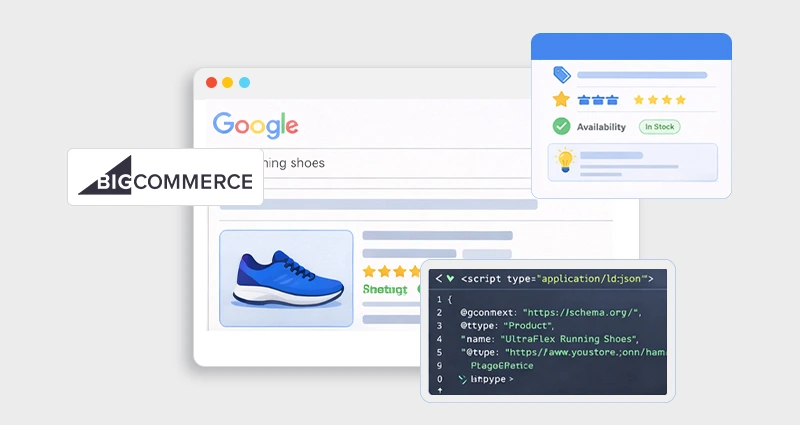
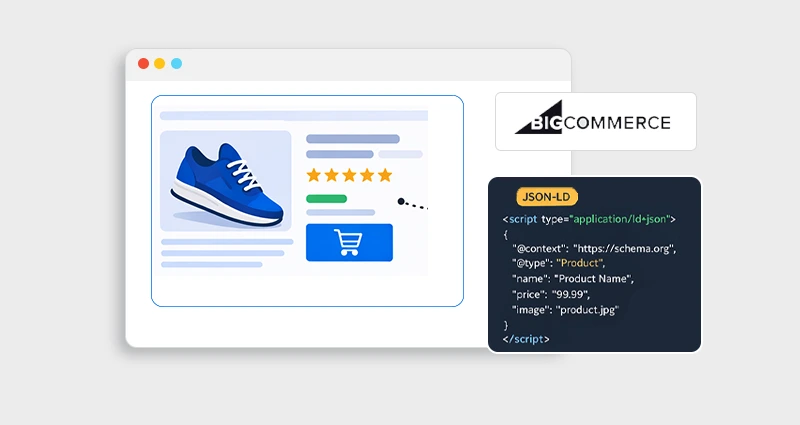
BigCommerce automatically injects Product structured data into product pages. Most modern themes output JSON-LD in the <head>.
If you want a deeper breakdown of how structured data works in this ecosystem before troubleshooting errors, it helps to review understanding BigCommerce schema markup and how BigCommerce structures product data for search engines.
However, here’s what experienced SEOs know:
BigCommerce schema markup is often:- Incomplete for complex product setups
- Duplicated when third-party scripts are added
- Incorrect for variant-heavy catalogs
- Not aligned with Google’s evolving product-rich result requirements
Google officially recommends JSON-LD for structured data implementation because it separates markup from visible HTML and is easier to maintain (see Google Search Central documentation).
When things break, they usually break silently, until rankings or rich snippets drop.
Why BigCommerce Schema Markup Errors Matter
Structured data errors in BigCommerce are not just “technical warnings.” They directly influence how your products appear and perform in search results.
Eligibility for rich product snippets
If your schema contains errors, Google may remove enhanced features like price, availability, and ratings, making your listing less visually compelling.
Merchant listings in Shopping-style results
Valid Product and Offer schema helps Google understand pricing and stock status, which improves eligibility for free product listings and enhanced commerce displays.
CTR from organic listings
Rich results naturally attract more clicks because they occupy more visual space and answer user intent directly within the SERP.
Trust signals like price and availability
Displaying real-time price and stock status builds confidence before the click, reducing friction and improving conversion likelihood.
If your BigCommerce rich snippet issues prevent price or availability from showing, your listing reverts to a plain blue link, and your competitors with enhanced listings gain the advantage. In competitive ecommerce niches, that visibility gap quickly translates into lost clicks, lower conversions, and ultimately revenue loss.
Most Common BigCommerce Schema Markup Errors (And Why They Happen)
1. Missing “offers” Property in Product Schema
The Problem
Google requires an offering object for product-rich results. Without it, you’ll see:
Missing field “offers” (required)
This is one of the most common BigCommerce product schema issues.
It usually happens when
- The product has no price assigned
- Price is dynamically injected via JS
- Custom themes override default product templates
The Fix
Ensure your JSON-LD includes:
{
"@type": "Product",
"name": "Example Product",
"offers": {
"@type": "Offer",
"priceCurrency": "USD",
"price": "49.99",
"availability": "https://schema.org/InStock",
"url": "https://example.com/product-url"
}
}
Critical:
The price in the schema must match the visible page price. Mismatches can invalidate rich results.
2. Duplicate Product Schema (Theme + Custom Script)
The Problem
A frequent cause of BigCommerce JSON-LD errors is duplicate structured data.
Common scenario:
- Theme outputs Product schema
- Developer injects custom JSON-LD
- Both exist → Google detects multiple Product entities
This triggers:
- Duplicate warnings in Search Console
- Conflicting price data
- Rich result suppression
How to Diagnose
- Run the URL in Rich Results Test
- Check how many Product items are detected
- Inspect page source for multiple <script type=”application/ld+json”>
The Fix
Choose one:
- Remove theme-generated schema
- Override the product template cleanly
- Consolidate into a single, authoritative Product object
Never stack multiple Product schemas unless they represent distinct entities.
3. Invalid Price Formatting
The Problem
One of the most overlooked BigCommerce schema validation errors is price formatting.
Incorrect examples:
“price”: “$49.99”
Correct format:
“price”: “49.99”
Google requires numeric values without currency symbols.
Also ensure:
- Decimal format uses a dot, not a comma
- No HTML injected into schema
4. Variant Conflicts and Offer Structure Errors
BigCommerce often handles variants dynamically. Developers sometimes output:
- Multiple Offer objects incorrectly
- Or misuse AggregateOffer
When to Use an Offer
Single price per page.
When to Use AggregateOffer
Use only if:
- Variants have different prices
- All price ranges are visible on the page
Example:
"offers": {
"@type": "AggregateOffer",
"lowPrice": "29.99",
"highPrice": "59.99",
"priceCurrency": "USD",
"offerCount": "5"
}
If you use AggregateOffer but only show one price visually, Google may ignore your markup.
5. Mismatch Between Schema and Visible Content
This is a silent killer.
Google guidelines clearly state: structured data must match what users see.
Common violations:
- The Schema shows “In Stock,” but the page says “Out of Stock.”
- The Schema includes reviews, but the page hides them
- The Schema includes a price range that is not displayed
This leads to:
- BigCommerce rich snippet issues
- Manual actions (in extreme cases)
Always treat schema as a structured representation of visible truth.
6. JavaScript-Rendered Schema Not Indexed
If your BigCommerce json ld schema is injected via client-side JavaScript,(after page load), Google may:
- Delay processing
- Fail to render it
- Index incomplete markup
Best practice:
- Render JSON-LD server-side within theme templates
- Place it inwhere possible
Avoid injecting schema through tag managers unless carefully tested.
How to Fix BigCommerce Structured Data Errors Systematically
Fixing BigCommerce structured data errors requires more than patching individual warnings, it demands a structured audit of your theme files, JSON-LD logic, and data consistency across the entire catalog.When you approach schema at the template and rendering level (instead of fixing product-by-product), you prevent recurring validation issues and protect long-term rich result eligibility.
Step 1: Audit at Scale
Start by identifying patterns, not isolated errors.
Use:
- Google Search Console → Product Enhancements report
- Rich Results Test
- URL Inspection tool
Group errors by type (e.g., missing offers, invalid price, duplicate Product schema). If the same issue appears across dozens of URLs, it’s almost always a template-level logic problem rather than a data-entry issue.
Step 2: Inspect Template-Level Implementation
In BigCommerce Stencil themes, schema is typically injected via product templates.
Check:
- templates/components/products/
- Any partials that output product metadata
- Instances of <script type=”application/ld+json”>
Determine whether the theme already outputs the Product schema. If you’ve added custom JSON-LD, ensure you’re not duplicating entities. Always fix the schema in the theme files, not by manually editing individual products, to ensure scalability and consistency.
Step 3: Standardize Your JSON-LD Structure
Every product page should output a complete and consistent Product object. At a minimum, include:
- Product
- Offer
- Brand (if applicable)
- SKU
- availability
- url
Avoid partial or conditional schema that omits required properties when certain product fields are empty. If data is unavailable, adjust template logic rather than leaving incomplete structured data.
If managing JSON-LD logic directly inside Stencil templates becomes difficult at scale, you may consider using a structured solution like a BigCommerce schema app to centralize markup control and prevent duplicate or incomplete implementations.
Step 4: Validate Against Official Guidelines
Once corrected, validate against the official Product structured data documentation from Google.
Pay special attention to:
- Required vs. recommended properties
- Price accuracy and formatting (numeric, no currency symbols)
- Fully qualified, crawlable URLs
- Proper availability values (e.g., https://schema.org/InStock)
- Even minor inconsistencies between schema and visible content can invalidate rich results, so always test the live URL after deployment.
Advanced BigCommerce Schema Markup Fixes
Theme updates often reintroduce default schema.
Solution:
- Document overrides
- Maintain version control
- Revalidate after updates
2. Control Review Schema Carefully
If you output:
"aggregateRating": {
"@type": "AggregateRating",
"ratingValue": "4.6",
"reviewCount": "125"
}
Ensure:
- Reviews are visible
- Data is authentic
- Markup reflects real user-generated content
Fake review schema violates guidelines.
3. Managing Large Catalogs
For stores with 10k+ SKUs:
- Automate schema generation in theme logic
- Avoid hard-coded values
- Use consistent conditionals for availability
Internal Optimization Opportunities
While resolving BigCommerce schema markup errors,it’s smart to look beyond Product schema and strengthen your overall structured data architecture. Fixing errors is defensive SEO, enhancing entity clarity is offensive SEO.
Enhance the Organization schema on the homepage
Ensure your homepage includes a well-structured Organization schema (or LocalBusiness, if applicable) with consistent name, logo, URL, and social profile links. This reinforces brand identity signals and supports Knowledge Graph alignment, especially for branded queries.
Implement BreadcrumbList schema
Breadcrumb structured data improves crawl clarity and helps search engines understand category hierarchy. For large catalogs, a properly implemented BreadcrumbList schema can enhance SERP display and reduce ambiguity between similar category paths.
Improve FAQ schema on category pages
If category pages answer common pre-purchase questions (shipping, returns, sizing, materials), adding valid FAQ schema can increase SERP real estate. Just ensure the FAQs are fully visible on-page and not hidden behind tabs or scripts, as mismatched content can invalidate eligibility.
Final Thoughts
BigCommerce schema markup errors are rarely random. They usually stem from theme conflicts, incorrect JSON-LD structure, price mismatches, or duplication.
For developers and technical SEOs, the solution isn’t adding more schema; it’s implementing clean, singular, validated, and guideline-compliant structured data.
When your BigCommerce schema markup is technically sound, aligned with visible content, and free of duplication, you maximize eligibility for rich results, and that’s where structured data delivers measurable impact. Fix the foundation once. Validate continuously. Scale confidently.
FAQs
Q1: How to fix schema markup errors in BigCommerce?
Identify the error type in Google Search Console, inspect theme templates for duplicate JSON-LD, and correct required fields like offers and price to match visible content.
Q2: What are common BigCommerce schema problems?
Common issues include duplicate Product schema, missing required properties, incorrect price formatting, and mismatches between structured data and on-page content.
Q3: Why are my BigCommerce rich snippets not showing?
Google determines eligibility based on content quality and consistency. Ensure no validation errors exist and markup follows official guidelines.
Q4: Does BigCommerce automatically add schemas?
Yes, themes typically include default Product structured data, but customizations or third-party scripts can introduce conflicts.
Q5: How do I validate BigCommerce JSON-LD schema?
Use Google’s Rich Results Test and Search Console Product Enhancements report to test live URLs.
Q6: Can duplicate schema hurt rankings?
It won’t directly penalize rankings, but it can invalidate rich result eligibility, reducing CTR and impacting performance.







 Wix Schema
 Squarespace Schema
 BigCommerce Schema
 Shopify Schema
 Hubspot Schema
 Webflow Schema
 GoHighlevel Schema
 Duda Schema
 Weebly Schema