

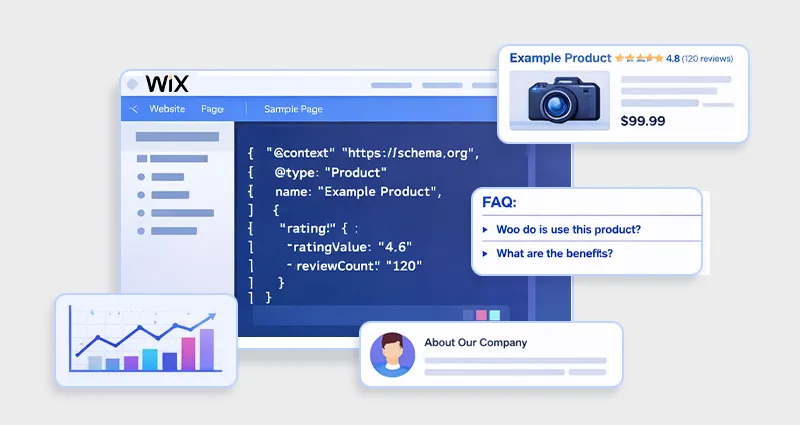
Search engines have become much better at reading content, but they still need clear signals to understand what a page is actually about. A product page might contain prices and reviews, a blog post might include author information, and a business page might list location details, but without structured context, search engines must interpret all of this on their own.
This is where Wix schema markup becomes important. By adding structured data to your Wix website, you help search engines like Google clearly understand your content, which can lead to rich results such as product previews, article snippets, and enhanced listings in search results.
Beyond traditional SEO, schema markup is also becoming critical for AI-powered search engines and generative AI systems that rely on structured information to interpret websites more accurately.
Understanding how schema markup works in Wix is an important step toward building a website that communicates clearly with both search algorithms and AI-driven search experiences.
What Is Wix Schema Markup?
Wix schema markup refers to structured data that you add to a Wix website to help search engines understand the meaning and context of your content. It uses the standardized Schema.org vocabulary and is typically implemented in JSON-LD
format, which is the format recommended by major search engines for structured data. Instead of relying only on visible text, schema markup provides a machine-readable layer of information that clearly defines what different elements on a page represent.
For example, a webpage might mention a product price, a review rating, or an author name. Without structured data, search engines must interpret this information based only on surrounding text. When you implement Wix structured data, you explicitly label these details so search engines can accurately identify them as a product, article, review, business, event, or another content type. This clarity helps search engines organize your content more effectively and determine how it should appear in search results.
Structured data can describe many types of content, including:
- Products
- Articles
- FAQs
- Businesses
- Reviews
- Events
For example, a product page with structured data might tell search engines the following:
| Property | Example |
|---|---|
| Product Name | Wireless Headphones |
| Price | $199 |
| Availability | In Stock |
| Rating | 4.8 stars |
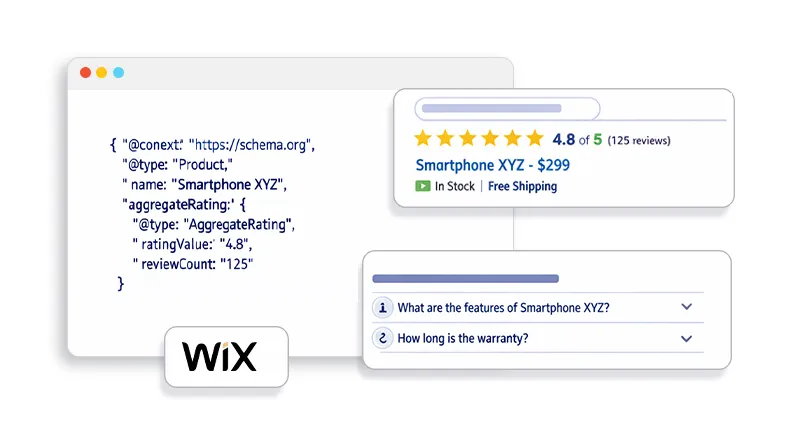
This additional layer of context allows search engines to generate rich snippets, such as star ratings, product prices, and other enhanced search result features that make listings more informative and visually prominent.
Wix supports JSON-LD structured data, which can be added through the site’s SEO settings or page-level SEO panel. This allows website owners to implement and customize schema markup to improve Wix schema markup SEO and provide clearer signals to both search engines and AI-driven search systems.
Why You Should Add Structured Data to Your Wix Website
Adding Wix schema markup provides several important SEO and visibility benefits:
Improves search engine understanding:
Structured data helps search engines interpret the meaning of your content more accurately.
Supports rich results:
Schema markup can enable enhanced listings such as ratings, product details, FAQs, and other rich snippets in Wix search results
Strengthens Wix structured data SEO:
Well-implemented schema provides clearer signals that support modern search algorithms.
Enhances AI interpretation:
AI search engines rely on structured signals to identify entities, relationships, and key information on webpages.
Creates more informative search listings:
Rich results make your pages more attractive and informative to users browsing search results.
When used correctly, Wix SEO structured data helps both search engines and AI systems better understand your content, which can improve AI visibility and search performance over time.
Why Wix Schema Markup Matters for SEO and AI Search
Many website owners think schema markup only helps generate rich snippets, but its impact goes much deeper. Wix schema markup helps search engines and AI systems clearly understand what your content represents. Instead of interpreting pages only through text, structured data provides direct signals about important elements on your website, making it easier for search engines to process and organize information.
Improves Search Engine Understanding
Without structured data, search engines must analyze content and guess the meaning of certain elements. When you add schema markup in Wix, you explicitly define important components of a page, such as products, organizations, articles, or reviews. This additional context helps search engines categorize pages more accurately and improves overall Wix structured data SEO performance.
Enables Rich Results
Structured data can make your pages eligible for enhanced search listings known as rich results. These may include features like:
- Product ratings
- Recipe previews
- Article cards
- Event details
These enhanced listings can make search results more informative and visually appealing. However, adding schema markup does not guarantee rich snippets, as search engines decide when to display them.
Helps AI Systems Understand Content
Modern search platforms increasingly rely on AI to interpret web content. Schema markup provides structured signals that help AI identify:
- Entities (people, products, organizations)
- Relationships between topics
- Content types and metadata
For example, AI can recognize an article’s author, detect a product’s price, or connect a business to its location. Because of this, Wix schema markup SEO is becoming increasingly important for both traditional search engines and AI-driven search systems.
Types of Structured Data Wix Supports
Wix automatically adds certain types of structured data to specific page types. These preset markups help search engines understand the purpose of different pages without requiring manual schema implementation. However, you can still customize or extend them using custom Wix JSON-LD schema markup when more detailed information is needed.
Here are the main types of structured data Wix supports:
| Page Type | Preset Markup |
|---|---|
| Product pages | Product schema |
| Blog posts | Article schema |
| Booking services | Service schema |
| Events | Event schema |
| Forums | Discussion schema |
Product Schema (Product Pages)
This schema helps search engines understand product-related information such as product name, price, availability, images, and reviews. It can make product pages eligible for enhanced search listings like price and rating displays.
Article Schema (Blog Posts)
Blog posts on Wix typically include article schema, which provides details like the article title, author, publish date, and featured image. This helps search engines recognize the page as editorial content.
Service Schema (Booking Services)
For websites offering bookings or services, Wix adds service-related structured data. This helps search engines understand the type of service being offered and the business providing it.
Event Schema (Events Pages)
Event schema describes event-related details such as event name, date, location, and organizer. This allows search engines to display event information directly in search results.
Discussion Schema (Forums)
Forum pages may include discussion schema, which helps search engines understand that the content is part of a discussion or community thread.
In addition to these preset markups, Wix can automatically generate Local Business schema for your homepage when you add business information in your site settings. This structured data helps search engines identify important details such as your business name, address, and contact information.
If you want to provide deeper context or add additional structured data types, you can implement custom Wix JSON-LD schema to expand your website’s structured data coverage.
How to Add Schema Markup in Wix (Step-by-Step)
Now, let’s walk through the exact process of adding Wix structured data to a page. If you prefer a more automated approach, using a Wix Schema App can help generate and manage schema markup without manually editing JSON-LD code.
Step 1: Open Your Wix Editor
- Log into your Wix dashboard
- Open the Wix Editor or Wix Studio Editor
Step 2: Select the Page
- Click Pages & Menu
- Choose the page where you want to add structured data
Step 3: Open SEO Settings
- Click the three dots next to the page
- Select SEO Basics
- Go to Advanced SEO
Step 4: Add Structured Data
- Open Structured Data Markup
- Click Add New Markup
- Paste your JSON-LD code
- Click Apply
Wix allows up to five structured data markups per page.
Example: Wix JSON-LD Schema Markup
Below is a simple JSON-LD schema example for a website.
<script type="application/ld+json">
{
"@context": "https://schema.org",
"@type": "Organization",
"name": "Example Company",
"url": "https://www.example.com",
"logo": "https://www.example.com/logo.png"
}
</script>
When implementing Wix JSON-LD schema, remember:
- Use only JSON-LD format
- Wrap the code in
<script type="application/ld+json"> - Ensure the schema matches visible page content
Wix requires structured data to be added in JSON-LD format only.
How to Add Structured Data to Multiple Wix Pages
Instead of adding schema individually, Wix allows bulk implementation through SEO Settings.
This is useful for:
- Product pages
- Blog posts
- Category pages
- Service pages
To implement schema across page types:
- Go to Dashboard → SEO → SEO Settings
- Select a page type
- Open Structured Data Markup
- Add or edit schema code
This allows you to apply dynamic Wix SEO structured data across an entire section of your site.
How to Validate Wix Schema Markup
After implementing structured data, always test it.
1. Google Rich Results Test
Use Google’s Rich Results Test to verify if your schema qualifies for enhanced results.
Steps:
- Visit the Rich Results Test
- Paste your page URL
- Run the test
- Review detected schema
2. Wix Built-in Validator
Wix also includes an internal schema validator.
If your JSON-LD contains syntax errors, Wix will alert you before publishing the markup.
Best Schema Types for Wix Websites
Different schema types work best for different websites.
| Website Type | Recommended Schema |
|---|---|
| Blog | Article schema |
| Ecommerce | Product schema |
| Local business | LocalBusiness schema |
| SaaS | SoftwareApplication schema |
| Service site | Service schema |
Combining these properly improves Wix structured data SEO performance.
Common Wix Schema Markup Errors
When implementing Wix schema markup, even small mistakes in the structured data can prevent search engines from reading it correctly. These errors may cause schema validation failures or lead search engines to ignore your markup completely. Understanding these common Wix schema markup errors helps ensure your Wix structured data SEO efforts work as intended.
Invalid JSON Format
One of the most common problems occurs when the JSON-LD code contains formatting errors. Since structured data must follow strict JSON syntax, even a small mistake can break the entire markup.
Common formatting issues include:
- Missing commas between properties
- Curly quotes instead of straight quotes, which often appear when copying code from editors
- Incorrect or missing brackets that break the JSON structure
If the JSON format is invalid, schema testing tools and validators will fail to recognize the markup.
HTML Inside JSON-LD
Another frequent mistake is inserting HTML elements inside the structured data code. In Wix JSON-LD schema, the HTML should only appear in the outer script tag.
For example, the schema should be placed within:
<script type="application/ld+json">
Adding HTML tags inside the JSON structure can break the markup and prevent search engines from processing it correctly.
Mismatch Between Schema and Page Content
Structured data must accurately reflect the visible content on the page. Search engines require that the information in schema markup matches what users can see.
For example:
- If the schema includes a product price, that price should appear on the page.
- If the markup lists reviews or ratings, those reviews must be visible to users.
If there is a mismatch between schema data and page content, search engines may ignore the markup or consider it misleading.
How Schema Markup Improves AI Understanding
AI systems process structured signals differently from traditional search engines.
Schema markup helps AI identify:
- Entities (products, people, organizations)
- Relationships between topics
- Content hierarchy
- Metadata like authorship and publishing date
For example, structured data can tell AI:
Article → Author → Organization
Product → Brand → Rating
This improves AI interpretation, knowledge graph connections, and search summarization accuracy.
As AI search evolves, structured data will become even more important for content visibility in AI-generated results.
Wix Schema Markup Best Practices
Based on real-world SEO implementation, here are the most important practices.
Match Schema to Page Intent
Use a schema that reflects the content type.
Example:
- Product page → Product schema
- Blog post → Article schema
Keep Structured Data Accurate
If product price changes, update the schema accordingly.
An outdated schema can cause rich results to disappear.
Avoid Duplicate Schema
Sometimes Wix adds default markup automatically.
Adding duplicate schema types may cause conflicts.
Use Dynamic Variables
Dynamic variables allow the schema to update automatically across multiple pages. This reduces manual work and keeps data consistent
Conclusion
Implementing Wix schema markup is one of the most effective ways to improve how search engines and AI systems understand your website.
By adding structured data in JSON-LD format, you provide clear signals about your content, enabling search engines to interpret pages accurately and potentially generate rich search results.
When implemented correctly, Wix structured data SEO can improve visibility, enhance search listings, and future-proof your site for AI-driven search experiences.
The key is to use the right schema types, ensure accuracy, validate your markup, and continuously maintain structured data as your content evolves.
Frequently Asked Questions
Q1: What is Wix schema markup?
Wix schema markup is structured data added to a Wix website using JSON-LD format to help search engines understand page content and generate rich search results.
Q2: How do I add schema markup in Wix?
Open the Wix Editor, select a page, go to SEO Basics → Advanced SEO → Structured Data Markup, then paste your JSON-LD schema and apply the changes.
Q3: Does Wix automatically add structured data?
Yes. Wix automatically adds schema markup for certain page types like blog posts, product pages, bookings, forums, and events.
Q4: What format does Wix use for schema markup?
Wix supports JSON-LD structured data only, which must be added within script tags in the SEO settings panel.
Q5: How do I test Wix structured data?
You can test Wix structured data using:
- Google Rich Results Test
- Schema validators
- Wix’s built-in structured data validator
Q6: Does schema markup guarantee rich snippets?
No. Adding schema markup helps search engines understand content, but it does not guarantee rich snippets will appear in search results.
Q7 Can I add multiple schema types to a Wix page?
Yes. Wix allows up to five structured data markups per page, including preset and custom schema.
Q8: What is the best schema markup for Wix SEO?
The best schema depends on your website type, but common options include:
- Product schema
- Article schema
- Local Business schema
- Service schema









 Wix Schema
 Squarespace Schema
 BigCommerce Schema
 Shopify Schema
 Hubspot Schema
 Webflow Schema
 GoHighlevel Schema
 Duda Schema
 Weebly Schema
 ClickFunnel Schema