


Search engines are getting better at understanding content, but they still rely heavily on structured signals to interpret what a page actually means. That’s where Advanced Wix schema markup becomes one of the most powerful technical SEO tools available.
When implemented correctly, Wix structured data helps search engines understand your business, products, services, and content more clearly. This can unlock rich snippets, enhanced listings, and improved click-through rates in search results.
Many Wix users rely only on the platform’s default schema. But advanced SEO requires going beyond those basics. In this guide, we’ll explore advanced schema markup for Wix websites, including practical implementation techniques, JSON-LD examples, schema optimization strategies, and tools that can help your site earn better visibility.
What Is Wix Schema Markup
Wix schema markup is a form of structured data that helps search engines clearly understand what your website content represents. Instead of relying only on visible text, search engines use this markup to interpret key information like products, services, articles, reviews, and business details.
Wix uses JSON-LD schema, which is the preferred format recommended by search engines because it is clean, flexible, and easy to implement without affecting page design. You can add this markup directly within Wix’s built-in SEO settings, making Wix structured data implementation accessible even without deep coding knowledge.
At a basic level, Wix already adds some default schema for certain page types like blog posts, products, and events. However, these are often limited in depth. That’s where advanced Wix schema markup comes in, allowing you to customize and enhance structured data to better match your content and SEO goals.
For example, instead of just telling Google that a page is a “blog post,” you can specify:
- The author and publisher
- The publish date
- Related FAQs
- Breadcrumb navigation
- Associated organization details
This extra layer of context helps search engines connect the dots more accurately, which is essential for modern SEO.
Why Wix Schema Matters for Higher Rankings
While Wix schema markup is not a direct ranking factor, it plays a crucial role in improving the signals that influence rankings.
Search engines aim to deliver the most relevant and clearly understood results. Wix SEO schema markup helps by removing ambiguity and making your content easier to interpret. When search engines understand your content better, they are more likely to:
- Display Wix rich snippets (like FAQs, ratings, or product details)
- Improve your listing’s visibility in search results
- Increase click-through rates (CTR)
- Strengthen topical relevance and entity signals
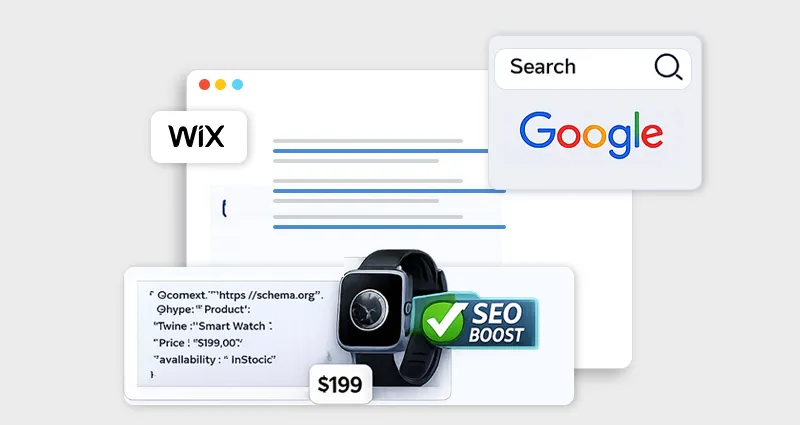
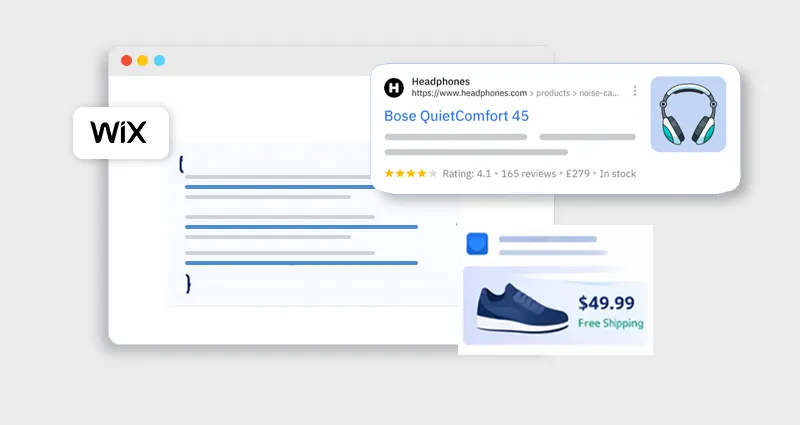
For example, a page with an FAQ schema can appear with expandable questions in search results, taking up more space and attracting more attention. Similarly, product schema can display pricing and availability directly in SERPs.
This is where Wix schema optimization becomes powerful. Instead of competing only with traditional blue links, your pages can stand out visually and contextually.
From a Wix technical SEO schema perspective, structured data also supports:
- Better crawling and indexing
- Clearer site structure through breadcrumbs
- Stronger brand/entity recognition with organization schema
In competitive niches, these advantages can make a measurable difference. Websites that implement advanced schema markup for Wix websites are not just easier to understand, but also easier to trust, rank, and click.
How Wix Handles Structured Data by Default
Before you start implementing advanced Wix schema markup, it’s important to understand what Wix already does for you behind the scenes, and where those defaults fall short.
Wix includes a built-in system for Wix structured data implementation, which automatically generates schema markup for several core page types. This is designed to help search engines quickly recognize common content formats without requiring manual setup. For many beginners, this provides a solid starting point for technical SEO.
By default, Wix adds preset schema markup to:
- Blog posts
- Product pages
- Events
- Service pages
- Forum posts
These built-in schemas provide a solid foundation. However, they often include only basic fields.
You can customize or add a new schema in the Advanced SEO settings of a page by inserting JSON-LD markup directly.
Key limitations to know:
| Feature | Wix Limitation |
|---|---|
| Schema format | JSON-LD only |
| Character limit | ~7,000 characters per markup |
| Max markup blocks | Up to 5 per page |
These limitations mean you can’t simply add unlimited structured data or overly complex schemas. Instead, effective Wix schema optimization requires prioritizing high-impact markup, keeping your JSON-LD clean, and structuring data strategically across pages.
How to Add JSON-LD Schema in Wix
Understanding how to add JSON-LD schema in Wix is the first step toward advanced optimization.
Step-by-Step Implementation
- Open your Wix Editor or Dashboard
- Select the page you want to optimize
- Go to SEO Basics → Advanced SEO
- Open Structured Data Markup
- Click Add New Markup
- Paste your JSON-LD schema
- Publish the page
Wix requires the schema to be wrapped inside the standard script tag format.
Example:
<script type="application/ld+json">
{
"@context": "https://schema.org",
"@type": "Organization",
"name": "Example Company",
"url": "https://example.com"
}
</script>
Wix recommends ensuring your structured data uses correct punctuation and formatting, because even small syntax errors can cause validation failures.
After implementation, always test your markup using:
- Google Rich Results Test
- Schema Markup Validator
- Google Search Console
If you don’t want to manually manage JSON-LD across multiple pages, using a Wix schema app can simplify the process by automatically generating and updating structured data at scale.
Advanced Wix Schema Markup Techniques
Basic schema helps search engines understand your site. Advanced Wix schema markup helps search engines understand it better than your competitors.
Here are several techniques experienced SEO professionals use.
1. Layer Multiple Schema Types on Key Pages
One of the most effective Wix schema optimization strategies is combining multiple schema types.
For example, a blog article could include:
- Article schema
- Author schema
- Organization schema
- Breadcrumb schema
<script type="application/ld+json">
{
"@context": "https://schema.org",
"@type": "Article",
"headline": "Advanced Wix Schema Markup Techniques",
"author": {
"@type": "Person",
"name": "Author Name"
},
"publisher": {
"@type": "Organization",
"name": "Example Company"
}
}
</script>
This layered approach improves entity understanding and helps search engines connect your content with your brand.
2. Implement FAQ Schema for Informational Pages
Adding the FAQ schema is one of the easiest ways to increase SERP real estate.
When done correctly, Google may display expanded FAQ results under your listing.
Important best practice:
The FAQ content must be visible on the page, otherwise it may violate structured data guidelines.
FAQ schema works particularly well for:
- How-to guides
- Technical tutorials
- SaaS documentation
- Product help pages
3. Add Product and Review Schema for E-commerce
If you run a store, product schema markup is critical.
It allows search engines to show:
- Product price
- Availability
- Reviews
- Ratings
Example structure:
<script type="application/ld+json">
{
"@context": "https://schema.org/",
"@type": "Product",
"name": "Running Shoes",
"image": "https://example.com/image.jpg",
"offers": {
"@type": "Offer",
"priceCurrency": "USD",
"price": "79.99",
"availability": "https://schema.org/InStock"
}
}
</script>
This type of Wix technical SEO schema helps your product pages qualify for rich product results.
4. Use Breadcrumb Schema for Better Site Structure
Breadcrumb schema helps search engines understand your page hierarchy.
Example:
<script type="application/ld+json">
{
"@context": "https://schema.org",
"@type": "BreadcrumbList",
"itemListElement": [{
"@type": "ListItem",
"position": 1,
"name": "Blog",
"item": "https://example.com/blog"
}]
}
</script>
Benefits include:
- Improved crawling
- Clear page relationships
- Cleaner search result display
5. Optimize Entity Signals With Organization Schema
Your homepage should always include the Organization schema or LocalBusiness schema.
This provides structured details like:
- Business name
- Logo
- Social profiles
- Contact information
This schema strengthens brand recognition and entity signals across search engines.
Wix Schema Optimization Best Practices
Advanced schema isn’t just about adding markup. It’s about making Wix structured data accurate, clean, and aligned with search engine guidelines so it actually improves visibility instead of creating confusion.
Match Schema With Visible Content
Your structured data must always reflect what users can see on the page. If you mark up content that isn’t visible (like fake FAQs or hidden reviews), search engines may ignore the schema or even flag it as misleading.
Avoid Duplicate Schema
Adding multiple versions of the same schema type, especially when Wix already generates default markup, can confuse search engines. This often leads to ignored structured data or errors in rich results, reducing the overall effectiveness of your Wix schema markup.
Keep JSON-LD Clean
Even small formatting issues like missing commas, incorrect brackets, or invalid property names can break your schema. Always validate your Wix JSON-LD schema using tools like Google’s Rich Results Test to ensure it’s error-free and eligible for enhancements.
Focus on High-Impact Pages
Not every page needs advanced schema. Prioritize key pages like your homepage, product pages, blog posts, and services. These pages drive the most traffic and benefit the most from Wix rich snippets and enhanced search visibility.
How Schema Helps Improve Wix SEO With Structured Data
Structured data is not a direct ranking factor. But it can improve search performance signals that influence rankings. Benefits include:
Higher Click-Through Rates (CTR)
Pages enhanced with Wix rich snippets, such as FAQs, ratings, or product details, stand out more in search results. This increased visibility often attracts more clicks compared to standard listings, even if your ranking position remains the same.
Rich Result Eligibility
Adding Wix SEO schema markup makes your pages eligible for rich results like FAQ dropdowns, product listings, and breadcrumb trails. These enhanced features take up more space in SERPs, giving your content a competitive edge.
Better Content Understanding
With Wix JSON-LD schema, you explicitly tell search engines what your content represents, whether it’s an article, product, or service. This reduces ambiguity and helps search engines match your pages with more relevant search queries.
Improved Crawl Efficiency
Structured data helps search engines navigate your site more effectively by clarifying relationships between pages (like breadcrumbs and entities). This can lead to faster indexing and better prioritization of important pages.
Conclusion
Structured data has become a fundamental part of modern SEO. While Wix provides a helpful foundation with preset schema, real SEO gains come from implementing Advanced Wix schema markup strategies.
By combining multiple schema types, implementing JSON-LD correctly, and optimizing structured data for high-value pages, you can significantly improve how search engines interpret your content.
The result is better eligibility for rich results, clearer search signals, and stronger visibility in increasingly competitive search landscapes.
When used strategically,advanced schema markup for Wix websites transforms structured data from a technical add-on into a powerful SEO advantage.
FAQs
Q1: What is advanced Wix schema markup?
Advanced Wix schema markup refers to customized structured data implementations beyond the default schemas provided by Wix. It includes layered schemas, entity optimization, FAQ markup, product schema, and custom JSON-LD scripts.
Q2: Does Wix automatically add schema markup?
Yes. Wix automatically generates preset structured data for pages such as blog posts, products, events, and services. However, you can also add custom schema manually through the Advanced SEO settings.
Q3: Which schema format does Wix support?
Wix supports structured data in JSON-LD format only, which must be inserted inside script tags.
Q4: How many schema markups can you add to a Wix page?
You can add up to five structured data markups per page in Wix’s SEO settings.
Q5: Does schema markup improve Wix rankings?
Schema markup is not a direct ranking factor, but it improves search visibility through rich results and better content understanding, which can increase click-through rates and organic traffic.
Q6: What are the best schema types for Wix websites?
The most effective schema types include:
- Organization
- Article
- Product
- FAQ
- Breadcrumb
- Review
These schemas help search engines understand different content types across your website.
Q7: Should I use a Wix schema app? How will it help?
A Wix schema app can simplify implementation by automatically generating structured data and updating the schema across your website. This can save time and reduce technical errors.








 Wix Schema
 Squarespace Schema
 BigCommerce Schema
 Shopify Schema
 Hubspot Schema
 Webflow Schema
 GoHighlevel Schema
 Duda Schema
 Weebly Schema
 ClickFunnel Schema