

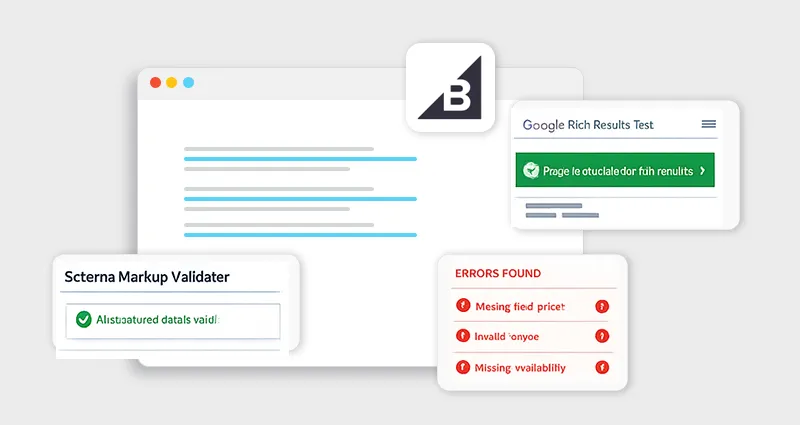
Schema markup can significantly improve how your BigCommerce store appears in search results, but only if it works correctly. Many store owners implement structured data expecting rich snippets, only to realize later that errors, missing fields, or formatting issues are preventing any real impact. This is where knowing how to test BigCommerce schema markup becomes essential.
Validation isn’t just a technical step, it’s what ensures search engines can interpret your data accurately and make your pages eligible for enhanced listings. In this guide, you’ll learn how to properly validate structured data, identify hidden issues, and fix them using reliable tools and practical workflows so your schema actually delivers results.
Why Testing BigCommerce Schema Markup Matters
Adding structured data is only half the job. The real impact comes when you test BigCommerce schema markup correctly and ensure search engines can actually read it.
Here’s the harsh truth most guides don’t tell you:
Even a small issue, like a missing comma or required field, can completely invalidate your schema. When that happens, Google simply ignores it. No warnings. No partial credit. No rich results. That’s why BigCommerce schema validation is not optional, it’s critical.
When your schema works properly, you unlock:
- Product rich snippets (price, availability, ratings)
- FAQ dropdowns in search
- Breadcrumb enhancements
- Higher CTR from improved SERP visibility
But when it’s broken? You get nothing.
Understanding BigCommerce Schema Markup (Before Testing)
Before you start using any tools, it’s important to have a clear understanding of BigCommerce schema markup and how it’s actually implemented in your store.
BigCommerce typically supports structured data through JSON-LD, which is the format recommended by Google because it’s clean, flexible, and easy to maintain. Instead of mixing schema directly into your HTML JSON-LD, sits inside a dedicated script tag:<script type="application/ld+json">
This separation matters. It means your schema doesn’t interfere with your design or layout, and it can be updated, tested, or replaced without touching core page elements.
In most real-world BigCommerce schema implementations, structured data comes from multiple sources:
- The default theme (which often includes a basic Product or Organization schema)
- Third-party apps (for reviews, FAQs, or advanced schema)
- Manual additions via scripts or theme customization
That’s why BigCommerce schema validation is so important, you’re not always dealing with a single, clean schema block.
The most common schema types you’ll encounter include:
- Product → for price, availability, and reviews
- Organization → for brand/business details
- Breadcrumb → for navigation structure
- FAQPage → for expandable search results
Each of these has specific required properties defined by Schema.org. If those aren’t present, or incorrectly formatted, your schema may still exist, but won’t qualify for rich results.
How to Test BigCommerce Schema Markup (Step-by-Step)
Let’s walk through a real-world workflow you can actually use.
Step 1: Extract Your Schema
Start by pulling your structured data:
- Open your BigCommerce product page
- Right-click → View Page Source
- Search for: application/ld+json
This gives you the exact JSON-LD you’ll use for BigCommerce JSON-LD testing.
Step 2: Run a BigCommerce Rich Results Test
Use Google’s Rich Results Test (recommended first step).
What it checks:
- Whether your schema is eligible for rich results
- Supported schema types (Product, FAQ, etc.)
- Critical errors blocking eligibility
This is your most important validation step.
Step 3: Validate JSON-LD Syntax Separately
Now go deeper.
Use a schema validator to:
- Validate JSON syntax (commas, brackets, quotes)
- Check required properties
- Detect structural issues
These tools analyze:
- Syntax errors
- Missing required fields
- Schema.org compliance
- Rich result eligibility
Example tools to test BigCommerce structured data:
- Schema Markup Validator
- JSON-LD validators
- Browser extensions for schema inspection
Step 4: Compare Results Across Tools
Here’s something most beginners miss:
Different tools may show different errors.
- Different tools may show different errors.
- Validators → check technical correctness
That’s why you should always:
- Run Google Rich Results Test
- Run a schema validator
- Cross-check results
Step 5: Fix Errors and Retest
After identifying issues:
- Fix your JSON-LD
- Update your BigCommerce theme or script
- Re-run validation
Repeat until:
- No critical errors
- Only minor warnings (if any)
Best BigCommerce Schema Testing Tools (Compared)
Here’s a quick comparison of commonly used tools:
| Tool Type | What It Checks | When to Use |
|---|---|---|
| Google Rich Results Test | Eligibility for rich snippets | First validation |
| Schema Validator tools | Syntax + required fields | Debugging |
| Browser extensions | Live page schema detection | Quick audits |
Most tools allow you to:
- Paste a URL or JSON-LD
- Instantly detect schema issues
- Preview rich results
Common BigCommerce Structured Data Errors (And Fixes)
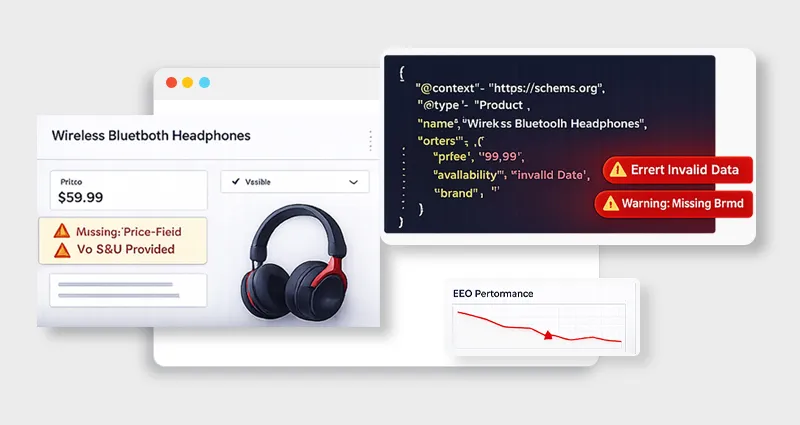
1. Missing Required Fields
Example:

At first glance, this looks valid, but it’s incomplete. For a Product schema Markup to pass a BigCommerce rich results test, it must include critical fields like:
- offers
- price
- availability
Without these, Google can’t display rich snippets.
Fix: Always cross-check required properties for each schema type and ensure nothing essential is missing.
2. Invalid JSON Format
This is one of the most common reasons schema fails silently.
Typical mistakes include:
- Missing commas between fields
- Using single quotes instead of double quotes
- Broken nesting (objects inside arrays, etc.)
Even one small syntax error can invalidate your entire JSON-LD block during BigCommerce JSON-LD testing.
Fix: Run your code through a validator to catch syntax issues instantly.
3. Duplicate Schema Markup
This issue is especially common in BigCommerce setups.
It usually happens when:
- Your theme already includes schema
- A BigCommerce schema app adds another layer
- You manually inject additional JSON-LD
The result? Duplicate or conflicting schema, which confuses search engines and may invalidate your structured data.
Fix: Audit your page source and keep only one clean, consolidated schema implementation.
4. Unsupported Schema Types
Not every valid schema type leads to rich results.
You might implement the schema correctly, pass validation, and still see no enhancement in search results. That’s because Google only supports specific schema types for rich snippets.
Fix: Focus on supported types like Product, FAQ, and Breadcrumb when your goal is visibility.
5. Incorrect Data Types
Schema is strict about data formatting.
Common issues include:
- Using text instead of numbers for price
- Incorrect date formats
- Boolean values written as strings
These errors often appear during BigCommerce schema validation and can prevent eligibility.
Fix: Follow Schema.org specifications exactly and ensure all values match expected data types.
By understanding these common errors, you’ll not only test BigCommerce schema markup more effectively but also fix issues faster, without endless trial and error.
How to Fix Schema Errors in BigCommerce (Practical Workflow)
Here’s a proven workflow used in real SEO audits to fix BigCommerce schema markup efficiently without guesswork.
Start by running a full BigCommerce schema validation using both a rich results testing tool and a schema validator. This gives you two perspectives, eligibility and technical correctness.
Next, separate issues into:
- Errors (must fix): These block rich results completely
- Warnings (should fix): These don’t block eligibility but limit enhancements
Once you know what’s broken, trace the source. In BigCommerce, schema issues usually come from:
- Theme files (default structured data)
- Script injections (manual JSON-LD)
- Apps (which often override or duplicate schema)
After identifying the source, update the JSON-LD directly. This might mean adding missing fields, correcting structure, or removing duplicate markup.
Immediately re-run your BigCommerce JSON-LD testing to confirm fixes. Don’t rely on assumptions, always validate again.
Finally, monitor your structured data in Google Search Console. This helps you:
- Confirm that errors are resolved
- Track rich result eligibility
- Catch new issues after updates
In most cases, once you understand where the schema is coming from, how to fix schema errors in BigCommerce becomes a fast, repeatable process.
Advanced Tips to Improve Validation Success (Explained)
Always include @context and @type:
These define the structure and meaning of your schema, without them, search engines may not understand or process your data correctly.
Use complete product data (price, availability, reviews)
Providing full details increases your chances of qualifying for rich results and makes your schema more useful to search engines.
Keep schema aligned with visible content
Your structured data must match what users see on the page, otherwise it can reduce trust and lead to ignored markup.
Avoid mixing Microdata + JSON-LD:
Using multiple formats can create conflicts or duplicate signals, making validation and interpretation more difficult.
Test before and after deployment:
Even small updates can break schema, so testing ensures everything works correctly both pre- and post-publish.
Validation does not guarantee rich results:
Passing validation only means your schema is eligible, search engines still decide whether to display rich results based on quality and relevance.
Conclusion
Testing is where schema markup actually becomes valuable. You can implement perfectly structured data, but unless you consistently test BigCommerce schema markup, validate it, and fix issues, it won’t deliver any real SEO benefit. The process itself is straightforward, but discipline is what makes it effective.
Validating early helps catch issues before indexing, fixing errors at the source ensures accuracy, and re-testing after every change maintains stability. Over time, this consistent approach transforms the schema from a one-time setup into a reliable SEO asset, helping your BigCommerce store improve visibility, enhance search listings, and drive stronger organic performance.
FAQs
1. How do I test BigCommerce schema markup?
Use Google Rich Results Test first, then validate JSON-LD using schema validator tools to check syntax and required fields.
2. What is the best tool for BigCommerce schema validation?
The Google Rich Results Test is the most important. Combine it with a schema validator for deeper debugging.
3. How to validate JSON-LD in BigCommerce?
Extract JSON-LD from your page source, paste it into a validator, and check for syntax errors and missing properties.
4. Why is my BigCommerce schema not showing rich results?
Possible reasons:
- Missing required fields
- Invalid schema
- Unsupported schema type
- Google hasn’t indexed it yet
5. How to fix schema errors in BigCommerce?
Identify errors using validation tools, update JSON-LD in your theme or app, and re-test until errors are resolved.
6. Can I use multiple schema types on one page?
Yes. You can include multiple JSON-LD blocks, but they must not conflict.
7. Do schema errors affect SEO rankings?
Schema errors don’t directly impact rankings, but they can prevent your pages from qualifying for rich results. This reduces visibility in search and can lower click-through rates (CTR), indirectly affecting overall SEO performance.
8. What is the difference between validation and rich results testing?
- Validation → checks correctness
- Rich Results Test → checks eligibility
9. How often should I test schema markup?
- After implementation
- After updates
- During SEO audits









 Wix Schema
 Squarespace Schema
 BigCommerce Schema
 Shopify Schema
 Hubspot Schema
 Webflow Schema
 GoHighlevel Schema
 Duda Schema
 Weebly Schema
 ClickFunnel Schema