

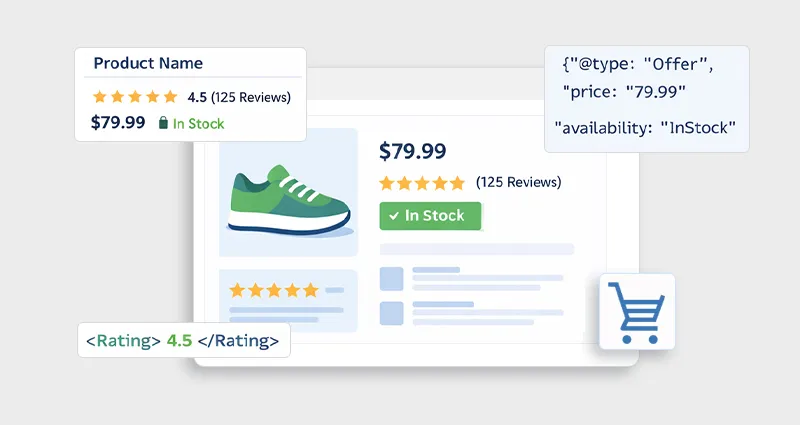
If you’re running an online store, getting clicks from search results is just as important as ranking. That’s where Product schema markup for e-commerce becomes a game-changer.
Instead of showing plain blue links, schema markup enhances your listings with price, ratings, availability, and reviews, which we call E-commerce rich snippets. These visual enhancements don’t just look good; they improve click-through rates and help search engines better understand your product pages.
In this guide, you can learn how to add schema markup to an E-commerce website, with practical examples, tools, and real-world implementation tips you can actually use.
What is Product Schema Markup for E-Commerce?
Product schema markup for e-commerce is a form of structured data that helps search engines clearly understand and interpret the key details of your product pages.
When you start understanding E-commerce schema markup, it becomes clear that search engines don’t rely only on visible content, they use structured data to identify important information like pricing, availability, and reviews. This makes your listings eligible for enhanced search features such as rich snippets.
It typically uses E-commerce JSON-LD schema (Google’s recommended format) to define attributes such as:
- Product name
- Price and currency
- Availability (In stock / Out of stock)
- Reviews and ratings
- Brand and SKU
What makes product schema for online stores especially powerful is that it transforms standard listings into more informative and visually engaging results, helping users make faster decisions directly from the SERP.
This is part of the broader concept of structured data for E-commerce, and a deeper understanding of e-commerce schema markup helps you see how adding structured context, not just keywords, can significantly improve how search engines display and rank your content.
Why Product Schema Matters for E-commerce SEO
Implementing E-commerce SEO schema correctly can significantly influence how your product listings appear and perform in search results.
1. Enables Rich Snippets:
With Product schema markup for e-commerce, your listings can display key details like price, ratings, and stock status directly in SERPs. This extra information makes your result more useful at a glance and increases the chances of attracting high-intent users.
2. Improves Click-Through Rate (CTR):
Rich results are visually enhanced and more informative than standard listings. When users can see ratings or pricing upfront, they’re more likely to click, especially when comparing multiple products.
3. Better Search Engine Understanding:
Schema provides a clear, structured context for your products. This helps search engines accurately interpret your product structured data e-commerce, reducing misinterpretation and improving relevance for the right queries.
4. Supports Voice & AI Search:
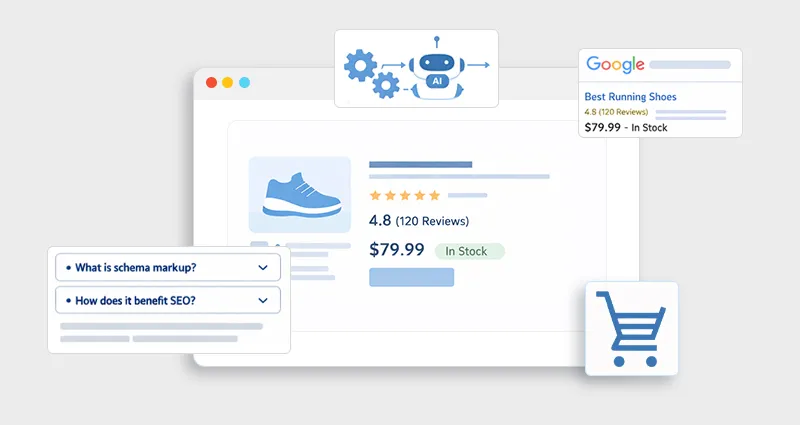
Structured data plays a key role in how AI-powered search systems and voice assistants retrieve and present product information. Well-implemented schema increases your chances of being surfaced in these emerging search experiences.
According to Google’s official structured data guidelines, properly implemented schema can make your content eligible for enhanced search features like rich results, improving both visibility and engagement.
Types of Product Schema You Should Use
For a complete schema markup for e-commerce websites, you shouldn’t rely on just one schema type.
Core Schema Types
| Schema Type | Purpose |
|---|---|
| Product | Defines the product |
| Offer | Pricing availability |
| Review | Individual customer feedback |
| AggregateRating | Overall rating |
These combined create a robust E-commerce product schema markup that search engines can fully understand.
How to Add Product Schema Markup for E-Commerce (Step-by-Step)
Let’s break down how to add schema markup to an E-commerce website in a practical way.
Step 1: Choose JSON-LD Format
Google recommends E-commerce JSON-LD schema because it’s:
- Easy to implement
- Doesn’t interfere with HTML
- More flexible for updates
Step 2: Create Product Schema Code
Here’s a real-world example of product schema for online stores:
<script type="application/ld+json">
{
"@context": "https://schema.org/",
"@type": "Product",
"name": "Wireless Noise Cancelling Headphones",
"image": "https://example.com/image.jpg",
"description": "High-quality wireless headphones with noise cancellation.",
"brand": {
"@type": "Brand",
"name": "Sony"
},
"sku": "SONY-WH1000XM5",
"offers": {
"@type": "Offer",
"url": "https://example.com/product",
"priceCurrency": "USD",
"price": "349.99",
"availability": "https://schema.org/InStock"
},
"aggregateRating": {
"@type": "AggregateRating",
"ratingValue": "4.7",
"reviewCount": "1243"
}
}
</script>
This is a complete product structured data e-commerce example that includes all critical attributes.
Step 3: Add Schema to Your Website
You can implement schema markup for e-commerce websites in different ways:
Option 1: Manual Implementation
Paste the JSON-LD script inside the <head> or before the closing </body> tag.
Option 2: CMS/Platform Integration
- Shopify: Use theme.liquid or apps
- WooCommerce: Use plugins
- Wix: Use built-in SEO tools
Step 4: Validate Your Schema
After adding the schema, always test it using an E-commerce schema validator.
Recommended tools:
Validation ensures:
- No syntax errors
- Required fields are present
- Eligibility for rich results
Best Practices for Product Schema Implementation
From real-world experience, most issues with Product schema markup for e-commerce come from incomplete, outdated, or misleading data. Here’s what actually works:
1. Keep Data Accurate
Your schema must always match the visible page content (price, stock, ratings). Any mismatch can lead to ineligibility for rich results or trust issues with search engines.
2. Use Dynamic Schema
For e-commerce stores, product details change frequently. Automating your E-commerce product schema markup using an E-commerce schema app ensures real-time updates for price, availability, and reviews.
3. Avoid Spammy Markup
Adding fake ratings or misleading data may temporarily boost visibility, but can result in manual penalties or removal of rich snippets.
4. Include All Required Fields
Missing essential properties (like price or availability) can prevent your schema markup for e-commerce websites from qualifying for rich results
5. Combine Schema Types
For a complete E-commerce structured data setup, use Product + Offer + Review + AggregateRating together to provide full context.
Common Mistakes to Avoid
Even well-optimized stores often make these mistakes in E-commerce schema markup:
- Adding a schema that doesn’t reflect actual page content
- Forgetting to update dynamic fields like price or stock
- Using incorrect or incomplete schema types
- Skipping validation with an E-commerce schema validator
- Overloading pages with irrelevant structured data that adds no value
Advanced Tips to Maximize Results
If you want to go beyond basic product schema markup for e-commerce, these strategies can help:
1. Add Review Schema
Including authentic customer reviews increases trust and can significantly improve visibility through star ratings in SERPs.
2. Use Breadcrumb Schema
This enhances how your URLs appear in search results, improving navigation and user understanding of your site structure.
3. Optimize for Mobile
Since most rich result impressions happen on mobile, ensure your structured data for E-commerce aligns with mobile-friendly pages.
4. Track Performance
Use Google Search Console to monitor impressions, CTR, and rich result performance after your E-commerce SEO schema implementation.
Conclusion
Implementing Product schema markup for e-commerce isn’t just a technical SEO task, it’s a visibility strategy.
When done right, it transforms how your products appear in search, improves click-through rates, and helps search engines better understand your content. Whether you implement it manually or use an E-commerce schema generator, the key is consistency, accuracy, and validation.
If you focus on building clean, complete, and dynamic E-commerce structured data, you’ll not only improve your search presence, but you’ll also create a better experience for users before they even land on your site.
FAQs
Q1: How to add product schema markup in an e-commerce website?
You can add it using JSON-LD by embedding structured data in your page code, using plugins, or via an E-commerce schema generator.
Q2: What is the best format for product schema?
JSON-LD is the recommended format for product schema for online stores because it’s easy to implement and maintain.
Q3: Does product schema improve rankings?
Not directly, but it improves CTR and visibility through E-commerce rich snippets, which can indirectly impact SEO performance.
Q4: What is required for Google product-rich results?
You need a product schema with key properties, like name, price, availability, and reviews, validated through an E-commerce schema validator.
Q5: Can I add schema without coding?
Yes, you can use tools, plugins, or an E-commerce schema app to implement structured data without manual coding.
Q6: How often should I update schema markup?
Whenever product details change, especially price, stock, or reviews.
Q7: What’s the difference between product schema and review schema?
Product schema defines the product, while review schema highlights user feedback. Together, they enhance E-commerce structured data.
Q8: Is schema markup necessary for all product pages?
Yes, especially for SEO-focused stores. It ensures every product is eligible for rich results.








 Wix Schema
 Squarespace Schema
 BigCommerce Schema
 Shopify Schema
 Hubspot Schema
 Webflow Schema
 GoHighlevel Schema
 Duda Schema
 Weebly Schema
 ClickFunnel Schema