

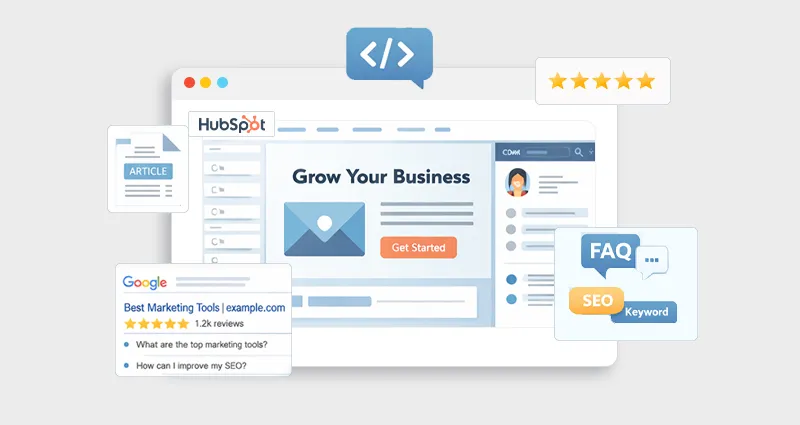
Getting traffic from search today isn’t just about ranking, it’s about standing out. You can be in position #2 and still lose clicks to a result below you simply because it looks richer, more informative, and more trustworthy.
That’s exactly what Rich Snippets for HubSpot help you achieve.
If you’re using HubSpot CMS, you already have a strong foundation for SEO. But without structured data, your content is essentially “invisible” to search engines beyond basic understanding. Schema markup bridges that gap.
In this guide, you’ll learn how to get rich snippets in HubSpot, what schema types actually work, how to implement them properly, and how to avoid the common pitfalls that stop most sites from ever seeing results.
Understanding HubSpot’s Rich Snippets
Rich snippets are more than just “enhanced results”, they’re how search engines interpret and showcase your content in a richer, more useful way. When you add HubSpot schema markup, you’re not just decorating your listing, you’re giving search engines deeper context about what your page actually offers.
Think of rich snippets as context amplifiers.
A standard search result usually looks like this:
Title + meta description
But with properly implemented HubSpot structured data, your result can expand into something far more engaging:
Title + FAQs + ratings + breadcrumbs + images + pricing
That shift is powerful.
Instead of appearing as a simple blue link, your page starts functioning like a mini landing page directly within search results. Users can scan key information, find quick answers, and build trust before they even click.
For businesses using HubSpot, this is where the real advantage lies. When you get rich snippets in HubSpot, you’re not just improving visibility, you’re pre-qualifying your traffic. People clicking your result already have context, which often leads to better engagement and higher conversion potential.
What Makes Rich Snippets Powerful?
From practical SEO experience and industry data, here’s why implementing Rich Snippets for HubSpot can have a noticeable impact on your search performance:
They significantly increase CTR (Click-Through Rate)
Rich snippets take up more visual space in SERPs, making your listing more prominent and harder to ignore compared to standard results.
They build instant trust and credibility
Elements like reviews, FAQs, and structured answers signal authority and reliability before the user even clicks.
They improve content clarity for search engines
With proper HubSpot schema markup, Google can better understand your page structure, intent, and key information.
They enhance your chances of winning SERP features
Structured data increases eligibility for featured snippets, FAQ dropdowns, and AI-generated summaries.
They pre-qualify your traffic
Users get more context upfront (like pricing, answers, or steps), which means the clicks you receive are often more relevant and conversion-ready.
They strengthen topical relevance
Adding structured data for HubSpot pages helps search engines connect your content with specific queries and topics more accurately.
What Is Schema Markup (And Why JSON-LD Matters)?
Schema markup is structured data written in a format that search engines can easily process, not just by reading it, but by interpreting its meaning in a standardized way. Instead of guessing whether your page is a blog post, product page, or FAQ, schema explicitly tells search engines how to categorize and display your content.
This is the foundation behind Rich Snippets for HubSpot, as it enables enhanced search results like FAQs, ratings, and more.
There are multiple formats for implementing schema, including Microdata and RDFa, but JSON-LD has become the industry standard, especially for modern SEO and HubSpot schema markup.
Why JSON-LD Is Preferred
Cleaner and easier to maintain
JSON-LD is added as a separate script, so it doesn’t clutter your HTML or require editing existing content structure.
Doesn’t interfere with page design or code
Unlike Microdata, it sits independently in the head or body, making it ideal for CMS platforms like HubSpot.
Officially recommended by Google
Google explicitly supports JSON-LD for most structured data types, making it the safest and most future-proof option.
Flexible and scalable
You can easily update or expand your schema without touching the visible content, which is especially useful for growing websites.
In short, if you’re planning to implement a schema in HubSpot , JSON-LD is the most efficient, reliable, and SEO-friendly approach.
Example: Basic Article Schema
<script type="application/ld+json">
{
"@context": "https://schema.org",
"@type": "Article",
"headline": "How to Get Rich Snippets for HubSpot",
"author": {
"@type": "Person",
"name": "Your Name"
},
"datePublished": "2026-01-01"
}
</script>
This is a simple example of HubSpot JSON-LD schema implementation, and it forms the base layer for more advanced schemas.
How HubSpot Handles Structured Data
Here’s what most guides don’t clearly explain: HubSpot gives you a solid SEO foundation, but it does not automatically implement the advanced schema markup required for rich snippets.
Out of the box, HubSpot includes:
- Basic meta tags (title, description, canonical)
- Limited default structured data (not enough for rich results)
This means if you want proper Rich Snippets for HubSpot, you need to take control and manually add structured data. The good news is that HubSpot is flexible enough to support a clean HubSpot JSON-LD schema implementation without heavy development work.
Where to Add Schema Markup in HubSpot
Depending on how your site is structured, you can implement HubSpot schema markup in multiple ways:
1. Page-Level Implementation
Best for: specific landing pages or testing schema
Go to page settings → Advanced → add JSON-LD in the Head HTML section.
This method gives you full control over schema markup for HubSpot websites on a per-page basis.
2. Blog Templates
Best for: scaling across multiple blog posts
By adding schema to your blog template, you can automate structured data for HubSpot pages without repeating manual work on each post.
3. Global Header/Footer
Best for: site-wide schema
Use this for:
- Organization schema
- Website schema
It ensures consistent branding signals across all pages, supporting overall HubSpot technical SEO schema.
4. Custom Modules (Advanced)
Best for: dynamic and scalable implementation
If you’re serious about HubSpot schema integration, custom modules let you:
- Dynamically insert schema based on page content
- Reuse schema structures across templates
- Maintain cleaner, scalable code
This is the most efficient long-term approach for growing websites.
Step-by-Step: How to Get Rich Snippets in HubSpot
Follow this practical, step-by-step process to correctly implement schema and increase your chances of getting rich snippets on your HubSpot pages.
Step 1: Match Schema to Search Intent
Before adding schema, ask:
What does the user expect to see in search results?
For example:
- Informational query → FAQ schema
- Tutorial → HowTo schema
- Product/service → Product schema
This is the most overlooked step in the HubSpot schema for rich snippets.
Step 2: Choose the Right Schema Type
Here’s a quick comparison:
| Content Type | Recommended Schema |
|---|---|
| Blog posts | Article + FAQ |
| Guides/tutorials | HowTo |
| SaaS/product pages | Product |
| Category pages | ItemList |
| Navigation | Breadcrumb |
Using the best schema types for HubSpot rich results increases your chances of eligibility.
Step 3: Generate Schema Markup
You can:
- Write manually (best for control)
- Use a HubSpot Schema tool
- Use schema generators
Manual creation gives you flexibility, especially for advanced use cases.
Step 4: Add Schema to HubSpot
Paste your JSON-LD into:
- Page head HTML
- Blog template
- Module
This completes the core step to add schema markup to HubSpot. Make sure the schema is placed correctly (preferably in the head section) and matches the visible content on the page to avoid inconsistencies.
Step 5: Validate and Test
Always test using:
Fix:
- Missing fields
- Invalid structure
- Warnings
Validation ensures your HubSpot structured data is eligible for rich results, as even small errors can prevent Google from displaying rich snippets.
Step 6: Monitor Performance
After implementation:
- Check Google Search Console
- Track impressions & CTR
- Look for “Enhancements” reports
This ensures your HubSpot technical SEO schema is working.
Best Schema Types for HubSpot (Deep Dive)
Choosing the right schema type is what determines whether your content simply gets indexed or actually stands out with rich results. Here are the most effective options to focus on for HubSpot.
1. FAQ Schema (High Impact)
Best for blogs targeting questions and informational queries.
Why it works: It expands your SERP listing with dropdown answers, increasing visibility and CTR while directly addressing user intent.
2. HowTo Schema
Perfect for step-based content like tutorials and guides.
Pro tip: Clearly structure each step with headings or lists. Google prefers well-defined steps, which improves your chances of appearing in rich results.
3. Product Schema
Essential if you offer SaaS, tools, or service pages with pricing details.
It enables:
- Pricing display
- Availability
- Reviews
This helps users make quicker decisions and improves click quality.
4. Article Schema
Best suited for blog content. It helps search engines better understand authorship, publish date, and content type, improving indexing and relevance.
5. Breadcrumb Schema
Enhances how your page hierarchy appears in search results. It improves navigation clarity for users and helps search engines understand your site structure more effectively.
Real Example: FAQ Schema for HubSpot
<script type="application/ld+json">
{
"@context": "https://schema.org",
"@type": "FAQPage",
"mainEntity": [{
"@type": "Question",
"name": "How to get rich snippets on HubSpot website?",
"acceptedAnswer": {
"@type": "Answer",
"text": "You can get rich snippets by adding JSON-LD schema markup in the head section of your HubSpot pages."
}
}]
}
</script>
This is one of the most effective ways to get rich snippets in HubSpot quickly.
Common Mistakes That Kill Rich Snippet Chances
Even a technically correct schema can fail if these issues aren’t addressed:
1. Mismatch Between Content and Schema
If your page doesn’t visibly contain the FAQ or structured content, Google will ignore the markup. Schema must always reflect what users can actually see on the page.
2. Over-Optimization
Adding too many schema types or irrelevant markup can confuse search engines. Keep your HubSpot schema markup focused and aligned with the page’s purpose.
3. Ignoring Search Intent
Schema enhances content, it doesn’t fix poor targeting. If your content doesn’t match what users are searching for, rich snippets won’t appear.
4. Poor Content Quality
Thin or low-value content rarely earns rich results. Google prioritizes pages that provide clear, helpful, and trustworthy information.
Advanced Strategies for HubSpot Rich Results Optimization
Once you’ve implemented the basics, the real impact comes from refining your approach. These advanced strategies help you maximize visibility, scalability, and your chances of earning rich results consistently.
Combine Schema Types Intelligently
Example:
Article + FAQ + Breadcrumb
This layered approach gives search engines multiple signals about your content, improving eligibility for different rich results without overloading the page.
Use Dynamic Schema at Scale
Instead of manually adding schema to each page:
- Use HubSpot CMS modules
- Automate schema fields
This ensures consistency across your site and makes HubSpot schema integration more efficient as your content grows.
Optimize for AI Search & SGE
Modern search experiences rely heavily on structured data. Schema helps your content:
- Get picked for AI-generated summaries
- Improve contextual relevance in evolving SERPs
Align Schema With Content Depth
Schema works best when paired with strong content.
Thin content + schema = no results
High-quality, well-structured content + schema = higher chances of rich snippets and better overall performance
How Long Does It Take to Get Rich Snippets?
From real-world implementation, here’s a typical timeline for Rich Snippets for HubSpot:
Validation → Immediate
Once added, your schema can be tested instantly using validation tools to ensure it’s correctly implemented.
Indexing → A few days
Search engines need time to crawl and process your updated HubSpot structured data , depending on your site’s crawl frequency.
Rich snippet appearance → 1–3 weeks
If everything is implemented correctly and meets quality guidelines, rich snippets may start appearing within a few weeks.
However, it’s important to understand that schema markup doesn’t guarantee rich results. Consistency, content quality, and overall site authority play a major role in whether Google chooses to display your rich snippets.
Conclusion
Implementing Rich Snippets for HubSpot is one of the highest-leverage SEO improvements you can make today.
It doesn’t just make your pages eligible for enhanced results, it fundamentally improves how search engines interpret and present your content.
The real advantage comes when you combine:
- High-quality content
- Correct schema types
- Clean implementation
Do this consistently, and your HubSpot pages won’t just rank, they’ll stand out, attract clicks, and convert better.
FAQs
Q1. How to add schema markup in HubSpot for rich snippets?
To add schema markup in HubSpot for rich snippets, insert JSON-LD code into the page’s head HTML section or implement it through templates or modules for scalable site-wide usage.
Q2. Can HubSpot generate schemas automatically?
HubSpot can generate basic structured data by default, but to get rich snippets, you need to manually implement advanced HubSpot schema markup.
Q3. What is the best schema type for HubSpot blogs?
The best schema types for HubSpot blogs are FAQ and Article schema, as they improve search visibility and increase chances of rich results.
Q4. Why are my rich snippets not showing?
Rich snippets may not show if your schema is invalid, doesn’t match the page content, or if Google decides your page isn’t eligible based on quality and authority.
Q5. Is JSON-LD required for the HubSpot schema?
JSON-LD is the recommended format for HubSpot JSON-LD schema implementation because it’s easier to manage and fully supported by Google.
Q6. Can I use multiple schema types?
You can use multiple schema types on a single page, but they must be relevant, properly structured, and aligned with the page content.
Q7. Does schema markup improve rankings?
Schema markup does not directly improve rankings, but it enhances visibility and CTR, which can indirectly support SEO performance.
Q8. How do I track schema performance?
To track schema performance, use Google Search Console’s Enhancements report to monitor impressions, clicks, and rich result eligibility.








 Wix Schema
 Squarespace Schema
 BigCommerce Schema
 Shopify Schema
 Hubspot Schema
 Webflow Schema
 GoHighlevel Schema
 Duda Schema
 Weebly Schema
 ClickFunnel Schema