

If you run a Squarespace website and rely on organic traffic, you’ve probably noticed how competitive search results have become. Simply ranking on page one is no longer enough, you also need to stand out. This is where FAQ structured data comes in.
Adding the FAQ schema to Squarespace helps search engines clearly understand your frequently asked questions and answers. When implemented correctly, it can make your pages eligible for rich results , increasing visibility, credibility, and click-through rates.
The challenge? Squarespace doesn’t offer a built-in FAQ schema option. That’s why many site owners either skip it or implement it incorrectly.
In this guide, we will walk through exactly how to add FAQ schema to Squarespace, using Google-approved JSON-LD, real examples, and proven best practices, without relying on guesswork or risky shortcuts.
What Is FAQ Schema (FAQPage Structured Data)?
FAQ schema, officially known as FAQPage structured data , is a type of schema markup defined by Schema.org and supported by Google. It tells search engines that a page contains a list of questions and answers intended to help users.
According to Google’s structured data documentation, FAQPage schema must:
- Be added using JSON-LD
- Reflect visible content on the page
- Include clear question-and-answer pairs
When implemented correctly, FAQ structured data can enhance how your page appears in search results by displaying expandable questions directly under your listing.
Does Squarespace Support FAQ Schema Natively?
Short answer: No, at least not fully.
Squarespace automatically generates some basic structured data, such as:
- WebSite
- Organization
- Article
- Product
However, FAQ schema is not included by default. This means if you want FAQ structured data on your Squarespace site, you must manually add it using custom JSON-LD schema markup.
This limitation often leads site owners to assume FAQ schema isn’t possible on Squarespace, but it absolutely is.
How FAQ Schema Works on Squarespace
Since Squarespace allows custom code insertion, you can add FAQPage schema in two reliable ways:
- Page-level Header Code Injection (recommended)
- Code Block inside a page or blog post
Both methods are fully compatible with Google’s guidelines as long as the schema is valid and matches your on-page FAQ content.
Before You Add FAQ Schema: Key Requirements
Before implementing FAQ schema on Squarespace, make sure you meet these conditions
If you’re still learning how structured data works across Squarespace pages, reviewing this understanding Squarespace schema markup guide can provide helpful context before implementing advanced schema types like FAQPage.
Your FAQ questions and answers must already exist on the page as readable text. Schema should support content, not replace it. Adding structured data without visible FAQs can result in invalid markup or ignored rich results.
Also, avoid using FAQ schema for:
- Promotional content
- Customer reviews
- User-generated Q&A sections
Google explicitly limits the FAQ Page schema to publisher-written FAQs.
Method 1: Add FAQ Schema to Squarespace Using Header Code Injection (Recommended)
If you want the most reliable and SEO-friendly way to add FAQ schema to Squarespace, page-level Header Code Injection is the best option. This method places your FAQ structured data directly inside the page’s
section, which search engines typically crawl early and interpret more consistently.Header Code Injection is especially effective for service pages, landing pages, and evergreen content where FAQs play a key role in user decision-making.
Step-by-Step: Adding FAQ Schema Using Page Header Code Injection
Step 1: Log in to your Squarespace dashboard and open the website where you want to add FAQ schema.
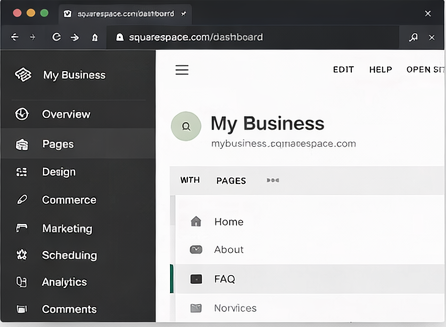
Step 2: Go to Pages and select the page that already contains your FAQ section (for example, a service page or landing page).
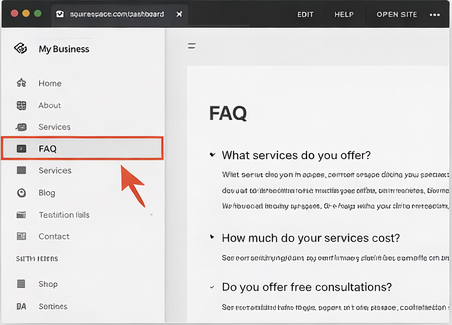
Step 3: Click the gear icon (Page Settings) next to that page.
Step 4: In the settings panel, navigate to Advanced → Page Header Code Injection .
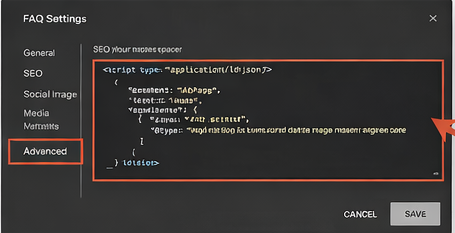
Step 5: Paste your JSON-LD FAQ schema into the code field.
Make sure the schema is wrapped inside a
Make sure the schema is wrapped inside a
<script type="application/ld+json">
tag and matches the FAQ content displayed on the page.
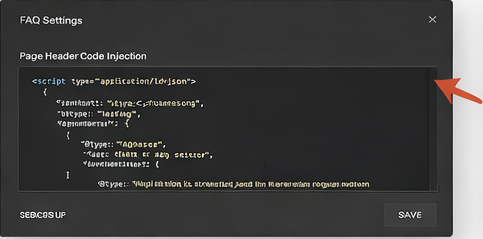
Step 6: Click Save, then publish or refresh the page to apply the changes.
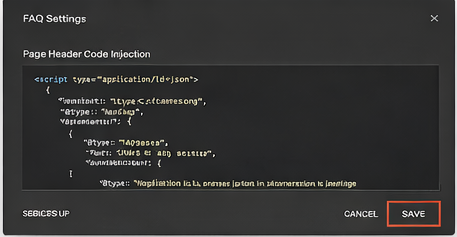
Once saved, Squarespace automatically injects the FAQ structured data into the page’s
section, making it easy for search engines to discover and process the markup during crawling.Why This Method Works Best
Placing FAQ schema in the
keeps it separate from layout and design elements, reducing the risk of accidental edits or formattingconflicts. It also ensures search engines candiscover and process the structured data efficiently, regardless of how the page content is rendered
From an SEO maintenance perspective, this approach is cleaner. If you ever update your FAQs, you can adjust the schema without touching visual blocks or disrupting the page layout.
Method 2: Add FAQ Schema Using a Code Block (Step-by-Step)
If page-level Header Code Injection isn’t available, something that commonly happens with blog posts or certain Squarespace layouts , you can safely add FAQ schema using a Code Block . Although the schema is inserted in the page body instead of the, Google can still crawl, read, and process it correctly as long as the markup is valid.
Step 1: Log in to your Squarespace dashboard and open the page or blog post that contains your FAQ section.
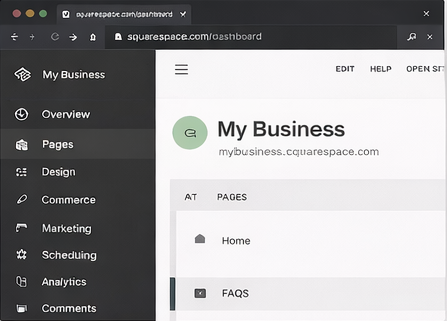
Step 2: Click Edit to enter the page editor.
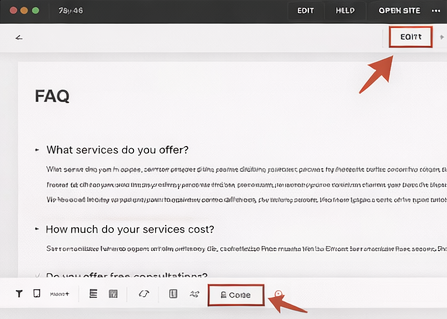
Step 3: Scroll to the area where you want to place the schema (ideally near the bottom of the page to keep things organized).
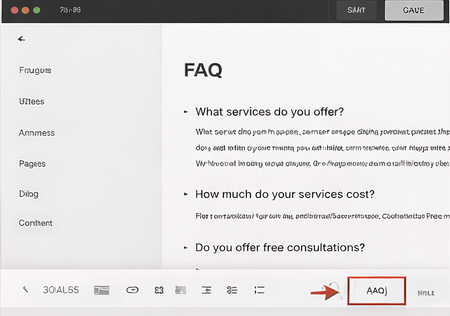
Step 4: Click Add Block (+) and select Code from the block options.
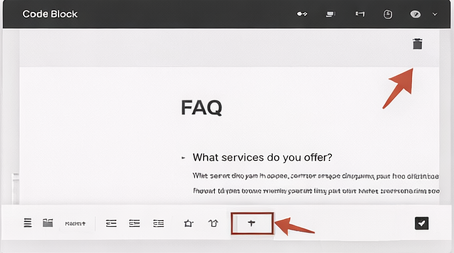
Step 5: Paste your JSON-LD FAQ schema into the Code Block.
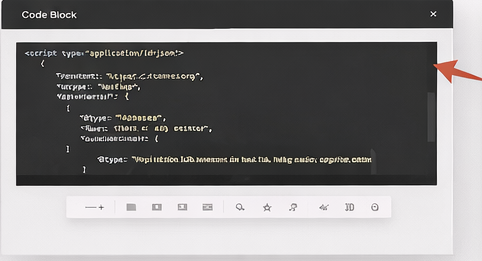
Ensure the markup is wrapped inside a
<script type="application/ld+json">
tag and accurately reflects the visible FAQ content on the page.
Step 6: Click Apply on the Code Block, then Save the page.
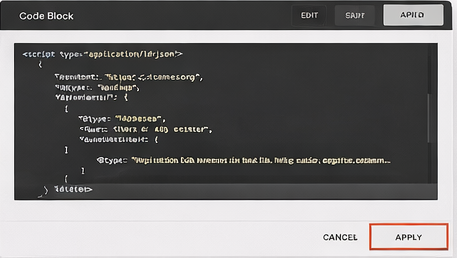
Once saved, the FAQ structured data becomes part of the page’s HTML. Even though it resides within the body, Google can still detect and evaluate the FAQPage schema without any issues, provided it follows structured data guidelines.
This method is especially useful for content-heavy blog posts where FAQs are closely tied to the article itself and need to be managed directly within the editor.
How This Method Works
Edit the page or blog post where your FAQs appear and add a Code Block, typically near the bottom of the content, to keep things organized. Paste your JSON-LD FAQ schema into the block and save the page.
The schema script won’t affect how the page looks to visitors, but it will remain fully readable to search engines.
When to Use a Code Block
This method works well for content-heavy blog posts , FAQ-driven articles, or layouts where you want schema tied closely to the page content. It’s also useful if you prefer keeping all page-related elements, including structured data, within the editor rather than page settings.
The key trade-off is organization. Because the schema lives inside the page editor, it’s easier for it to be accidentally modified or removed during future content updates. Clear documentation or internal notes can help prevent this.
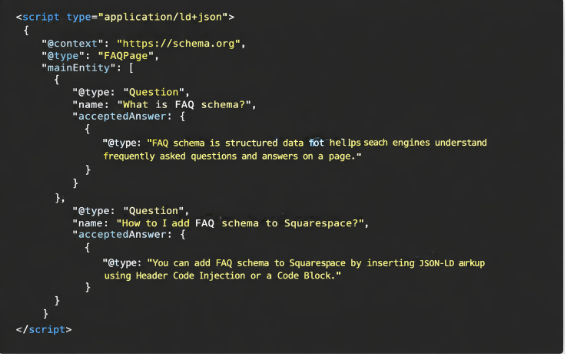
JSON-LD FAQ Schema Example for Squarespace
Below is a Google-compliant JSON-LD FAQ schema example you can adapt for your own site:
Squarespace Schema Markup: Common Mistakes to Avoid
From real-world Squarespace implementations, these mistakes most often prevent FAQ rich results from appearing:
- Adding FAQ schema to pages that don’t contain visible FAQ content
- Using the same FAQ schema markup across multiple pages or URLs
- Marking up content that is not a true FAQ section (promotional text, testimonials, or CTAs)
- Including HTML tags or formatting inside the FAQ answer text instead of plain, readable sentences
- Writing answers in the schema that don’t exactly match the on-page FAQ content
- Forgetting to test the markup using Google’s Rich Results Test after publishing
Avoiding these issues will make your Squarespace FAQ schema implementation far more reliable and compliant with Google’s structured data guidelines.
How to Test FAQ Schema on Squarespace
Step 1: Open Google Rich Results Test and enter your Squarespace page URL to check whether your FAQ schema is eligible for rich results.
Step 2: Review any warnings or errors shown. Errors must be fixed before the markup can be considered valid.
Step 3: Run the same URL through the Schema Markup Validator to identify syntax or structural issues in the JSON-LD.
Step 4: If you’re using a Squarespace schema app , confirm that the generated FAQ schema matches the visible FAQs on the page and follows Google’s guidelines.
Step 5: Re-test the page after making corrections to ensure the FAQ structured data is fully valid.
SEO Benefits of FAQ Structured Data on Squarespace
FAQ structured data improves search performance on Squarespace by enhancing SERP visibility, increasing click-through rates, and strengthening content credibility, even though it does not directly influence rankings.
- Makes search listings more visually prominent with expandable FAQ results
- Drives higher CTR by answering key questions before the click
- Builds authority and trust in competitive search environments
- Supports voice search and conversational queries
- Helps search engines understand user intent and page relevance
- Delivers long-term gains, especially in competitive niches where visibility matters
This makes FAQ schema a valuable optimization for improving organic performance without relying on ranking shortcuts.
Conclusion
Adding FAQ schema to Squarespace isn’t difficult, but it does require precision. When implemented using valid JSON-LD, matched with visible FAQs, and tested properly, FAQ structured data becomes a powerful enhancement to your SEO strategy.
By following the steps and best practices outlined above, you can confidently implement FAQPage schema on Squarespace in a way that’s compliant, scalable, and future-proof, without relying on plugins or guesswork.
If you approach it thoughtfully, FAQ schema becomes less about chasing rich results and more about building clarity, trust, and long-term search visibility.
Frequently Asked Questions
Can I add FAQ schema to any Squarespace plan?
Yes. Every Squarespace plan supports either page-level code injection or code blocks, which are sufficient to add JSON-LD FAQ schema without requiring third-party plugins.
Does FAQ schema guarantee rich results?
No. Even with valid FAQ schema, Google decides whether to display rich results based on relevance, quality, and overall search experience signals.
Can I use FAQ schema on blog posts?
Yes, you can add FAQ schema to blog posts as long as the FAQs are publisher-written, genuinely helpful, and clearly visible within the blog content.
Is JSON-LD the only supported format?
Yes. Google recommends and primarily supports JSON-LD for FAQ structured data because it’s easier to manage and less prone to markup errors.
How many FAQs should I mark up?
Only mark up the most relevant FAQs that directly help users. Overloading a page with unnecessary questions can reduce clarity and effectiveness.
Will FAQ schema improve rankings directly?
No. FAQ schema does not directly impact rankings, but it can improve click-through rates and visibility, which indirectly supports overall SEO performance.
Can I reuse the same FAQ schema on multiple pages?
No. Each page should have a unique FAQ schema that matches its specific content, ensuring relevance and compliance with Google’s structured data guidelines.







 Wix Schema
 Squarespace Schema
 BigCommerce Schema
 Shopify Schema
 Hubspot Schema
 Webflow Schema
 GoHighlevel Schema
 Duda Schema
 Weebly Schema