

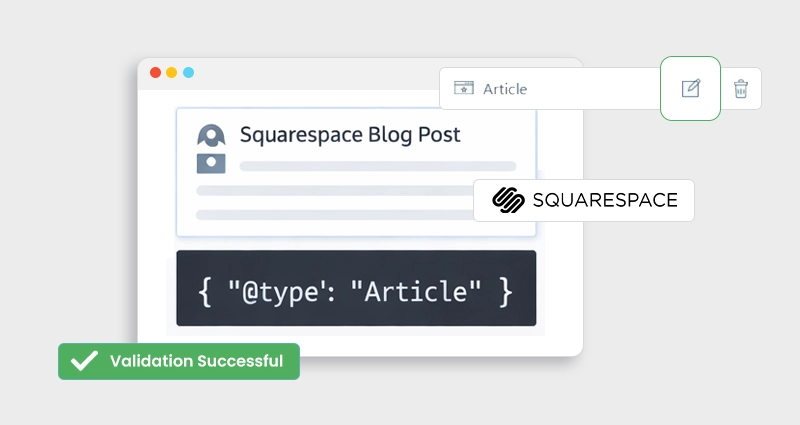
When you publish a blog on Squarespace, its content structure already includes some automatic structured data, but that’s just the beginning. You can take control of how search engines interpret your content by adding custom JSON-LD schema markup directly to your blog posts.
If you want to add schema to Squarespace blog the right way, JSON-LD gives you full control over how your content appears in search results and rich features.This guide shows you exactly how to add schema to Squarespace blog posts to increase visibility, enable rich results , and improve click-through rates.
Understanding Schema Markup and Structured Data for Squarespace
Schema markup is a type of structured data that helps search engines understand the meaning of your content. Squarespace includes basic Squarespace structured data, but its default Squarespace schema is limited and cannot be customized for advanced SEO needs.
If you want a deeper squarespace schema markup understanding, it helps to review a complete guide explaining how structured data works across Squarespace websites before implementing custom JSON-LDTo fully control how your content is interpreted, you need custom Squarespace schema markup, since native schema markup in Squarespace does not cover advanced use cases like FAQs or enhanced articles.
Why Structured Data Is Important for Your Squarespace Blog
- Helps search engines understand content context: Structured data clearly explains what your content is about, reducing guesswork for search engines when interpreting your blog posts.
- Enables rich search results: Properly structured data makes your content eligible for enhanced SERP features like rich snippets, author details, dates, and FAQs.
- Improves content visibility: Pages with structured data often stand out more in search results, increasing the chances of attracting user attention.
- Supports better click-through rates: Supports better click-through rates: Rich results provide additional information upfront, helping users choose your content over standard listings.
- Prepares your site for AI-driven search:Structured data helps AI-powered search tools and assistants accurately understand, summarize, and surface your content.
- Complements Squarespace’s default SEO: While Squarespace includes basic structured data, custom markup fills the gaps and gives you more control over how your content is represented in search.
What Is JSON-LD?
JSON-LD (JavaScript Object Notation for Linked Data) is Google’s preferred format for structured data.
It resides inside a <script type="application/ld+json"> tag and describes your content
in a machine-readable way without disrupting what visitors see.
Using Squarespace JSON-LD schema is the most reliable way to implement JSON-LD on Squarespace,
as it aligns with Google’s recommended structured data format.
Why it matters: Using JSON-LD helps search engines display rich results , like enhanced blog listings with author, image, date, and even FAQ panels, making your content stand out. This is especially relevant for Squarespace SEO schema.
What Squarespace Already Does vs. What You Can Add
Squarespace auto-generates structured data for things like blog posts, products, and events, but that auto markup is limited and not customizable. To simplify implementation, many site owners use a Squarespace schema app or dedicated Squarespace schema tool to automate structured data across their site.
Example limitations:
- You cannot edit the default schema that Squarespace outputs.
- It doesn’t include advanced elements like FAQ schema, How-To schema, or enhanced article metadata.
- It can’t generate multiple schema types (e.g., Article + FAQ) for the same blog post automatically.
To go beyond the basics, you need to add custom JSON-LD manually or use a Squarespace schema app or tool like JSON Schema App that injects advanced schema across your site.
Step-by-Step: How to Add JSON-LD Schema in Squarespace to Your Blog Post
Adding JSON-LD schema to a Squarespace blog post requires manually creating structured data and inserting it using a Code Block or Code Injection. While Squarespace adds basic schema automatically, custom JSON-LD gives you control over blog metadata and eligibility for rich results. This process explains exactly how to add JSON-LD schema in Squarespace using Code Blocks without affecting your site design.
1. Generate Your JSON-LD Schema
This JSON-LD example is ideal for Squarespace blog schema and works perfectly as a blog post schema in Squarespace when implemented correctly. You can write JSON-LD manually or use a schema generator. At a minimum, your blog post schema should include:
<script type="application/ld+json">
{
"@context": "https://schema.org",
"@type": "BlogPosting",
"headline": "Your Blog Title",
"description": "A short summary of your blog",
"author": {
"@type": "Person",
"name": "Your Name"
},
"datePublished": "2025-01-01",
"mainEntityOfPage": {
"@type": "WebPage",
"@id": "https://yourdomain.com/blog/your-post"
}
}
</script>
Replace placeholder values with your actual blog details.
2. Add the Schema to Your Blog Post (Step-by-Step)
Since Squarespace does not offer a dedicated schema editor, JSON-LD must be added manually using a Code Block within the blog post. Follow these steps carefully to ensure correct implementation:
Step 1: Open the Blog Post Editor
Log in to your Squarespace dashboard, go to Pages → Blog, and select the blog post where you want to add the schema. Click Edit to open the post editor.
Step 2: Insert a Code Block
Inside the editor, click the “+” (Add Block) icon and choose Code from the list of available blocks. This opens a code input window.
Step 3: Paste the JSON-LD Schema
Paste your complete JSON-LD schema inside the Code Block, wrapped in a
<script type="application/ld+json"> tag.
Ensure the schema fields (headline, author, URL, publish date, and description)
accurately match the blog post content.
Step 4: Apply and Publish
Click Apply , then Save and Publish the blog post. The schema code will not appear on the live page but will be readable by search engines.
Step 5: Choose the Placement
You can place the Code Block either at the top or the bottom of the blog post editor. Placement does not affect how JSON-LD is processed, as long as the code is published with the page.
Step 6: Test the Schema
Always verify your implementation using a Schema testing tool from Google, such as Google’s Rich Results Test or Schema Validator, to confirm that the structured data is valid and eligible for rich results.
Following these steps ensures your JSON-LD schema is correctly added to your Squarespace blog post and ready to improve search visibility.
Tip: You can place the code block at the top or bottom of your blog post editor; either works for JSON-LD as long as it’s published with the page.
Testing and Validation: Ensure Your Schema Works
Once you’ve added JSON-LD to your blog post, test it with Google’s Rich Results Test or the Schema.org Validator. These tools check that your structured data is error-free and eligible for rich search features.
Testing is crucial; even small code errors or missing required fields can prevent search engines from using your structured data correctly.
Benefits of Adding Schema to Your Squarespace Blog
Implementing Squarespace SEO schema makes your content eligible for Squarespace rich results , improving how your blog appears in SERPs. While it doesn’t directly improve rankings, structured data increases visibility, enhances SERP appearance, and can drive higher engagement through rich results. Here are the detailed benefits of adding schema to your Squarespace blog:
- Clearer search engine understanding: Schema markup helps search engines accurately interpret the intent and context of your blog content, rather than relying only on page text and HTML signals.
- Enhanced SERP appearance: Properly implemented schema can make your blog posts eligible for rich results, such as enhanced article listings, author information, publish dates, and other visual enhancements that help your content stand out.
- Higher click-through rates (CTR): Rich results provide more information upfront, making your listing more attractive and relevant to users, which can lead to more clicks from search results.
- Accurate, structured metadata:Custom JSON-LD allows you to provide precise details about your blog post, including content type, author, and publishing information, going beyond Squarespace’s default structured data.
- Improved visibility across search and AI platforms: Structured data helps ensure your content is correctly understood and surfaced not only in traditional search engines but also in AI-driven discovery tools.
Common Mistakes to Avoid When Adding Schema
When adding schema to your Squarespace blog, small implementation mistakes can prevent search engines from using your structured data effectively. Avoiding common errors ensures your JSON-LD is valid, accurately interpreted, and eligible for rich search results. Here are some common mistakes to avoid:
- Not updating schema when content changes:If you edit your blog title, author, date, or URL but don’t update the schema, search engines may ignore the markup due to mismatched information. Always check for the updates.
- Leaving placeholder or sample text: Using values like “Example Title” or demo URLs invalidates your schema and can cause errors in validation tools.
- Placing schema in the wrong block: Adding JSON-LD in a visible text block instead of a Code Block can expose raw code to visitors and break the implementation.
- Skipping schema testing: Failing to validate your schema after publishing can leave unnoticed errors that prevent eligibility for rich results.
- Missing required fields: Incomplete schema, such as leaving out essential properties like headline or mainEntityOfPage, can reduce its effectiveness or cause it to be ignored.
- Assuming schema guarantees rankings: Schema improves visibility and presentation, but it does not directly boost rankings; content quality and SEO fundamentals still matter.
Following these best practices helps ensure your Squarespace blog schema is implemented correctly and continues to support strong search visibility.
Conclusion
When you add schema to Squarespace blog using JSON-LD, you give search engines the clarity they need to display your content with enhanced visibility and rich results.
Adding schema to Squarespace blog posts using JSON-LD is one of the most effective ways to communicate context to search engines and unlock rich results. Although Squarespace already outputs basic structured data, custom JSON-LD ensures that your blog is fully optimized for visibility, click-throughs, and rich search features.
With careful code creation, proper placement via Code Blocks, and validation through Google’s tools, you can elevate your blog’s performance in search engines and deliver more structured, meaningful data to both users and machines.
Frequently Asked Questions
Q1: How to add JSON-LD schema to Squarespace blog posts?
To add JSON-LD schema to a Squarespace blog post, create the structured data
code manually or using a schema tool, then paste it into a Code Block within
the blog post editor. Wrap the code inside a
<script type="application/ld+json"> tag, publish the post,
and validate it using Google’s Rich Results Test to ensure it’s eligible for
enhanced search features.
Q2: Does Squarespace support JSON-LD schema?
Yes, Squarespace supports JSON-LD schema, but only through manual implementation. While Squarespace automatically outputs basic structured data for blog posts, it does not allow direct editing of that schema. Custom JSON-LD must be added using Code Blocks or Code Injection for greater control and richer search results.
Q3: What is the best schema app for Squarespace?
The best schema app for Squarespace depends on your needs, but schema tools that generate JSON-LD and allow site-wide deployment are ideal. A dedicated Squarespace schema app or schema tool helps automate structured data creation, ensures consistency, and reduces manual errors, especially for larger sites with frequent content updates.
Q4: How to add an article or blog post schema in Squarespace?
To add an article or blog post schema in Squarespace, use the Article or BlogPosting schema type in JSON-LD format. Include required properties such as headline, author, publish date, and page URL, then insert the code into a Code Block inside the blog post editor and publish the page.
Q5: Does schema markup improve SEO on Squarespace?
Schema markup does not directly improve rankings, but it enhances search visibility by enabling rich results such as enhanced listings, dates, and author information. These improvements often lead to higher click-through rates, which can positively impact overall organic performance over time.
Q6: What schema types are best for Squarespace blog posts?
For most Squarespace blogs, the BlogPosting or Article schema types work best. Depending on your content, you can also add FAQ schema, How-To schema, or Author schema alongside blog schema to provide additional context and increase eligibility for rich search features.
Q7: Where should I place the JSON-LD schema in a Squarespace blog post?
JSON-LD schema should be placed inside a Code Block within the blog post editor. It can be added at the top or bottom of the post, placement does not affect how search engines read the schema as long as the code is published with the page.
Q8: How do I test schema markup on Squarespace?
After publishing your blog post, test the page using Google’s Rich Results Test or the Schema.org Validator. These tools check for syntax errors, missing required fields, and eligibility for rich results, ensuring your structured data is implemented correctly.
Q9: Can I use multiple schema types on a single Squarespace blog post?
Yes, you can use multiple schema types on a single blog post by adding them within the same JSON-LD script or as separate scripts. For example, combining BlogPosting schema with FAQPage schema can enhance how your content appears in search results when done correctly.
Q10: How does schema help improve blog visibility on Squarespace?
Schema helps search engines better understand your blog content and present it more clearly in search results. By enabling rich results and structured presentation, schema markup increases visibility, improves click-through rates, and helps your Squarespace blog stand out in competitive SERPs.







 Wix Schema
 Squarespace Schema
 BigCommerce Schema
 Shopify Schema
 Hubspot Schema
 Webflow Schema
 GoHighlevel Schema
 Duda Schema
 Weebly Schema