

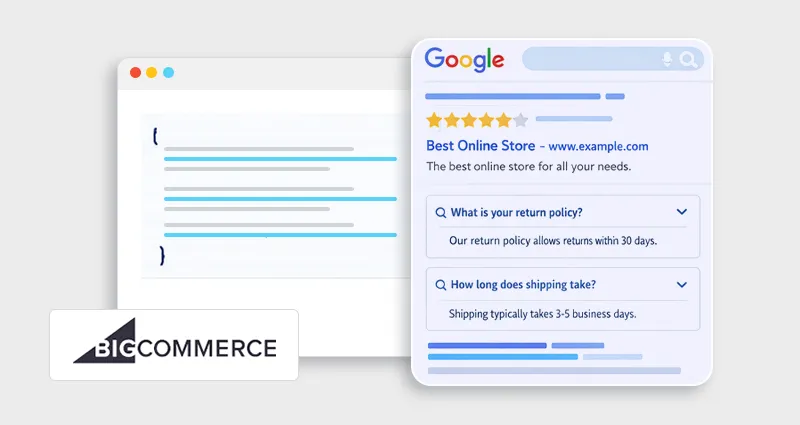
If you want your BigCommerce store to stand out in search results, implementing BigCommerce FAQ Schema is one of the smartest SEO upgrades you can make. When applied correctly, FAQ structured data can enhance your listings with expandable questions and answers directly in search results,>improving visibility , strengthening user trust, and helping shoppers find information faster.
According to Google, structured data helps search engines better understand page content and can make pages eligible for rich results. While eligibility doesn’t guarantee enhanced display, properly implemented FAQ schema increases your chances of earning expanded SERP real estate, giving your store a stronger presence without relying solely on ranking position.
What Is BigCommerce FAQ Schema?
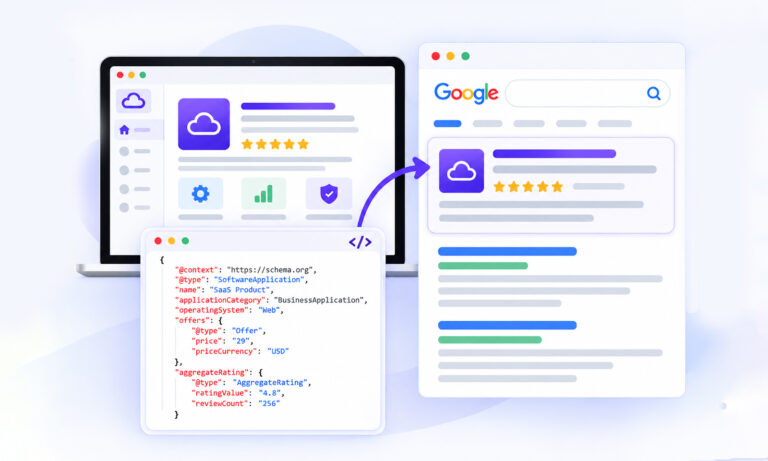
BigCommerce FAQ Schema is structured data markup using Schema.org’s FAQPage type that helps search engines understand a page containing frequently asked questions and answers.
It’s typically implemented using JSON-LD (Google’s recommended format).
According to Google, FAQ structured data must:
- Be visible on the page (not hidden content)
- Be specific and accurate
- Avoid promotional or misleading content
- Follow structured data guidelines
When implemented properly, your page may become eligible for FAQ rich results , those expandable dropdown questions under your search listing.
Important note: Since Google’s 2023 update, FAQ rich results are primarily shown for authoritative, government, and health sites. However, structured data still improves clarity, crawl efficiency, and eligibility for enhanced results.
Why FAQ Structured Data Still Matters for BigCommerce SEO
Even though FAQ rich snippets aren’t guaranteed anymore, FAQ schema still supports:
1. Clearer Search Understanding
Structured data helps search engines understand context, especially on product, category, and support pages.
2. Improved Topical Authority
Well-written FAQs reinforce semantic relevance around your product or service.
3. Higher CTR (When Eligible)
When Google displays FAQ rich snippets, they increase SERP real estate, pushing competitors further down.
4. Voice Search & AI Systems
FAQ-style content aligns perfectly with conversational queries used in voice and AI-driven search.
Research from SEO Sandwitch shows that FAQ schema expands the amount of SERP space a listing occupies, increasing visual prominence and making results more clickable compared to standard blue-link listings. If your goal is to Improve BigCommerce SEO with FAQ schema , structured clarity is a long-term asset.
Where to Add FAQ JSON-LD in BigCommerce
You can implement FAQ schema on:
- Product pages
- Category pages
- Dedicated FAQ pages
- Shipping & return policy pages
In BigCommerce, you typically add schema in:
- footer.html
- head.html
- A specific product template file
- Script Manager (recommended for store-wide placement)
How to Add FAQ Schema in BigCommerce (Manual Method)
Implementing BigCommerce FAQ Schema manually using JSON-LD gives you precise control over how your structured data is generated and displayed. This approach is ideal if you want cleaner markup, better performance oversight, and full compliance with search engine guidelines.
Step 1: Create Visible FAQ Content
Your FAQ content must appear on the page. For example:
Q: How long does shipping take?
A: Standard shipping takes 3–5 business days.
Q: Do you offer international shipping?
A: Yes, we ship worldwide.
Never mark up content that is not visible.
Step 2: Add BigCommerce JSON-LD FAQ Markup
Here’s a clean example of BigCommerce JSON-LD FAQ markup:
<script type="application/ld+json">
{
"@context": "https://schema.org",
"@type": "FAQPage",
"mainEntity": [{
"@type": "Question",
"name": "How long does shipping take?",
"acceptedAnswer": {
"@type": "Answer",
"text": "Standard shipping takes 3-5 business days."
}
},
{
"@type": "Question",
"name": "Do you offer international shipping?",
"acceptedAnswer": {
"@type": "Answer",
"text": "Yes, we ship worldwide."
}
}]
}
</script>
Step 3: Insert the Code in BigCommerce
Option A: Script Manager (Safest Method)
- Go to Storefront → Script Manager
- Click “Create Script”
- Choose:
- Location: Footer
- Pages: Specific page
- Paste your JSON-LD code
- Save
Option B: Theme File
Go to:
Storefront → Themes → Edit Theme Files
Add your code insideor before in the relevant template.
If you’re following a broader BigCommerce structured data guide , Script Manager is typically cleaner and safer.
How to Test FAQ Rich Snippets in BigCommerce
After adding BigCommerce FAQ Schema:
Validate in Schema Markup Validator
Look for:
- Errors
- Warnings
- Missing required fields
Remember: Validation ≠ guarantees rich results, even if your BigCommerce FAQ Schema passes all tests without errors, Google ultimately decides whether to display FAQ rich results based on content quality, authority, relevance, and current SERP policies, not just technical correctness.
Common Mistakes & How to Fix FAQ Structured Data Errors in BigCommerce
Managing the FAQ schema manually across multiple templates increases the risk of duplicate or invalid markup. A centralized schema management tool like JSON Schema App can help standardize BigCommerce FAQ structured data across your store and reduce compliance issues.
Common FAQ Schema Errors in BigCommerce (Quick Fix Table)
| Issue | Why It Happens | SEO Impact | How to Fix It |
|---|---|---|---|
| Hidden Content Markup | Answers in JSON-LD but not visible in HTML | Violates Google guidelines; snippets ignored | Ensure every Q&A is visible on the page |
| Duplicate FAQ Schema | App + manual JSON-LD both active | Confuses search engines; triggers warnings | Use only one method and validate |
| Invalid JSON Formatting | Missing commas, quotes or brackets | Schema fails to parse | Validate JSON before publishing |
| Overusing FAQ Schema | Thin or repetitive FAQs across many pages | Weakens content quality signals | Only add where it provides real value |
| Promotional or Sales-Heavy Answers | Using marketing language instead of informational responses | May be considered low-quality or ineligible for rich results | Keep answers factual, helpful, and directly responsive to the question |
| Marking Up Irrelevant Content | Using FAQPage schema on pages that are not true FAQ-style content | Structured data mismatch; potential guideline violation | Only use FAQPage schema when the page genuinely follows Q&A format |
Here is the detailed explanation of common FAQ Schema Errors in BigCommerce with reliable ways to fix them:
1. Hidden Content Markup
Google requires that FAQ answers marked up with structured data must be visible to users. Always ensure the exact Q&A appears in the visible page content.
2. Duplicate FAQ Schema:
This commonly happens when a BigCommerce app automatically generates FAQ structured data while you’ve also added manual JSON-LD. Duplicate FAQPage markup can confuse search engines and trigger warnings. Use one method only and verify with the Rich Results Test.
3. Invalid JSON Formatting
Even a small syntax error, like a missing comma, quotation mark, or bracket, will break your BigCommerce JSON-LD FAQ. Validate your markup before publishing and re-test after theme updates to avoid accidental formatting issues.
4. Overusing FAQ Schema
Adding FAQ schema to every product page with thin or repetitive questions weakens content quality signals. Only implement BigCommerce FAQ Schema where questions genuinely support user intent and add value.
5. Promotional Answers
FAQ structured data is meant for clear, factual responses, not marketing copy. Overly sales-focused answers may be ignored or deemed low quality. Keep responses neutral, helpful, and aligned with real customer queries.
Best Practices to Improve BigCommerce SEO with FAQ Schema
To get the most value from your BigCommerce FAQ Schema , follow these practical best practices:
- Base FAQs on real customer questions from support tickets, product inquiries, and search queries.
- Use natural, conversational language that reflects how users actually search.
- Keep answers concise but complete, clear, direct, and helpful.
- Avoid keyword stuffing; focus on clarity and relevance over repetition.
- Match FAQ topics to search intent (transactional for product pages, informational for guides).
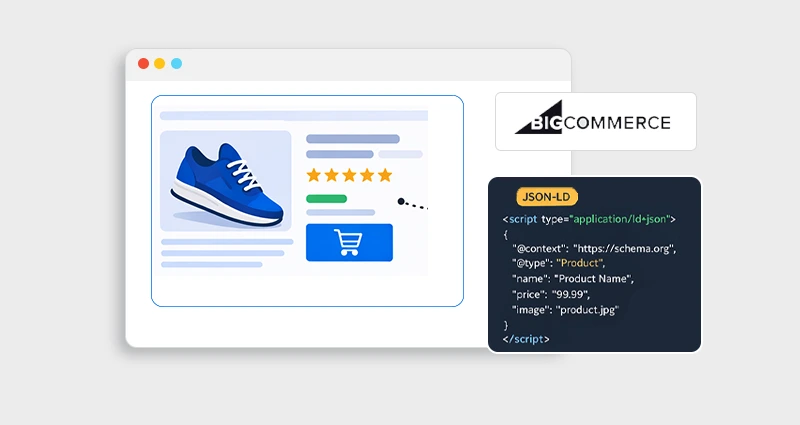
- Combine the FAQ schema with the Product schema where appropriate for stronger semantic signals and structured data alignment.
A smart SEO setup combines:
- Product schema
- Review schema
- FAQPage schema
- Breadcrumb schema
When structured correctly, your BigCommerce FAQ structured data strengthens topical authority and semantic clarity. To understand how FAQ, Product, Breadcrumb, and other structured data types work together within a unified SEO strategy, explore a comprehensive BigCommerce Schema Markup guide that explains their combined impact on search visibility.
Conclusion
ImplementingBigCommerce FAQ Schema is one of the most strategic structured data upgrades you can make for your store.
Even though FAQ rich snippets aren’t guaranteed, properly implemented BigCommerce FAQ structured data:
- Improves search clarity
- Strengthens semantic SEO
- Supports AI and voice search
- Enhances eligibility for rich results
Whether you choose manual JSON-LD or an app-based solution, the key is accuracy, visibility, and quality content.
When implemented correctly, the FAQ schema becomes more than a technical tweak, it becomes a search visibility advantage.
FAQs
Q1: Does BigCommerce support the FAQ schema by default?
BigCommerce does not automatically generate FAQPage structured data. You must manually add JSON-LD or use an app to implement BigCommerce FAQ Schema properly.
Q2: Where should I add FAQ JSON-LD in BigCommerce?
The best place is Script Manager under Storefront settings. Alternatively, you can add it inside theme template files, like product or custom page templates.
Q3: Does the FAQ schema guarantee rich snippets in Google?
No. Structured data makes your page eligible, but the display depends on Google’s quality evaluation and current rich result policies.
Q4: Can I add FAQ schema to product pages?
Yes, as long as the FAQs are relevant and visible. Avoid generic FAQs on every product page.
Q5: How do I fix FAQ structured data errors in BigCommerce?
Use Google’s Rich Results Test and Search Console to identify errors. Common issues include invalid JSON, hidden content, and duplicate markup.
Q6: Should I use an app or manual implementation?
If you need customization and performance control, manual JSON-LD is better. If you prefer convenience and speed, a trusted app may be suitable.





 Wix Schema
 Squarespace Schema
 BigCommerce Schema
 Shopify Schema
 Hubspot Schema
 Webflow Schema
 GoHighlevel Schema
 Duda Schema
 Weebly Schema