

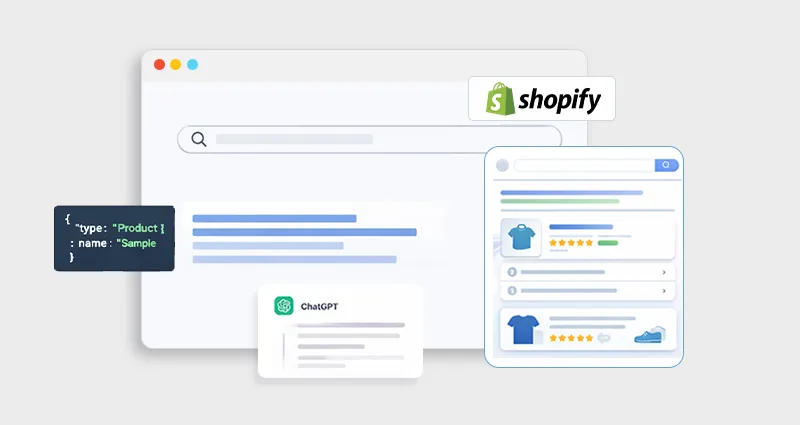
Structured data is no longer optional for e-commerce SEO. If you’re investing in Shopify SEO but ignoring schema markup, you’re optimizing only part of the picture. Search engines today interpret entities, relationships, and context, not just keywords.
When implemented correctly, Shopify Schema Markup converts your store into machine-readable data that powers rich results like pricing, ratings, availability, and FAQs. These enhanced listings improve visibility and significantly increase click-through-rate (CTR), compared to standard blue links. Beyond clicks, structured data also impacts engagement. Rakuten found that users spend 1.5× more time on pages with structured data and show a 3.6× higher interaction rate on optimized AMP pages.
This guide will walk you from fundamentals to advanced implementation, helping you apply Shopify Schema Markup strategically for long-term growth.
What Is Schema Markup and Structured Data?
Before we talk specifically about Shopify, it’s important to understand the foundation. Structured data is a standardized format used to organize information so search engines can understand it clearly and consistently. Instead of relying only on visible text, search engines read structured data to interpret what each element on a page actually represents, a product, a price, a review, a business, a FAQ, and so on.
Schema markup is the vocabulary used to create that structured data. It follows the Schema.org framework and is most commonly implemented using JSON-LD (JavaScript Object Notation for Linked Data). This format allows you to describe your content in a machine-readable way without changing what users see on the page.
In simple terms, schema markup adds meaning to your content, not just words.
What Is Shopify Schema Markup?
Shopify Schema Markup is structured data (typically written in JSON-LD format) added to your Shopify store’s pages to help search engines accurately interpret your content and qualify it for enhanced search features.
Instead of Google guessing:
“This looks like a product page.”
Schema explicitly defines it:
{
  "@type": "Product",
  "name": "Premium Leather Backpack",
  "brand": "UrbanCarry",
  "price": "129.99",
  "availability": "InStock"
}
This structured clarity allows search engines to confidently generate Shopify rich snippets, which may include star ratings, price, availability, review count, FAQ dropdowns, and breadcrumb paths directly in the search results.
While most Shopify themes include basic structured data by default, it is often limited to minimal Product markup and may lack advanced properties like AggregateRating, Offer details, or properly structured FAQ schema. For meaningful Shopify SEO structured data optimization, especially if you want stronger rich result eligibility and AI visibility, customization and validation are essential.
Why Schema Markup Matters for SEO
Schema markup matters for SEO because it improves how search engines understand your content, increases eligibility for rich results, and enhances click-through rates. It strengthens technical SEO by making your store more interpretable, trustworthy, and competitive in search results.
Schema-enabled pages can drive 20–40% more organic traffic on average, primarily due to enhanced search visibility, rich snippets, and improved click-through rates. This makes structured data one of the highest-leverage technical SEO enhancements for Shopify stores.
1. Higher Click-Through Rates (CTR)
Rich snippets make your listing visually stand out with elements like star ratings, price, availability, and FAQs. This additional SERP real estate draws attention and improves perceived value, which often results in higher click-through rates compared to plain text listings.
2. Improved Search Understanding
Schema removes ambiguity by clearly defining entities such as Product, Offer, Brand, Review, and FAQ. Instead of relying solely on contextual clues, search engines receive structured confirmation about your page’s purpose, improving indexing accuracy and relevance.
3. Better Crawl Efficiency
Structured data helps search engines process key information faster by organizing content into machine-readable attributes. This clarity improves how your store is categorized and connected within the broader search ecosystem, supporting stronger technical SEO foundations.
4. Enhanced Trust Signals
Displaying ratings, pricing, and stock availability directly in search results builds credibility before users even click. When shoppers see transparent product details upfront, they are more likely to trust your listing over competitors without rich enhancements.
This is why Shopify structured data is a core component of modern Shopify technical SEO strategy.
Schema vs. No Schema in Search Results
The impact of structured data becomes obvious when you compare search listings side by side.
| Feature | Without Shopify Schema Markup | With Optimized Shopify JSON-LD Implementation |
|---|---|---|
| Search Appearance | Standard blue link | Enhanced rich result |
| Price Display | Not visible | Visible with currency |
| Review Stars | Not shown | Star ratings displayed |
| Stock Status | Not shown | In stock / Out of stock visible |
| FAQ Expansion | Not available | Expandable FAQ dropdown |
| Breadcrumbs | Basic URL path | Structured breadcrumb hierarchy |
| CTR Potential | Moderate | Significantly higher in competitive niches |
In competitive eCommerce markets, this visual difference can dramatically influence user behavior. Structured data doesn’t just improve appearance, it improves performance.
How Schema Improves AI-Generated Search Visibility
Schema improves AI-generated search visibility by structuring your store’s data into clearly defined entities and relationships. This makes it easier for AI systems to extract, interpret, and accurately summarize your content.
Here is what it does for improved AI-generated search visibility:
Defined Entities
AI systems rely on clearly labeled entities like Product, Brand, Offer, and Review. Schema removes ambiguity and tells AI exactly what each piece of information represents.
Structured Relationships
Schema connects related elements, such as Product → Brand → Offer, helping AI understand how different data points relate within your store’s ecosystem.
Machine-Readable Clarity
JSON-LD format presents information in a structured, standardized way, allowing AI systems to process key details quickly and accurately without relying on guesswork
Better Content Extraction
When FAQ, pricing, ratings, and availability are properly marked up, AI systems can confidently extract and display your content in summaries or AI-driven search results.
Step-by-Step: Implementing Shopify Schema Markup (Code-Based)
Adding schema markup manually in Shopify gives you full control over how your structured data appears to search engines and AI systems. While some schema markup apps automate the process, a code-based approach ensures precision, customization, and alignment with advanced SEO strategies. Here is the practical implementation of Shopify Schema Markup:
Step 1: Backup Your Shopify Theme
Before editing any code:
- Go to Online Store → Themes
- Click Actions → Duplicate
This ensures you have a safe backup in case anything breaks.
Step 2: Access Theme Code
- Navigate to Online Store → Themes
- Click Actions → Edit Code
You’ll now see your Shopify theme file structure.
Step 3: Identify Key Files for Schema Implementation
Schema markup is typically added in these files:
theme.liquid→ Global schema (Organization, Website)-
product.liquidormain-product.liquid→ Product schema collection.liquid→ Collection schemaarticle.liquid→ Blog/article schema
Step 4: Add Organization Schema (Global)
Add this inside the
section oftheme.liquid:
Why this matters:
Helps search engines understand your brand identity and improves knowledge panel eligibility.
Step 5: Add Product Schema
Go to your product template ( product.liquid or main-product.liquid ) and add:
Pro Tip:
If your store has reviews, include AggregateRating to unlock star ratings in search results.
Step 6: Add Breadcrumb Schema
Breadcrumb schema improves navigation visibility in SERPs.
Add this in theme.liquid or relevant templates:
Step 7: Add Article Schema (For Blogs)
Edit article.liquid and insert:
Step 8: Test Your Schema Markup
Adding schema is only half the job, validation ensures it actually works and qualifies for rich results.
After you add schema markup to Shopify:
This shows whether your page is eligible for rich results and highlights errors or warnings.
This checks structural accuracy and confirms your JSON-LD follows Schema.org standards.
Check Google Search Console Enhancements Report
Monitor indexing status, detected schema types, and any ongoing issues after Google crawls your pages.
Watch For:
- Missing required fields (like price or availability in Product schema)
- Invalid price formats or currency mismatches
- Duplicate product schema from theme + apps
Testing isn’t optional, it’s essential to ensure your structured data performs as intended. However, if you notice recurring validation errors, duplicate schema, or manual update challenges, using a dedicated Shopify Schema app that automatically maintains JSON-LD consistency can simplify long-term management and reduce technical risk.
Core Shopify Schema Types You Must Implement
1. Product Schema (Essential)
This is the most important part of Shopify schema for products.
It enables:
- Price display
- Stock visibility
- Reviews
- Offers
- Brand association
Dynamic Product Schema Using Liquid
Add this inside main-product.liquid or create a snippet like product-schema.liquid.
<script type="application/ld+json">
{
"@context": "https://schema.org",
"@type": "Product",
"@id": "{{ shop.url }}{{ product.url }}",
"name": {{ product.title | json }},
"image": [
{% for image in product.images %}
{{ image | img_url: '800x' | prepend: 'https:' | json }}{% unless forloop.last %},{% endunless %}
{% endfor %}
],
"description": {{ product.description | strip_html | json }},
"sku": {{ product.selected_or_first_available_variant.sku | json }},
"brand": {
"@type": "Brand",
"name": {{ product.vendor | json }}
},
"offers": {
"@type": "Offer",
"url": "{{ shop.url }}{{ product.url }}",
"priceCurrency": "{{ shop.currency }}",
"price": "{{ product.selected_or_first_available_variant.price | money_without_currency }}",
"availability": "https://schema.org/{% if product.available %}InStock{% else %}OutOfStock{% endif %}"
}
}
</script>
This ensures dynamic updates when price or inventory changes.
For full breakdown:
2. Review & AggregateRating Schema
If your store collects reviews, include:
"aggregateRating": {
"@type": "AggregateRating",
"ratingValue": "4.7",
"reviewCount": "128"
}
Important: The reviews must be visible on the page. Hidden review schema violates guidelines.
3. FAQ Schema (Strategic Use)
FAQ schema markup on Shopify can expand your search listing dramatically.
Example:
<script type="application/ld+json">
{
"@context": "https://schema.org",
"@type": "FAQPage",
"mainEntity": [{
"@type": "Question",
"name": "How long does shipping take?",
"acceptedAnswer": {
"@type": "Answer",
"text": "Shipping takes 3–5 business days."
}
}]
}
</script>
Use it on:
- Product pages
- Shipping pages
- Policy pages
But only when FAQs are visible to users.
For complete implementation:
Organization Schema
Add this in theme.liquid:
<script type="application/ld+json">
{
"@context": "https://schema.org",
"@type": "Organization",
"name": "{{ shop.name }}",
"url": "{{ shop.url }}",
"logo": "{{ shop.logo | img_url: '500x' | prepend: 'https:' }}"
}
</script>
This strengthens brand signals and Knowledge Graph presence.
5. Breadcrumb Schema
Breadcrumbs clarify site hierarchy.
{
"@context": "https://schema.org",
"@type": "BreadcrumbList",
"itemListElement": [{
"@type": "ListItem",
"position": 1,
"name": "Home",
"item": "{{ shop.url }}"
}]
}
This improves search result structure and AI comprehension.
Common Shopify Schema Mistakes
Even experienced developers can misconfigure structured data. Small errors can prevent rich results or trigger manual actions.
Avoid These Common Issues
Even experienced developers can misconfigure structured data. Small errors can prevent rich results or trigger manual actions.
Duplicate Product Schema (Apps + Theme)
Many Shopify apps inject Product schema automatically. If your theme also includes it, Google may detect duplicate entities, causing confusion or rich result suppression.
Incorrect Stock Status
Marking out-of-stock products as InStock creates a mismatch between structured data and visible content. This can reduce trust and invalidate your eligibility for rich results.
Fake or Manipulated Review Markup
Adding review schema without genuine, visible reviews violates search engine guidelines and can result in penalties or removal of review snippets.
FAQ Schema Without Visible FAQs
Structured data must reflect what users see. Adding FAQ markup without displaying the questions and answers on the page can lead to manual actions.
Wrong Currency or Price Formatting
Incorrect currency codes, missing decimals, or inconsistent formatting can break Product schema validation and trigger errors in testing tools.
Key Rule: Structured data must always match visible page content, accuracy and consistency are non-negotiable.
Advanced Shopify Structured Data Strategy
Once foundational schema is implemented correctly, you can expand toward deeper entity optimization.
Add Collection Schema
Marking up collections helps search engines understand category-level intent and product grouping, strengthening topical relevance.
Use Article Schema for Blog Posts
Applying Article or BlogPosting schema enhances eligibility for rich results and clarifies authorship, publication date, and content hierarchy.
Connect Organization to Social Profiles
Link your Organization schema to official social media profiles using sameAs. This strengthens brand entity signals and improves knowledge graph consistency.
Ensure Internal Linking Consistency
Structured data works best when supported by clear internal linking. Consistent navigation reinforces entity relationships across products, collections, and blog content.
Advanced strategy isn’t just about earning rich snippets, it’s about building a strong, interconnected entity framework that supports long-term SEO and AI visibility.
Final Thoughts
Shopify Schema Markup isn’t a shortcut, it’s foundational infrastructure for long-term SEO success. When implemented strategically, it helps search engines clearly understand your products, improves click-through rates, enhances AI-generated visibility, and strengthens your technical SEO framework.
Start with accurate Product schema, expand into FAQ and Organization markup, and test everything thoroughly. Avoid duplication and focus on entity clarity. Done correctly, structured data becomes a powerful driver of sustainable search visibility.








 Wix Schema
 Squarespace Schema
 BigCommerce Schema
 Shopify Schema
 Hubspot Schema
 Webflow Schema
 GoHighlevel Schema
 Duda Schema
 Weebly Schema