

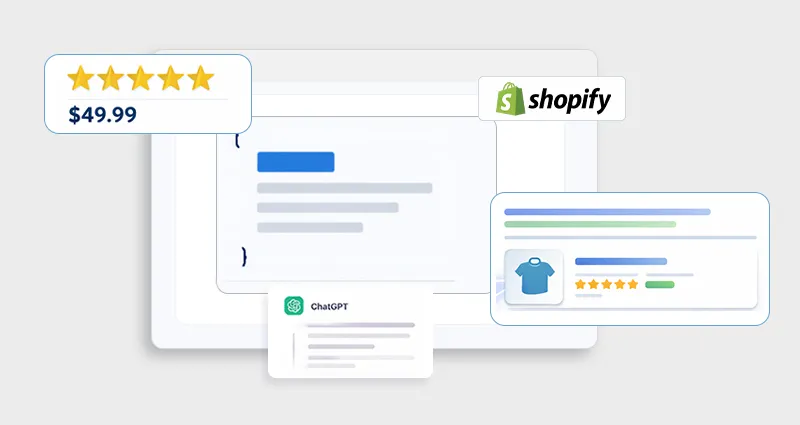
TL;DR: Shopify rich snippets require accurate Shopify schema markup using JSON-LD. By properly implementing product, review, and FAQ structured data, and validating it, you can improve search visibility, earn enhanced SERP features, and increase click-through rates.
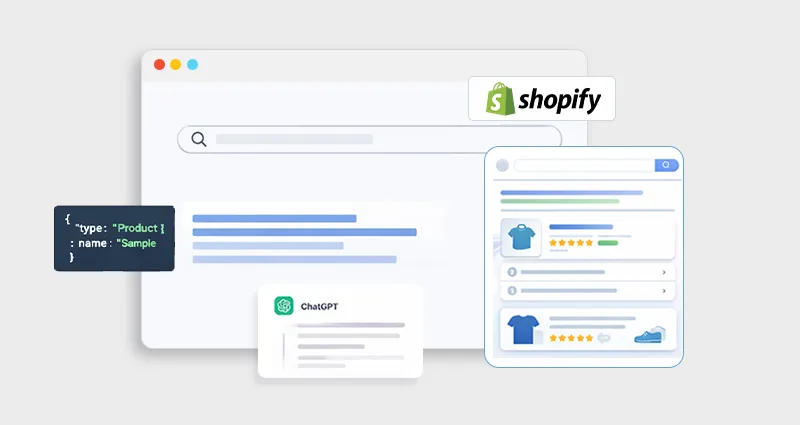
Shopify rich snippets are enhanced search result elements that display extra information, like star ratings, price, availability, or FAQ answers, directly on the search engine results page (SERP). They make your Shopify listings more engaging and informative than standard blue links.
Google refers to these enhanced features as rich results. Search engines use structured data to understand your page better and potentially display these enhancements.
Rich snippets most probably show:
- Star ratings
- Price and availability
- FAQ expansion
- Breadcrumb navigation
- Product details with images and descriptions
Why Shopify Schema Markup Matters for Rich Snippets
Most Shopify themes include basic built-in structured data, but the default Shopify schema markup is often limited. It may not include important properties like aggregate ratings, detailed offer information, or FAQ data, all of which are commonly needed for enhanced Shopify rich snippets. That’s why installing a theme alone doesn’t automatically enable rich snippets in Shopify. Shopify schema markup translates your content into a structured format that search engines clearly understand. Instead of guessing whether a number represents a price or whether text is a review, structured data explicitly defines it. This clarity helps search engines better interpret your page and determine eligibility for rich results.Impact on SEO & CTR
While Shopify structured data is not a direct ranking factor, it makes your pages eligible for enhanced SERP features such as product-rich results, review stars, and FAQs. These improvements increase visibility and can significantly boost click-through rates. In short, Shopify schema markup doesn’t raise your rankings by itself, it makes your search listing more compelling and competitive once you’re there.What Is Structured Data?
Structured data is a standardized format for providing information about a page and classifying its content, usually written as JSON-LD (JavaScript Object Notation for Linked Data). This format is Google’s preferred method because it’s easy to maintain and doesn’t affect page layout. Shopify structured data typically lives inside a<script type="application/ld+json"> tag in your theme files or via an app that injects it dynamically.
Types of Shopify Schema You Should Implement
Different schema types serve different purposes, and not all will apply to every Shopify store. Here’s what matters most:Product Schema
Used on product pages to define details like price, availability, image, and brand. A properly implemented Shopify product schema markup increases eligibility for product-rich results.Review Schema Markup
Shows aggregated review ratings and individual review content in search results, often as star snippets. This can boost credibility and CTR.FAQ Schema
FAQ schema markup allows Google to pull your question-and-answer pairs directly into search results, making your snippet more helpful.Breadcrumb Schema
Displays site hierarchy (e.g., Home > Category > Subcategory) right in SERPs, helping user navigation and context.Organization & Website Schema
Establishes a broader context about your store, brand, and site, helpful for knowledge panels and branding. Consider adding additional structured data for things that match specific page content, like video schema for product videos or blog schema for articles.How to Add Schema Markup in Shopify
There are these two common approaches, which you choose based on skill level and scale:1. Manual JSON-LD Implementation
This is the most flexible and precise way to ensure your markup matches the actual data on your pages:- Go to Online Store > Themes > Edit Code
- Insert a
<script type="application/ld+json"> … </script>block in theme.liquid or specific templates - Use Shopify Liquid variables (like
{{ product.title }}) to ensure data is dynamic - Test with Google’s Rich Results Test or Schema Markup Validator
<script type="application/ld+json">
{
  "@context": "https://schema.org/",
  "@type": "Product",
  "name": "{{ product.title | escape }}",
  "image" "['{{ product.featured_image | img_url:'600x' }}"],
  "description" "{{ product.description | stripe_html | escape }}"],
  "sku" "{{ product.variant.first.sku }}",
  "offer": {
    "@type": "offer",
    "priceCurrency": "{{ shop.currency }}",
        "price" : "{{ product.price | money_without_currency }}",
         "availablity" : "https://schema.org/{{ product.available | default: false | boolean ? 'Instock' : 'OutofStock' }}",


  }
}
</script>
2. Hybrid: Use Liquid with Metafields
Advanced but powerful: store JSON-LD templates in Shopify metafields and output them using Liquid, allowing per-page or per-product structured data without hard-coding everything manually. This approach keeps templates clean and flexible.Shopify JSON-LD Implementation: Best Practices to Get Rich Snippets
Whether you manually add schema markup in Shopify or use a Shopify schema app, implementation quality determines whether you qualify for Shopify rich snippets.1. Match What Users See
Your Shopify JSON-LD implementation must reflect the visible content on the page. If your structured data says a product is “InStock” but the page shows it as sold out, Google may flag it as misleading. Accurate price, currency, availability, and review data are essential for product schema eligibility.2. Use JSON-LD Format
Google recommends JSON-LD over microdata or RDFa because it’s easier to maintain and less prone to breaking during theme updates. JSON-LD also keeps your markup separate from HTML design, making your Shopify schema markup cleaner and more scalable.3. Customize for Dynamic Content
Shopify stores are dynamic. Prices change, inventory fluctuates, and variants differ. Your Shopify product schema should dynamically pull data using Liquid variables to ensure accuracy. The same applies to Shopify review schema markup and Shopify FAQ schema, static markup quickly becomes outdated and can invalidate rich result eligibility.Fix Shopify Structured Data Errors
Even small technical mistakes can prevent Shopify rich snippets from appearing. Common issues include:- Missing required properties (like price, availability, or reviewCount)
- Invalid JSON formatting (extra commas, missing brackets)
- Duplicate Shopify schema markup from multiple apps or theme conflicts
Tips to Fix Shopify Schema Errors
1. Validate with Google’s Rich Results Test. This tool shows exactly which rich result types your page qualifies for and highlights errors or warnings in your Shopify structured data. 2. Remove duplicate markup. Check your theme.liquid file and installed apps. If two sources inject the same Shopify schema, remove one to avoid conflicts. 3. Follow official schema requirements. Always refer to Schema.org definitions and Google’s supported structured data documentation to ensure you’re using the correct property names and required fields. Regular Shopify schema validation through Google Search Console helps monitor issues at scale and ensures your store stays eligible for rich snippets over time.Shopify Schema Validation and Testing
Before expecting rich snippets to appear:- Run your URLs through the Google Rich Results Test tool
- Use the Schema Validator tools to make sure there are no syntax errors
- Monitor Google Search Console structured data reports for warnings and issues








 Wix Schema
 Squarespace Schema
 BigCommerce Schema
 Shopify Schema
 Hubspot Schema
 Webflow Schema
 GoHighlevel Schema
 Duda Schema
 Weebly Schema