

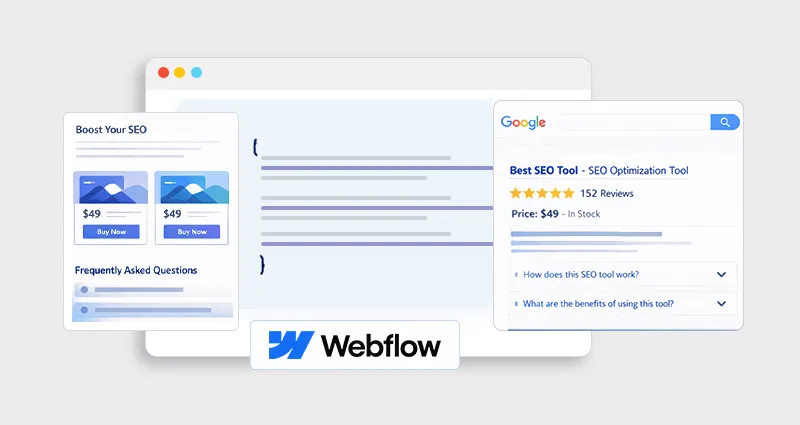
Search results have become far more than a list of links. Today, users expect instant context, ratings, answers, pricing, and key details, before they even decide to click. When that information is missing, even well-ranked pages can be overlooked in favor of results that feel more complete and trustworthy.
This shift is exactly why Webflow Rich Snippets have become such an important part of modern SEO. They help transform standard listings into informative previews that attract attention, answer intent faster, and align with how both search engines and AI systems interpret content.
If your goal is to increase visibility, attract more clicks, and make your Webflow site easier for search engines and AI systems to interpret, rich snippets are a critical piece of the puzzle.
What Are Webflow Rich Snippets?
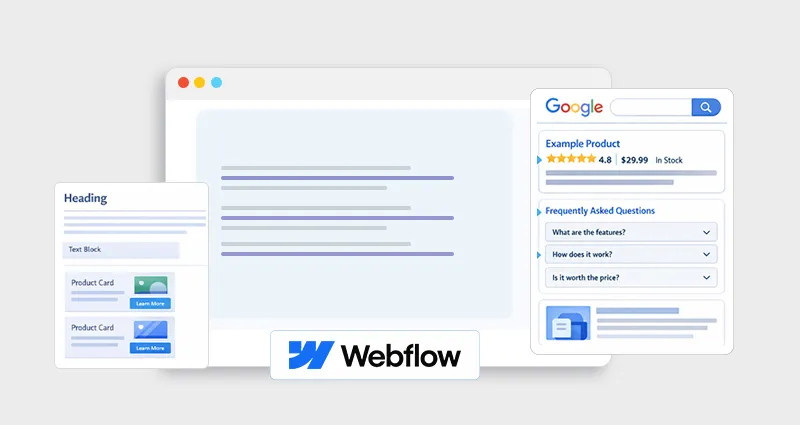
When browsing Google, you’ve likely noticed results that show star ratings, product prices, FAQs, or breadcrumbs, these are Webflow rich snippets. Unlike standard search results, rich snippets make your pages visually stand out and improve click-through rates (CTR).
In 2026, rich snippets aren’t just a visual enhancement, they play a key role in AI-driven search results, where search engines and chat-based AI systems rely on structured data to understand and present your content. Without it, your page is just unstructured information; with it, your content becomes easier to interpret and display.
For example, a product page can show pricing and availability, while a blog post can display FAQs directly in search results. In 2026, Webflow rich snippets are not just about better visuals, they play a key role in how search engines and AI systems understand and present your content.
Why Webflow Rich Snippets Matter in 2026
Adding rich snippets via Webflow schema markup does more than improve SERP aesthetics. Their impact on Webflow SEO rich results and AI visibility is measurable and multifaceted:
1. Higher Click-Through Rates
A study mentioned by Yotpo shows that pages with rich snippets enjoy up to 30% higher CTR. By including Webflow product schema, FAQ schema, or review schema, your result gains visual enhancements like stars or pricing info.
2. Better AI Visibility
AI and answer engines increasingly rely on structured data. Webflow structured data ensures that tools like Google’s AI, ChatGPT, or Bing AI can correctly interpret your content. This is also called Answer Engine Optimization (AEO).
3. Clearer Content Understanding
Search engines can “read” the purpose of your page, including the type of content (Article, Product, FAQ), its author, date, and related entities. This reduces ambiguity and increases your chances of appearing in rich results.
4. Eligibility for Rich Results
Without schema markup, Google cannot generate rich snippets. Adding a Webflow JSON-LD implementation is essential to qualify for rich results such as FAQ drop-downs, recipe cards, or product ratings.
How Webflow Schema Markup Works
Schema markup is structured data that communicates your content’s context to search engines. In Webflow, you can implement schema in multiple formats, but JSON-LD is the gold standard:| Format | Pros | Cons |
|---|---|---|
| JSON-LD | Clean, easy to implement, Google-preferred | Requires manual code insertion for dynamic pages unless automated |
| Microdata | Inline with HTML, simple for static content | Messy, hard to maintain, not ideal for AI visibility |
| RDFa | Detailed semantics, flexible | Rarely supported, complex |
Tip: For Webflow JSON-LD implementation, always place JSON-LD scripts in the page’s <head> or via CMS templates for scalable implementation.
Best Schema Types for Webflow Websites
Different pages require different schema types to maximize rich snippet eligibility. Here’s an actionable breakdown:
1. Article / Blog Schema
Used for content-focused pages. It includes:
- Headline
- Author
- Date published
- Featured image
This is critical for Webflow SEO rich results, especially for blogs and tutorials.
Example JSON-LD snippet for an article:
 <script type="application/ld+json">
{
"@context": "https://schema.org",
"@type": "Article",
"headline": "What Are Webflow Rich Snippets?",
"author": {
"@type": "Person",
"name": "John Doe"
},
"datePublished": "2026-04-08"
}
</script>
2. Webflow FAQ Schema
The FAQ schema helps your content appear in People Also Ask (PAA) boxes and directly in rich results.
Key points for implementation:
- Match visible questions and answers
- Avoid generic content; Google checks for accuracy
- Ideal for services pages, knowledge bases, or blog FAQs
3. Webflow Product Schema
For eCommerce or SaaS pricing pages, product schema can show:
- Price
- Availability
- Ratings & reviews
4. Webflow Review Schema
Displays star ratings directly in SERPs. Used on product or service reviews.
Pro Tip: Use this schema only if your content actually contains reviews visible on the page; Google audits content-schema consistency
5. Organization / Local Business Schema
Use this schema to provide authoritative info about your company, such as:
- Logo
- Contact info
- Social profiles
Result: Increases trust and makes your business eligible for Knowledge Panels.
Webflow Schema Markup to Get Rich Snippets in 2026
Here’s a practical, step-by-step guide on how to get rich snippets in Webflow using structured data the right way:
Step 1: Identify Your Page Intent
Start by matching your page with the right schema type. Think in terms of what users expect to see in search results:
- Blog → Article schema
- FAQ page → Webflow FAQ schema
- Product page → Webflow product schema
Getting this right is critical, using the wrong schema can prevent your page from qualifying for rich snippets.
Step 2: Generate JSON-LD Schema
Once you know the schema type, generate the markup using a reliable schema markup tool or a json ld schema generator. These tools help you create clean, valid structured data without errors.
For example, a product schema typically includes:
- Name
- Description
- Image
- Price
- Availability
- Review or rating
The goal here is accuracy, your schema should reflect exactly what’s visible on the page.
Step 3: Add Schema Markup in Webflow
You can implement Webflow JSON-LD schema in a few different ways depending on your setup:
Option A: Page Settings (Best for most users)
- Open Webflow Designer
- Go to Page Settings → Custom Code → Head Code
- Paste your JSON-LD script
- Publish the page
Option B: CMS Dynamic Fields (Best for scaling)
- Use CMS Collections for dynamic content like blog posts or products
- Embed schema using dynamic fields (title, price, FAQs)
- This ensures your schema updates automatically across all pages
Option C: Custom Code Embed (Flexible option)
<script type="application/ld+json">
{
"@context": "https://schema.org",
"@type": "FAQPage",
"mainEntity": [{
"@type": "Question",
"name": "What are Webflow rich snippets?",
"acceptedAnswer": {
"@type": "Answer",
"text": "Enhanced search results powered by structured data."
}
}]
}
</script>
Step 4: Validate Schema Markup
Before publishing, always test your structured data using a schema markup validator or json ld schema validator.
Use tools like:
Make sure:
- There are no syntax errors
- All required fields are included
- The schema matches your visible content
Even small mistakes can stop rich snippets from appearing.
Step 5: Monitor and Update
After implementation, your job isn’t done.
- Track performance in Google Search Console
- Monitor which pages are getting rich results
- Keep schema updated when content changes (pricing, FAQs, reviews)
- Consistent updates ensure your Webflow rich snippets remain accurate and eligible for search enhancements.
Common Mistakes to Avoid
Even experienced SEOs make these mistakes when implementing schema markup for Webflow:
-
Schema doesn’t match page content
Search engines compare structured data with visible content. If they don’t align, your schema may be ignored.
-
Missing required fields
For example, a Webflow product schema without price or availability won’t qualify for rich results.
-
Duplicate or conflicting schema
Adding multiple schema types incorrectly or repeating the same schema can confuse crawlers.
-
Static schema for dynamic content
If your content updates (like pricing or FAQs) but the schema doesn’t, it becomes inaccurate. Use a CMS-based dynamic schema.
-
No validation before publishing
Skipping a schema markup validator can leave errors unnoticed, preventing rich snippets from appearing.
Webflow Schema Markup for SEO and AI Visibility
In 2026, Webflow JSON-LD schema plays a key role in both SEO and AI-driven search:
-
Improves entity clarity
Helps search engines clearly understand what your page is about (product, article, FAQ, etc.).
-
Enables rich results
Increases eligibility for enhanced SERP features like FAQs, ratings, and product details.
-
Supports AI-generated answers
Structured data helps AI systems extract and present your content accurately.
Boosts visibility in answer engines
Improves chances of appearing in AI overviews and chat-based search results.
Pro Tip: Focus on quality over quantity. One accurate, well-structured schema aligned with page intent is more effective than multiple poorly implemented ones.
Conclusion
Webflow Rich Snippets are essential for modern SEO and AI visibility.
By implementing Webflow schema markup correctly using JSON-LD, validating it, and keeping it accurate, your website becomes eligible for enhanced search results, improves CTR, and positions itself for AI-driven search in 2026.
Focus on intent, accuracy, and validation , and you’ll not just get rich snippets, you’ll future-proof your Webflow site for the next generation of search.
FAQs
Q1: What are Webflow rich snippets?
Enhanced SERP results powered by structured data, including star ratings, FAQs, and product info.
Q2: How to get rich snippets in Webflow 2026?
Add JSON-LD schema via page settings or CMS, validate it, and ensure visible content matches the schema.
Q3: Can schema markup improve rankings?
Not directly, but it improves CTR, visibility, and AI answer eligibility, which indirectly boosts performance.
Q4: What is JSON-LD Webflow implementation?
It’s adding structured data in a clean, Google-preferred format to your Webflow pages.
Q5: How do I validate Webflow schema markup?
Use Google Rich Results Test or Schema.org validator for real-time validation.
Q6: Which schema types are best for Webflow websites?
Articles, FAQ, Product, Review, and Organization/Local Business schemas depending on page purpose.
Q7: Can AI systems read Webflow schema?
Yes, AI and LLMs can interpret JSON-LD structured data, improving your chances of appearing in AI-powered results.
Q8: Why isn’t my Webflow schema showing in SERPs?
Common reasons: invalid schema, missing required fields, mismatch with visible content, or Google hasn’t indexed the page yet.







 Wix Schema
 Squarespace Schema
 BigCommerce Schema
 Shopify Schema
 Hubspot Schema
 Webflow Schema
 GoHighlevel Schema
 Duda Schema
 Weebly Schema