

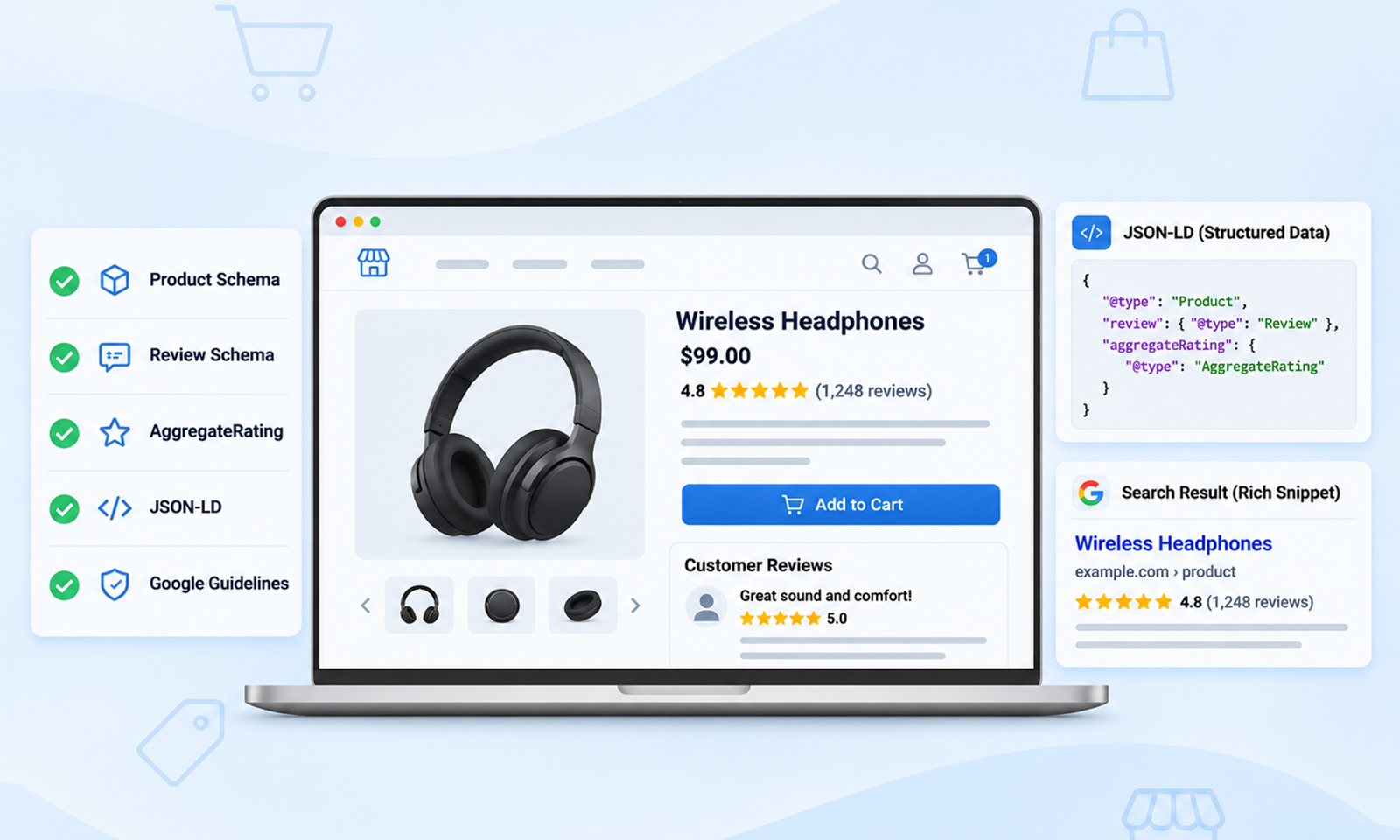
A product page with customer ratings naturally attracts more attention in search results, but adding Product review schema alone isn’t enough to earn review snippets. Google evaluates both your structured data and the content on the page before deciding whether a product is eligible.
For ecommerce businesses, the goal isn’t just to implement schema markup but to implement it correctly. This guide explains the complete compliant setup process for Product review schema, including the schema types involved, Google’s requirements, common mistakes to avoid, and how to validate your markup before publishing.
Product Review Schema Compliance at a Glance
Implementing Product review schema correctly requires more than adding ratings to a product page. Use this checklist to understand the essential markup, Google’s content requirements, and validation steps needed to make ecommerce product pages eligible for review snippets.
| Step | What You Need to Do |
|---|---|
| 1. Add Product schema | Mark up the product page using a valid Product schema with essential product details. |
| 2. Display genuine customer reviews | Reviews should be visible on the product page and relate to the product being sold. |
| 3. Add Review and AggregateRating | Mark up individual reviews and the overall rating using the appropriate schema properties. |
| 4. Match structured data with page content | Ratings, review count, and other values in the schema should reflect what’s visible to users. |
| 5. Use JSON-LD | Google recommends implementing structured data in JSON-LD format. |
| 6. Validate the markup | Test the page using Google’s Rich Results Test and fix any errors or warnings. |
| 7. Follow Google’s review guidelines | Avoid hidden, misleading, or self-created review markup that violates Google’s policies. |
| 8. Keep the markup updated | Update ratings and review counts as customer reviews change over time. |
Important: A compliant setup makes your product page eligible for review snippets, but it does not guarantee that Google will display star ratings in search results.
What Is a Product Review Schema?
Product review schema is a type of structured data that tells search engines how customer reviews and ratings relate to a specific product on an ecommerce page. Instead of interpreting reviews solely from visible content, search engines can use this markup to better understand the product, the individual reviews it has received, and its overall rating.
A typical implementation combines three schema types:
- Product – describes the product.
- Review – represents an individual customer review.
- AggregateRating – summarizes the overall rating based on multiple reviews.
Together, these schema types help Google interpret review information more accurately and determine whether a product page is eligible for review snippets.
It’s also important to distinguish structured data from the reviews themselves. Customer reviews are the visible content on your product page, while Product review schema is the underlying markup that describes those reviews for search engines. The two should always match.
How Product Review Schema Works
Product review schema works by connecting product information with customer review data in a format that search engines can interpret.
When Google crawls a product page, it reads the structured data alongside the visible page content. If the markup is valid and complies with Google’s review snippet guidelines, the page may become eligible for product rich results, including review snippets.
The relationship is straightforward:
Product Page
      │
      ├── Product Schema
      │
      ├── Customer Reviews
      │        │
      │        ├── Review Schema
      │        └── AggregateRating Schema
      │
      ▼
Structured Data (JSON-LD)
      │
      ▼
Google evaluates the markup and page content
      │
      ▼
Eligible for review snippets (not guaranteed)
The schema itself doesn’t create reviews or ratings. Instead, it tells Google what those reviews represent and how they relate to the product. This is why Product review schema for ecommerce works best when the structured data accurately reflects the information users can already see on the page.
The Complete Compliant Setup Process for Product Review Schema
A compliant implementation is more than adding a few schema properties to a product page. Google expects the structured data to accurately represent the product and its reviews while matching the visible content on the page.
Here’s the recommended setup process for Product review schema.
Step 1: Start with Product Schema
Every implementation begins with Product schema markup, which identifies the page as a product. The name property is required for Google’s Product snippets, while additional properties such as image, description, sku, brand, and offers provide more product information.
You can then include review or aggregateRating to describe customer feedback associated with the product. The properties you need depend on the type of rich result you’re targeting.
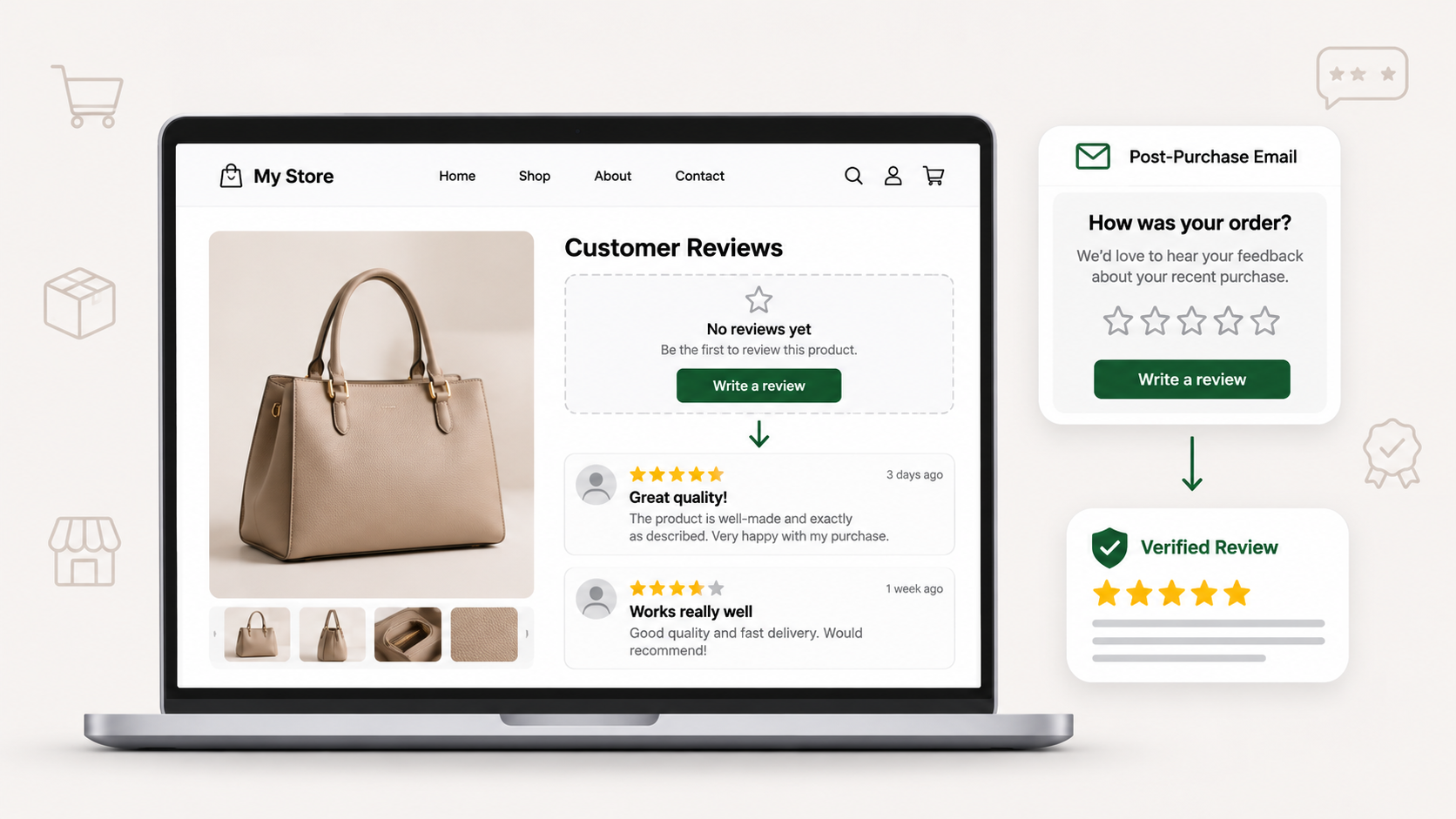
Step 2: Collect and Display Genuine Customer Reviews
Before adding a Review schema for products, ensure the reviews are actually displayed on the product page.
Google expects review markup to represent content that users can see. Marking up reviews that aren’t visible, or creating reviews solely for structured data, can make the markup ineligible for review snippets.
Step 3: Add Review and AggregateRating
Once reviews are available, add the appropriate review properties.
Reviewrepresents an individual customer review.AggregateRatingsummarizes the overall rating, such as 4.8/5 based on 275 reviews.
These values should reflect the information shown on the page. If the displayed rating changes, the structured data should be updated as well.
Step 4: Ensure Structured Data Matches Visible Content
One of the most common compliance issues is a mismatch between the schema and the page. For example:
- Showing 4.6 stars on the page but marking 4.9 in the schema.
- Displaying 120 reviews while the schema reports 150.
- Marking up reviews that users can’t see.
Keeping both versions consistent helps search engines trust the structured data.
Step 5: Use JSON-LD
Google recommends implementing Product review schema using JSON-LD because it keeps structured data separate from the page’s HTML and makes it easier to manage.
You can write the JSON-LD markup manually or use a schema generation tool to create the required structured data. For example, JSON Schema App provides a no-code way to create and manage Schema.org markup, helping businesses implement structured data without manually writing every property.
Regardless of the method you choose, ensure the generated markup accurately represents the product details, customer reviews, and ratings visible on the page.
Example of Product Review Schema in JSON-LD
{
"@context": "https://schema.org",
"@type": "Product",
"name": "Example Running Shoes",
"image": "https://example.com/shoes.jpg",
"description": "Lightweight running shoes.",
"review": {
"@type": "Review",
"author": {
"@type": "Person",
"name": "Jane Smith"
},
"reviewRating": {
"@type": "Rating",
"ratingValue": 5,
"bestRating": 5
}
},
"aggregateRating": {
"@type": "AggregateRating",
"ratingValue": 4.8,
"reviewCount": 275
}
}
Step 6: Validate Before Publishing
Before making the page live, test the markup to identify missing properties, syntax errors, or unsupported values.
Validation helps ensure the structured data is technically correct, but it doesn’t guarantee review snippets will appear in search results.
Step 7: Keep the Markup Updated
Product pages change over time as prices, availability, ratings, and review counts change.
Your Product review structured data should stay synchronized with these updates. Outdated ratings or inaccurate review counts can reduce the quality and reliability of the markup.
How Google Determines Eligibility for Product Review Snippets
Adding Product review schema doesn’t automatically generate star ratings. It simply makes a product page eligible for review snippets if Google’s systems determine that the page meets its requirements.
Google generally looks for factors such as:
- A valid Product entity.
- Genuine reviews about the product.
- Structured data that matches the visible page content.
- Required schema properties.
- Compliance with Google’s review snippet guidelines.
Even when every requirement is met, Google may choose not to display review snippets. Eligibility and display are separate decisions.
Product Schema vs Review vs AggregateRating
Although these schema types work together, they serve different purposes.
| Schema Type | Purpose | Example Properties |
|---|---|---|
| Product | Describes the product | name, image, brand, SKU |
| Review | Describes an individual review | author, reviewRating, datePublished |
| AggregateRating | Summarizes combined ratings | ratingValue, reviewCount, ratingCount |
In most ecommerce implementations, Product schema acts as the parent entity, while Review and AggregateRating are added as properties within it.
This combination helps search engines understand both the product and the feedback associated with it.
Google’s Guidelines for Product Review Schema
Following Google’s review snippet guidelines is just as important as implementing the markup itself. Structured data that doesn’t reflect the actual page content is unlikely to be considered for review snippets.
Some of the key practices include:
- Mark up only reviews that are visible on the product page.
- Ensure rating values and review counts match what’s shown to users.
- Use Product, Review, and AggregateRating only where appropriate.
- Keep structured data updated as reviews change.
- Validate the markup after major page updates.
Google’s complete requirements are available in the Google Search Central Review Snippet documentation, which should be treated as the primary reference for implementation details.
By combining accurate structured data with genuine customer reviews, ecommerce stores can build a compliant Product review schema setup that gives their product pages the best chance of becoming eligible for review snippets.
Common Product Review Schema Mistakes
Even when a Product review schema is implemented, small mistakes can prevent a product page from becoming eligible for review snippets. Most issues occur because the structured data doesn’t accurately represent the page content.
Some common mistakes include:
- Marking up products that don’t display customer reviews.
- Using rating values or review counts that differ from what’s shown on the page.
- Omitting required properties in Product, Review, or AggregateRating.
- Leaving outdated ratings or review counts in the structured data.
- Using invalid or incomplete JSON-LD syntax.
- Assuming that adding schema alone guarantees star ratings.
Review snippets depend on both valid structured data and Google’s evaluation of the page, so keeping the markup accurate over time is just as important as the initial implementation.
How to Validate Product Review Schema
Before publishing a product page, validate the markup to catch technical issues that could affect eligibility.
A simple validation workflow is:
- Test the page using Google’s Rich Results Test to identify errors and warnings.
- Check the markup with the Schema Markup Validator to verify the structured data follows Schema.org standards.
- Monitor Google Search Console for structured data issues after the page has been indexed.
Validation confirms that the markup is technically correct, but it doesn’t guarantee review snippets. Google still evaluates the page against its review snippet guidelines before deciding whether to display star ratings.
Best Practices for Long-Term Compliance
A compliant setup doesn’t end once the schema is added. As products and reviews change, the structured data should remain accurate.
A few best practices include:
- Keep ratings and review counts synchronized with the visible page.
- Use genuine customer reviews instead of manually created ratings.
- Implement structured data in JSON-LD format.
- Revalidate the markup after significant product page updates.
- Periodically review Search Console for structured data errors or warnings.
- Follow Google’s latest review snippet documentation, as eligibility requirements may change over time.
Maintaining accurate Product review schema markup helps search engines continue to understand your product pages correctly.
Conclusion
Product review schema helps search engines understand the products, reviews, and ratings on an ecommerce page, but compliance is what determines eligibility for review snippets.
A proper setup starts with valid Product schema, adds Review and AggregateRating where appropriate, ensures the structured data matches the visible content, and validates the implementation before publishing. While no implementation can guarantee star ratings, following Google’s guidelines gives your product pages the best opportunity to become eligible for rich results.
FAQs
Q1. Does Product review schema guarantee star ratings in Google?
No. Product review schema makes an eligible product page a candidate for review snippets, but Google decides whether to display star ratings based on its evaluation of the structured data and page content.
Q2. Can I use Product review schema without customer reviews?
No. You shouldn’t add Review or AggregateRating markup if your product page has no genuine customer reviews or ratings. Only mark up review information that is available to users on the page.
Q3. What’s the difference between Review and AggregateRating?
Review describes an individual customer review, while AggregateRating summarizes the combined rating from multiple reviews or ratings. Both can be included as properties within Product schema.
Q4. Is JSON-LD the recommended format for Product review schema?
Yes. Google recommends JSON-LD for structured data because it is easier to implement and maintain separately from the page’s HTML.
Q5. How do I know if my Product review schema is valid?
Use Google’s Rich Results Test to check eligibility-related errors and warnings, the Schema Markup Validator to verify Schema.org syntax, and Google Search Console to monitor structured data issues after indexing.
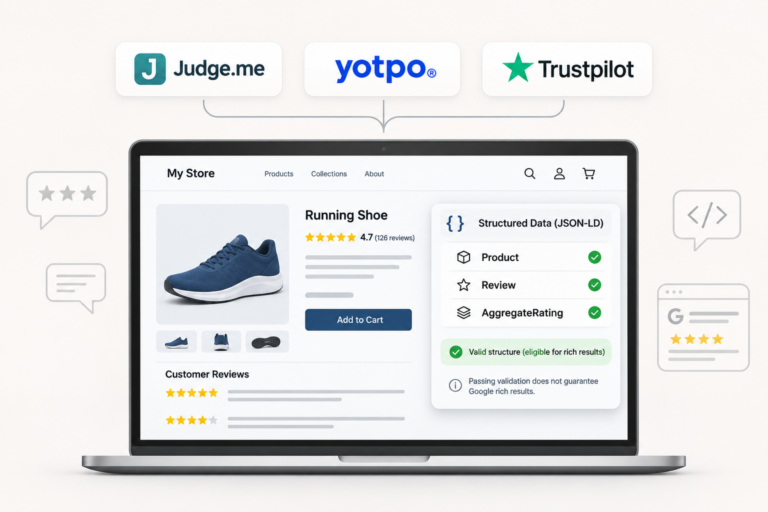
Q6. Can I use third-party review ratings in Product review schema?
You can use third-party reviews when they genuinely relate to the product, are available to users on your page, and comply with Google’s review snippet guidelines. Don’t mark up ratings that aren’t represented in the visible page content.
Q7. What properties are required for Product review schema?
For Google’s Product snippets, the name property is required, along with at least one of review, aggregateRating, or offers. Review markup also needs the appropriate review details, while AggregateRating requires a rating value and a review or rating count.
Q8. Can I add Product review schema to every ecommerce product page?
No. Add review-related markup only to product pages that display genuine customer reviews or ratings. If a product has no reviews, you shouldn’t add Review or AggregateRating just to make the page eligible for review snippets.








 Wix Schema
 Squarespace Schema
 BigCommerce Schema
 Shopify Schema
 Hubspot Schema
 Webflow Schema
 GoHighlevel Schema
 Duda Schema
 Weebly Schema
 ClickFunnel Schema