

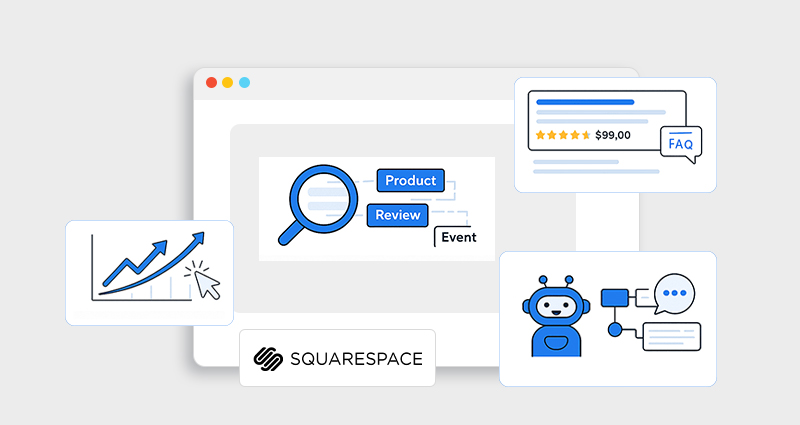
Squarespace schema markup is one of the most effective ways to improve SEO, unlock rich results, and help AI systems accurately understand your website content. As search evolves toward AI-driven experiences like Google AI Overviews, voice search, and generative answers, structured data has become a foundational requirement, not an optional enhancement.
When implemented correctly, Squarespace schema markup provides machine-readable context that explains what your content represents, who it’s for, and why it’s relevant.
This guide explains what schema markup is, why it matters for both SEO and AI search, and exactly how to add schema markup to Squarespace using practical, step-by-step examples.
What Is Schema Markup and Why Does It Matter?
Schema markup is structured data that uses a standardized vocabulary from Schema.org to describe your content in a way search engines and AI systems can clearly understand. For Squarespace users specifically, building a deeper understanding of Squarespace schema markup helps clarify how structured data interacts with the platform’s built-in schema and custom JSON-LD implementations.
On Squarespace websites, this structured data is commonly referred to as Squarespace structured data. Instead of forcing crawlers to guess the meaning of your content, schema markup explicitly defines entities such as businesses, articles, products, FAQs, events, and reviews, reducing ambiguity and improving how your pages are interpreted, indexed, and displayed.
Structured data enables you to communicate context at a machine level, reducing ambiguity (e.g., distinguishing a business name from an article, or dates from a recipe). This is crucial because both traditional search engines and AI models increasingly rely on structured data to power rich displays and answer generation.
The Role of Schema Markup in AI Search and AEO
Search is no longer just about blue links. With AI-driven experiences like Google AI Overviews, voice assistants, and generative search, content needs to be machine-understandable, not just readable. This is where schema markup plays a critical role in Answer Engine Optimization (AEO). For AI-driven search, schema markup for Squarespace websites provides essential machine-readable context.
AI systems do not read webpages like humans. Instead, they extract meaning by identifying entities, relationships, and intent. Schema markup provides explicit, machine-readable signals that define what your content represents, who it applies to, and how different pieces of information are connected.
Without schema markup, AI must infer meaning from unstructured text, increasing ambiguity and reducing the likelihood that your content is selected for AI-generated answers. For Squarespace websites, AI-friendly schema markup turns readable content into reliable data sources for AI search engines.
For Squarespace websites, adding AI-friendly schema markup helps bridge this gap by turning unstructured content into clear, machine-readable signals. Structured data allows AI models to confidently understand:
- What your page is about
- Who the content is for
- What problem does it solve
- Which information is authoritative
As AI search continues to favor clear, structured, and trustworthy sources, schema markup becomes a foundational layer for visibility beyond traditional rankings.
How Schema Impacts Search and AI Understanding
Schema markup does not directly influence rankings, but it significantly improves how search engines and AI systems understand and present your content.
Key impacts include:
- Clearer content interpretation and indexing
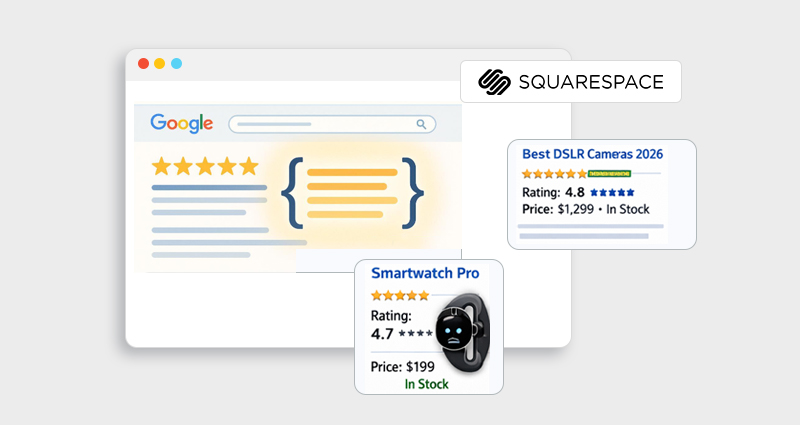
- Eligibility for enhanced rich results such as FAQs, reviews, pricing, and breadcrumbs
- Higher click-through rates due to visually enhanced SERP listings
- Stronger relevance signals for matching pages to the right queries
- Improved compatibility with AI-driven features like featured snippets and Google AI Overviews
The SEO and AI Benefits of Squarespace Schema Markup
Using Squarespace SEO schema helps search engines and AI systems interpret your pages more accurately and understand their purpose. Understanding the schema markup benefits for SEO explains why structured data matters, with the key advantages outlined in detail below.
1. Improve Clarity & Context for Crawlers
Schema tells search engines exactly what your content is about. For example, schema markup lets them know when something is a product, a blog post, an event, a review, or a how-to guide, improving how pages are indexed and interpreted.
2. Increase Rich Results in Google
Rich results are enhanced listings that show visuals or extra details (like star ratings, pricing, or event dates). These typically have higher CTRs than plain blue links because they provide more at-a-glance information to users.
3. Enhance Compatibility with Voice & AI Search
Voice assistants and AI search rely on structured data to fetch precise answers. Clear schema markup helps AI tools understand entity relationships within your content, increasing the chance your content feeds into AI answers or overviews.
4. Support for Google AI Overviews & Generative Features
Structured data is used by Google to power AI-generated summaries and overviews, giving websites a way to signal what content should be used to answer specific queries.
How Schema Markup Supports Rankings and Rich Results
Schema markup for Squarespace websites improves content interpretation and eligibility for rich results, making search listings more visible and engaging without directly changing rankings.
-
Improves content understanding
Schema markup provides search engines and AI systems with clear context about your content, helping them accurately interpret page intent and entities. -
Increases rich result eligibility
Structured data enables enhanced search features like FAQ snippets, reviews, product pricing, and breadcrumbs, making listings more visible. -
Boosts click-through rates
Rich results stand out in SERPs, often attracting more clicks even without ranking changes. -
Strengthens relevance signals
By reducing ambiguity, schema helps search engines match your pages to the right search queries. -
Supports AI-driven search
AI systems rely on structured data to extract trusted information for featured snippets, AI Overviews, and answer-based results.
Which Schema Types Do You Need?
The “right” schema types depend on your website’s purpose, but the goal is always the same: clarity and context. You don’t need every schema type, you need the ones that accurately describe your content and business.
Not every schema type is necessary, but choosing the right schema markup for Squarespace websites is critical. Most Squarespace websites benefit from a combination of entity-based schema (who you are) and content-based schema (what you publish or sell). Entity schema helps AI and search engines understand your brand identity, while content schema explains individual pages in detail.
For example, a service-based business should clearly define itself using the Organization or LocalBusiness schema, then support that with Article, FAQ, or Review schema where relevant. An e-commerce site benefits more from the Product, Offer, and AggregateRating schema to communicate pricing, availability, and trust signals.
The key principle is accuracy. The Schema should reflect real content visible on the page. Over-marking or using irrelevant schema types can reduce trust rather than improve it.
The most important rule of schema markup is accuracy. Your structured data must reflect content that is clearly visible on the page. Overusing schema types or adding irrelevant markup can reduce trust and may prevent eligibility for rich results rather than improve it.
What Squarespace Does (and Doesn’t) Do for Schema
Squarespace already includes some default structured data for common content types like blog posts (Article schema), events, products, local business details, and the general website object.
While this auto-generated Squarespace structured data is helpful, it offers limited control and customization. Squarespace does not support advanced schema types such as FAQPage, HowTo, JobPosting, or custom entity relationships, schema types that are especially valuable for AI search and rich result eligibility.
To fully optimize SEO and AI understanding, most websites need to add custom Squarespace JSON-LD schema manually or use a dedicated schema tool.
To gain full control and expand your presence in search and AI, you’ll often need to add custom Squarespace schema markup manually or via third-party tools.
How to Add Schema Markup in Squarespace (Step-by-Step)
1. Identify What Schema You Need
Start by choosing which schema types align with your goal. The common schema for Squarespace sites includes:
- Organization/LocalBusiness
- Article or BlogPosting
- Product and Offer
- FAQPage
- HowTo
- Event
- Recipe
- BreadcrumbList
These markups add context where search engines and AI systems expect structured content.
2. Generate Valid JSON-LD Markup
Most custom implementations rely on Squarespace JSON-LD schema , JSON-LD (JavaScript Object Notation for Linked Data) is Google’s preferred structured data format because it keeps schema separate from your HTML structure, but is easy to parse.
Here’s an example of the Organization schema :
<script type="application/ld+json">
{
"@context": "https://schema.org",
"@type": "Organization",
"name": "Your Business Name",
"url": "https://yourdomain.com",
"logo": "https://yourdomain.com/logo.png",
"description": "Short description of business",
"telephone": "+1-555-1234",
"address": {
"@type": "PostalAddress",
"streetAddress": "123 Main St",
"addressLocality": "New York",
"addressRegion": "NY",
"postalCode": "10001",
"addressCountry": "US"
}
}
</script>
(Replace values with your actual business info)
Google recommends JSON-LD because it keeps structured data separate from page design, reduces implementation errors, and is easier for search engines and AI systems to process reliably.
3. Inject Schema into Your Squarespace Site
- Global schema: Go to Settings > Advanced > Code Injection → Header and paste your JSON-LD. This applies site-wide.
- Page-specific schema: Use a Code Block in the page editor, paste your JSON-LD, and position it logically within the page.
Once added, save and publish.
4. Test Your Implementation
After injecting your schema, validate it using Google’s Rich Results Test or Schema Markup Validator. These tools will check for errors and confirm eligibility for rich result features.
Also, a dedicated most impactful schema types Squarespace schema tool ensures JSON-LD is implemented correctly, stays separate from design elements, and remains compliant as schema standards evolve.
Essential Schema Types for Small Businesses to Improve Search Rankings
Schema markup helps small businesses compete by clearly explaining who they are, what they offer, and why they matter, without relying solely on backlinks or domain size. The most impactful schema types most impactful schema types focus on trust, relevance, and intent.
Key schema types small businesses should prioritize:
-
Organization / LocalBusiness schema
Establishes your business as a verified entity by defining your name, logo, address, contact details, and location, supporting local visibility and knowledge panels. -
Article and FAQPage schema
Signals topical expertise and enables eligibility for enhanced search features like FAQs and AI-generated answers. -
Review schema
Highlights customer trust and credibility, improving perceived authority in competitive SERPs. -
Product and Offer schema
Clearly communicates pricing, availability, and value, critical signals for both users and AI systems.
- Appear more credible in search results
- Earn higher click-through rates
- Improve local and topical relevance
- Increase visibility in AI-driven answers
When implemented together, these schema types help small businesses appear more credible, earn higher click-through rates, improve local and topical relevance, and increase visibility in AI-driven answers.
Schema doesn’t replace strong content; it amplifies it by making your expertise easier to recognize, understand, and surface. Managing multiple schema types manually can be time-consuming, which is why many small businesses rely on a Squarespace schema tool to apply and maintain structured data consistently.
Final Thoughts
Squarespace schema markup isn’t just a nice-to-have; it’s a strategic investment in your site’s discoverability. Whether your goal is to improve Squarespace SEO with schema , increase rich results in Google, or give AI systems structured signals to accurately interpret your content, schema is foundational.
By adding custom structured data and testing it responsibly, your site gains visibility, context, and clarity across search ecosystems, ultimately connecting your content with the right audiences at the right time.
Frequently Asked Questions (FAQs)
Q1: Does Squarespace automatically add schema markup?
Yes. Squarespace provides basic structured data for blog posts, events, products, and your organization details by default. But it doesn’t let you customize or add all schema types.
Q2: Why is Squarespace JSON-LD schema recommended?
Squarespace JSON-LD schema is recommended because it separates structured data from page design, making it easier for search engines and AI systems to read. Since it’s added as a script, it doesn’t interfere with layouts and is easier to manage, validate, and update over time.
Q3: Is schema markup a ranking factor?
Schema markup is not a direct ranking factor, but it improves content understanding and eligibility for rich results, which can increase visibility and click-through rates.
Q4: Does schema help with AI search and overviews?
Yes. Structured data provides clear entity and relationship signals that AI systems use to generate summaries, answers, and AI Overviews.
Q5: What’s the best format for Squarespace schema?
JSON-LD is the recommended format because it’s separate from page HTML and is widely supported by search engines.
Q6: Can I add a schema without coding knowledge?
Yes, you can use third-party schema generators and embed the generated code via Squarespace’s Code Injection or Code Blocks.
Q7: Will rich results always show after adding schema?
No. Rich results depend on content quality, search intent, and algorithmic decisions, but schema significantly improves eligibility.








 Wix Schema
 Squarespace Schema
 BigCommerce Schema
 Shopify Schema
 Hubspot Schema
 Webflow Schema
 GoHighlevel Schema
 Duda Schema
 Weebly Schema