


TL;DR: Shopify FAQ Schema Markup helps search engines clearly understand the questions and answers on your store pages. By adding JSON-LD structured data, you improve structured data for Shopify SEO, and help search engines interpret your content more accurately in modern search experiences. This guide explains how to add FAQ Schema in Shopify and implement it correctly.
If you run an e-commerce store, you already know customers constantly ask the same questions: shipping times, return policies, compatibility, sizing, or warranty details.
The problem is that most stores answer these questions only on the page, leaving search engines to interpret them on their own.
That’s where Shopify FAQ Schema Markup becomes powerful.
By adding structured data to your Shopify store, you help search engines clearly understand your FAQ content. This structured format allows search engines and AI search systems to interpret questions and answers correctly, improving your chances of appearing in enhanced search experiences.
In this guide, you’ll learn how to add FAQ Schema in Shopify without errors and discover the best practices for implementing structured data for Shopify SEO.
What Is Shopify FAQ Schema Markup?
Shopify FAQ Schema Markup is structured data that tells search engines your page contains a list of questions and answers. It uses the FAQPage schema type from Schema.org and is typically implemented using JSON-LD , Google’s preferred structured data format. Instead of relying on the page layout, search engines read structured data like this:- Question
- Answer
- Context of the FAQ page
| Without Schema | With Shopify FAQ Schema Markup |
|---|---|
| Google guesses what the page content means | Google clearly understands questions and answers |
| Content appears as a regular listing | Page may qualify for enhanced search features |
| Limited context for AI search | Structured data improves interpretation |
Why FAQ Schema Matters for Shopify SEO
FAQ Schema matters for Shopify SEO because it helps search engines clearly understand the questions and answers on your pages. By implementing Shopify JSON-LD schema, you structure your content in a way that improves interpretation, increases AI visibility to get recommended in search, and strengthens overall Shopify SEO visibility. Here are some key reasons why adding FAQ schema is valuable for your Shopify store:1. Better Content Understanding
Structured data provides explicit signals about page content. Instead of parsing HTML text alone, search engines read clearly defined entities such as:- Product
- Organization
- FAQPage
- Question
- Answer
2. Potential Eligibility for Rich Results
Pages with valid Shopify FAQ structured data may become eligible for FAQ-style enhanced results in search. However, it’s important to understand that schema markup does not guarantee rich results. Google decides when to display them based on authority, relevance, and search context. Still, implementing structured data correctly ensures your pages are eligible.3. Stronger Visibility in AI Search
Modern search experiences increasingly rely on structured content. Search engines, AI assistants, and answer engines rely on structured information to extract answers and display them directly in search experiences. Well-implemented Shopify FAQ Schema JSON-LD helps your content appear in:- AI-generated answers
- voice search responses
- answer-driven search interfaces
4. Improved Topical Authority
Adding relevant FAQs expands your semantic coverage. For example, a product page FAQ can target:- shipping questions
- product compatibility
- warranty details
- return policies
Where You Should Use FAQ Schema in Shopify
The FAQ Schema in Shopify should be used on pages where questions and answers genuinely help customers. The most effective placements include:1. Product Pages
Example questions:- Is this product waterproof?
- What is the warranty period?
- Does this product support international shipping?
2. Collection Pages
Helpful for answering common category questions. Example:- What size should I choose?
- Are these products eco-friendly?
3. Dedicated FAQ Pages
Your main FAQ page can contain broader questions such as:- What payment methods do you accept?
- What is your return policy?
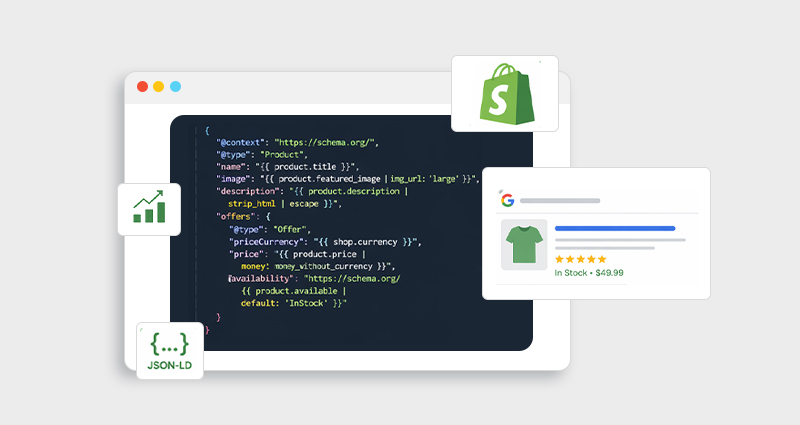
Shopify FAQ Schema JSON-LD Example
Below is a Shopify structured data FAQ example using JSON-LD.
<script type="application/ld+json">
{
  "@context": "https://schema.org",
  "@type": "FAQPage",
  "mainEntity": [
    {
      "@type": "Question",
      "name": "What payment methods do you accept?",
      "acceptedAnswer": {
        "@type": "Answer",
        "text": "We accept Visa, Mastercard, PayPal, and Apple Pay."
      }
    },
    {
      "@type": "Question",
      "name": "What is your return policy?",
      "acceptedAnswer": {
        "@type": "Answer",
        "text": "We offer a 30-day return policy on all unused items."
      }
    }
  ]
}
</script>
- The question and answer must appear on the page
- Each question must include complete text
- Each answer must contain the full response
How to Add FAQ Schema in Shopify (Manual Method)
If you want full control over your Shopify schema markup, the manual JSON-LD approach is often best.Step 1: Create Your FAQ Section
First, add visible FAQs to your Shopify page. FAQs Example: Q: What payment methods do you accept? A: We accept Visa, Mastercard, PayPal, and Apple Pay. Remember: the FAQ must exist on the page for schema markup to be valid.Step 2: Generate Shopify FAQ Schema JSON-LD
Once your FAQ content is ready, the next step is to convert those questions and answers into structured data using JSON-LD, the format most commonly used for Shopify schema markup. Start by taking each FAQ from your page and mapping it into the FAQPage schema structure, where every question is defined as a Question and its response as an Answer. This structured format helps search engines clearly interpret your content as Shopify FAQ structured data rather than plain text. You can create the markup manually using a JSON-LD template or use a structured data generator to quickly build the code. Regardless of the method, make sure the questions and answers in your Shopify schema markup exactly match the visible FAQ content on the page, as search engines require consistency between the page content and the structured data.Step 3: Add the JSON-LD Code to Your Theme
In Shopify:- Go to Online Store → Themes
- Click Edit Code
- Open the relevant template file
- Insert the JSON-LD code inside the <head> or before </body>
- theme.liquid
- product.liquid
- main-product.liquid
- Automatic JSON-LD generation
- Product schema automation
- FAQ schema management
- Schema validation
Step 4: Test Your Schema
Use testing tools to validate your markup: Testing ensures the schema contains required fields and no syntax errors.Shopify FAQ Schema Validation Checklist
Before publishing your Shopify FAQ Schema Markup, confirm the following:- Questions and answers appear visibly on the page
- Each FAQ uses the correct Question and Answer schema types
- JSON-LD syntax is valid and error-free
- No duplicate FAQ schema exists in the theme
- The markup passes the Google Rich Results Test
Common Shopify FAQ Schema Implementation Mistakes
Even experienced developers sometimes misconfigure schemas. Here are the most common issues.1. FAQ Content Not Visible on Page
Google requires FAQ content to be visible to users. Hidden content or schema-only questions violate guidelines.2. Missing Required Properties
Each FAQ requires:- Question
- name
- acceptedAnswer
- text
3. Duplicate FAQ Schema
Some themes or apps already inject schema markup. Adding another FAQ schema block can create duplicates.4. Using Microdata Instead of JSON-LD
While microdata works, JSON-LD is generally easier to maintain and debug, especially on Shopify themes.Best Practices for Shopify FAQ Structured Data
To maximize the effectiveness of Shopify FAQ Schema Markup, follow these expert practices.1. Keep Answers Concise
Search interfaces often truncate FAQ answers around 300–400 characters , so include the most important information early.2. Match Questions With Real Search Intent
Your FAQs should reflect real customer queries. Examples:- “Does this product work with an iPhone?”
- “How long does shipping take?”
3. Avoid Duplicate FAQs Across Pages
Search engines prefer unique FAQs for each page instead of repeated content.4. Combine FAQ Schema With Other Shopify Schema
For best results, combine FAQ schema with:- Product schema
- Review schema
- Organization schema
Shopify Structured Data FAQ Example for Product Pages
Here’s how FAQs might appear on a product page. Example Product: Wireless Earbuds FAQ section: Q: Are these earbuds waterproof? A: Yes, they have an IPX5 water-resistant rating. Q: How long does the battery last? A: The earbuds provide up to 8 hours of playback per charge. Adding JSON-LD FAQ schema Shopify markup ensures search engines understand this section.Conclusion
Implementing Shopify FAQ Schema Markup is one of the simplest ways to strengthen your store’s technical SEO. By adding structured data to your FAQ sections, you help search engines clearly understand your content, improve semantic signals, and make your pages eligible for enhanced search experiences. Structured data plays a critical role in modern SEO and AI search visibility. When implemented correctly, Shopify schema markup transforms simple FAQs into machine-readable knowledge, helping search engines, AI systems, and customers find answers faster.FAQs
Q1: Does Shopify support FAQ schema by default?
Most Shopify themes include basic structured data, but FAQ schema is usually not included automatically, so merchants often add it manually or with a schema app.Q2: Is JSON-LD the best format for Shopify schema?
Yes. JSON-LD is widely recommended because it separates structured data from HTML and is easier to maintain.Q3: Does FAQ schema improve rankings?
Schema markup itself does not directly increase rankings, but it helps search engines understand content and may improve visibility in enhanced search experiences.Q4: Can I add the FAQ schema to product pages?
Yes. Product pages can include FAQs about shipping, compatibility, installation, or warranty.Q5: How many FAQ questions should a page have?
Most SEO experts recommend 3–8 high-quality questions per page to maintain clarity and relevance.Q6: Can I use the same FAQ schema across multiple pages?
It’s better to avoid duplicate FAQs across pages. Unique questions provide more value and better eligibility for enhanced results.Q7: How do I test Shopify FAQ schema?
You can validate it using:- Google Rich Results Test
- Schema Markup Validator







 Wix Schema
 Squarespace Schema
 BigCommerce Schema
 Shopify Schema
 Hubspot Schema
 Webflow Schema
 GoHighlevel Schema
 Duda Schema
 Weebly Schema