

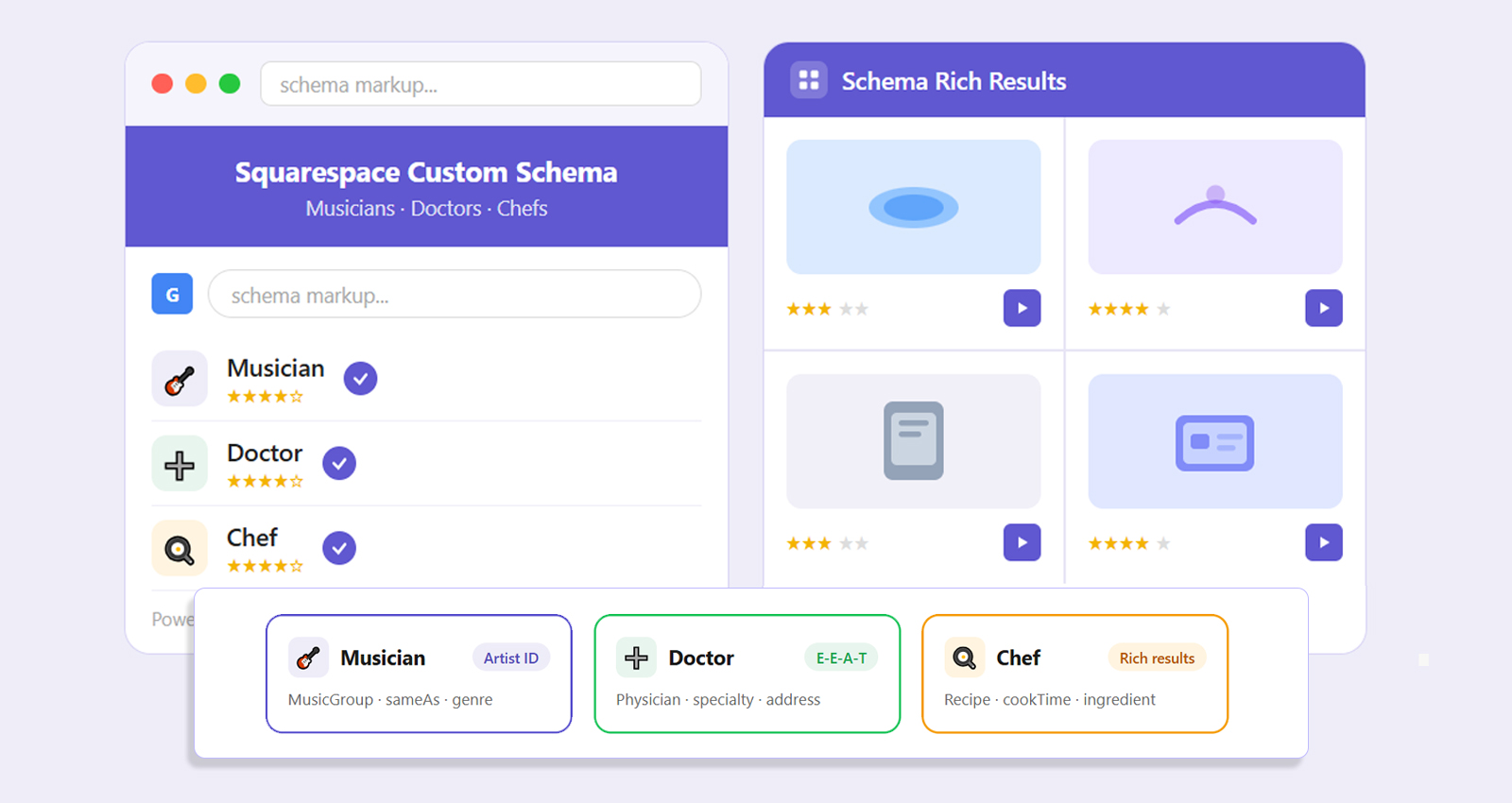
TL;DR: Musicians, doctors, and chefs all have one thing in common on Squarespace, their websites often don’t clearly communicate what they actually do to search engines. Custom schema on Squarespace fixes that by giving each page a defined identity, whether it’s an artist profile, medical service, or recipe.
Squarespace custom schema is structured data you add manually to define what your website represents, helping search engines understand and display your content more accurately. These websites don’t struggle because of design, they struggle because search engines can’t fully understand what they represent.
A musician’s portfolio, a doctor’s service page, or a chef’s recipe blog might look clean and well-structured, but to Google, they often appear vague or incomplete. That gap between presentation and machine understanding can limit how accurately your content is indexed and displayed in search results.
By adding structured data, especially through Squarespace custom schema, you give your content a clear identity. In this blog, we’ll break down how schema solves this problem to improve visibility, CTR, and even AI-driven search presence. This becomes especially important for professionals using Squarespace, where different roles, like musicians, doctors, and chefs, require more specific structured data than the default schema provides.
Why Squarespace Websites Struggle Without Clear Schema
Squarespace does a great job of visually organizing content. Sections, layouts, and blocks are clean and user-friendly. But search engines don’t interpret layout, they interpret meaning. Without structured data, Google tries to piece together context from headings, keywords, and page structure. That works to some extent, but it’s far from precise. A musician’s website might be interpreted as a general blog. A doctor’s page may not clearly signal medical expertise. A chef’s recipe might look like plain text instead of a structured recipe. This lack of clarity affects how your pages are indexed and displayed. Even strong content can underperform simply because search engines aren’t confident about what it represents. Over the last few years, Google has shifted toward entity-based search. It focuses on understanding “who” and “what” rather than just matching keywords.What Squarespace Custom Schema Actually Does
Custom schema adds a layer of meaning to your website using JSON-LD format. It defines your content in a way that search engines and increasingly AI platforms like ChatGPT and Gemini can process instantly. Instead of relying on assumptions, you explicitly define your content. A page becomes:- A verified Person, Physician, or Chef
- A defined Service, Recipe, or Event
- A connected entity within a broader knowledge graph
<script type="application/ld+json">
{
"@context": "https://schema.org",
"@type": "Person",
"name": "Alex Carter",
"jobTitle": "Musician",
"url": "https://yourwebsite.com"
}
</script>
Why Squarespace’s Default Schema Is Too Generic
Squarespace does include a built-in schema, but it’s generic. It might label your site as a “Website” or “Organization,” which is technically correct but not useful enough. For niche professionals, this creates limitations. A doctor’s specialization isn’t defined. A musician’s work isn’t connected to performances or recordings. A chef’s recipes aren’t structured for rich results. Search engines need specificity. Without it, your content competes in broader, less relevant categories. Custom schema adds precision where the default schema stays vague. Because of this, different types of professional websites often get grouped under broad categories, making it harder for search engines to match them with specific, relevant queries.Squarespace Custom Schema for Musicians: Defining Artist Identity
A musician’s website often contains a mix of content, tracks, videos, upcoming shows, and social profiles. Without schema, these elements remain disconnected. When structured properly, they form a complete entity. Search engines can recognize you as an artist, connect your work across platforms, and surface your content in music-related searches. Here’s how a musician schema looks in JSON-LD:
<script type="application/ld+json">
{
"@context": "https://schema.org",
"@type": "MusicGroup",
"name": "The Midnight Notes",
"genre": "Indie Rock",
"url": "https://yourwebsite.com",
"sameAs": [
"https://spotify.com/artist/example",
"https://instagram.com/example"
]
}
</script>
Custom Schema for Doctors on Squarespace: Improving Trust and Visibility
Healthcare content falls under stricter evaluation. Google looks for clear signals of expertise, authority, and trust. Without structured data, even accurate content may not communicate those signals effectively. By using schema markup, a doctor’s website can define specialization, location, and professional identity in a structured way. This improves local search visibility and strengthens credibility. Here’s how a doctor’s schema looks in JSON-LD:
<script type="application/ld+json">
{
"@context": "https://schema.org",
"@type": "Physician",
"name": "Dr. Sarah Williams",
"medicalSpecialty": "Dermatology",
"address": {
"@type": "PostalAddress",
"addressLocality": "New York",
"addressCountry": "USA"
},
"telephone": "+1-123-456-7890"
}
</script>
Custom Schema for Chefs: Making Recipes Search-Ready
Recipe content is one of the most underutilized opportunities on Squarespace. Without schema, recipes appear as plain text. With schema, they can become rich, interactive search results. Chefs can define recipes with structured details like cooking time, ingredients, and author information. Here’s how a Chef’s schema looks in JSON-LD:
<script type="application/ld+json">
{
"@context": "https://schema.org",
"@type": "Recipe",
"name": "Classic Margherita Pizza",
"author": {
"@type": "Person",
"name": "Chef Mario Rossi"
},
"cookTime": "PT20M",
"recipeIngredient": [
"Flour",
"Tomato Sauce",
"Mozzarella"
]
}
</script>
What Actually Improves After Implementing Custom Schema
Once structured data is added correctly, pages become more clearly categorized, may qualify for rich results, and align better with relevant search queries over time.- Your listings become more detailed. Rich snippets like FAQs, ratings, or recipe details make your result stand out. This directly impacts click-through rates. Studies show that rich results can improve CTR by 20-30%, depending on the content type.
- Indexing also becomes more accurate. Search engines categorize your pages correctly, which helps them appear for more relevant queries. Over time, this improves topical authority.
- Another major shift is in AI-driven search. As platforms move toward AI-generated answers, structured data becomes essential. Machine-readable content is easier to extract, summarize, and present.







 Wix Schema
 Squarespace Schema
 BigCommerce Schema
 Shopify Schema
 Hubspot Schema
 Webflow Schema
 GoHighlevel Schema
 Duda Schema
 Weebly Schema