

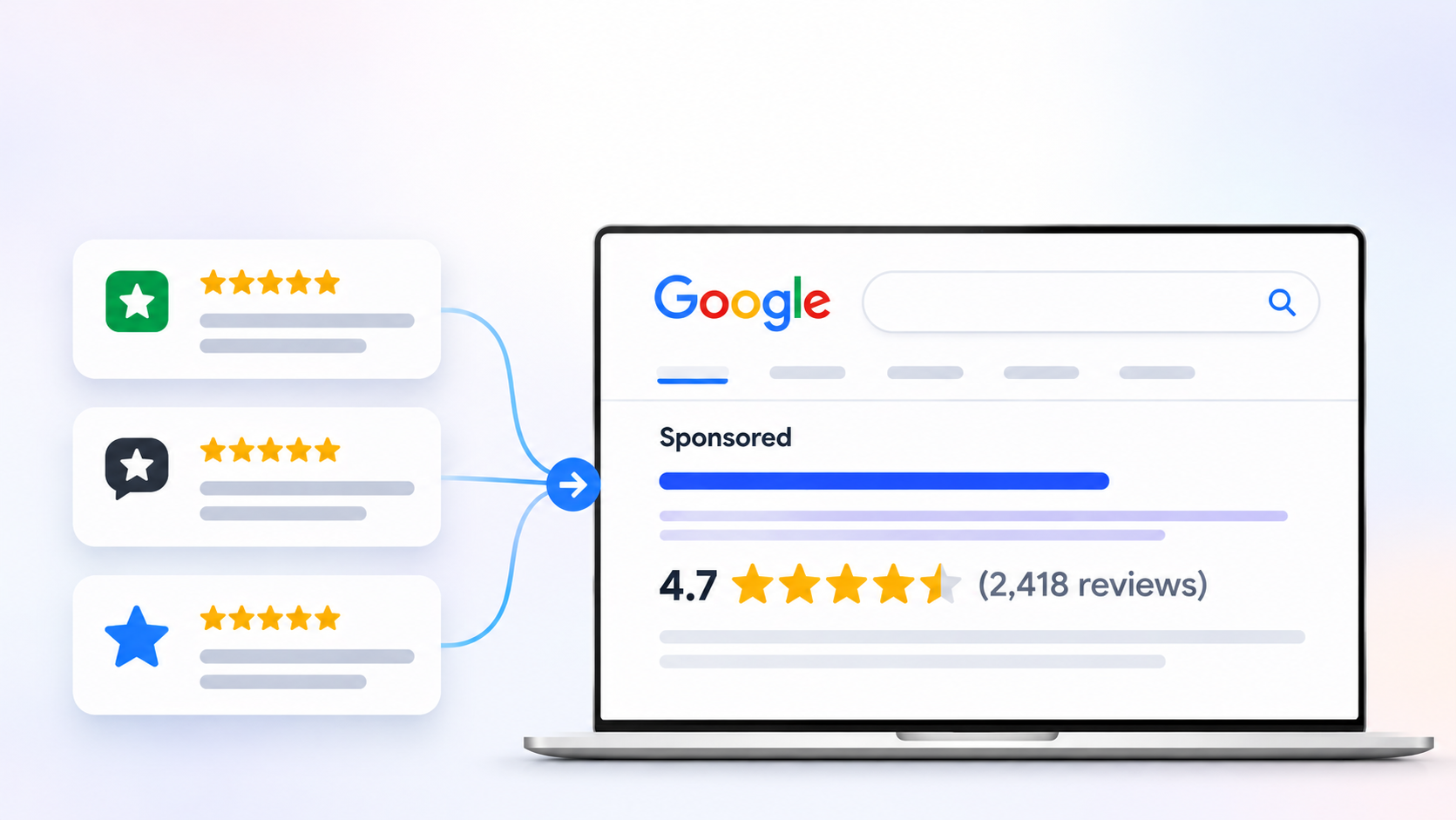
If you’ve seen a Google ad showing 4.7 stars and a review count, those stars may not come from reviews published on the advertiser’s website. They can come from Google’s Seller Ratings system, which uses eligible customer feedback from Google and supported third-party review sources.
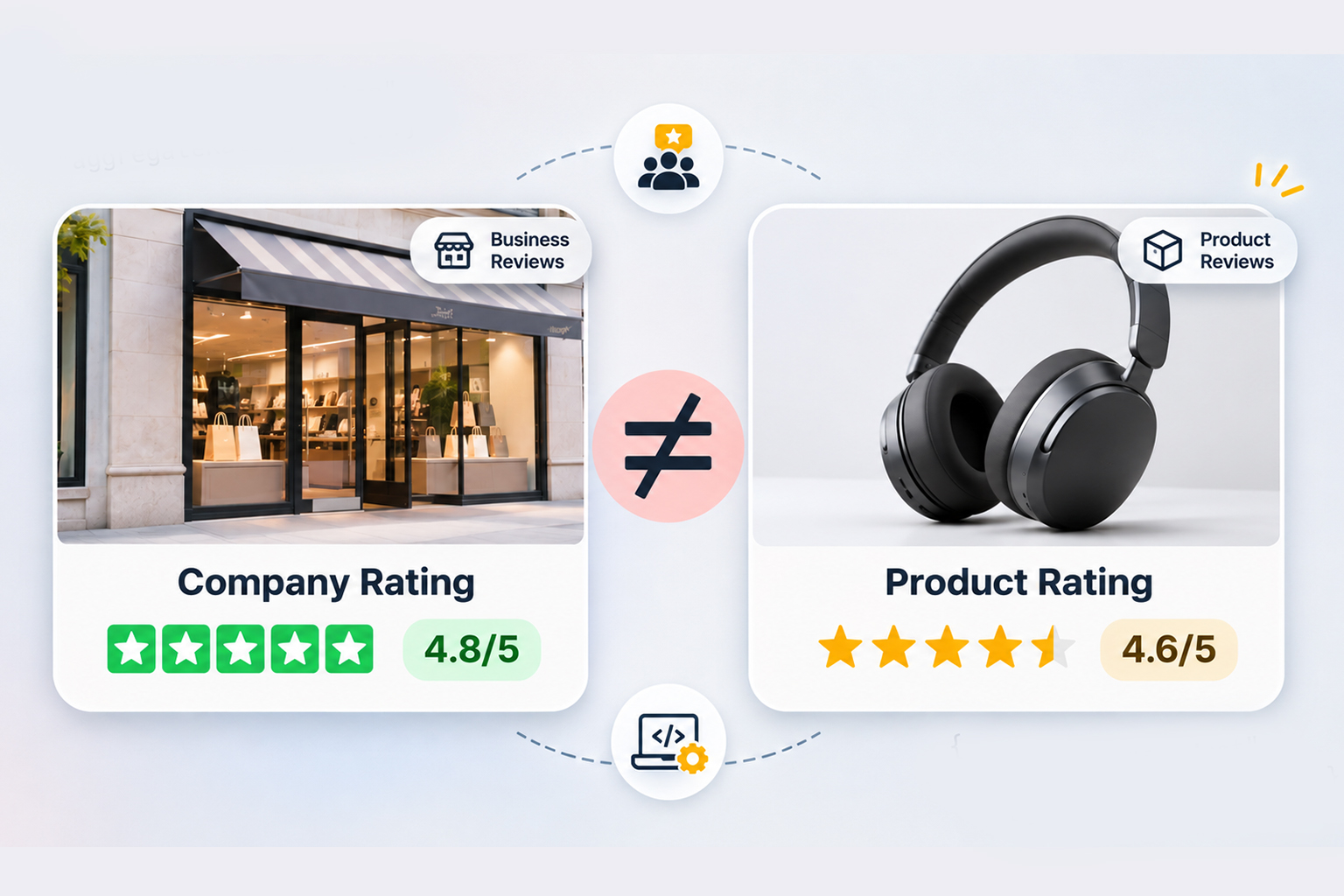
This creates an important distinction for ecommerce businesses: Google Seller Ratings describe the business, while Product Ratings describe a specific product. A third-party business rating that appears in an ad cannot simply be copied into Product schema on your product pages.
How Third-Party Reviews Become Seller Rating Stars
Google Seller Ratings are business-level ratings that reflect customers’ overall experience with a retailer and can appear with eligible Google Ads.
Third-party reviews can contribute to these stars when they come from Google’s supported review sources and meet its eligibility requirements.
- Eligible reviews: Google can use reviews from supported third-party sources.
- Google evaluates the data: It processes eligible reviews from multiple sources to calculate a store rating.
- Requirements apply: Google says most merchants can obtain a rating after 100+ eligible reviews, while text ads require a 3.5-star or higher composite rating.
- Stars may appear in ads: Once eligible, Google may show the seller rating with qualifying ads. The stars represent the business, not an individual product.
What Are Google Seller Ratings?
Google Seller Ratings are automated ratings that show how customers rate a business’s overall shopping experience.
A seller rating may appear alongside a Google ad as a star score and review count, helping shoppers evaluate a retailer before clicking. Google can also show additional information, such as delivery-related ratings, when sufficient data is available. The important distinction is the entity being rated.
For example, suppose an online store sells 500 products and has thousands of customer reviews about its service, delivery, and overall shopping experience. Those reviews can contribute to the store’s seller rating.
They do not automatically mean every product sold by that store has the same rating.
How Google Seller Ratings Work
Google does not simply copy the rating displayed on one review website into your advertisement.
Instead, Google collects eligible review information from multiple sources and uses its own systems to calculate a composite store rating. Google also says it filters feedback it considers untrustworthy and can assign different weights to different sources.
A simplified version looks like this:
Eligible customer reviews → Google processes review data → Store rating is calculated → Rating may appear with eligible ads
This is why a merchant with a 4.8 rating on one review platform should not assume Google will display exactly 4.8 in its ads.
The Google seller rating stars shown in an ad are determined by Google’s own system, not manually selected by the advertiser.
Where Do Google Seller Ratings Come From?
Google Seller Ratings sources include several categories of feedback.
Google Customer Reviews
Google Customer Reviews is a free program that collects post-fulfillment feedback from customers. The program is managed through Google Merchant Center. This is one of the most direct ways for merchants to collect feedback that can contribute to seller ratings.
Third-Party Review Partners
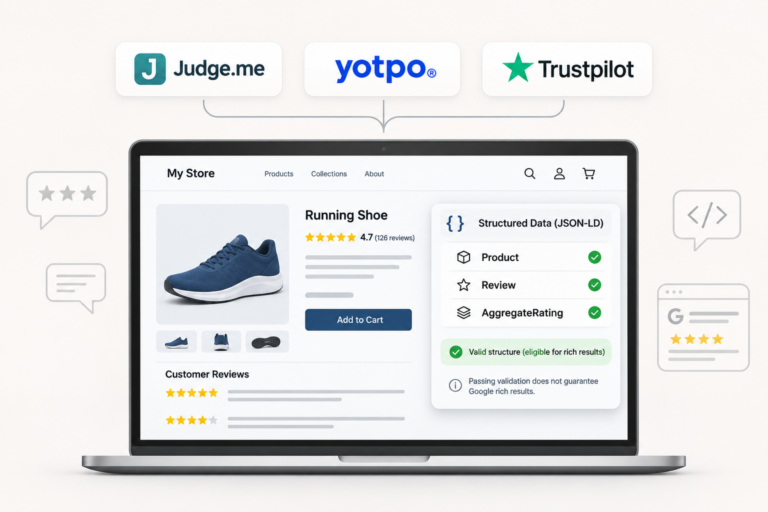
Google also works with independent review websites that aggregate business reviews. Its current list includes providers such as Bazaarvoice, Birdeye, Feefo, PowerReviews, Reviews.io, Trustpilot, Yotpo, and others.
The supported partner list can change, so merchants should verify the current list in Google’s documentation rather than assuming that every review platform qualifies.
This is why third-party reviews for Google Seller Ratings can matter. A review hosted on an eligible partner platform can contribute to Google’s understanding of a merchant’s customer experience.
Google Shopping Reviews and Research
Google also uses shopping reviews associated with a store’s domain and aggregated performance information from Google-led shopping research.
In other words, Google Seller Ratings are not dependent on one review platform.
Google Seller Ratings Requirements and Eligibility
One of the most common questions is: How many reviews do you need for Google Seller Ratings?
Google says the number of reviews required can vary by business. For Search Network ads, Google generally needs enough unique, recent reviews for a particular country to calculate a reliable store rating. It states that most merchants can obtain a rating after collecting 100 or more eligible reviews within the previous 24 months.
For seller ratings to appear with text ads, Google also states that the business needs a 3.5-star or higher composite rating.
Other important conditions include:
- The reviews must meet Google’s eligibility requirements.
- Google needs enough data to calculate the rating confidently.
- The relevant review information needs to correspond to the business and country.
- The visible URL domain in the ad must match the domain associated with the seller rating.
- Google decides when and where the seller rating appears.
Is 100 Reviews a Hard Google Seller Ratings Threshold?
No. The 100-review figure is not a universal guarantee that your seller rating will appear. Google says the number required can vary depending on the business and available data.
It’s also important to separate the review requirement from the rating requirement. Having 100 eligible reviews does not mean your ads will automatically show stars. For text ads, Google also requires a composite rating of at least 3.5 stars.
How to Get Google Seller Ratings
If you’re wondering how to get Google Seller Ratings, the most reliable approach is to build a legitimate review collection process.
1. Collect genuine customer reviews
Collect feedback from real customers after they have purchased and received your products. Google Customer Reviews is one available option.
The goal should be consistent, authentic feedback rather than simply reaching a numerical threshold.
2. Use an eligible review partner
If your business already collects reviews through a third-party platform, check whether it is currently supported by Google’s seller-rating program.
For example, Google currently lists platforms including Trustpilot and Yotpo among its supported review partners.
3. Keep your business and domain information consistent
Make sure the domain associated with your review data corresponds with the domain used in your ads. Inconsistent domains can affect seller-rating eligibility and matching.
You can also use Google’s Store Rating lookup to check whether Google has store-rating information associated with your website.
Google Seller Ratings vs. Product Ratings
Both systems can display stars, but they serve different purposes.
| Google Seller Ratings | Product Ratings | |
|---|---|---|
| What is rated? | Business or retailer | Specific product |
| Main purpose | Show overall shopping experience | Show customer opinion of a product |
| Review sources | Google and eligible business-review sources | Product review data from eligible sources |
| Common placement | Google Ads and shopping experiences | Shopping ads and free product listings |
| Related structured data | Not a substitute for product-level AggregateRating | Product structured data can describe eligible product-specific reviews and ratings |
This distinction is especially important when working with review schema, because not every Schema.org type is eligible to generate review stars in Google Search. Only certain schema types are eligible for review stars, and their eligibility depends on Google’s guidelines.
A 4.8/5 business rating from Trustpilot, for example, may contribute to your seller rating Google Ads display if Google considers the data eligible. But that does not mean you can place the same 4.8 rating in the AggregateRating property of every product page.
Can You Use Third-Party Seller Ratings in Product Schema?
No, not simply because Google uses those reviews for Seller Ratings. Product structured data needs to accurately describe the product and its qualifying review information. A business-level rating should not be presented as though it represents an individual product.
For example, if a third-party platform shows:
4.8/5 from 2,000 business reviews
you should not automatically add that rating to every product page:
{
"@type": "AggregateRating",
"ratingValue": "4.8",
"reviewCount": "2000"
}
That markup tells search engines that the product itself has a 4.8 rating from 2,000 reviews. If those reviews actually evaluate the business rather than that specific product, the markup would misrepresent the underlying data.
This is why Google Seller Ratings and Product Review Schema should be treated as separate systems.
Why Google Seller Rating Stars May Not Show in Ads
Meeting the basic Google seller ratings requirements does not guarantee that stars will appear on every ad.
Google notes that seller ratings may not show when there isn’t enough eligible information, when the rating doesn’t meet applicable requirements, or when the feedback isn’t relevant to the advertised offer. Ad serving and auction conditions can also affect whether the rating is displayed.
So if your business has a strong third-party rating but you don’t see Google Ads review stars, that doesn’t necessarily mean your review platform or implementation is broken.
Check the following first:
- Does Google have enough eligible and recent reviews?
- Is the composite rating at least 3.5 stars for text ads?
- Does your ad’s visible domain match the domain associated with the rating?
- Is the review data relevant to the advertised business and offer?
- Has Google processed the available review information?
Conclusion
Google Seller Ratings provide a legitimate way for businesses to earn visible stars in eligible Google Ads through authentic customer feedback. Google can use eligible reviews from Google Customer Reviews, supported third-party review partners, and other sources to calculate a store rating.
The most important distinction is simple: Seller Ratings describe the business; Product Ratings describe the product.
Third-party reviews can help your business qualify for seller rating stars in Google Ads, but that does not make the same business rating valid Product Review Schema. Keeping those two systems separate is essential for accurate, compliant review markup and search visibility.
FAQs
Q1: What are Google Seller Ratings?
Google Seller Ratings are automated business-level ratings that show customers’ overall experience with a retailer. They can appear with eligible Google Ads and other Google shopping experiences.
Q2: How many reviews do you need for Google Seller Ratings?
Google says most merchants can obtain a rating after collecting 100 or more eligible reviews, but the exact number can vary by business and other factors.
Q3: Can third-party reviews appear in Google Ads?
Yes. Reviews from Google’s supported third-party review partners can contribute to seller ratings when they meet Google’s eligibility requirements.
Q4: What rating is required for Google Seller Ratings?
For text ads, Google states that the composite seller rating must be at least 3.5 stars. Meeting this threshold does not guarantee that stars will appear on every ad.
Q5: Are Google Seller Ratings the same as Product Ratings?
No. Seller Ratings represent the business, while Product Ratings represent a specific product. They have different review sources, requirements, and purposes.
Q6: Can I add my Trustpilot rating to the Product schema?
Not simply because it contributes to your Google Seller Rating. A business-level Trustpilot rating should not be presented as a product-level AggregateRating. Google requires product structured data to accurately represent reviews and ratings for the specific product, and its review snippet guidelines prohibit aggregating ratings from other websites. Use genuine product-specific review information that meets Google’s structured data requirements.





 Wix Schema
 Squarespace Schema
 BigCommerce Schema
 Shopify Schema
 Hubspot Schema
 Webflow Schema
 GoHighlevel Schema
 Duda Schema
 Weebly Schema
 ClickFunnel Schema