

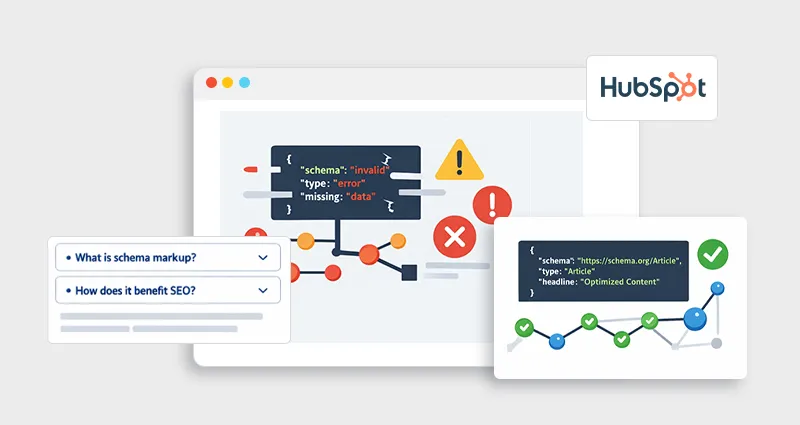
Schema markup can be a powerful SEO advantage, but only when it works correctly. In reality, many teams struggle with HubSpot schema markup errors that silently prevent their pages from qualifying for rich results.
What makes this challenging is that schema issues are often invisible. Your page may rank, your content may be solid, and your code may look correct, yet Google still ignores your structured data.
This guide goes deeper than surface-level fixes. You’ll learn:
- What actually causes schema markup problems in HubSpot
- The most common structured data mistakes in HubSpot websites
- How to fix schema markup errors in HubSpot CMS step by step
- How to validate and debug a schema using the right tools
If you’ve ever wondered why your schema isn’t delivering results, this will give you clarity.
Understanding HubSpot Schema Markup Errors
HubSpot structured data errors occur when your schema fails to meet one or more of these conditions:
- It’s syntactically incorrect (invalid JSON-LD)
- It doesn’t match the visible page content
- It lacks the required properties
- It uses unsupported or outdated schema types
- It fails validation in tools or Google guidelines
Search engines rely on structured data to interpret your content. When errors exist, they don’t just ignore the schema, they may lose trust in it altogether.
That’s why fixing HubSpot SEO schema issues is not just technical cleanup, it directly impacts visibility.
Why Schema Markup Breaks in HubSpot (Real-World Perspective)
From real implementation experience, schema markup problems in HubSpot rarely happen due to one major mistake. Instead, they come from layered issues:
- Teams reuse schema templates without adapting them
- The Schema is added globally instead of contextually
- Content changes, but the schema doesn’t
- Validation is skipped after deployment
HubSpot’s flexibility (templates, modules, header scripts) makes implementing HubSpot schema markup relatively easy, but also easy to mismanage at scale.
Common HubSpot Schema Markup Errors (With Practical Fixes)
Let’s break down the most impactful common schema markup errors in HubSpot and how to resolve them properly.
1. Invalid JSON-LD Syntax (Most Foundational Issue)
This is one of the most frequent HubSpot JSON-LD errors and often goes unnoticed.
Example of broken schema:
{
"@context": "https://schema.org",
"@type": "Article",
"headline": "HubSpot Schema Guide"
"author": "John Doe"
}
Even a missing comma invalidates the entire structure.
Correct implementation:
{
"@context": "https://schema.org",
"@type": "Article",
"headline": "HubSpot Schema Guide",
"author": {
"@type": "Person",
"name": "John Doe"
}
}
Insight: Syntax errors don’t just fail validation, they prevent search engines from parsing your schema at all.
2. Mismatch Between Schema and Page Content
This is a critical yet overlooked incorrect schema markup HubSpot issue.
Examples include:
- Adding FAQ schema without visible FAQs
- Using Product schema on informational blog posts
- Marking generic content as Reviews
Google explicitly discourages misleading structured data.
Fix:
- Always ensure the schema reflects what users actually see on the page.
- Use the correct schema type based on page intent
- Ensure all schema elements are visible on the page
- Avoid adding irrelevant schema just for SEO
- Recheck the schema after content updates
3. Missing Required and Recommended Properties
Many schema validation errors in HubSpot occur because key fields are missing.
For example, the Article schema should include:
- headline
- author
- datePublished
- image
Without these, your schema may technically exist, but won’t qualify for rich results.
Fix:
- Include all required fields for the schema type
- Add recommended fields for better results
- Use a HubSpot schema validator to find gaps
- Follow Google’s structured data guidelines
4. Duplicate or Conflicting Schema
A very common HubSpot schema issues and fixes scenario happens when the schema is added in multiple places:
- Global header
- Page-level HTML
- Template files
This creates duplicate or conflicting structured data signals.
Fix:
- Use the global schema only for Organization or Website
- Add page-specific schema individually
5. Outdated Schema Types or Properties
Schema standards evolve, and using outdated formats leads to HubSpot structured data errors.
For example:
- Deprecated properties
- Unsupported schema types by Google
Fix:
Always cross-check with:
- Schema.org documentation
- Google structured data guidelines
6. Improper JSON-LD Implementation in HubSpot
Even a correct schema can fail if implemented incorrectly.
Common mistakes:
- Adding schema in the wrong part of the page
- Injecting via scripts that don’t render fully
- Placing the schema inside the body instead of the head
Fix:
Follow proper JSON-LD implementation practices:
- Place schema in <head>
- Use HubSpot templates or header settings
- Ensure scripts render properly on load
7. Schema Not Recognized Despite Being Valid
This is one of the most frustrating schema markup debugging HubSpot cases.
Even when your schema passes validation:
- It may not appear in search results
- It may not trigger rich snippets
Why?
- Page lacks authority
- The Schema isn’t competitive enough
- Search intent mismatch
How to Fix Schema Markup Errors in HubSpot (Step-by-Step Process)
Fixing HubSpot schema markup errors requires a structured workflow.
Step 1: Use a HubSpot Schema Validator
Start by validating your structured data using a reliable HubSpot schema validator or external tools.
Recommended options:
A good validation process identifies:
- Syntax issues
- Missing properties
- Unsupported schema
Step 2: Align Schema with Page Intent
Instead of blindly adding schema, map it to intent:
| Page Type | Schema Type |
|---|---|
| Blog | Article |
| Service Page | Service |
| Product Page | Product |
| FAQ Section | FAQPage |
This step alone resolves many HubSpot SEO schema issues.
Step 3: Clean and Standardize JSON-LD
Ensure consistent structure across pages:
- Use proper nesting
- Avoid unnecessary fields
- Maintain formatting consistency
This improves both readability and reliability.
Step 4: Eliminate Duplication
Audit your implementation:
- Check global settings
- Review templates
- Inspect page-level schema
Remove duplicate schema blocks causing conflicts.
Step 5: Test, Deploy, and Monitor
After fixing:
- Re-run validation
- Submit the page in Google Search Console
- Track structured data performance
Best Schema Validation Tools for HubSpot
Using the right schema markup validation tools is essential if you want to catch errors early and ensure your structured data actually contributes to rich results. In HubSpot environments, where schema can be added across templates, modules, and pages, validation isn’t optional, it’s a continuous process.
If you’re managing schema at scale, a HubSpot Schema Markup tool can streamline both creation and validation, reducing reliance on manual coding while maintaining consistency across pages. Here are some efficient tools for this automation process:
Google Rich Results Test
This is the most important tool for SEO outcomes. It doesn’t just validate your schema, it tells you whether your page is eligible for rich results and highlights missing required properties that directly impact visibility.
Schema Markup Validator
Best for checking the technical accuracy of your JSON-LD. It ensures your schema follows proper structure and syntax, making it a go-to for identifying foundational HubSpot JSON-LD errors.
Google Search Console
This is where validation meets real-world performance. Google Search Console helps you monitor HubSpot structured data errors, track enhancements, and identify which pages are actually benefiting from schema in search results.
Advanced Schema Markup Debugging in HubSpot
If errors persist, go deeper into schema markup debugging HubSpot techniques, as the issue may be related to rendering rather than the schema itself:
- Inspect rendered HTML, not just the page source, to ensure the dynamically added schema is actually visible to search engines
- Check JavaScript rendering issues, as delayed or blocked scripts can prevent your schema from loading properly.
- Use browser DevTools to verify that the schema is present in the DOM after the page fully loads.
- Validate both mobile and desktop versions, since differences in rendering can affect how schema is detected.
Sometimes, schema exists and even passes validation, but it still isn’t accessible to search engines due to rendering delays or script-related issues.
Conclusion
Fixing HubSpot schema markup errors is less about adding more structured data and more about making it accurate, relevant, and technically sound.
When your schema aligns with content, passes validation, and supports search intent, it becomes a reliable driver of visibility, not just a background technical element.
Focus on precision, consistency, and continuous validation, and your schema will start working the way it’s meant to.
FAQs
Q1. How to fix schema markup errors in HubSpot CMS?
To fix schema markup errors in HubSpot CMS, validate your schema using a HubSpot schema validator or external tools, correct syntax issues, include required properties, and ensure schema matches page content.
Q2. What are the most common schema markup problems in HubSpot?
The most common issues include invalid JSON-LD, duplicate schema, missing required fields, outdated schema types, and incorrect implementation.
Q3. Why is my schema markup not showing in Google?
Schema may not appear due to indexing issues, low page authority, or lack of alignment with search intent, even if it is technically valid.
Q4. Which schema validation tools should I use?
Use tools like Google Rich Results Test, Schema Markup Validator, and a HubSpot schema markup tool to validate and debug your structured data.
Q5. What is JSON-LD implementation in HubSpot?
JSON-LD implementation involves adding structured data scripts within the page head or templates to help search engines understand your content.
Q6. Can HubSpot generate schema automatically?
HubSpot provides basic schema, but advanced structured data requires manual implementation for better accuracy and control.
Q7. How do I debug schema markup in HubSpot?
To debug schema markup in HubSpot, validate your schema, inspect rendered HTML, check for duplication, and ensure scripts load correctly.
Q8. What causes schema validation errors in HubSpot?
Schema validation errors are caused by syntax issues, missing properties, incorrect schema types, or improper implementation.








 Wix Schema
 Squarespace Schema
 BigCommerce Schema
 Shopify Schema
 Hubspot Schema
 Webflow Schema
 GoHighlevel Schema
 Duda Schema
 Weebly Schema