

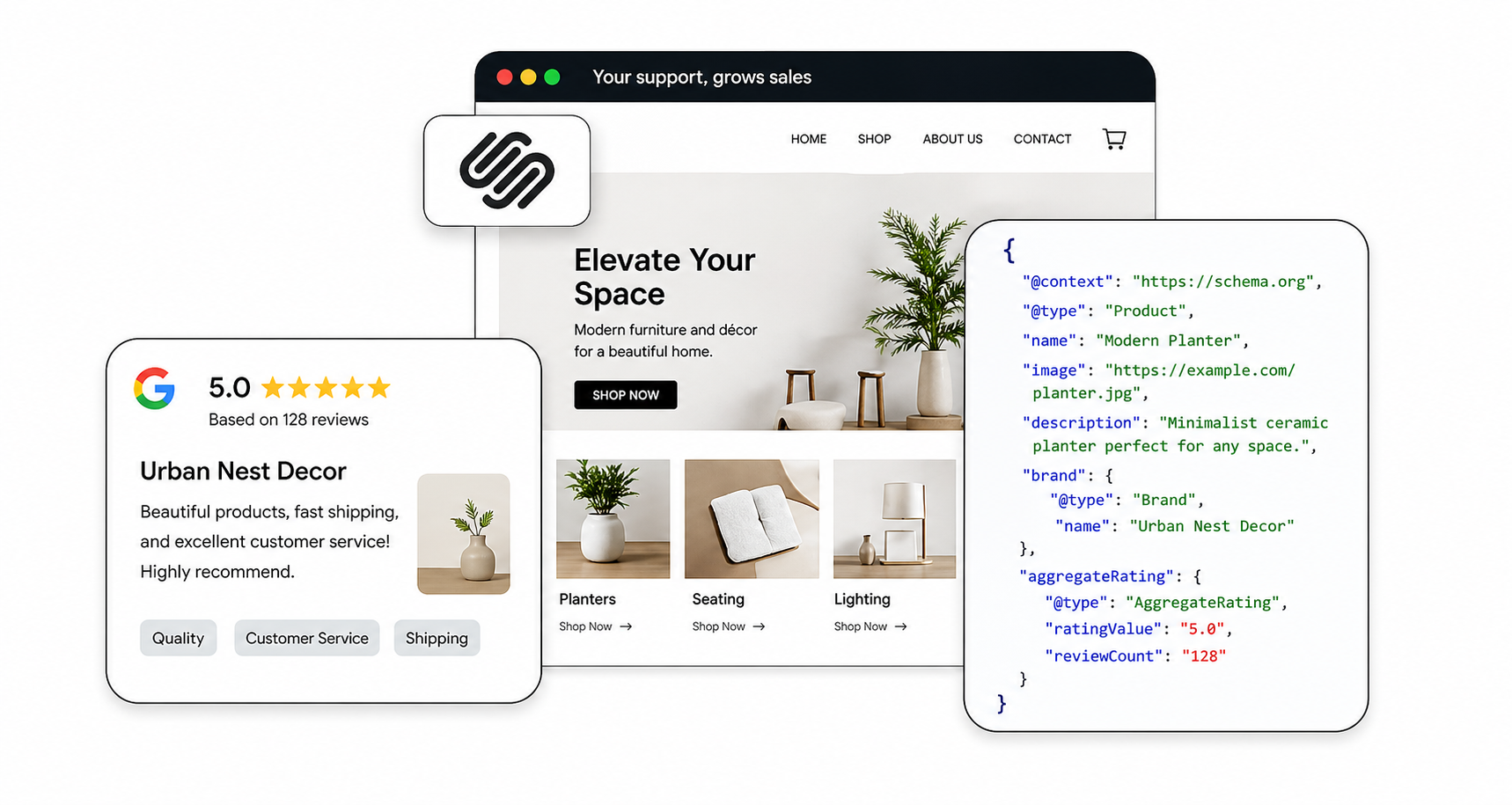
A clean, modern Squarespace website should perform well in search, but often, it doesn’t. Pages look polished, content is well-written, and everything feels structured, yet Google may not interpret what your site is actually about as clearly as you expect. That’s what often makes Squarespace sites feel broken to many users, even when everything appears to be configured correctly.
Schema markup acts as a translation layer between your website and search engines. It removes confusion, defines your content clearly, and helps your pages qualify for rich results.
Why Squarespace Schema Feels Broken (Even When It’s Not)
Even when Squarespace adds a default schema, it often feels incomplete or misaligned. That’s because the platform focuses on basic implementation rather than accuracy and intent matching.
In most cases, schema feels broken because:
- The schema is too generic
- Important fields are missing
- Schema type may not match page intent
- Duplicate or conflicting schema exists
- Limited customization creates gaps
Why Squarespace Sites Struggle Without Structured Data
Squarespace does a great job making your site look clean, organized, and visually appealing, but search engines don’t evaluate design the way humans do. They rely on structured data and clear signals to understand what each page is about. So while your service page may feel perfectly structured with headings, images, testimonials, and well-written content, Google may still interpret it as a collection of loosely connected elements rather than a defined “Service” page.
Without proper schema, there’s no clear context tying everything together. As a result, your pages may miss out on rich snippets, get misclassified in search results, appear as basic blue links that reduce click-through rates, and even get overlooked in AI-driven search experiences. In simple terms, your content works well for users, but without structured data, it doesn’t communicate as clearly with search engines.
What Is Schema Markup and How It Improves Squarespace SEO
Schema markup fills the gap between how your content looks and how search engines interpret it. It’s a structured data format (most commonly written in JSON-LD) that gives explicit meaning to your pages instead of leaving Google to figure things out on its own. Without schema, your site is largely relying on guesswork. With it, you’re providing clear, machine-readable context that defines whether a page is a service, blog post, FAQ section, or business entity. That clarity improves how your content is indexed and displayed, and can indirectly improve performance through higher engagement.
For example, instead of Google scanning your page and trying to infer meaning from headings and paragraphs, schema tells it upfront: this is a service offering, this is an article with an author, or these are structured questions and answers. That precision is what enables features like rich snippets, knowledge panels, and enhanced listings that improve visibility and CTR.
Here’s a simple example of Organization schema:
{
"@context": "https://schema.org",
"@type": "Organization",
"name": "Your Brand Name",
"url": "https://yourwebsite.com",
"logo": "https://yourwebsite.com/logo.png"
}
Even a basic implementation like this helps search engines confidently associate your website with a defined entity. Over time, this builds stronger trust signals and improves how your brand appears across search results.
Limitations of Squarespace’s Default Schema Markup
Squarespace does a decent job of laying the groundwork by automatically adding schema markup to your site. On the surface, this sounds like a big win, and you don’t have to think about structured data at all. But in practice, that default setup is often too broad, too generic, and sometimes even inaccurate.
The issue isn’t that the schema is missing. It’s that the schema being added doesn’t fully represent what your page is about. And when search engines receive incomplete or conflicting signals, they simply reduce how confidently they can interpret your content.
Incorrect LocalBusiness Schema
One of the more frustrating quirks with Squarespace is how it handles LocalBusiness schema. During setup, you’re prompted to enter business information like name, address, or contact details. It feels like a standard step, so most users fill it out without thinking twice.
The problem is what happens next.
Once that information is entered, Squarespace may attach LocalBusiness schema to your site indefinitely, even if you later remove or change those details. That means:
- A personal brand could still be labeled as a physical business
- An online-only service might appear tied to a location
- A portfolio or blog could be misclassified entirely
From an SEO perspective, this creates a mismatch between your actual content and how search engines interpret it. While this may not lead to a direct penalty, it weakens the accuracy of your structured data.
Missing Schema Fields
Another common issue with Squarespace’s default schema is incomplete data. Even when the correct schema type is present, like Article for blog posts, it often lacks key properties required for rich results.
For example, you might see:
- No publisher logo attached to the article
- Missing author information
- No clear publish date
- Image fields left empty or incorrectly formatted
These might seem like small details, but they matter a lot. Google uses these properties to understand your content and determine whether your page is eligible for enhanced search features.
If those fields are missing, your content may still be indexed, but it won’t qualify for things like:
- Article-rich results
- Enhanced visibility in Top Stories
- Stronger credibility signals are tied to authorship
Here’s what a properly structured Article schema should look like when those gaps are fixed:
<script type="application/ld+json">
{
  "@context": "https://schema.org",
  "@type": "Article",
  "headline": "How Schema Improves Squarespace SEO",
  "author": {
    "@type": "Person",
    "name": "John Doe"
  },
  "datePublished": "2026-04-01",
  "image": "https://yourwebsite.com/image.jpg",
  "publisher": {
    "@type": "Organization",
    "name": "Your Brand",
    "logo": {
      "@type": "ImageObject",
      "url": "https://yourwebsite.com/logo.png"
    }
  }
}
</script>
When these elements are properly defined, your content becomes far more eligible for enhanced search features.
Duplicate Schema Signals
Another subtle but important issue is duplication. Squarespace can sometimes generate multiple schema instances for the same page, especially with Article or BlogPosting types.
While Google has stated that duplicate schema isn’t always harmful, the real issue is inconsistency.
If multiple schema blocks exist with slightly different data, different publisher types, and missing fields in one but not the other, it creates ambiguity. Instead of reinforcing a clear signal, this can introduce conflicting ones.
Search engines prefer:
- One clear schema type
- Complete and consistent data
- Strong alignment with page intent
Key Squarespace Structured Data Benefits for SEO and Visibility
Once the schema is implemented correctly, the improvements don’t just show up in rankings, they show up in how your entire presence looks and performs across search.
The real value of Squarespace structured data benefits lies in how it changes the way search engines interpret and display your content. Instead of treating your page like a generic result, Google starts recognizing specific elements and highlighting them in ways that attract attention and improve engagement.
Rich Snippets
Higher CTR
When structured data is in place, your listing can evolve from a plain blue link into something much more interactive. FAQ dropdowns, star ratings, breadcrumbs, and even pricing details can appear directly in search results.
Results with expanded information tend to attract more attention, even if not ranking at the top. That’s why pages with rich snippets often see a noticeable lift in click-through rate.
One of the most practical advantages of schema is that it can improve performance without requiring you to climb rankings first.
When your listing includes additional context like FAQs or structured descriptions, it answers part of the user’s query before they even click. That builds trust instantly and increases the likelihood of engagement.
In many cases, websites see noticeable improvements in click-through rates after implementing structured data correctly, simply because their results stand out more clearly.
Adding Schema in Squarespace Without Breaking Anything
Implementing Squarespace schema markup is straightforward once you understand the process.
1. Start by Generating the Right Markup
Using a reliable Squarespace schema tool, you can create JSON-LD tailored to your page.
Here’s an example of Service schema:
<script type="application/ld+json">
{
  "@context": "https://schema.org",
  "@type": "Service",
  "name": "Squarespace SEO Services",
  "description": "Technical SEO optimization including schema markup and audits.",
  "provider": {
    "@type": "Organization",
    "name": "Your Company Name",
    "url": "https://yourwebsite.com"
  },
  "areaServed": "United States",
  "serviceType": "SEO Services"
}
</script>
2. Place It Exactly Where It Belongs
Go to your page settings → Advanced → Header Code Injection.
Paste the schema there so it applies only to that specific page. Avoid adding everything site-wide, as that can create irrelevant signals.
3. Always Test Before You Publish
Validation ensures your schema actually works. Use:
Errors in markup can prevent your structured data from being used at all.
Picking the Right Schema for the Right Page
Schema works best when it matches the intent of your page. Service pages benefit from the Service schema because it clearly defines what you offer. Blog posts should use Article schema to improve credibility and indexing.
FAQ sections are especially powerful. When marked correctly, they can appear directly in search results.
<script type="application/ld+json">
{
  "@context": "https://schema.org",
  "@type": "FAQPage",
  "mainEntity": [{
    "@type": "Question",
    "name": "Is Squarespace good for SEO?",
    "acceptedAnswer": {
      "@type": "Answer",
      "text": "Yes, but custom schema significantly improves performance."
    }
  }]
}
</script>
Smarter Schema Strategies That Give You an Edge
Once the basics are covered, a few advanced tweaks can make a noticeable difference.
- Combining schema types like Service with FAQPage helps your page target multiple search intents at once.
- Adding @id attributes connects different schema elements across your site, building a stronger entity structure.
- Keeping the schema updated ensures accuracy. Outdated structured data can weaken trust signals and limit performance.
Small Mistakes That Can Undermine Your Entire Schema Setup
Even small Squarespace Schema errors can limit results. Using generic templates without editing them properly reduces effectiveness. Adding the schema site-wide instead of page-specific creates confusion.
Skipping validation is another common issue. If your schema contains errors, search engines may ignore it entirely.
Wrapping It Up
A well-designed Squarespace site deserves to perform just as well in search. Schema markup bridges that gap by giving your content structure, clarity, and meaning.
Instead of leaving interpretation up to algorithms, you define exactly what your pages represent. That shift not only improves visibility but also strengthens how your site interacts with modern search systems, including AI-driven results.
FAQs
Q1: What is schema markup in Squarespace?
Schema markup is structured data added to your site that helps search engines understand your content better and display enhanced search results like rich snippets.
Q2: Does Squarespace automatically add schema?
Yes, Squarespace includes basic schema by default, but it’s often limited. Adding a custom schema improves accuracy and overall SEO performance.
Q3: Where do I add schema in Squarespace?
You can add a schema in the Header Code Injection section under page settings, which allows page-specific implementation.
Q4: Can schema improve SEO rankings?
Schema doesn’t directly boost rankings, but it improves visibility and CTR, which can positively influence performance over time.
Q5: What schema should I start with?
The FAQ page and Service schema are great starting points since they are easy to implement and offer strong visibility benefits.
Q6: How do I test schema markup?
You can test your schema using tools like Google Rich Results Test or Schema.org Validator to check for errors and eligibility.
Q7: Do I need to update schema regularly?
Yes, your schema should always reflect your latest content, services, or details to maintain accuracy and effectiveness.








 Wix Schema
 Squarespace Schema
 BigCommerce Schema
 Shopify Schema
 Hubspot Schema
 Webflow Schema
 GoHighlevel Schema
 Duda Schema
 Weebly Schema