

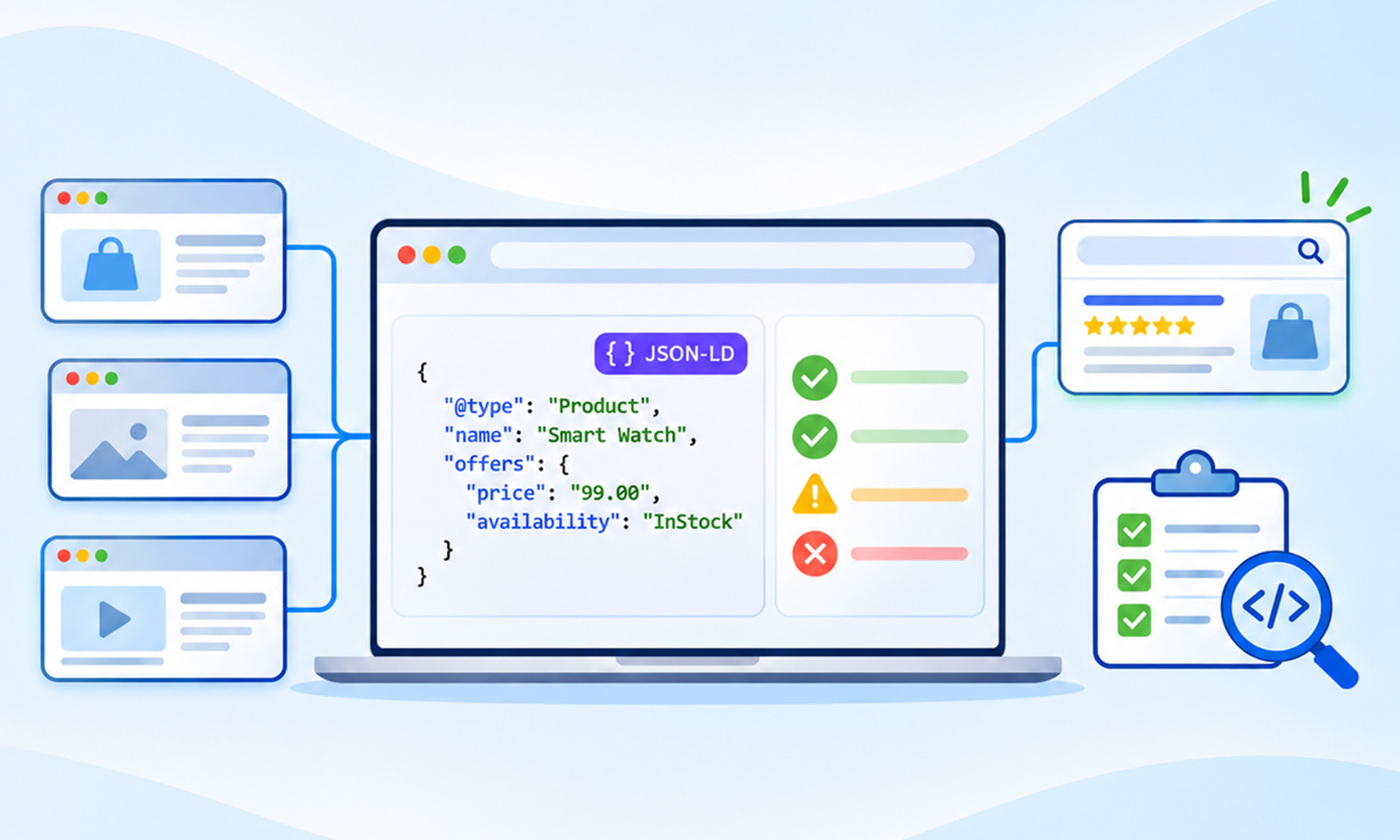
Most schema problems are never found by testing one page. A single product URL passes the Rich Results Test, the team moves on, and nobody notices that the same template is injecting a second Organization block on 3,000 other pages, or that a category template has been carrying a frozen rating since the last redesign.
A proper schema markup audit starts from the template because the markup on any one page is only a copy of whatever the template generated. Fix the template and every page inherits the fix.
This guide walks through how to inventory every piece of schema markup on a site, which checks to run against each template, how to find the errors that validators miss, and how to keep the site clean after the audit ends.
Sitewide Schema Audit: The Short Version
A website schema audit answers four questions for every template on the site:
- What structured data is present, and which code path adds it?
- Does it parse and include the properties Google asks for?
- Do the values match the visible content on the page?
- Is the target rich result still supported, and is the page eligible for it?
Working from a crawl export rather than individual URLs is what makes the difference. One crawl surfaces every template, every duplicate, and every page missing markup its siblings have.
Why a Page-Level Check Is Not Enough
Schema on modern sites is generated, not written. A theme adds one block, an SEO plugin adds another, and a custom snippet from a past developer adds a third. Each is valid on its own. Together they produce duplicate schema markup and conflicting claims about the same entity.
Page-level testing hides this, because the Rich Results Test reports what it found without flagging that two blocks disagree. It also cannot show that a template is missing markup entirely, or that 40 location pages carry an identical aggregateRating that describes the business rather than the page.
A structured data audit at the site level catches all three, along with pages where indexing is blocked so markup is never processed, and pages where markup is injected client-side and invisible to crawlers that skip JavaScript.
Step 1: Crawl the Site and Extract Every Schema Block
The audit starts with a full crawl that extracts JSON-LD, Microdata, and RDFa from every indexable URL. Most desktop crawlers can do this with structured data extraction enabled, and the export should include, for each URL, the schema types found, the number of blocks, and any validation errors.
Three columns matter most in that export:
1. Types per URL – A product page may contain Product, BreadcrumbList, and Organization. Multiple Product blocks describing the same product may indicate duplication, while Product and Service can coexist when they describe separate entities.
2. Block count per template – Group URLs by template (product, category, article, location) and compare counts. A template where the count varies between pages means something is injecting markup conditionally, and that usually means a plugin is misconfigured.
3. Source of each block – Trace every block back to the theme, plugin, tag manager, or custom code that emits it. This step gets skipped most often, and it is the one that makes fixes possible.
The output of Step 1 is a template inventory: one row per template, listing which types it carries, where each comes from, and how many pages use it.
Step 2: Validate a Sample From Each Template
With the inventory in hand, schema markup validation becomes a sampling exercise. Pick two or three URLs from each template and run them through both tools.
| Tool | What it checks |
|---|---|
| Google Rich Results Test | Syntax, Google’s required properties, eligibility for supported rich results |
| Schema Markup Validator | Vocabulary correctness for any Schema.org type |
| Search Console Enhancements reports | Sitewide errors and warnings by rich result type |
Common schema markup errors at this stage include missing required properties (Product without offers, JobPosting without datePosted), prices stored as strings with currency symbols, dates in the wrong format, and nested objects that skip their own @type. Because a template produces them, fixing the template fixes every page at once.
One check that is easy to forget: confirm the markup is in the rendered HTML using the URL Inspection tool in Search Console. Markup added by JavaScript after load is invisible to the many AI crawlers that do not execute scripts at all.
Step 3: Compare the Markup Against the Visible Page
This is the part no tool automates, and it is where most real problems live. Google’s guidelines require that structured data describe content visitors can see. A rating of 4.8 in the code and 4.5 on the page is a policy issue, not a syntax issue, and it passes every validator.
For each template sample, open the page and the markup side by side and confirm:
- Ratings and review counts match the visible rating widget
- Prices and availability match what the product page shows
- Author names, publish dates, and modified dates match the visible byline
- Breadcrumb order and URLs match the visible navigation trail
- The type describes the actual content (a category page is not a single Product, a service page is not a Course)
Hardcoded values are the usual cause of drift. A rating typed into a template field stays frozen while the live count climbs. The fix is to pull values from the same source the visible widget uses, so they cannot diverge.
Templated item-level data is the other common finding. A sitewide aggregateRating injected into every page can incorrectly associate the same rating with different products or businesses, while Google’s self-serving review rules separately restrict review snippets for Organization and LocalBusiness entities.
Step 4: Consolidate Duplicates and Resolve Conflicts
Step 1 identifies where each block comes from. Step 4 decides which one survives. The rule is one consistent source of truth for each entity, not necessarily one block per type per page. If the theme, an SEO plugin, and a custom snippet all emit Organization, pick the most accurate and complete one, disable the other two, and confirm in a recrawl that only one remains.
Conflicting types need the same treatment. If the same entity is incorrectly marked as both Service and Product, choose the type that accurately describes it. Separate Product and Service entities can coexist when both are relevant to the page.
Entity linking belongs here too. Use a consistent @id for the Organization across pages, point url and mainEntityOfPage at the canonical URL, and add sameAs links to official profiles, so scattered blocks become a connected graph that search engines and AI systems can follow.
Step 5: Confirm Rich Results Eligibility and Indexing
Clean, accurate markup still earns nothing if the target feature no longer exists or the page cannot qualify. Two checks close the audit.
Is the rich result still supported? Google retired FAQ rich results in May 2026, removed seven types including Course Info and Estimated Salary in 2025, and dropped HowTo in 2023. The markup stays valid and harmless, but building an audit goal around a retired feature wastes effort. Check the feature’s documentation page for a deprecation notice first.
Is the page eligible? Self-serving reviews on LocalBusiness or Organization pages do not qualify for review snippets, and Service is not a supported type for stars at all. This explains most cases where markup validates, but nothing appears.
Is the page indexed? Structured data on a noindexed page, a page blocked by robots.txt, or a soft 404 is never processed. Cross-reference the crawl export against Search Console’s page indexing report.
Rich results eligibility is the combination of all three: supported feature, eligible page type, indexed URL. Missing any one means no rich snippet, and no CTR lift from it, however clean the code is.
Step 6: Set Up Monitoring So the Audit Does Not Expire
A one-time audit is a snapshot. Markup changes every time a plugin updates, a theme deploys, or a content team edits a price without touching code. Schema monitoring is what keeps the snapshot from going stale.
At minimum, that means re-crawling after every template or plugin deployment and diffing the schema extract against the last clean baseline, checking Search Console Enhancements reports weekly, and re-running the visible-content comparison quarterly on templates that carry ratings, prices, or dates.
Teams managing more than a handful of templates rarely keep this current by hand. Generating markup from live data rather than typing it into fields removes most of the drift at the source.
A Compact Schema Markup Audit Checklist
The full walkthrough above condenses into this schema markup audit checklist, which fits on one page and covers the checks that matter for a sitewide pass:
| Stage | Check |
|---|---|
| Inventory | Every template has a known list of types and their sources |
| Syntax | Samples from each template pass both validators |
| Properties | Required properties present, values in correct format |
| Rendering | Markup visible in rendered HTML, not only after scripts run |
| Accuracy | Ratings, prices, dates, and authors match visible content |
| Duplicates | One block per entity type per page, sources consolidated |
| Conflicts | One honest type per page, no Service plus Product hedging |
| Entity links | Consistent @id, canonical url, sameAs profiles |
| Eligibility | Target feature still exists, page type qualifies, URL indexed |
| Monitoring | Recrawl and diff after deployments, quarterly accuracy pass |
Conclusion
Auditing schema across a whole site comes down to working at the template level. Inventory what exists and where it comes from, validate a sample from each template, compare values against the visible page, consolidate duplicates, and confirm each target feature still exists, and each page qualifies.
The code problems are the easy part. Accuracy, duplication, and eligibility problems survive validators, and those are what a sitewide audit is built to find. Keep the crawl baseline, diff it after every deployment, and markup that earns rich snippets today will still be earning them after the next template change.
Frequently Asked Questions
Q1: What is a schema markup audit?
A schema markup audit is a review of all structured data on a site to confirm it parses correctly, matches the visible content, contains no duplicates or conflicts, and targets rich results the pages are actually eligible for.
Q2: How is a sitewide audit different from testing one page?
A page test shows what one URL contains. A sitewide audit groups pages by template, so a single fix resolves the problem on every page that shares the template, and it surfaces duplicates and missing markup that one page cannot reveal.
Q3: Which tools are needed for a schema markup audit?
A crawler with structured data extraction, the Google Rich Results Test, the Schema Markup Validator, and Search Console’s Enhancements and page indexing reports. The visible-content comparison is done by hand.
Q4: How often should structured data be audited?
After every template or plugin change, and at least quarterly for templates that carry ratings, prices, or dates. Those values drift from the visible page faster than most teams expect.









 Wix Schema
 Squarespace Schema
 BigCommerce Schema
 Shopify Schema
 Hubspot Schema
 Webflow Schema
 GoHighlevel Schema
 Duda Schema
 Weebly Schema
 ClickFunnel Schema