

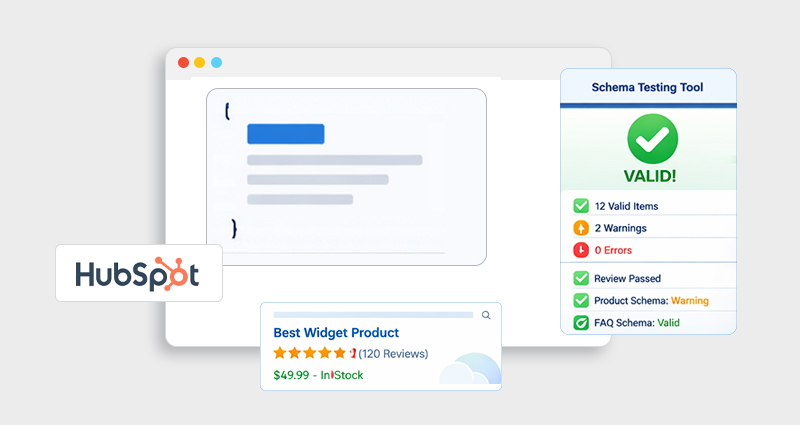
If you’re investing in HubSpot schema markup, simply adding structured data isn’t enough. The real impact comes from accurate HubSpot schema markup testing, ensuring search engines can read, trust, and use your data to generate rich results.
In this guide, you’ll learn how to test HubSpot schema markup, identify errors, and validate your structured data using industry-standard tools. Whether you’re implementing JSON-LD manually or using a schema markup tool, this guide will help you avoid common pitfalls and improve your SEO performance.
Understanding HubSpot Schema Markup
Before diving into testing, it’s important to understand what you’re validating.
HubSpot schema markup refers to structured data (typically JSON-LD) added to your HubSpot pages to help search engines interpret your content. This structured data powers features like:
- HubSpot Rich Snippets (stars, FAQs, product info)
- Enhanced search visibility
- Better indexing and contextual understanding
For example, a simple FAQ schema in JSON-LD might look like this:
{
"@context": "https://schema.org",
"@type": "FAQPage",
"mainEntity": [{
"@type": "Question",
"name": "What is HubSpot schema markup?",
"acceptedAnswer": {
"@type": "Answer",
"text": "HubSpot schema markup is structured data added to HubSpot pages to help search engines understand content."
}
}]
}
Without HubSpot structured data validation, even correctly written schema may fail to generate rich results.
Why HubSpot Schema Markup Testing Matters
Many assume that once a schema is added, it works automatically. That’s rarely the case.
Proper HubSpot SEO structured data testing ensures:
- Search engines can crawl and interpret your schema
- Your pages are eligible for Google rich results
- You avoid schema markup errors that reduce visibility
- Your structured data matches actual page content
In real-world SEO audits, a large percentage of structured data fails validation due to:
- Missing required fields
- Incorrect schema types
- JavaScript rendering issues
- Mismatch between schema and visible content
That’s why HubSpot JSON-LD testing is not optional, it’s essential.
Best Tools for HubSpot Schema Markup Testing
To properly validate schema markup in HubSpot, you need a combination of tools, each serving a different purpose in the structured data testing process. Relying on just one tool often leads to missed errors or incomplete validation.
1. Google Rich Results Test
This is the most critical tool for HubSpot rich results test and overall HubSpot schema markup testing.
What it does:
- Determines whether your page is eligible for rich results (FAQs, reviews, etc.)
- Highlights critical errors vs non-critical warnings
- Shows which schema types Google actually detects
- Provides a visual preview of how your result may appear in SERPs
Pro Tip: Even if your schema is valid, it won’t guarantee rich snippets; this tool only confirms eligibility, not display.
Use this when your goal is ranking enhancements and SERP visibility.
2. Schema Markup Validator (Schema.org)
A foundational schema markup validator for checking structured data correctness.
Best for:
- Verifying schema structure against schema.org standards
- Identifying missing or incorrect properties
- Testing multiple schema types on a single page
Unlike Google’s tool, this validator focuses purely on technical accuracy, not SEO outcomes.
3. Browser DevTools (Advanced Debugging)
For advanced schema markup debugging HubSpot, browser DevTools are invaluable.
Why it matters:
- HubSpot may inject schema via scripts, meaning it won’t appear in raw page source
- Search engines read the rendered DOM, not just static HTML
What to check:
- Inspect the live DOM to confirm schema presence
- Ensure schema loads without JavaScript errors
- Verify no duplication or conflicts
Quick Comparison Table
| Tool | Best Use Case | Limitation |
|---|---|---|
| Google Rich Results Test | Rich snippet eligibility | Only supports Google features |
| Schema Validator | Syntax & structure | No SERP preview |
| JSON-LD Validator | Code-level validation | No SEO insights |
How to Test HubSpot Schema Markup (Step-by-Step)
Here’s a practical, real-world workflow for HubSpot schema markup testing that ensures both accuracy and search eligibility:
Step 1: Copy Your Page URL or Schema Code
You can test in two ways:
- Live URL→ best for real-world validation
- Raw JSON-LD code→ best during development
Testing both ensures nothing breaks during deployment.
Step 2: Run Google Rich Results Test
Paste your URL in Google Rich Results Test and analyze the results.
What to check carefully:
- Which schema types are detected (FAQ, Article, etc.)
- Whether errors are blocking eligibility
- Difference between errors (must fix) and warnings (recommended fixes)
- Rich result eligibility status
Step 3: Validate with a Schema Markup Validator
Next, run your schema through a schema markup validator.
This step ensures:
- Your structured data follows schema.org standards
- All required properties are included
- No invalid attributes are used
Step 4: Cross-Check JSON-LD Format
Use a json ld schema validator to confirm
- Clean syntax (no missing commas/brackets)
- Proper nesting of objects and arrays
- Valid schema types and properties
This step catches technical errors that other tools may overlook.
Common HubSpot Schema Markup Errors (And Fixes)
During schema markup debugging HubSpot, these are the most frequent issues that prevent proper validation and rich results:
1. Missing Required Fields
For example, a Product schema without price or availability.
Why it matters:
Google requires specific fields for eligibility.
Fix:
Follow schema.org guidelines and ensure all required properties are included.
2. Invalid JSON Format
Even a small syntax issue (like a missing comma) can break your schema.
Fix:
Always validate using a json ld schema validator before publishing.
3. Schema Doesn’t Match Page Content
If your schema says “FAQ” but no FAQs appear on the page, Google may ignore it.
Fix:
Ensure your structured data accurately reflects visible content.
4. Duplicate Schema Markup
Multiple schema scripts describing the same content can confuse search engines.
Fix:
Merge schemas into a single, clean JSON-LD block where possible.
5. JavaScript Rendering Issues
Schema injected via scripts may fail to load or be missed by crawlers.
Fix:
Verify using rendered HTML and ensure scripts execute properly without errors.
Key Insight
Most schema markup errors aren’t complex, they’re small oversights. But they can completely block your rich results if ignored.
Best Schema Types for HubSpot Websites
Choosing the right schema types improves both validation success and your chances of earning rich results.
Recommended schema types:
FAQ Schema
Article Schema
Product Schema
Organization Schema
Breadcrumb Schema
Ideal for support pages and blogs. Helps trigger expandable SERP results, improving CTR.
Best for blog content. Enhances how your content is understood and indexed by search engines.
Useful for SaaS or service pages. Enables pricing, availability, and feature highlights in search.
Strengthens brand identity and helps search engines connect your business details.
Improves navigation display in search results and enhances understanding of site structure.
Using a HubSpot Schema Markup Tool vs Manual Testing
When it comes to HubSpot schema markup implementation, you typically have two options: creating and testing schema manually or using a HubSpot schema markup tool. The right choice depends on your technical expertise, scale, and need for accuracy.
Here’s a clear comparison to help you decide:
| Approach | Manual (Custom JSON-LD) | Automated (Schema Tools) |
|---|---|---|
| Control & Flexibility | Full control over schema structure and customization | Limited to tool capabilities, but sufficient for most use cases |
| Ease of Use | Requires technical knowledge of JSON-LD and schema.org | Beginner-friendly with minimal setup |
| Error Risk | Higher risk of syntax and structural errors | Lower risk due to built-in validation |
| Testing & Validation | Requires separate tools for HubSpot schema markup testing | Often includes built-in validation and error checks |
| Scalability | Time-consuming for many pages | Easily scalable across large sites |
| Speed | Slower implementation and updates | Faster deployment and updates |
In practice, manual implementation works best for highly customized use cases, while automated tools are ideal for consistency and efficiency. If you’re regularly performing HubSpot structured data validation, using a schema markup generator or json ld schema generator can significantly reduce errors and streamline your workflow.
Pro Tips for Accurate HubSpot Structured Data Validation
From real-world SEO experience, here’s what makes a difference:
- Always test both URL and code
- Validate after every content update
- Don’t ignore warnings, they often affect performance
- Re-test after fixing errors
- Monitor results in Google Search Console
Consistent structured data testing leads to better indexing and richer search results over time.
Conclusion
Effective HubSpot schema markup testing is the difference between simply adding structured data and actually benefiting from it. By combining the right tools, following a structured validation process, and fixing common errors, you ensure your HubSpot structured data is both accurate and impactful.
Treat schema validation as an ongoing process, not a one-time task, and your chances of earning rich results and improved search visibility will increase significantly.
FAQs
Q1: How do I test HubSpot schema markup?
Use tools like Google Rich Results Test and a schema markup validator. Test both your page URL and raw JSON-LD code.
Q2: What is the best tool for HubSpot schema markup testing?
Google Rich Results Test is the best for checking rich snippet eligibility, while schema validators help with syntax and structure.
Q3: Why is my HubSpot schema markup not working?
Common reasons include missing fields, invalid JSON format, or mismatch between schema and page content.
Q4: How often should I validate schema markup in HubSpot?
You should validate after implementation, after updates, and periodically as part of SEO audits.
Q5: Can I test JSON-LD directly in HubSpot?
No, but you can extract the code and use a json ld schema validator for testing.
Q6: What are schema markup errors?
They are issues in structured data that prevent search engines from understanding or using your schema.
Q7: Does schema validation guarantee rich snippets?
No. Validation ensures eligibility, but Google decides whether to display rich results.
Q8: Which schema types work best for HubSpot websites?
FAQ, Article, Product, and Organization schema typically deliver the best results.







 Wix Schema
 Squarespace Schema
 BigCommerce Schema
 Shopify Schema
 Hubspot Schema
 Webflow Schema
 GoHighlevel Schema
 Duda Schema
 Weebly Schema