

TL;DR: Schema drift happens when structured data becomes outdated or inconsistent with the content it describes. Even if the markup passes validation, incorrect values can prevent Google from using it for rich results or create misleading information. Regular monitoring, page-to-markup comparisons, and generating structured data from reliable data sources help detect and prevent these issues.
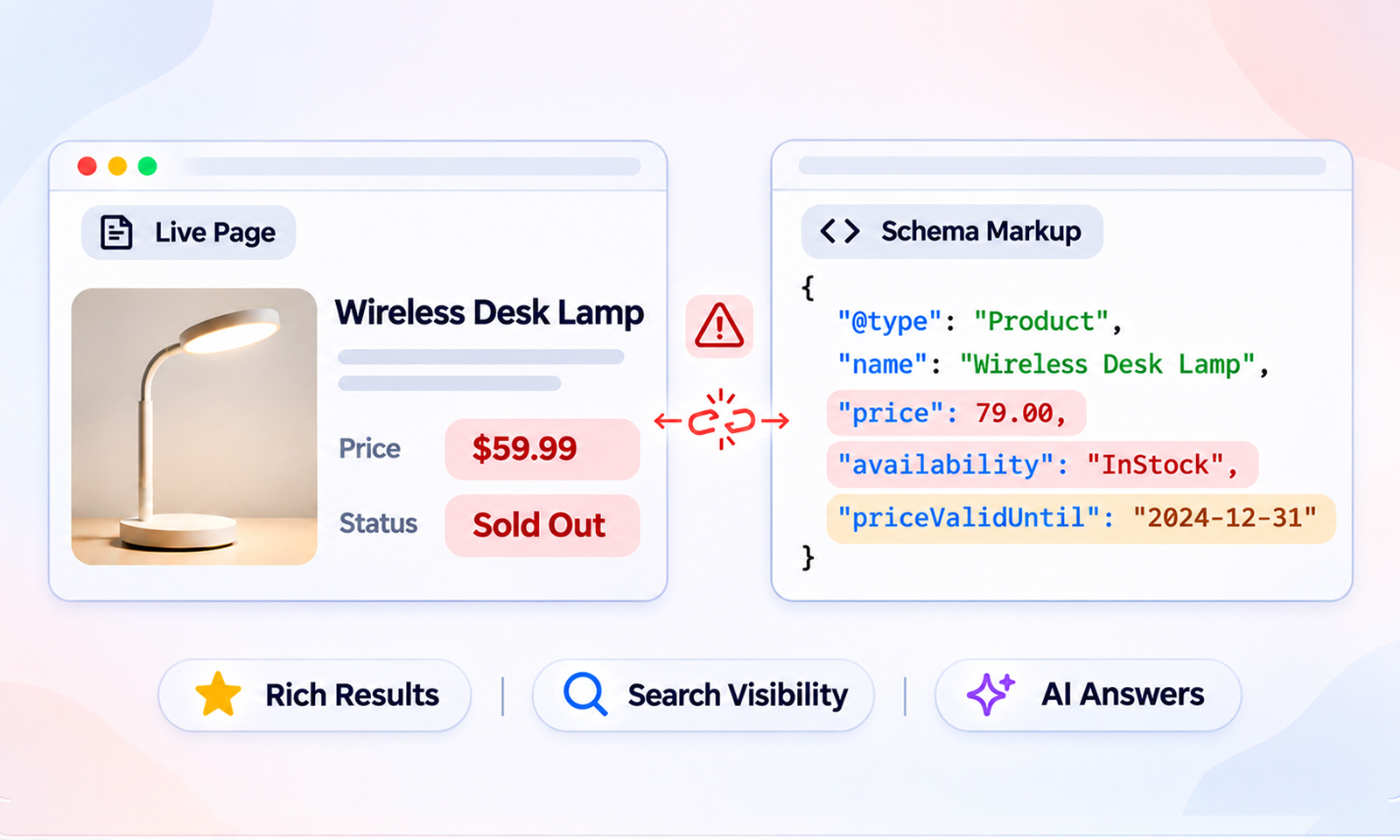
A product page goes on sale three times in a year. The price on the page is now $59.99, and the item is sold out. The JSON-LD in the head of that same page still says $79.00 and “InStock,” exactly as it was written the day the page launched. Nobody changed it because nobody remembered it was there.
That gap is schema drift: structured data that once described the page accurately and now describes a page that doesn’t exist.
In SEO, it means something narrower and easier to miss, because the markup keeps passing every validator while describing content that has moved on. This post covers how schema drift starts, what it does to your search and AI visibility, how to measure it, and how to stop it from coming back.
What Is Schema Drift?
Schema drift is the divergence between what your schema markup says and what your page shows. Prices, dates, stock, ratings, author names, headlines, business hours: any value that lives in both places can drift the moment one side is edited, and the other isn’t.
The reason it’s so common is structural. Most structured data is written once, as static JSON-LD, and then left in a template or plugin setting. Page content, on the other hand, is edited constantly by people who never look at the head of the document.
Schema Drift vs Schema Errors
An error is markup that’s wrong on its own terms: a missing required property, a malformed date, a broken bracket. Validators catch errors. Drift is markup that’s internally perfect and externally false. A ratingValue of 4.8 is a valid number whether or not the page shows 4.8. That’s why outdated schema markup survives every syntax check and why most teams only find it after Google does.
The Three Ways Schema Drift Starts
Drift has more than one source, and each one hides in a different part of your stack.
1. Content Drift
The page changed, the markup didn’t. A merchandiser updates a price, an editor rewrites a headline, a product is discontinued. This is the most common form and the easiest to understand.
2. Configuration Drift
The markup changed, and the page didn’t. A template mapping is edited, a plugin updates its defaults, a tag manager rule is tightened for one page group and accidentally strips a property from another. Nothing visible moved, so nobody noticed.
3. Vocabulary and Feature Drift
The world changed under both. Schema.org retires and renames terms in each release, so a property that was correct in 2020 may be superseded now.
Google retires features too: several rich result types were dropped in June 2025, and according to Google’s documentation updates, FAQ rich results stopped appearing on May 7, 2026. The markup is unchanged, the page is unchanged, and the value has still gone to zero.
| Drift type | What changed | What stayed wrong | Who usually notices |
|---|---|---|---|
| Content | The visible page | The JSON-LD values | Search Console, weeks later |
| Configuration | A template, plugin, or tag rule | Markup on a subset of pages | Nobody, until rich results drop |
| Vocabulary or feature | Schema.org or Google support | Both page and markup | Only teams that read release notes |
What Happens on Google’s Side When Structured Data Is Outdated?
Nothing dramatic on day one, which is exactly why schema drift goes unnoticed. Outdated structured data degrades in stages, and each stage is easy to attribute to something else.
Rich Results Disappear
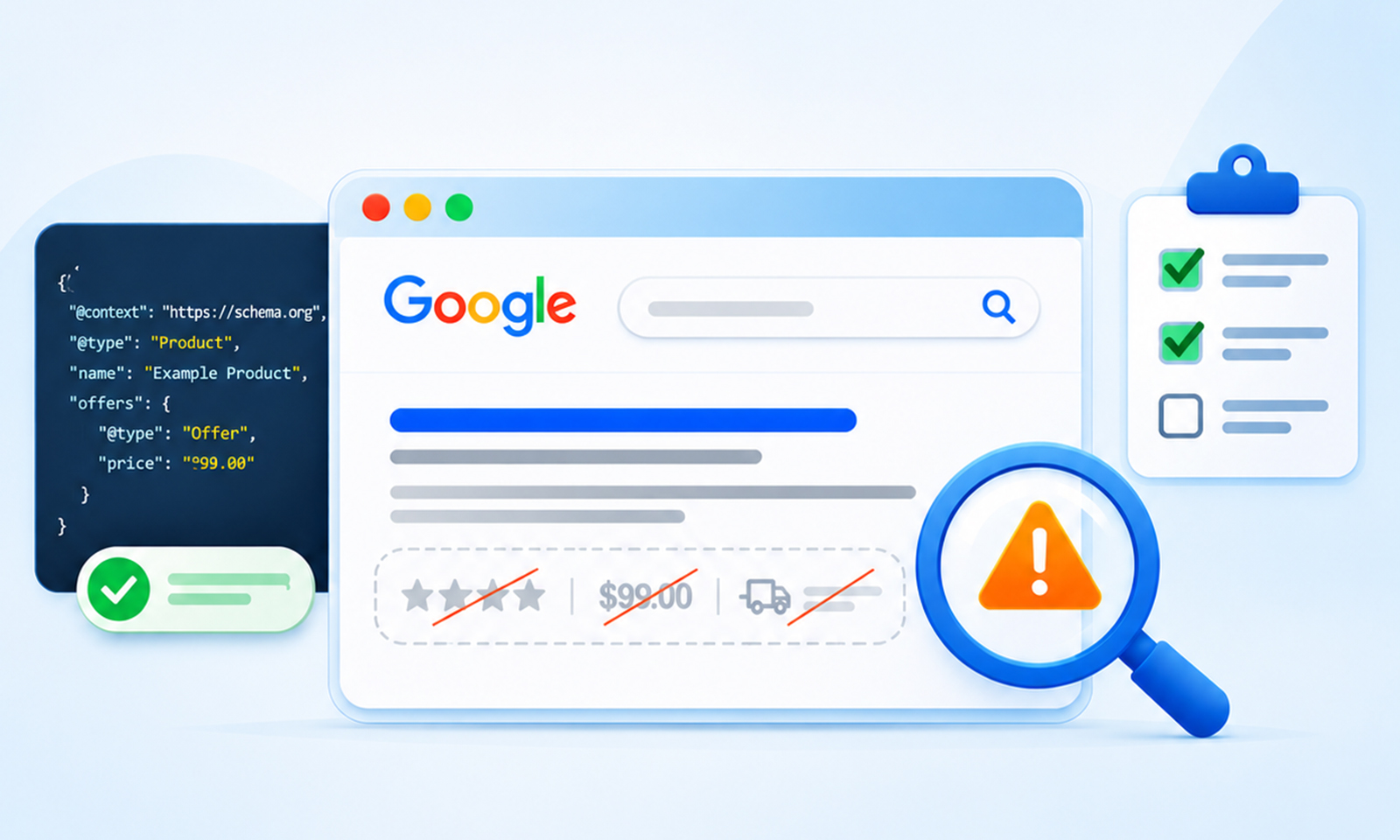
Google’s general structured data guidelines require markup to accurately reflect the visible content on a page. When it contains outdated or misleading information, Google may ignore the affected markup or decide not to show the associated rich result. For example, incorrect product prices or availability can prevent shoppers from seeing accurate information in search results.
The actual impact depends on the type of mismatch and the structured data feature involved. Any change in click-through rate will also depend on how the search result appearance changes.
Search Console Starts Warning
Search Console reports structured data errors and warnings for supported search features, but it doesn’t provide a general comparison between every markup property and the visible content on a page. A product price can become outdated while its structured data remains technically valid.
This is why Search Console should be part of your monitoring process, not your only method of detecting schema drift. To identify actual mismatches, compare the structured data against the rendered page content.
Google May Ignore Inaccurate Structured Data
Google evaluates structured data against its technical requirements, quality guidelines, and the visible content of the page. If markup is inaccurate or misleading, Google may choose not to use the affected structured data for rich results. Correcting the mismatch brings the implementation back in line with Google’s guidelines, but it doesn’t guarantee that a rich result will appear.
Inconsistent Information Can Affect AI Search Accuracy
AI-powered search experiences use information from webpages to generate answers and provide supporting links. Structured data helps search engines understand the content and entities described on a page, but it isn’t a guaranteed source of facts for AI-generated answers.
If your product page displays a price of $59.99 while its structured data still reports $79.00, you’ve created an inconsistency between two representations of the same information. Keeping both accurate and up to date helps search engines understand your content correctly and avoids presenting conflicting information to users.
Manual Action Risk
Google’s guidelines are explicit that structured data that misrepresents page content can lead to a structured data manual action. When this happens, the affected page or pages lose eligibility for rich results, but their organic rankings aren’t directly affected by the structured data manual action. Check the Manual Actions report in Search Console to understand the scope of any action and what needs to be corrected.
A Simple Way to Measure How Bad Your Drift Is
Not every case of schema drift deserves the same urgency. A headline that’s one word off is not the same as a price that’s been wrong for four months.
The severity of schema drift depends on more than how long the markup has been wrong or how many properties are affected. It also depends on the type of information, how important it is to users, and the potential consequences of displaying incorrect data.
For example, an outdated product price or availability status deserves immediate attention because it can mislead shoppers. A minor discrepancy in a less important descriptive property may not require the same urgency. Prioritize issues based on their potential impact rather than relying on a single numerical score.
Here’s what that high-scoring case looks like. The page shows $59.99 and sold out. The markup says otherwise:
{
    "@context": "https://schema.org",
    "@type": "Product",
    "name": "Wireless Desk Lamp",
    "offers": {
    "@type": "Offer",
    "price": "79.00",
    "priceCurrency": "USD",
    "availability": "https://schema.org/InStock",
    "priceValidUntil": "2026-12-31"
    }
}
Three properties have drifted: price, availability, and priceValidUntil, which expired nine months ago. The block validates without a single warning.
How to Detect Schema Drift Before Google Does
Schema validation tells you the block is well-formed. Detecting schema drift needs a second question: does it match the page? Here’s how to answer it at three levels of effort.
1. Search Console, weekly – Open each relevant enhancement report and monitor changes in valid items, errors, and warnings. An unexpected increase can indicate a structured data issue or a change in Google’s requirements, so investigate the affected URLs rather than assuming every increase is schema drift. Use a separate comparison between the markup and visible page content to confirm actual mismatches.
2. Crawler extraction, monthly – Screaming Frog and similar tools extract JSON-LD per URL. Export price, availability, rating, and date properties, then compare them against the corresponding values extracted from the rendered HTML. Any row where the two values disagree needs further investigation. This can be time-consuming when done manually, but it provides a practical way to identify content drift across multiple URLs.
You can also compare CMS values against the generated JSON-LD or use custom scripts to identify mismatched properties. If your website uses JavaScript to populate content or markup, make sure the crawler extracts the rendered page rather than relying only on the initial HTML response.
3. Automated schema monitoring, continuously – The manual approaches share a weakness: they run on a schedule, and drift happens between schedules.
Continuous schema monitoring in JSON Schema App helps teams keep structured data aligned with changing website content. Instead of relying entirely on periodic manual audits, teams can monitor changes and identify structured data issues as they occur. This makes it easier to investigate affected pages and address problems before they spread across the website.
Whichever level you choose, the goal is the same: identify and correct mismatches before search engines recrawl and process outdated structured data. After making corrections, validate the updated markup and allow Google time to recrawl the affected pages. Changes to search appearance may take additional time to show up.
Schema Markup Maintenance: Stopping Drift at the Source
Detection is a safety net against schema drift. Real schema markup maintenance means making drift structurally hard to create.
Generate from the data, don’t hardcode
If the price in your JSON-LD comes from the same underlying data source that renders the price on the page, you significantly reduce the risk of content drift. This is particularly useful for ecommerce websites, where prices, stock levels, and product details can change frequently.
However, using the same data source doesn’t eliminate every possible mismatch. Incorrect field mappings, caching issues, or differences in how page content and structured data are generated can still introduce inconsistencies. Whenever possible, use a centralized data source and check that the rendered markup reflects the current page content.
Name an owner
Whoever edits content owns the schema. That’s usually not a developer. Either give content editors a tool that updates markup automatically, or put a step in the publishing checklist.
Recheck after every structural change
Theme updates, plugin updates, CMS migrations, and template edits are where configuration drift starts. Treat each one as a trigger for a check.
Run a schema markup audit on a cadence
Quarterly is a reasonable floor for a stable site. Add an event-driven check for anything that changes weekly. The audit is where vocabulary and feature drift get caught, since neither shows up in a page-versus-markup comparison.
Conclusion
Schema drift is the failure mode nobody plans for because it doesn’t announce itself. The markup was right once, the page moved on, and every validator kept reporting green. By the time rich results vanish or Search Console fills with warnings, the stale values have already been indexed and possibly quoted by an AI answer.
The fix has two halves. Detect drift by comparing markup to the page. Prevent it by generating structured data from the same fields that render the content, so the two can’t disagree. Do both, assign an owner, and the head of your document stops being the last place anyone looks.
Frequently Asked Questions
Does schema drift cause a Google penalty?
No, not automatically. Outdated structured data may be ignored or prevent a page from qualifying for a rich result. However, misleading or policy-violating markup can result in a structured data manual action. Such an action affects rich result eligibility for the affected page or pages, but doesn’t directly affect organic rankings.
Will the Rich Results Test show schema drift?
Not reliably. Google’s Rich Results Test checks supported structured data for technical issues and rich result eligibility. However, it doesn’t provide a comprehensive comparison between every markup property and the corresponding information displayed on the page. A product price or availability value can therefore be outdated even when the test reports no relevant errors.
How often should I check for schema drift?
Continuously if you can automate it. Otherwise, weekly in Search Console, monthly with a crawler comparison, and after every theme, plugin, or template change.
Is keeping deprecated schema types on a page harmful?
Not necessarily. A Google rich result feature being retired doesn’t automatically make its corresponding Schema.org vocabulary invalid. If the markup still accurately describes the visible content, it may remain useful to other consumers of structured data.
However, it won’t generate a Google rich result for a feature that Google no longer supports. Check the current Schema.org vocabulary and Google’s supported structured data documentation before deciding whether to retain, update, or remove the markup.








 Wix Schema
 Squarespace Schema
 BigCommerce Schema
 Shopify Schema
 Hubspot Schema
 Webflow Schema
 GoHighlevel Schema
 Duda Schema
 Weebly Schema
 ClickFunnel Schema