

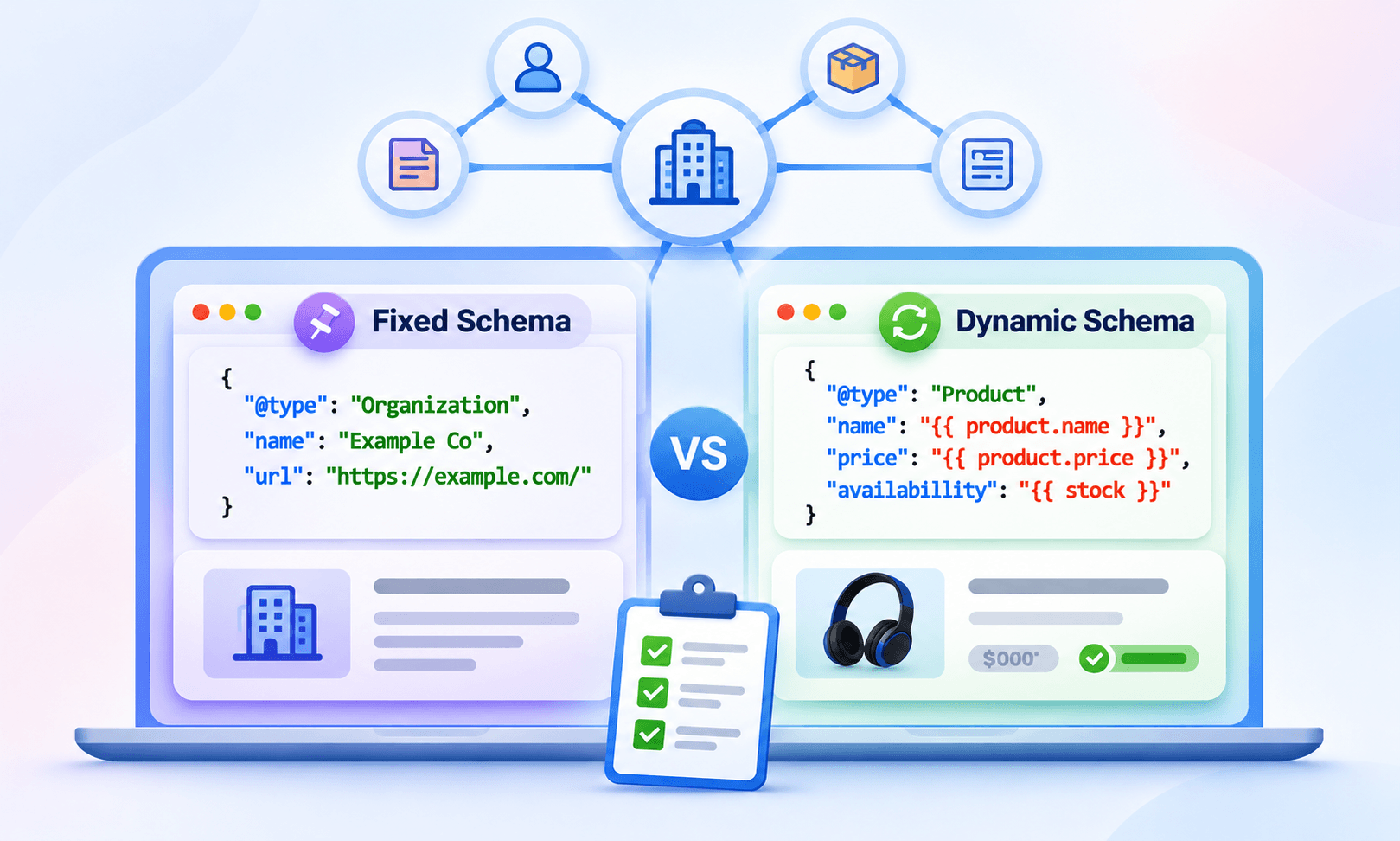
TL;DR: Every site with structured data is building a knowledge graph, whether it planned to or not. Fixed schema works for a small set of entities that rarely change. Dynamic schema is required once you have many pages, frequent updates, or relationships that span templates. Most sites need both, joined by stable @id values.
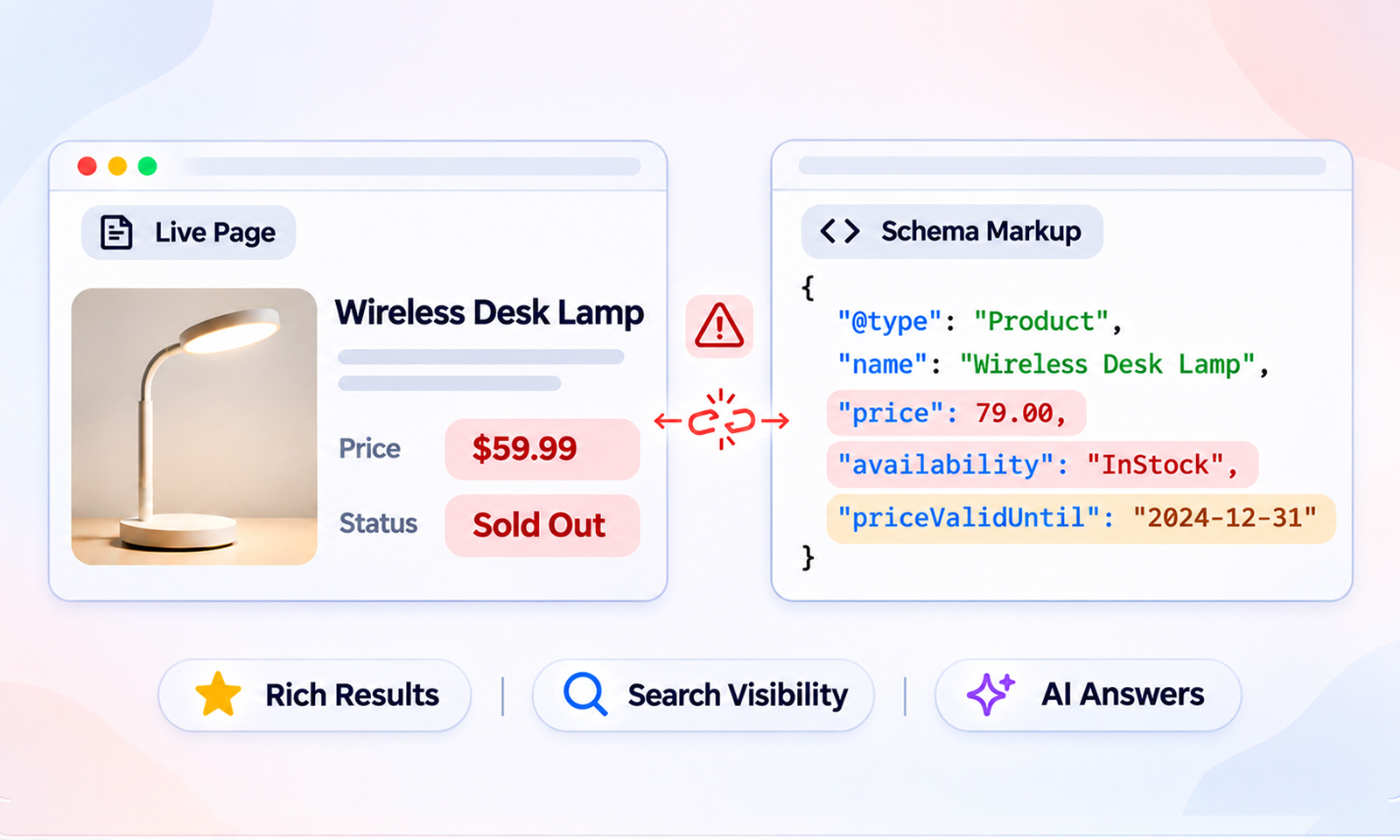
A store launches with 1,200 products. Someone writes a Product block for each one, pastes it into the page template, and moves on. Six months later, 400 prices have changed, 90 items are discontinued, and the markup still says what it said on launch day. Google now holds two versions of the business: the one on the page and the one in the JSON-LD, and they disagree.
It’s a knowledge graph problem. The structured data on a site isn’t a pile of separate snippets. Taken together, it’s a map of the entities a business claims to be made of and how they relate. When that map is written once and never touched, it decays at the speed the business changes.
Most teams pick a schema approach based on what’s fastest to ship. The better question is how the underlying data behaves, and that’s what decides fixed versus dynamic.
What Is a Knowledge Graph, and Why Does Your Website Have One?
A knowledge graph is a database of things and the connections between them. Google’s version, launched in 2012, moved search from matching strings to understanding entities and how they relate.
Your site has a smaller graph of its own. Every JSON-LD block that declares an Organization, a Person, a Product, or an Article is describing an entity. Every property that points one at another, like publisher, author, brand, or about, is describing a relationship. That collection is your knowledge graph schema, and it’s what Google reads when it tries to fit your business into the bigger picture.
Entities, entity linking, and entity relationships in plain terms
Entities are the distinct things: your company, a founder, a product line, a location. Entity linking is how you tell search engines that “Example Co on this page” and “Example Co on that page” are the same thing, and that both match a specific external record. Entity relationships are the edges: this Article was published by that Organization, this Product is made by that Brand.
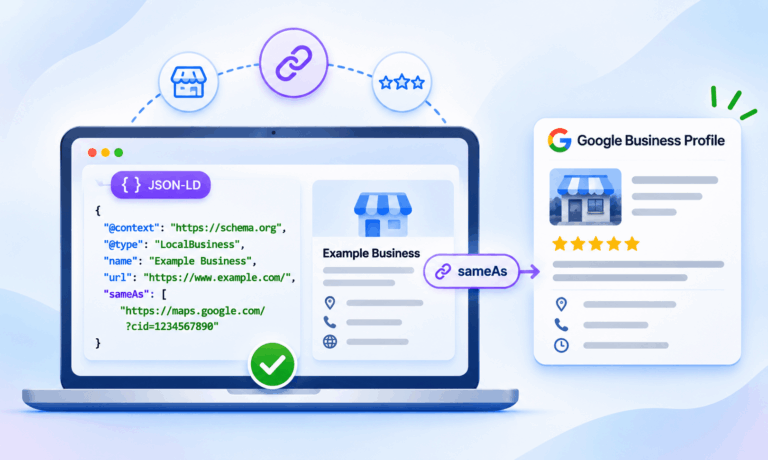
Three elements help connect entities in structured data. @id provides a consistent identifier that allows other schema blocks and pages to reference the same entity. sameAs connects an entity to external pages that identify the same real-world entity, such as its Wikidata entry or official profile. Properties like publisher, author, and brand establish relationships between entities.
Although @id isn’t required for every entity, using stable identifiers for shared entities helps maintain consistency across your website.
How Schema Markup Builds a Knowledge Graph for SEO
Schema markup can describe individual entities and establish relationships between them. When multiple pages reference the same entity using consistent identifiers, they contribute to a more connected knowledge graph instead of describing that entity independently on every page.
Here’s the difference in practice. A blog post with a publisher object that repeats the full company name, logo, and URL is a standalone node. A blog post whose publisher is {"@id": "https://example.com/#organization"} is an edge pointing at a node defined once on the homepage.
Fifty posts written the first way give Google fifty slightly different organizations. Fifty written the second way gives it one organization with fifty articles.
{
  "@context": "https://schema.org",
  "@graph": [
    {
      "@type": "Organization",
      "@id": "https://example.com/#organization",
      "name": "Example Co",
      "url": "https://example.com/",
      "sameAs": ["https://www.linkedin.com/company/example-co"]
    },
    {
      "@type": "Article",
      "headline": "Why Product Data Drifts",
      "author": {"@id": "https://example.com/#person-jane"},
      "publisher": {"@id": "https://example.com/#organization"}
    }
  ]
}
That’s the whole idea behind a knowledge graph: fewer, better-defined entities, referenced consistently. The choice between fixed and dynamic schema is really a choice about how those nodes get their values, and how they stay correct.
Static vs Dynamic Schema: What’s the Actual Difference?
Fixed (static) schema is JSON-LD written by hand or generated once, with the values baked in. The price is a literal “49.99” in the script tag. If the price on the page changes, someone has to remember to change the markup too.
Dynamic schema is generated from the same fields that render the page. The template reads the price from the CMS or product database and writes it into the JSON-LD at render time, or a tool regenerates the block whenever the source record changes. Using the same underlying data source for both the page and its structured data reduces the risk of inconsistencies. However, caching issues, incorrect field mappings, and template errors can still cause the visible content and markup to disagree.
When Fixed Schema Is the Right Choice
For a small set of entities that change a few times a year, hand-written JSON-LD is the correct tool and anything more is overhead.
Good candidates: the Organization block on your homepage, a Person node for each founder or author, a LocalBusiness block for a single location, an About page, and evergreen guides whose datePublished and author are settled. These are the core nodes of your graph. They should be stable, and fixed markup keeps them that way.
Where fixed breaks is anything with a number that moves. Prices, stock status, ratings, review counts, event dates, and job listings all change without anyone opening the markup. Fixed schema for frequently changing prices becomes a maintenance risk because outdated markup may no longer accurately represent the visible page content, potentially violating Google’s structured data guidelines.
A simple test: if someone can change the visible value without a developer, the markup for that value cannot be fixed.
When You Need Dynamic Schema
Once entities multiply or change often, dynamic generation stops being optional. Product catalogs, blogs with rotating authors, multi-location businesses, directories, and event calendars all fall here.
The four signals that you’ve outgrown fixed markup
1. Entity count – As the number of entities grows, manually maintaining individual schema blocks becomes increasingly difficult. Large product catalogs and directories are generally better suited to template-based generation.
2. Change frequency – The more frequently an attribute changes, the more important it becomes to generate or update its schema using the same source that supplies the visible page content. Prices, availability, event dates, and review counts are common examples.
3. Template count – When one template renders hundreds of pages, the markup belongs in the template, reading from fields, not pasted into each page.
4. Cross-page relationships – If a Product links to a Brand, a Category, and Reviews, and those live on other pages, you need one @id per entity referenced everywhere. Dynamic systems can enforce that. Copy-paste cannot.
If you’d rather not build the templating yourself, a tool like JSON Schema App reads the page data per template, writes the JSON-LD from it, and keeps the same @id pattern across every page. The markup can’t drift from a source it’s generated from.
Can You Mix Both? A Hybrid Graph That Actually Works
Yes, and for most sites it’s the right answer. The pattern is fixed core, dynamic edges.
The core entities, your Organization, key people, and primary locations, are written once with stable @id values and full sameAs lists. They rarely change, so fixed markup keeps them safe from template bugs.
The content entities, Products, Articles, Events, and Offers, are generated dynamically from CMS fields. Each one references the core entities by @id instead of repeating their details. A product page doesn’t redefine the Organization. It says
"brand": {"@id": "https://example.com/#organization"} and moves on.
Three governance rules keep a hybrid graph from falling apart. Keep one entity registry listing every @id, its type, and its sameAs links. Never let a template generate a new @id per render or per page for an entity that should be shared. And validate on change, not on a calendar. Continuous schema monitoring catches the moment a dynamic field starts emitting an empty price or a fixed block goes out of date.
Common Mistakes When Choosing Between Fixed and Dynamic Schema
Dynamic markup with unstable IDs – A template that builds @id from the page URL for the Organization creates a new organization on every page. The entity fragments into hundreds of copies. Shared entities need a fixed @id, even inside dynamic markup.
Fixed ratings that never update – An aggregateRating written by hand in January is wrong by March. Ratings are the clearest case for dynamic generation.
Duplicate Organization nodes with different names – A theme adds one, an SEO plugin adds another, a tag manager adds a third. Each is valid on its own. Together they tell Google you’re three companies.
Misusing sameAs – The sameAs property helps connect an entity to external pages that identify the same real-world entity, such as its Wikidata entry or official profile. Use it when a reliable external reference is available, but don’t treat it as a requirement for building a connected knowledge graph.
Choosing by effort instead of by data – Going fully dynamic for a five-page site adds tooling nobody maintains. Staying fully fixed for a 2,000-SKU store guarantees drift. Match the method to how the data moves.
Conclusion
The decision isn’t fixed or dynamic. It’s which entities are stable enough to write once and which move too fast to maintain by hand. Core identity nodes belong in fixed markup with permanent IDs. Everything with a price, a date, a count, or a rotating author belongs in dynamic markup generated from the same fields the page uses.
Start by listing your entities and marking how often each changes. That list is your graph design. Once it exists, the markup approach for every page type becomes obvious, and keeping Google’s picture of your business accurate becomes a system rather than a chore.
Frequently Asked Questions
Is dynamic schema better than static schema?
Neither is better in general. Dynamic wins for high-volume, frequently changing entities. Fixed wins for a small number of stable core entities. Most sites need both.
Do I need @id to build a knowledge graph?
Yes. Without @id, every block is a separate node, and nothing connects. @id is how one entity is referenced from many pages.
Can dynamic schema cause errors?
It can. A template that reads an empty field emits an empty property, and a bad ID pattern fragments entities. That’s why generated markup still needs validation and monitoring.







 Wix Schema
 Squarespace Schema
 BigCommerce Schema
 Shopify Schema
 Hubspot Schema
 Webflow Schema
 GoHighlevel Schema
 Duda Schema
 Weebly Schema
 ClickFunnel Schema