

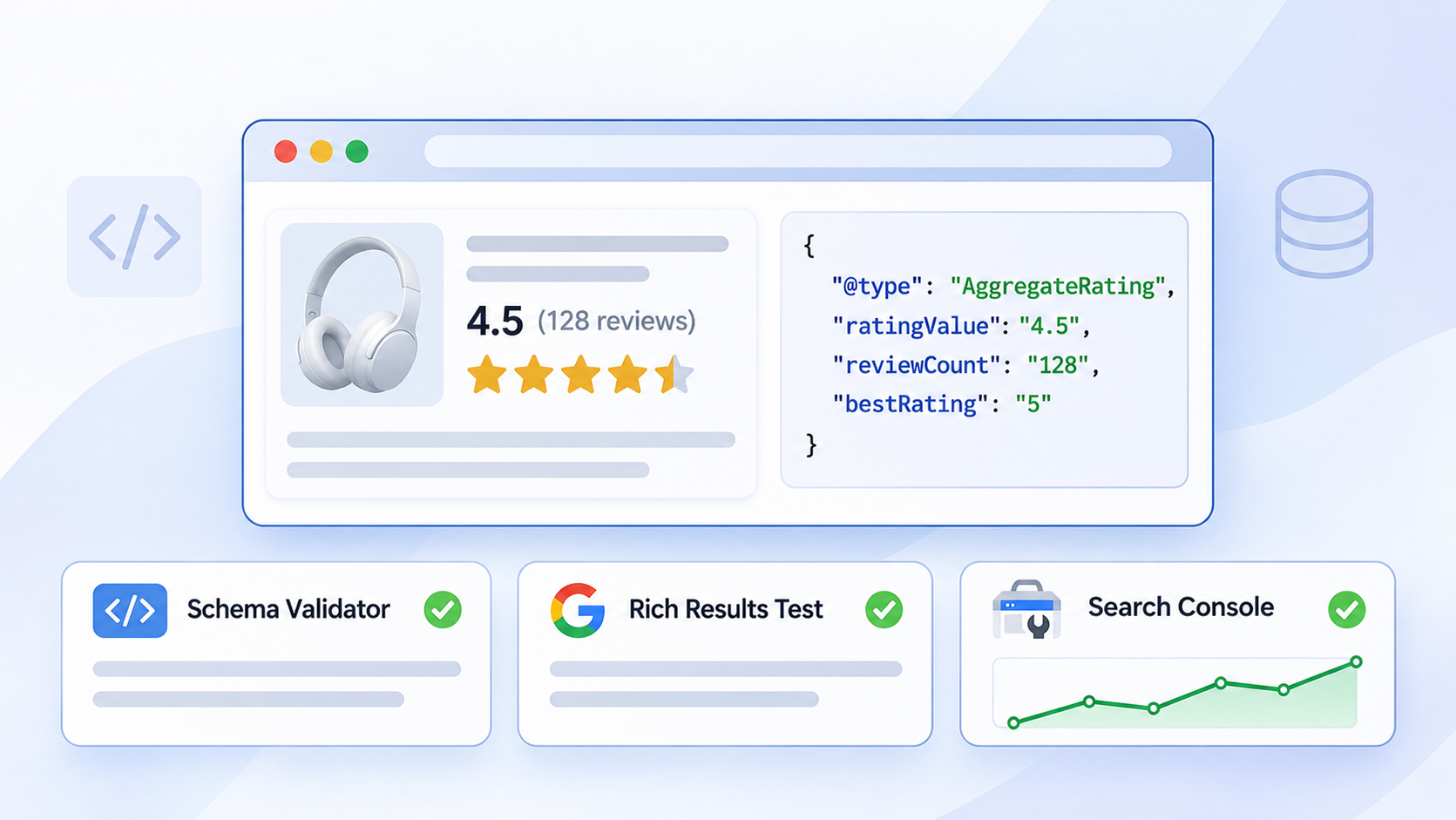
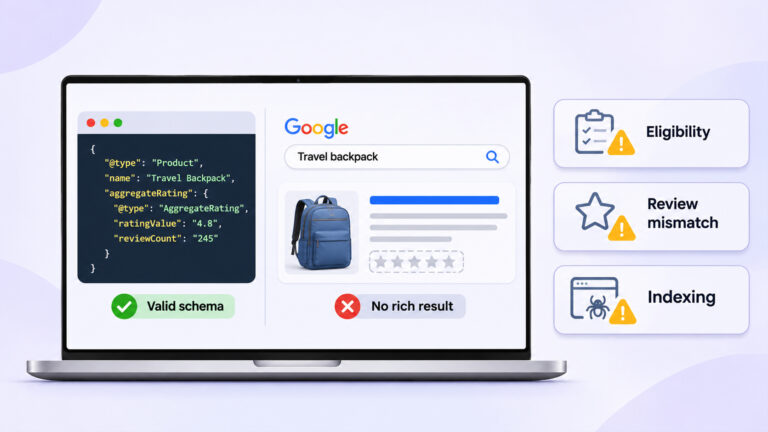
Adding Review or AggregateRating markup is only the first step. The harder part is making sure your review schema markup is technically valid, eligible for Google’s supported rich results, and accurately represents what users can actually see on the page.
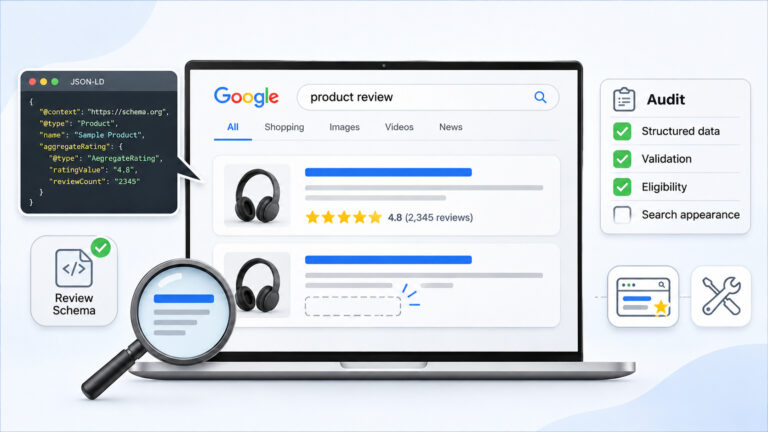
That is why proper review schema validation should involve more than one check. Google’s Rich Results Test is useful for determining whether markup can generate a supported rich result, while Search Console helps you monitor structured data after Google has crawled and indexed your pages.
But neither tool catches every problem, particularly issues involving content accuracy, review policies, duplicate markup, or mismatches between your schema and visible page content. Here is the practical way to approach it.
Review Schema Markup Validation Checklist
- Start with a review schema checker: Confirm that the live page contains the expected Review, AggregateRating, Product, LocalBusiness, or other relevant schema.
- Use the Rich Results Test: Check whether Google recognizes the markup and whether the page is eligible for a supported review-related rich result.
- Use Search Console after indexing: Monitor the relevant rich-result report, affected URLs, errors, and changes over time.
- Check the actual page manually: Make sure the rating, review count, reviewer, and reviewed entity in the markup match visible content.
- Remember that valid ≠ guaranteed: Passing validation makes markup eligible; Google ultimately decides whether a rich result appears.
What Is Review Schema Validation?
Review schema validation is the process of checking whether your review structured data is correctly implemented, understandable to search engines, and eligible for Google’s supported search features.
Review markup can describe an individual review:
{
  "@context": "https://schema.org",
  "@type": "Review",
  "itemReviewed": {
    "@type": "Product",
    "name": "Example Product"
  },
  "reviewRating": {
    "@type": "Rating",
    "ratingValue": "4.5",
    "bestRating": "5"
  },
  "author": {
    "@type": "Person",
    "name": "Jane Smith"
  }
}
Or you may use an AggregateRating to represent a summary of multiple reviews:
{
  "@type": "AggregateRating",
  "ratingValue": "4.5",
  "reviewCount": "128",
  "bestRating": "5"
}
In real implementations, these properties are often nested within another entity such as Product, rather than existing as isolated markup.
Google currently supports review snippets for several content types, including Product, LocalBusiness, Recipe, Movie, Book, Course list, Event, and Software App, subject to its specific requirements and guidelines.
The 3 Layers of Review Schema Validation
One reason schema troubleshooting becomes confusing is that people treat every validation tool as if it answers the same question. They don’t.
| Validation layer | Main question | Best tool |
|---|---|---|
| Schema validity | Is the markup technically structured correctly? | Schema.org Validator / schema checker |
| Google eligibility | Can Google use it for a supported rich result? | Rich Results Test |
| Search monitoring | What happened after Google crawled the site? | Search Console |
There is also a fourth layer that tools cannot completely automate: content accuracy and policy compliance. That is where manual review becomes important.
Step 1: Check the Live Page Before Testing the Code
Before you run a review schema validator, inspect the actual page.
Ask:
- Is the review visible to users?
- Is the rating actually displayed?
- Does the review belong to the product, business, service, or other entity being marked up?
- Does the review count match the visible count?
- Does the average rating match the displayed rating?
- Is the reviewer identified correctly?
- Is the markup describing the page users are actually visiting?
This step catches a class of problems that automated validation cannot reliably solve. For example, imagine your Product page visibly says 4.3 stars from 87 reviews, but your JSON-LD says:
"ratingValue": "4.9",
"reviewCount": "142"
The JSON may be syntactically valid. A testing tool may successfully parse it. But the implementation is still problematic because the structured data does not accurately represent the page.
Google’s review documentation emphasizes that structured data should describe content on the page and comply with its structured data guidelines.
Step 2: Run the Page Through a Review Schema Validator
A review schema checker is useful for seeing what structured data is actually present on the live page. This matters because the JSON-LD you think you deployed is not necessarily the JSON-LD Google receives.
A CMS, theme, plugin, review app, JavaScript component, or ecommerce template may generate additional markup, or duplicate existing markup.
A broader schema validator can help you identify:
- Invalid JSON-LD syntax
- Incorrect Schema.org types
- Missing or malformed properties
- Duplicate entities
- Unexpected schema blocks
- Relationships between entities
- Markup generated dynamically on the page
Google specifically distinguishes between its Rich Results Test and the Schema Markup Validator. Google recommends the Rich Results Test for Google-specific rich-result validation, while the Schema Markup Validator validates Schema.org-based structured data without Google’s feature-specific requirements.
You can also use a dedicated Schema Markup Checker to inspect the structured data present on a live page before moving to Google-specific testing. This is especially useful when you’re auditing a page where multiple apps or plugins may be generating review markup.
Step 3: Test Review Markup With Google’s Rich Results Test
Once your review structured data validation looks clean, move to Google’s Rich Results Test.
This is the critical distinction:
A Schema.org validator asks whether the markup makes sense as Schema.org data. The Rich Results Test asks whether Google recognizes it for a supported rich-result feature.
Google explicitly recommends using the Rich Results Test to validate structured data and identify critical errors before deployment.
You can test either:
- A live URL, or
- A code snippet.
For an existing website, testing the live URL is generally more useful because it shows what Google can discover on the actual page.
What to look for
After you test review schema, check whether:
- Google detects the expected structured data
- The correct rich-result type is identified
- Required properties are present
- Any errors are reported
- Warnings or recommended improvements appear
- The reviewed entity is correctly understood
Don’t stop at the green checkmark, though.
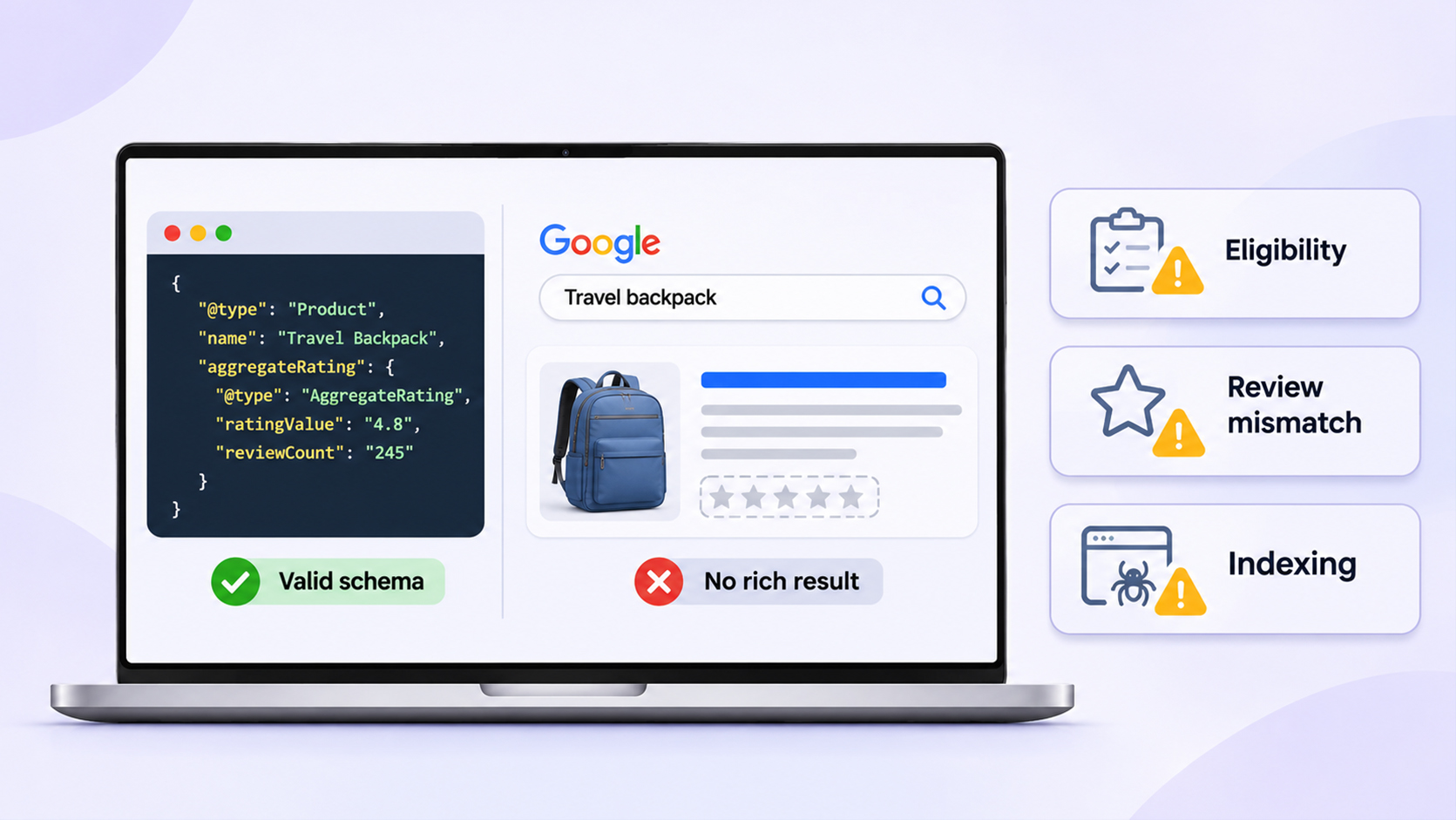
A successful Rich Results Test means the markup is eligible for the corresponding feature. It does not mean Google must display that feature in search results. Google explicitly says it does not guarantee that structured-data features will appear in Search.
Step 4: Validate Review Schema in Search Console
The Rich Results Test evaluates an individual URL or code sample. Search Console gives you a broader, post-deployment view.
Once Google has crawled and indexed pages containing your markup, check the relevant rich-result report.
Search Console can help you identify:
- Valid items
- Invalid items
- Affected URLs
- Changes in structured data coverage
- Recurring implementation problems
- Rich-result search performance
Google recommends using Search Console after deploying structured data, after major template changes, and periodically to monitor performance.
If you fix an issue, Search Console also provides a validation process that can trigger Google to recrawl affected pages.
Don’t confuse Search Console with real-time validation
Search Console is not a replacement for a review markup checker. Its reports depend on what Google has crawled and indexed. Google notes that Search Console reports may contain only a sample of pages, and pages that haven’t been indexed won’t appear in those reports.
So the workflow is better thought of as:
Build → Validate → Deploy → Crawl → Monitor
Not:
Build → Search Console → Done
What the Rich Results Test and Search Console Don’t Catch
This is the most important part of proper review schema validation. Both tools are valuable, but neither should be treated as a complete compliance audit.
1. They don’t guarantee that your reviews are legitimate
A technically perfect Review object doesn’t prove that the review is genuine. You could have valid JSON-LD containing:
"ratingValue": "5",
"reviewCount": "500"
That doesn’t establish that 500 genuine customer reviews actually exist.
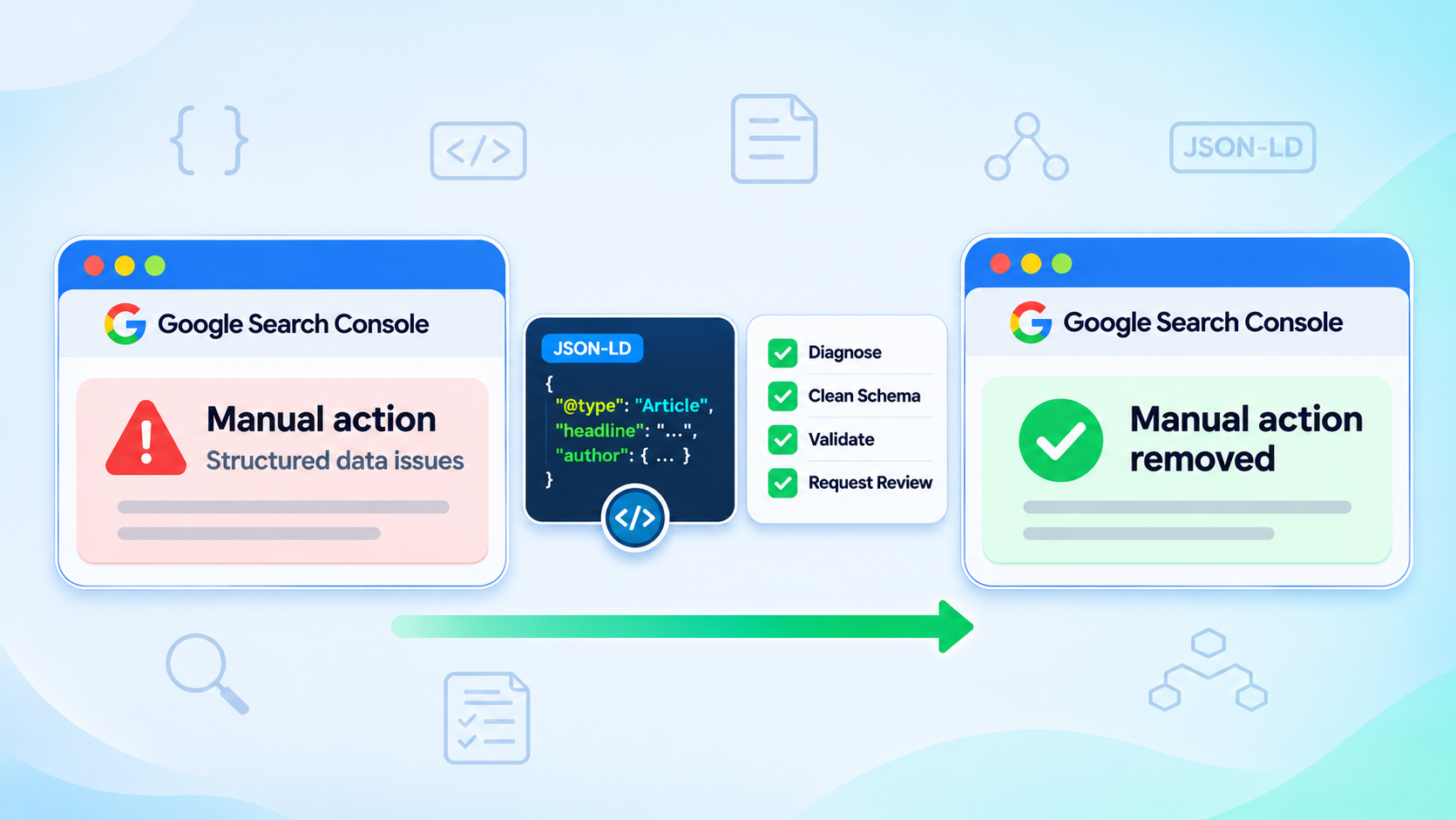
Structured data must accurately represent your content and follow Google’s guidelines. Violations can result in loss of eligibility or, in some cases, manual action.
2. They don’t fully verify visible-content consistency
A validator can parse:
"ratingValue": "4.8"But it cannot replace a human checking whether the page actually displays 4.8 stars. This is one of the most common practical review markup problems: the schema and the page drift apart.
Review apps update review counts. Products change. Ratings change. Templates change. Developers modify visible components without updating JSON-LD. Your schema can remain technically valid while becoming factually stale.
3. They don’t guarantee rich-result appearance
This is worth repeating because it causes so much confusion. Valid review schema does not guarantee review stars in Google. Google decides whether and how eligible structured data appears in Search. Eligibility is not a promise of display.
So if your page passes the Rich Results Test but your review stars are not showing, don’t immediately assume that your schema is broken. Check eligibility, content, guidelines, indexing, page quality, and whether Google has recrawled the updated page.
4. They may not reveal implementation conflicts clearly enough
A page can contain multiple schema sources. For example:
- Your theme generates Product schema.
- Your review app adds another Product.
- A schema plugin adds AggregateRating.
- Custom JSON-LD adds Review.
Each piece may look valid individually, while the overall graph becomes unnecessarily duplicated or inconsistent. This is why a broader review structured data checker and manual source inspection are useful during audits.
5. They don’t replace policy review
Google notes that some structured data problems are not syntax issues. Spammy markup or violations of structured data guidelines may not be identified by the Rich Results Test. That distinction is crucial:
Syntax error: the markup cannot be correctly processed.
Eligibility issue: Google doesn’t consider the markup eligible for a specific rich result.
Policy/content issue: the markup may technically work but doesn’t comply with Google’s guidelines.
These are three different problems and require different fixes.
A Practical Review Markup Validation Workflow
If you’re auditing review markup on an ecommerce or content site, use this sequence.
1. Inspect the page
Confirm that the reviews, rating, count, and reviewed entity are visible and accurate.
2. Run a schema check
Use a review schema validator or Schema.org-focused tool to inspect the complete structured-data graph.
3. Run Google’s Rich Results Test
Test the live URL and check Google-specific requirements and eligibility.
4. Inspect the source
Look for duplicate Product, Review, or AggregateRating entities, especially when plugins, themes, and review apps are involved.
5. Check Search Console
After indexing, monitor the relevant rich-result report for errors and affected URLs.
6. Recheck after major changes
Repeat your review schema testing whenever you change your theme, product template, review app, structured data implementation, or review system. This workflow is more reliable than relying on one green validation result.
Review Schema Validation: Quick Comparison
| Tool/check | What it catches | What it doesn’t guarantee |
|---|---|---|
| Schema.org Validator | Schema vocabulary and structural issues | Google rich-result eligibility |
| Review schema checker | Live-page markup and implementation issues | Guaranteed Google display |
| Rich Results Test | Google-supported rich-result eligibility | Actual appearance in Search |
| Search Console | Indexed-page issues and ongoing monitoring | Every page or every implementation problem |
| Manual page review | Content/schema mismatches and policy concerns | Automated site-wide monitoring |
The strongest review markup validation process uses these checks together rather than treating one as the definitive answer.
Common Review Schema Validation Mistakes
Testing only the JSON-LD snippet
A copied code block may be correct while the live page contains different or additional markup.
Better: Test the published URL whenever possible.
Assuming warnings mean the schema is invalid
Not every warning prevents eligibility. Google distinguishes between required properties and recommended properties.
Better: Understand what each warning means before changing the markup.
Assuming valid markup guarantees stars
It doesn’t.
Better: Treat validation as an eligibility check, then monitor actual search visibility.
Ignoring review data accuracy
A rating of 4.9 from 1,000 reviews in schema is not useful if the page visibly shows 4.6 from 850 reviews.
Better: Keep structured data synchronized with the source of truth.
Checking once and never again
Review data and website templates change constantly.
Better: Make review schema validation part of your ongoing technical SEO process.
Conclusion
Proper review schema validation is a layered process, not a single test. Use a review schema validator to inspect the markup itself, Google’s Rich Results Test to determine Google-specific eligibility, and Search Console to monitor what happens after crawling and indexing. Then perform the check that automated tools cannot replace: compare your structured data against the actual reviews, ratings, counts, and entities visible on the page.
Most importantly, remember the distinction between valid markup and guaranteed visibility. A clean validation result is the foundation for reviewing rich results but Google’s eligibility systems, content guidelines, crawling, indexing, and search presentation ultimately determine what users see.
FAQs
Q1: How do I validate the review schema?
Start by checking the live page with a review schema validator, then test the URL using Google’s Rich Results Test. After Google indexes the page, use Search Console to monitor the relevant rich-result report and any affected URLs.
Q2: Is the Rich Results Test enough to validate review markup?
No. The Rich Results Test is important for checking Google-specific rich-result eligibility, but it doesn’t replace broader Schema.org validation, manual content checks, or ongoing Search Console monitoring.
Q3: Why does my review schema pass but stars don’t appear?
Passing the Rich Results Test means your markup can be eligible for the supported rich result; it does not guarantee that Google will display it. Check your page content, structured-data guidelines, indexing status, and whether Google has recrawled the updated page.
Q4: What is the difference between Review and AggregateRating schema?
Review describes an individual review, while AggregateRating summarizes ratings from multiple reviewers. Both can be used within supported entities, depending on the page and Google’s requirements.
Q5: Can Search Console find all review schema errors?
No. Search Console reports issues Google has identified on crawled/indexed pages, and its reports may represent only a sample of pages. Unparseable structured data may also be reported separately.
Q6: How often should I test and review structured data?
Test it after implementation, major template or review-system changes, and whenever your rating or review data changes significantly. Continue monitoring Search Console after deployment rather than treating validation as a one-time task.





 Wix Schema
 Squarespace Schema
 BigCommerce Schema
 Shopify Schema
 Hubspot Schema
 Webflow Schema
 GoHighlevel Schema
 Duda Schema
 Weebly Schema
 ClickFunnel Schema