

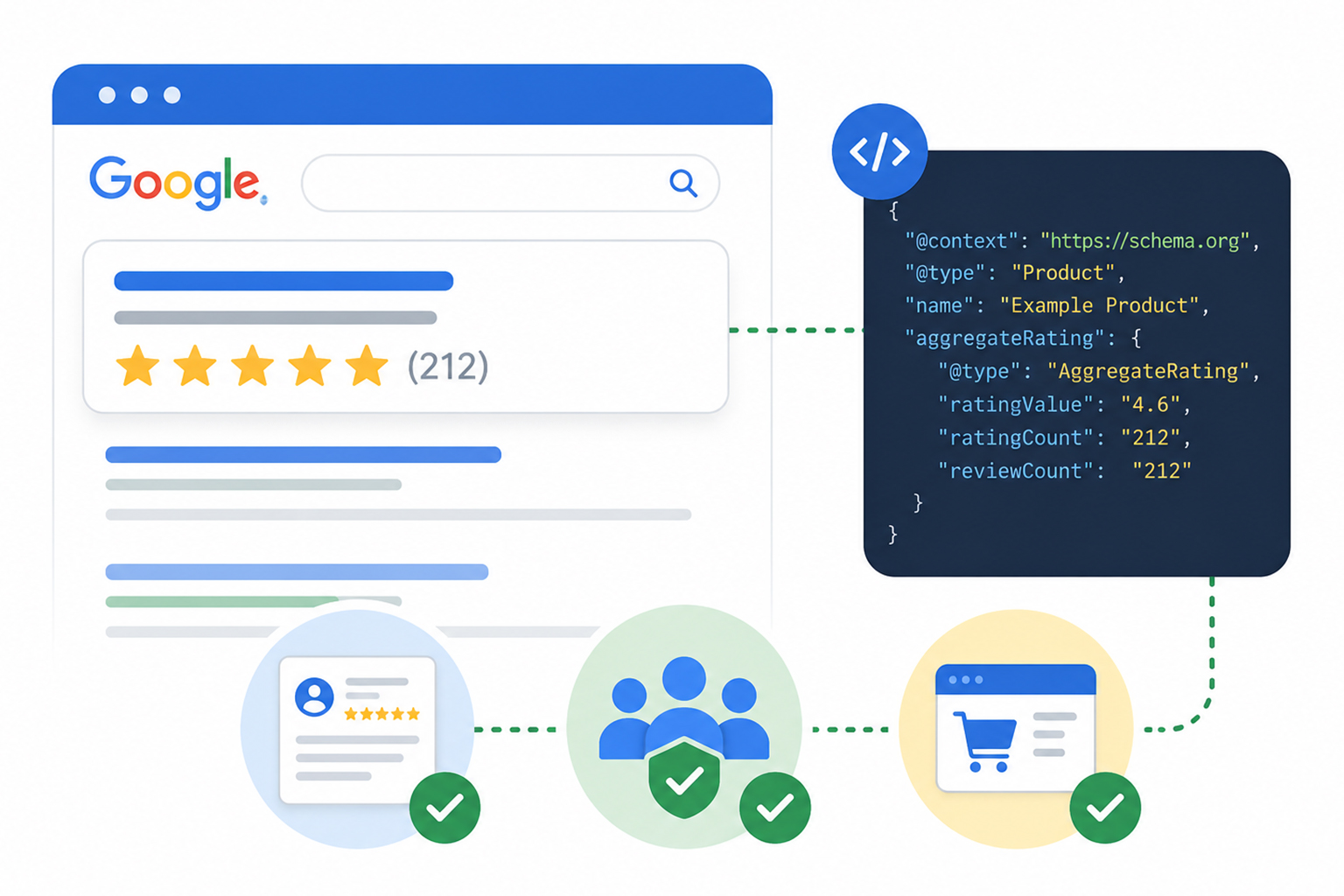
There’s a specific kind of frustration that comes from adding review schema markup, watching the Rich Results Test return a green checkmark, and then seeing your listing show up in Google looking exactly the same as it did before. No stars. No rating count. Nothing.
This happens constantly, and it’s rarely a code problem. In most cases, the markup is technically valid, but the page was never eligible for a review snippet in the first place, or the rating was sourced in a way Google specifically disallows.
The gap comes down to a misunderstanding of what review schema markup actually does. It doesn’t request star ratings. It describes review content that already exists on your page, and Google decides independently whether to render it as a rich result.
Here’s what that decision actually depends on, and where service businesses, SaaS companies, and ecommerce stores each run into different walls.
How Google Decides to Show Review Stars
Review schema markup can be implemented using JSON-LD, Microdata, or RDFa, although Google recommends JSON-LD for most websites. However, adding review schema alone doesn’t guarantee star ratings. A page only becomes eligible for a review snippet if it meets Google’s requirements, and Google ultimately decides whether to display it.
| Requirement | Common reason stars don’t appear |
|---|---|
| Eligible entity type (such as Product, SoftwareApplication, Recipe, Course, Event, Book, or Movie) | Service, category, and listing pages generally aren’t eligible |
| Visible review content | Reviews or ratings are marked up but not shown on the page |
| User-sourced ratings | Ratings are imported from platforms like Google Reviews, G2, or Trustpilot |
Important: Under Google’s self-serving reviews policy, Organization and LocalBusiness pages can’t earn review snippets for reviews about themselves, even when those reviews are displayed through third-party widgets.
What Is Review Schema Markup, and What Does It Actually Do?
Review schema markup is a block of JSON-LD (the JavaScript-based structured data format Google prefers) that sits in your page’s code and labels your review content in a machine-readable way. It doesn’t change what users see. It changes what search engines understand.
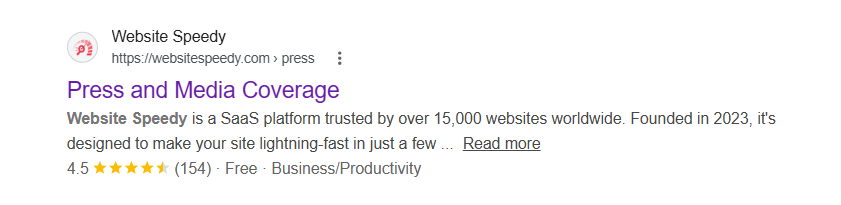
Rather than telling Google to show stars, review structured data simply describes the review content on the page. Google then compares that information with the visible content and decides whether the page is eligible for a review snippet.
When implemented correctly on eligible pages, review schema markup can make your search listing more visually appealing with rich snippets on Google, which can improve your click-through rate. However, valid markup alone doesn’t guarantee star ratings.
Review vs AggregateRating: Two Different Jobs
These two types get confused constantly, so it’s worth separating them clearly.
| Type | What it represents | Typical use |
|---|---|---|
| Review | One individual review from one person | A single customer testimonial with author and rating |
| AggregateRating | The average score across many reviews | The “4.6 out of 5, 212 reviews” summary that produces the star display |
In most cases, AggregateRating provides the overall rating Google uses when review rich snippets are shown, while Review adds detail and context about individual customer experiences. Google’s guidance is straightforward here: if you mark up multiple individual reviews on a page, include an aggregate rating alongside them.
Important Review Schema Properties
Review schema markup uses several properties to help search engines understand the rating, reviewer, and entity being reviewed. The most important ones include:
| Property | Purpose |
|---|---|
| ratingValue | The numerical rating score (for example, 4.8 out of 5) |
| ratingCount | Total number of ratings included in the aggregate score |
| reviewCount | Number of individual written reviews |
| author | Person or organization that submitted the review |
| reviewRating | Rating value assigned within an individual review |
| itemReviewed | The product, software, or entity receiving the review |
Not every property is required for every implementation, but using the correct fields helps Google understand the relationship between reviews, ratings, and the entity being evaluated.
How Does Google Actually Decide to Show Star Ratings?
This is the section most guides skip, and it’s the one that explains almost every failed implementation. Google sets out several conditions, and all of them have to hold simultaneously.
The entity being reviewed must be an eligible type.
Google supports review snippets for a defined list including Product, SoftwareApplication, Recipe, Course, Event, Book, Movie, Game, and a handful of media types. Notably, Service is not on that list, which is why so many service businesses hit a wall.
The review content must be visible on the page.
Google requires that marked-up review content be readily available to users. If your JSON-LD claims 212 reviews but the page shows none, that’s a mismatch Google treats as unsupported markup.
The ratings must come directly from users.
Google explicitly prohibits aggregating reviews or ratings pulled from other websites into your own markup. Your 4.8 Trustpilot score is Trustpilot’s data, displayed on Trustpilot’s pages. And the business can’t be reviewing itself. This is the rule that catches the most people.
The self-serving reviews rule, in plain terms
Since 2019, Google has held that when the entity being reviewed controls the reviews about itself, pages using LocalBusiness or any Organization structured data are ineligible for the star review feature. Google explained the reasoning in its announcement on making review rich results more helpful.
Critically, this includes embedded third-party widgets. Dropping a Google Business Reviews widget or a Facebook reviews widget onto your homepage and marking it up doesn’t create eligibility, it’s still the entity presenting reviews about itself.
Google Business Profile Stars vs Review Rich Snippets
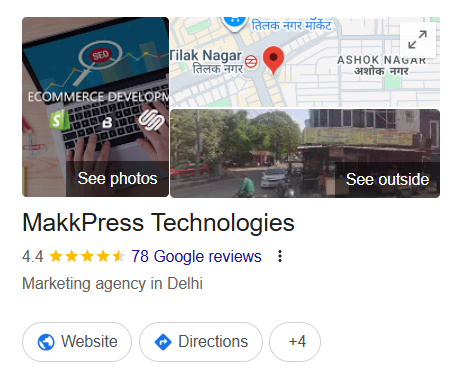
Many businesses confuse Google Business Profile ratings with review rich snippets generated through review schema markup. Although both display star ratings, they come from different systems and follow different rules.
| Feature | Google Business Profile Stars | Review Rich Snippets |
|---|---|---|
| Appears in | Local results and Google Maps | Organic search results |
| Data source | Google Business Profile reviews | Website review structured data |
| Controlled by | Google (based on eligible structured data) | |
| Requires schema? | No | Yes |
Google Business Profile stars are based on reviews collected directly through Google’s local ecosystem. Example of a Google Business profile stars:
Review rich snippets, on the other hand, depend on eligible structured data implemented on your website and whether Google chooses to display the result.
Which Pages Qualify, by Business Model
The eligibility rules land very differently depending on what you sell. Here’s the practical breakdown.
| Business type | Realistic path to stars | Main obstacle |
|---|---|---|
| Service business | Limited. Only if you sell a markup-eligible entity like a Course, Event, or physical Product | Service isn’t an eligible type; LocalBusiness self-reviews are blocked |
| SaaS company | Strong. SoftwareApplication is eligible and isn’t subject to the self-serving restriction | Ratings must be first-party, collected on your own site, not imported from G2 or Capterra |
| Ecommerce store | Strongest. Product pages are the clearest supported case | Company-level ratings can’t be reused as product-level ratings |
This is the part worth sitting with if you run a SaaS product. SoftwareApplication sits outside the Organization/LocalBusiness restriction, which means a genuine on-site review system for your product is a legitimate route to star ratings. The catch is that the reviews have to be yours, collected from your users, displayed on your page.
For service businesses, the honest answer is that stars usually aren’t available through review schema markup at all, and effort is better spent on your Google Business Profile and on other schema types that support rich results.
What Review Schema Markup Looks Like in JSON-LD
Here’s a simple example of Review schema markup written in JSON-LD, the structured data format Google recommends. This example describes a single customer review, including the reviewer, rating, and written feedback.
{
"@context": "https://schema.org",
"@type": "Review",
"author": {
"@type": "Person",
"name": "Sarah"
},
"reviewRating": {
"@type": "Rating",
"ratingValue": "5",
"bestRating": "5"
},
"reviewBody": "Excellent product quality and fast delivery."
}
This markup helps search engines understand who wrote the review, the score they gave, and the review content itself. When a page contains multiple customer reviews, Google recommends pairing individual Review markup with an AggregateRating that summarizes the overall rating.
The review markup must also match the visible content on the page. If the review text or rating isn’t shown to users, adding it only in structured data won’t make the page eligible for review rich snippets.
Why Star Ratings Don’t Show: The Mistakes That Block Rich Results
Most failures fall into a short list of recurring patterns.
Marking up content that isn’t on the page.
The single most common issue. Your structured data describes reviews the user can’t see. Validators don’t catch this, they check syntax, not visibility.
Rating a category instead of a specific item.
Google requires review information about a specific item, not a list or a category. Collection pages and “our services” pages don’t qualify.
Importing third-party scores.
Pulling a G2, Capterra, or Trustpilot average into your own markup violates the rule against aggregating ratings from other sites.
Site-wide aggregate ratings.
Injecting the same company-level rating into every page’s markup is one of the fastest ways to attract a structured data manual action.
Conflicting or duplicated markup.
A theme, a plugin, and a manual snippet all outputting review data creates ambiguity. Google has specifically clarified that site owners should avoid multiple ways of indicating what’s being reviewed.
Assuming valid means eligible.
The Rich Results Test confirms your syntax parses correctly. It cannot tell you whether your page violates the self-serving rule.
How to Validate Review Schema Markup
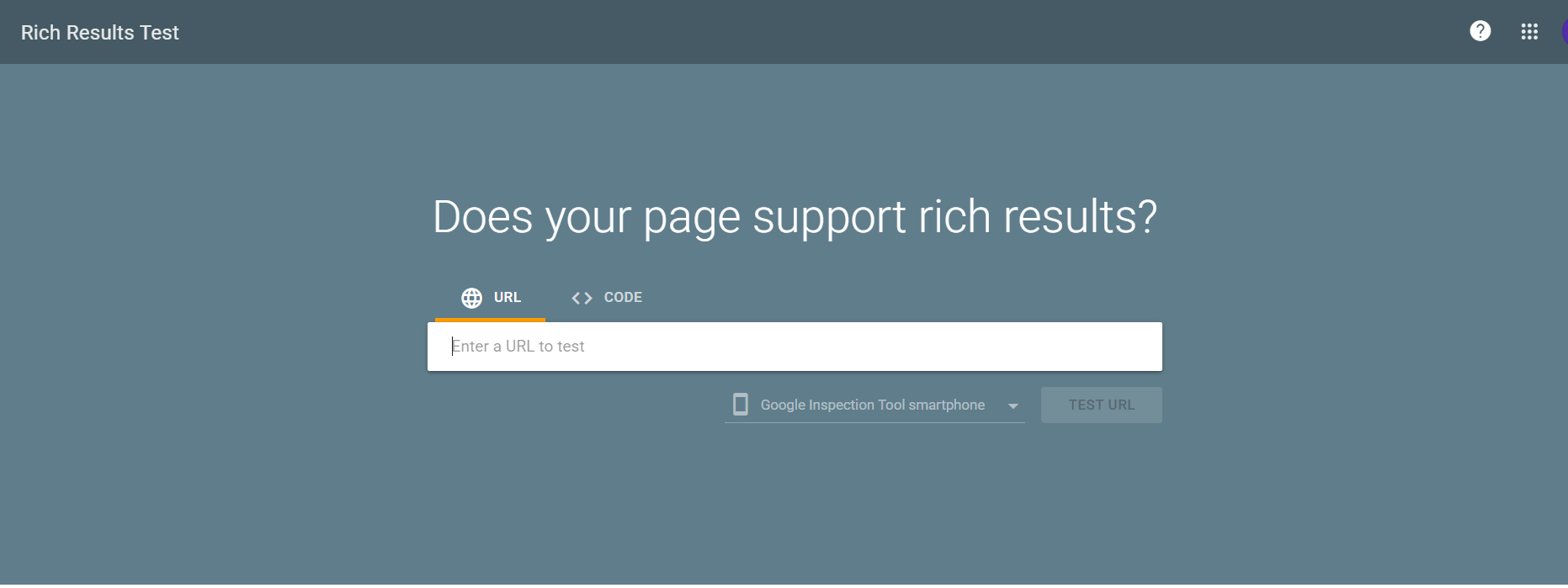
Run the page through the Rich Results Test, then check the Rich Result status reports in Search Console after Google has recrawled. The Search Console side is where policy-level problems surface, because that’s where a manual action would appear.
Across a larger site, the harder problem is drift, markup that was correct at launch and quietly broke after a template change. Keeping review structured data aligned with live on-page content is an ongoing maintenance job, and tools that detect and auto-fix schema errors exist mainly because manual auditing doesn’t scale past a few dozen pages.
Conclusion
Review schema markup isn’t a switch that turns stars on. It’s a description of review content that has to already exist, on a page type Google supports, sourced from people who aren’t you.
Once that clicks, troubleshooting gets simpler. Before writing a line of JSON-LD, ask three things: is this entity type eligible, is the review content visible on the page, and did the ratings come from real users on my own site? If any answer is no, fixing the underlying situation, not the markup, is the actual work.
Frequently Asked Questions
Q1: Can I add Google Reviews to my website’s schema markup?
No. Embedding Google Reviews on your website doesn’t make your page eligible for review snippets. Under Google’s self-serving reviews policy, Organization and LocalBusiness pages can’t earn star ratings from reviews about themselves.
Q2: Does review schema markup improve rankings?
No. Review schema isn’t a ranking factor. It makes pages eligible for review rich snippets, which can improve click-through rates when Google displays them.
Q3: How long does it take for star ratings to appear?
Usually a few days to a few weeks after Google recrawls the page. Even with valid markup, Google doesn’t guarantee review rich results.
Q4: Why did my star ratings disappear?
Common reasons include broken markup, hidden review content, policy changes, or a structured data manual action. Check the Manual Actions and Rich Results reports in Search Console first.
Q5: Can service businesses get star ratings in Google Search?
Generally, no. Service isn’t an eligible review snippet type, and self-reviews on LocalBusiness pages are blocked. Eligible entities like Products, Software, Courses, or Events can still qualify.
Q6: Is AggregateRating enough, or do I also need Review?
AggregateRating can be enough if it meets Google’s requirements. Individual Review markup isn’t required, but adding it provides more context and is recommended when multiple reviews are displayed.








 Wix Schema
 Squarespace Schema
 BigCommerce Schema
 Shopify Schema
 Hubspot Schema
 Webflow Schema
 GoHighlevel Schema
 Duda Schema
 Weebly Schema
 ClickFunnel Schema