


Squarespace automatically generates structured data for several common content types, helping Google understand and display information from your website. However, sites with more specific content, entity, service, product, or author requirements may benefit from carefully implemented custom JSON-LD.
The most effective Squarespace schema markup techniques go beyond adding isolated schema types. They focus on choosing the right schema for each page, connecting related entities, keeping IDs consistent, and ensuring structured data accurately represents the content users can see.
If your goal is to improve Squarespace SEO, search visibility, and eligibility for supported rich-result features, advanced schema implementation can provide useful machine-readable context for search engines.
Quick Squarespace Schema Markup Techniques for SEO
- Build consistent Organization and Person entities across your website.
- Use page-specific schema types such as Article, Service, Product, and BreadcrumbList where appropriate.
- Connect related entities using
@idand@graph. - Use accurate author markup to clarify content attribution.
- Enhance product structured data with relevant offers, availability, brand, and genuine review information where applicable.
- Use breadcrumb markup to clarify your site’s hierarchy.
- Keep structured data consistent with visible page content.
- Validate structured data before and after deployment.
Why Advanced Schema Matters for Squarespace SEO
Structured data helps search engines understand the content and entities represented on a page. Google supports JSON-LD, Microdata, and RDFa, and generally recommends JSON-LD because it is typically easier to implement and maintain at scale.
Schema markup itself is not a direct Google ranking factor. Its SEO value comes from providing clearer machine-readable information about page content and, where supported and correctly implemented, making pages eligible for enhanced search features.
When Custom Schema Markup Makes Sense on Squarespace
Squarespace automatically generates structured data for several common content types, including Blog Post, Event, Local Business, Organization, Product, and Website. This built-in markup can cover many standard Squarespace sites without requiring additional implementation.
Custom schema becomes useful when your website has more specific entities or relationships that need to be represented clearly. Examples include detailed service offerings, author profiles, organization relationships, product information, or other page-specific structured data.
Before adding custom markup, inspect the structured data already generated by Squarespace. The goal is not to duplicate existing markup, but to add accurate information that is genuinely useful and supported by the relevant structured-data guidelines.
7 Advanced Squarespace Schema Markup Techniques
The following Squarespace schema markup techniques can help improve how structured data describes your content and connects related entities. Some schema types also support specific Google Search features, but using a valid Schema.org type does not automatically make a page eligible for a rich result.
1. Use Consistent Entity IDs Across Your Squarespace Site
One of the most useful advanced Squarespace schema markup techniques is creating consistent identities for important entities across your website.
For example, you can give your organization a stable@id such as:
https://yourdomain.com/#organization
For example:
{
"@context": "https://schema.org",
"@type": "Organization",
"@id": "https://yourdomain.com/#organization",
"name": "Your Business Name",
"url": "https://yourdomain.com",
"logo": "https://yourdomain.com/logo.png",
"sameAs": [
"https://www.linkedin.com/company/your-company",
"https://www.facebook.com/your-company"
]
}
You can then reference that same entity from relevant articles, service pages, product pages, and other structured data instead of creating disconnected versions of the same organization.
Consistent entity IDs make relationships between your pages and entities more explicit and help avoid duplicate representations of the same organization.
2. Connect Related Entities With @graph
Instead of treating every schema object as an isolated block, use @graph to describe multiple related entities within the same JSON-LD document.
For example, an article page may contain:
- Article
- Person
- Organization
- BreadcrumbList
These entities can reference one another using stable @id values.
This creates explicit relationships between the article, its author, the organization publishing it, and its position within the site hierarchy.
Working together in a single graph.
{
"@context": "https://schema.org",
"@graph": [
{
"@type": "Article",
"@id": "https://yourdomain.com/example-page/#article",
"author": {
"@id": "https://yourdomain.com/#author"
},
"publisher": {
"@id": "https://yourdomain.com/#organization"
}
},
{
"@type": "Person",
"@id": "https://yourdomain.com/#author",
"name": "Jane Smith"
},
{
"@type": "Organization",
"@id": "https://yourdomain.com/#organization",
"name": "Your Business Name"
}
]
}
In this example, the Article does not create separate copies of the author and organization. Instead, it points to the existing entities using their @id values. This keeps the relationships between the entities clear and avoids treating the same organization or person as unrelated entities.
3. Implement Service Schema on Service Pages
Many Squarespace websites use generic webpage markup for services. A better approach is to use the Service schema.
| Page Type | Potential Schema Type |
|---|---|
| Homepage | Organization / appropriate subtype |
| Service Page | Service |
| Blog Post | Article / BlogPosting |
| Product Page | Product |
| About Page | Organization, Person, or ProfilePage where appropriate |
| Location Page | LocalBusiness or the most specific applicable subtype |
| Contact Page | Relevant Organization or LocalBusiness information, depending on the business |
ProfilePage should only be used when the page is primarily about a specific person or organization. For example, an author profile or an employee page can be appropriate uses, while a general About page should not automatically be marked as ProfilePage .
This gives search engines clearer information about what the page represents and the service being offered. For service-based businesses, it can also make the structured data more complete and consistent with the information shown on the page.
4. Use Author Schema to Clarify Content Attribution
Author structured data can help search engines understand who created an article and distinguish the author from other entities on the website.
For article content, use a Person or Organization entity when appropriate and connect the author to a relevant profile or author page. Make sure the structured data accurately reflects the author shown on the page.
{
"@type": "Person",
"name": "Jane Smith",
"jobTitle": "SEO Consultant",
"url": "https://yourdomain.com/about-jane",
"sameAs": [
"https://www.linkedin.com/in/janesmith"
]
}
You can then connect this author entity to relevant articles using its @id.
Author markup improves attribution and entity clarity; it should not be presented as a substitute for demonstrating expertise through the actual content, author credentials, experience, and editorial quality.
5. Use Breadcrumb Schema to Clarify Site Hierarchy
Breadcrumb structured data helps search engines understand where a page sits within your site’s hierarchy.
For example:
Home
└ Services
    └ Squarespace SEO
        └ Schema Markup
When implemented correctly, BreadcrumbList can provide Google with explicit information about the page’s position within the site’s hierarchy and may support breadcrumb search appearances.
Keep the breadcrumb names and URLs consistent with the visible navigation and page structure.
6. Optimize Squarespace Product Schema With Relevant Properties
If you sell products through Squarespace Commerce, review the product structured data to make sure it accurately represents the information available on the page.
Depending on the product and the applicable Google Search feature, relevant properties may include:
- name
- brand
- sku
- offers
- availability
- review
- aggregateRating
Google has separate requirements for product snippets and merchant listings. If customers can purchase products directly from your site, review the merchant listing requirements as well as the product snippet requirements before deciding which properties to include.
Do not add properties simply to make the markup appear more complete. Only include information that is accurate, applicable, and supported by the page content.
For example, review and rating markup should represent genuine customer feedback, while price and availability information should match the current product information shown to users.
Providing complete and accurate product data can help Google understand product information and may make eligible products capable of enhanced search appearances.
7. Use Structured Data to Connect Related Entities
Structured data is primarily designed to provide machine-readable information about the content and entities represented on a page. Clear entity relationships can also make your content easier for automated systems to interpret, although no particular AI search system is guaranteed to use every piece of structured data.
To improve entity clarity across your Squarespace site:
- Use consistent entity names.
- Maintain stable @id values.
- Connect related entities with references.
- Clearly define organizations, authors, services, and products.
- Keep structured data synchronized with visible page content.
- Use relevant breadcrumb information to describe site hierarchy.
The goal is not to create a separate “AI schema.” Instead, focus on accurate, consistent, well-connected structured data that clearly describes the content on your site.
Keep Structured Data Consistent With Visible Content
Advanced schema implementation is not about adding as many properties as possible. The markup should accurately describe information that users can find on the corresponding page.
Before publishing structured data, check that:
- The business or author represented in the markup is actually associated with the page.
- Product prices and availability match the visible product information.
- Reviews and ratings are genuine and displayed appropriately.
- Service descriptions reflect the actual service offered.
- Breadcrumb names and URLs match the site’s navigation.
- Dates, titles, URLs, and other important properties are current.
- You are not creating duplicate or conflicting entities for the same organization or person.
Google recommends providing fewer complete and accurate properties rather than adding large amounts of incomplete or inaccurate structured data.
Validate Every Schema Implementation
Even well-written, structured data can fail due to syntax errors or missing properties. Before publishing any schema:
- Validate the structured data with a Squarespace-compatible schema markup validator.
- Use Google’s Rich Results Test when the markup targets a supported Google Search feature.
- After deployment, use Google’s URL Inspection tool to check how Google sees the page.
- Check for duplicate, conflicting, or missing entities.
- Revalidate the markup after major template, content, product, or site-structure changes.
Google recommends using the Rich Results Test for supported Search features and checking deployed pages with URL Inspection. Validation should be part of the workflow before and after important schema or site changes.
Common Squarespace Schema Markup Mistakes to Avoid
Advanced schema implementations can create problems when markup is added without considering the existing structured data on the site. Avoid these common mistakes:
- Duplicating Squarespace-generated schema: Check what Squarespace already outputs before adding custom JSON-LD.
- Creating duplicate entities: Use consistent @id values when multiple pages refer to the same organization, person, or other entity.
- Marking up invisible information: Structured data should accurately represent content associated with the page.
- Using the wrong schema type: Choose a type that accurately describes the page and its content.
- Adding unsupported or irrelevant properties: More markup is not automatically better.
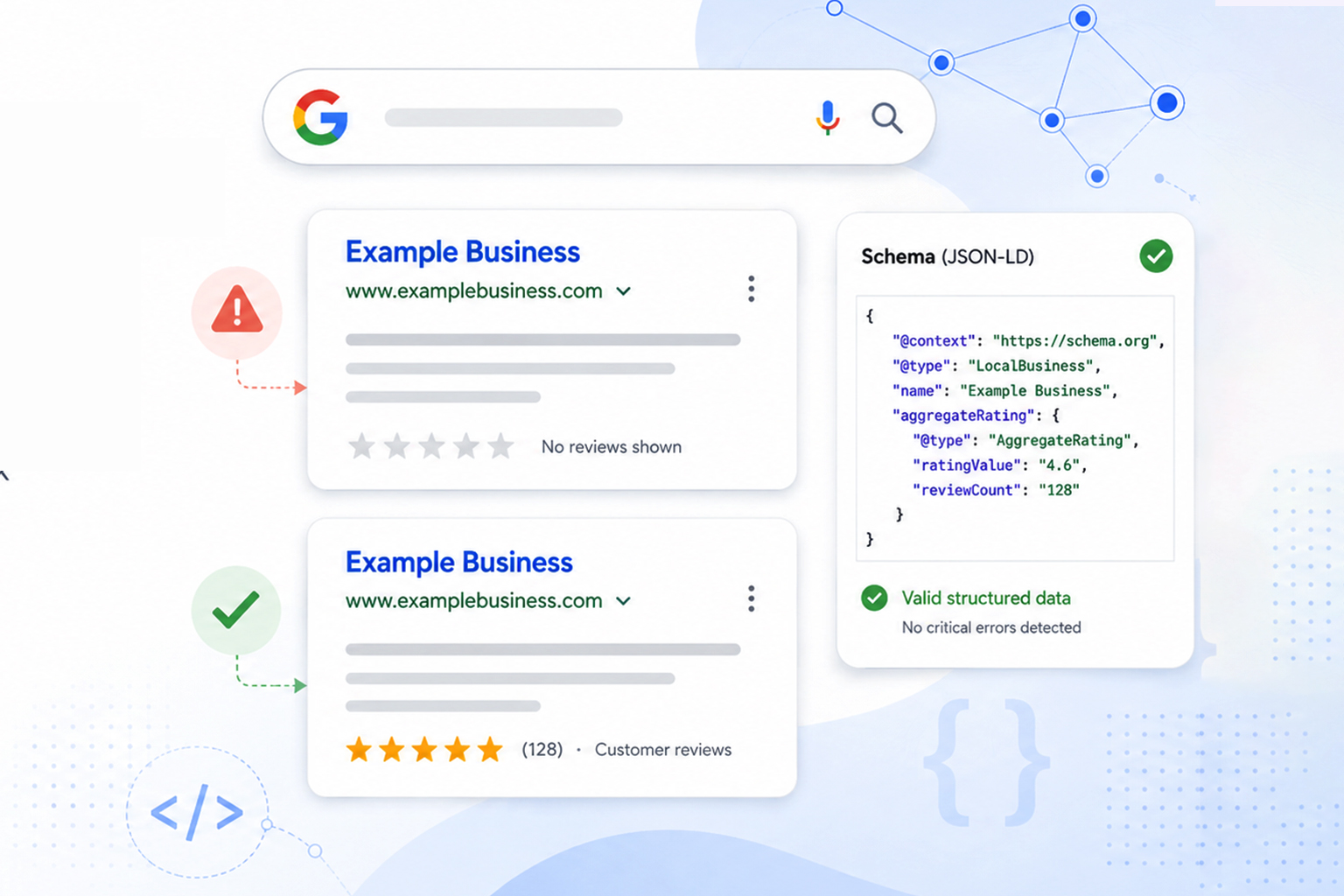
- Using fake reviews or ratings: Review and rating information must be genuine and accurately represented.
- Leaving product information outdated: Prices, availability, and other changing properties should remain synchronized with the page.
- Ignoring validation after site changes: Templates, content updates, or custom-code changes can affect structured data.
The goal of advanced schema is accuracy, consistency, and meaningful relationships, not simply adding more markup.
How to Create and Maintain Custom Squarespace Schema Markup
Manually writing JSON-LD can become time-consuming, especially when a site contains multiple page types and interconnected entities.
A reliable schema markup generator can help create structured data more efficiently. However, generated markup should always be reviewed against the actual page content and validated before deployment.
Pay particular attention to:
- Duplicate entities
- Missing required properties
- Incorrect schema types
- Invalid relationships or nesting
- Information that does not match the visible page
- Outdated product, author, organization, or service information
Use generators to speed up implementation, not to replace technical review and validation.
Conclusion
Advanced Squarespace schema markup techniques go beyond adding isolated JSON-LD snippets. A strong implementation uses the appropriate schema type for each page, connects related entities with consistent IDs, accurately represents authors, services, products, and organizations, and keeps structured data aligned with visible page content.
The most important principles are accuracy, consistency, and validation. Start by understanding the structured data Squarespace already generates, then add custom markup only where it provides useful and accurate information.
When implemented correctly, structured data can help search engines understand your content and may make eligible pages capable of enhanced search appearances. It is not a shortcut to higher rankings, but it is an important part of a technically sound Squarespace SEO strategy.
Frequently Asked Questions
Q1: What are the best Squarespace schema markup techniques?
The most effective techniques include entity optimization, nested JSON-LD structures, Service schema, Product schema enhancements, author entities, breadcrumb markup, and consistent schema validation.
Q2: Does Squarespace automatically add schema markup?
Yes. Squarespace adds certain structured data types automatically, but advanced implementations often require custom JSON-LD additions.
Q3: What is the best format for schema markup on Squarespace?
JSON-LD is generally the preferred format for Squarespace implementations because it is typically easier to implement and maintain. Google also supports Microdata and RDFa when they are valid and correctly implemented.
Q4: Can schema markup improve rankings?
No. Schema markup is not a direct Google ranking factor. Its primary SEO value is helping search engines understand page content and making eligible pages capable of enhanced search appearances. Any improvement in visibility or traffic is indirect and is not guaranteed.
Q5: Which schema markup validator should I use?
Google Rich Results Test and the Schema Markup Validator are among the most widely used validation tools.
Q6: What is a Squarespace schema generator?
A Squarespace schema generator creates JSON-LD code that can be added to Squarespace pages without manually writing structured data.
Q7: How often should schema markup be audited?
Review your schema whenever you update products, services, business information, authors, URLs, or website structure. For sites that change frequently, include structured data checks in regular technical SEO audits.
Q8: Do rich snippets guarantee higher rankings?
No. Rich snippets improve visibility and click-through potential, but they do not guarantee higher rankings.









 Wix Schema
 Squarespace Schema
 BigCommerce Schema
 Shopify Schema
 Hubspot Schema
 Webflow Schema
 GoHighlevel Schema
 Duda Schema
 Weebly Schema