

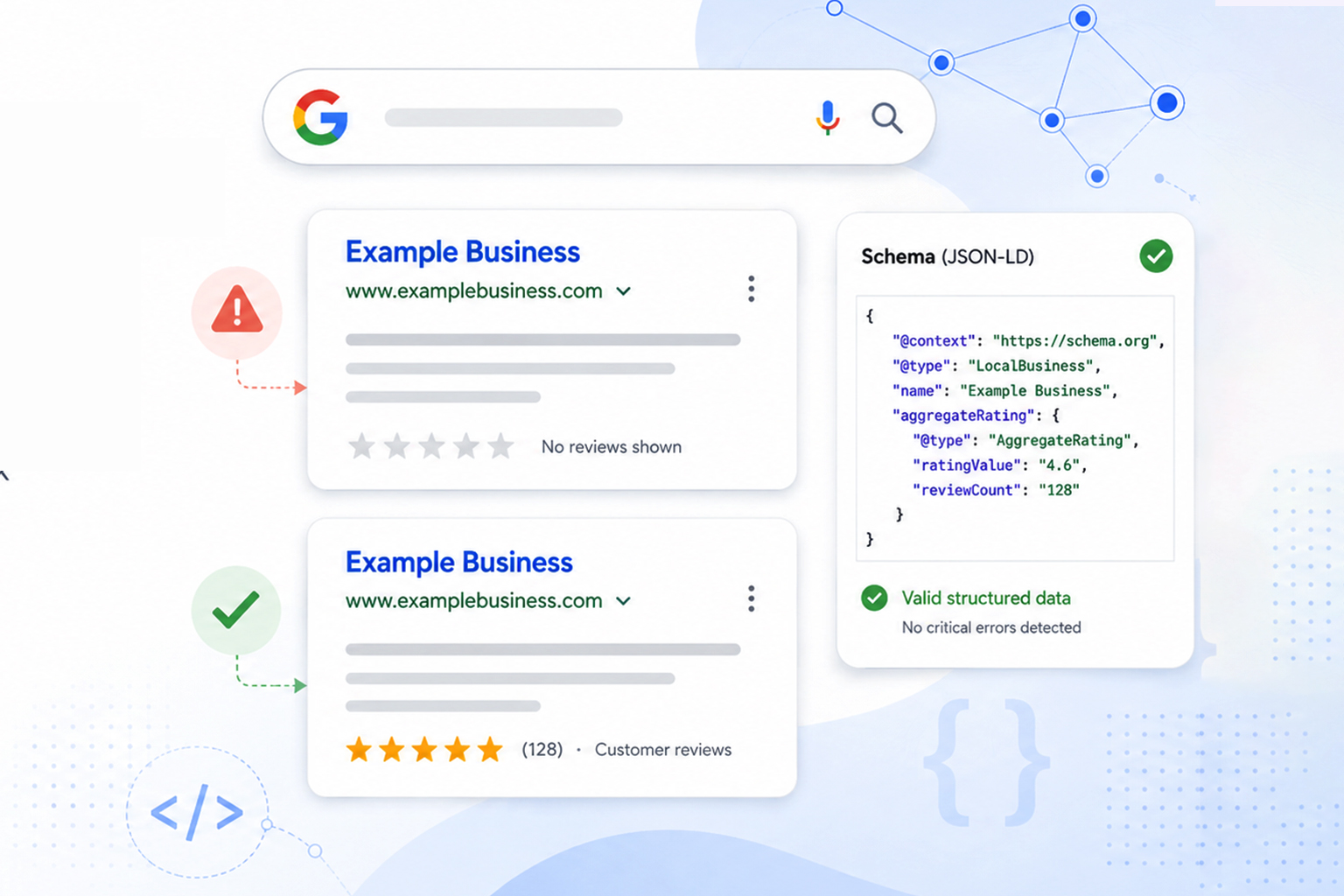
You’ve collected genuine customer reviews, added review schema markup to your pages, and validated everything. Yet your competitors have star ratings under their organic listings, while your result is still a plain blue link.
This is one of the most common frustrations we see from service businesses, SaaS companies, and eCommerce store owners alike. The good news is that there are several things you can check when Google review stars aren’t showing. In this article, we’ll walk through each cause in order of likelihood, and what actually works to fix it.
Quick Answer: Why Are Star Ratings Not Showing in Google Search Results?
Here’s a quick breakdown of every reason star ratings fail to appear in Google search results, and whether each one can be fixed.
| Likely Cause | Who It Affects Most | Fixable? |
|---|---|---|
| Self-serving reviews policy (LocalBusiness/Organization schema) | Service businesses, SaaS | No, by design |
| Ineligible schema type or wrong page | All | Yes |
| Structured data errors or missing required fields | All | Yes |
| Markup doesn’t match visible on-page reviews | eCommerce, SaaS | Yes |
| Manual action in Search Console | All | Yes |
| Google’s discretion (valid markup, no stars) | All | Partially |
What Are Google Review Stars?
Google review stars are the yellow star ratings that appear directly under a page title in organic search results, usually alongside a rating value and a review count, like “★★★★★ 4.7 · 212 reviews.” In Google’s own terminology, this feature is called a review snippet, and it’s one of several rich results a page can earn.
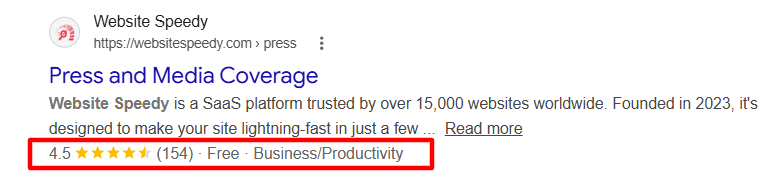
Here’s the key idea: the stars shown with an organic website result are different from the review information displayed through Google Business Profile and other local Search features. For organic review snippets, Google evaluates the review or aggregate-rating structured data associated with the page, along with its eligibility guidelines.
Why do they matter so much? Because stars make your listing stand out visually and act as instant social proof, which is why pages with review rich results consistently attract more clicks than plain listings, even when they rank in the same position. That’s also why it stings when your Google review stars are not showing while a competitor’s are.
6 Reasons Your Google Review Stars Are Not Showing (With Fixes)
In most cases, missing star ratings come down to one of the six causes below, listed in order of how often we see them. Work through each one, apply the fix, and you’ll either find your exact issue or confirm your pages are fully eligible.
Reason 1: Google’s Self-Serving Reviews Policy
If you run a service business or SaaS company and mark up your own homepage with your own customer testimonials, this is almost certainly your answer.
In September 2019, Google stopped displaying review rich results for LocalBusiness and Organization schema types (and all their subtypes) when the entity being reviewed controls the reviews about itself. Google calls these “self-serving” reviews, a review about your business placed on your own website.
Here’s what surprises most site owners: this applies even to legitimate reviews. It doesn’t matter if your testimonials are 100% real, or if they’re pulled in through an embedded third-party widget showing your Google or Facebook reviews. If the reviewed entity controls the page, the stars won’t show. No error appears in your reports, and you won’t receive a penalty, the review snippet simply never renders.
What this means in practice: a plumber, agency, or SaaS company marking up its own homepage with aggregateRating under Organization schema will never get star ratings in organic search results for that markup. This is a policy decision, not a technical bug, so no amount of “fixing” the code changes it.
What actually works instead: The self-serving reviews policy does not apply to Product schema. If you sell products, physical or digital, you can collect reviews on your own product pages, mark them up with Product schema and aggregateRating, and remain fully eligible for review rich results. SaaS companies can often structure offerings this way too. Our guide to e-commerce schema markup covers how to set this up correctly.
Reason 2: Your Page or Schema Type Isn’t Eligible
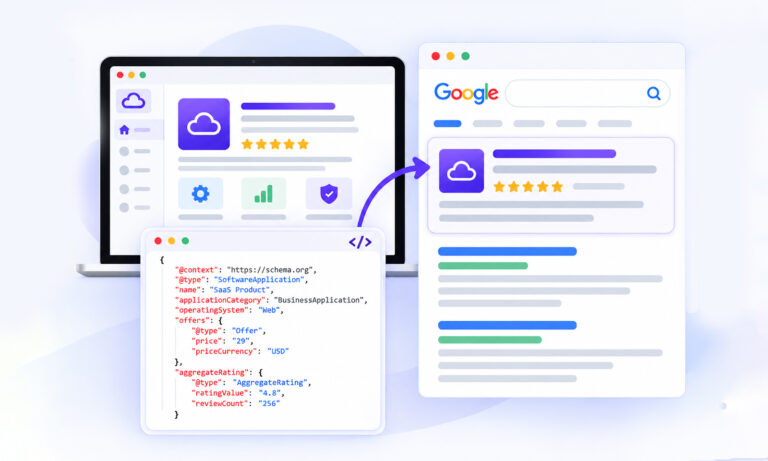
Review snippets are only supported for certain schema types and page situations. Google currently lists types such as Product, Recipe, Book, Course, Event, Movie, SoftwareApplication, and eligible LocalBusiness and Organization review pages. The important part is that the schema type must accurately describe the item being reviewed and meet Google’s review-snippet guidelines.
A common issue is placing review schema markup on a page that doesn’t represent the item being reviewed. For example, adding a product’s aggregateRating to a homepage or a category page with multiple products doesn’t clearly identify which item the rating belongs to.
What actually works: Match the schema type to what the page is genuinely about. Use Product schema with aggregateRating on individual product pages, SoftwareApplication for SaaS tools, and Course, Book, or Recipe where those apply, and keep review markup off homepages, category pages, and any page that isn’t specifically about the reviewed item.
If you’re unsure which types qualify, start with implementing the schema markup correctly before layering on review data. Then confirm your chosen type appears on Google’s list of eligible review snippet types, and validate the page in the Rich Results Test to confirm it qualifies for the review rich result.
Reason 3: Structured Data Errors in Your Markup
When your schema type and page are eligible, but review stars are still not showing on Google, the next place to check is the schema markup itself. Structured data errors are the most fixable cause on this list.
The usual suspects:
- Missing required fields. An aggregateRating needs ratingValue and either ratingCount or reviewCount. A Review needs an author and an itemReviewed. Leave these out and the markup is invalid.
- Malformed JSON-LD. A single missing comma or unescaped quote breaks the entire block silently.
- Duplicate or conflicting markup. Many sites end up with two schema sources, one from their platform’s default output and one from a plugin, each declaring different rating values. Google typically responds by trusting neither.
- Wrong nesting. The rating must be attached to the item being reviewed, not floating at the page level.
What to do: Run your page through Google’s Rich Results Test. It shows exactly which review rich results your page qualifies for and flags every error and warning. Then check Search Console’s “Review snippets” enhancement report for site-wide issues. In most cases, invalid markup comes down to one or two missing properties, the fix takes minutes once you can see it.
This is also where automated schema markup earns its keep. Hand-written JSON-LD tends to drift out of date as pages change; an automated approach that generates and validates schema continuously removes the maintenance problem entirely.
Reason 4: Your Markup Doesn’t Match What’s on the Page
Google cross-checks your structured data against your visible content. If your schema declares 4.8 stars from 212 reviews but visitors see no reviews anywhere on the page, that’s a guideline violation, and a fast track to losing eligibility.
The same applies to stale data. If your markup says 212 reviews but the page now displays 340, that mismatch (sometimes called schema drift) undermines trust in your data.
One more threshold worth knowing is that pages with very few reviews rarely trigger stars. There’s no official minimum, but in practice, pages with a healthy review count are far more likely to qualify than a page with one or two ratings.
What actually works: audit every page carrying review markup and confirm three things line up on the same URL: real reviews from your own users, visible to visitors, and markup values that match the on-page numbers exactly. If your review count updates dynamically, your schema needs to update with it. This is exactly the drift problem automated schema markup solves, and continuous schema monitoring helps catch mismatches before they cost you your rich results.
Reason 5: A Manual Action Removed Your Stars
If your Google review stars disappeared after previously showing, check Search Console under Security & Manual Actions → Manual actions. Google issues structured data manual actions for markup that violates its quality guidelines, fake reviews, marked-up content invisible to users, or misleading rating data. A manual action can strip rich results from your entire domain, not just one page.
What actually works: Open the Manual Actions report and read the specific violation Google cites, then fix it at the root, remove any imported third-party ratings, delete markup for reviews that aren’t visible on the page, and correct any misleading rating data across the whole site, not just the flagged URLs.
Once everything is clean, validate the affected pages with the Rich Results Test and submit a reconsideration request directly from Search Console.
Be honest and specific in your request about what was wrong and what you changed, straightforward reconsideration requests tend to be processed faster, and eligibility is typically restored once Google confirms the fix.
Reason 6: Valid Review Schema Doesn’t Guarantee Stars
Even with flawless, eligible, policy-compliant markup, Google states plainly that rich results are never guaranteed. Google applies its own discretion based on overall page quality, site trust and history, and whether showing a star rating genuinely helps searchers for that specific query.
Newer domains with limited authority also tend to wait longer before review rich results appear, even when their structured data is technically perfect.
What this means is that two sites can run identical review schema markup and see different outcomes, one gets stars within weeks, the other doesn’t. That’s not an error you can find in a report; it’s Google’s algorithm deciding, query by query, whether the rich result adds value.
What actually works: You can’t force Google’s hand, but you can remove every reason it has to withhold stars. Keep your review schema clean, complete, and validated across all eligible pages; build genuine review volume so your rating data looks substantial; and keep your markup perfectly in sync with visible content.
Then be patient, sites with consistent, site-wide implementations see rich results appear far more reliably than sites with patchy ones. And once stars appear for one page, additional pages with the same setup tend to qualify faster.
Conclusion
When star ratings are not showing in Google search results, work through the causes in order: confirm your schema type is eligible under the self-serving reviews policy, validate your markup with the Rich Results Test, make sure your structured data matches the reviews visible on the page, and rule out manual actions.
Stars are a byproduct of clean, consistent, policy-compliant structured data, get those fundamentals right, and you’ve done everything within your control to earn them.
FAQs
Q1: Why are my Google review stars not showing even though my schema is valid?
Most often, it’s the self-serving reviews policy, valid LocalBusiness or Organization markup for your own business won’t trigger stars by design. If your schema type is eligible, the remaining causes are content mismatch, low review counts, or Google’s discretion.
Q2: Do Google Business Profile reviews show stars in organic search results?
No. Google Business Profile reviews display stars in Google Maps and the local pack only. Stars under your organic website listing come exclusively from valid review schema markup on the page itself, the two systems are separate.
Q3: How do I check why my review snippet is not showing?
Run the page through the Rich Results Test, then check Search Console’s Review snippets report and Manual Actions report. Between the three, you’ll see whether the issue is invalid markup, an ineligibility, or a penalty.
Q4: Can I use reviews from Google or Yelp in my schema markup?
No. Google’s guidelines require that ratings come from your own users, collected directly by your site. Importing third-party review scores into your markup violates the review snippet guidelines and can trigger a manual action.
Q6: How many reviews do I need for star ratings to show?
Google doesn’t publish a minimum, but pages with only one or two reviews rarely qualify. Aim for at least five genuine reviews on the page before expecting stars.
Q7: How long do star ratings take to appear after fixing schema?
After Google recrawls the page, it typically takes days to a few weeks. You can speed this up by requesting indexing in Search Console once your markup validates cleanly.









 Wix Schema
 Squarespace Schema
 BigCommerce Schema
 Shopify Schema
 Hubspot Schema
 Webflow Schema
 GoHighlevel Schema
 Duda Schema
 Weebly Schema