

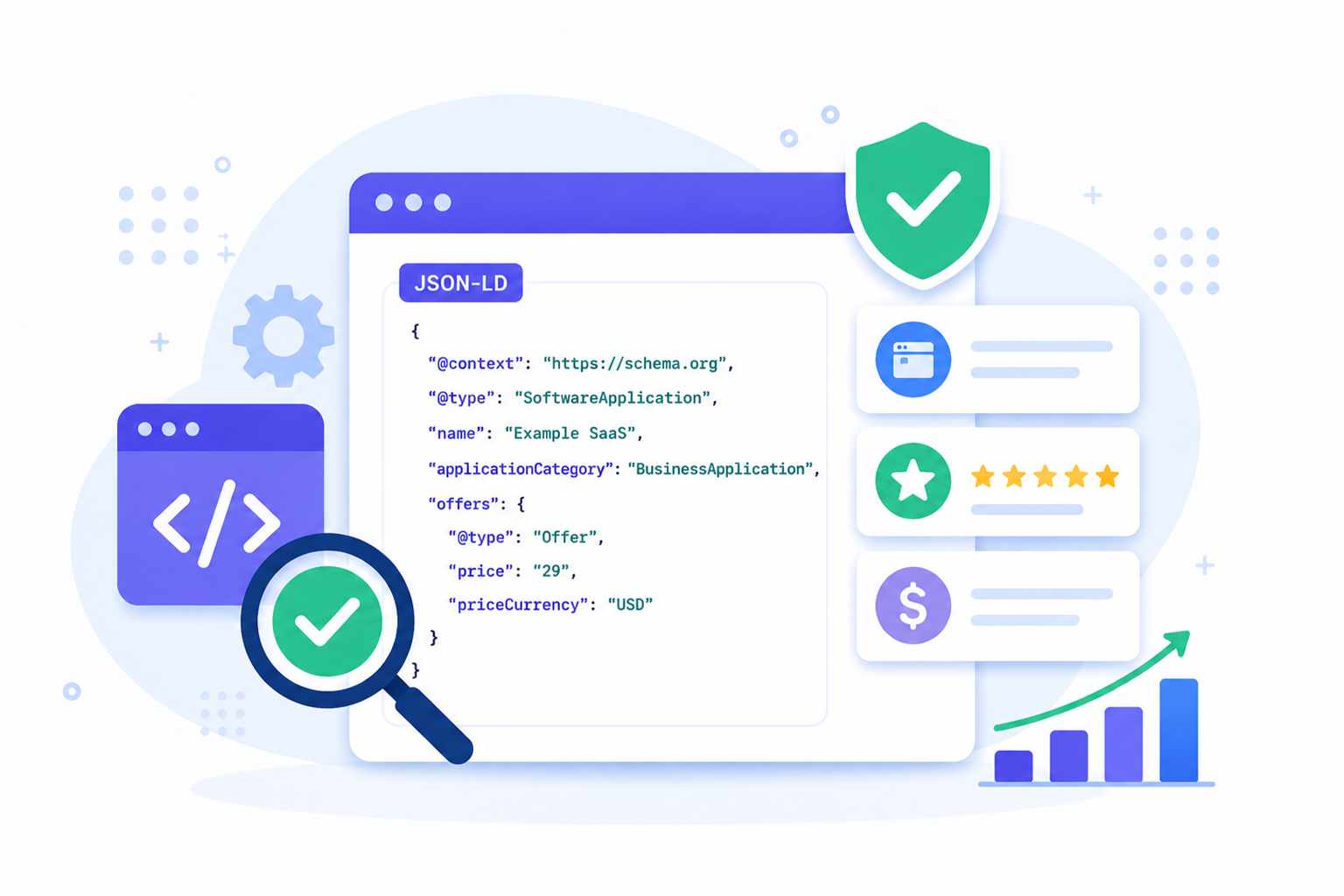
A SaaS website can have perfectly written copy and still miss out on search visibility if its structured data is not implemented and validated correctly. Schema markup is what helps search engines connect the dots, and it can also influence rich results eligibility when everything is set up properly.
Many SaaS companies generate JSON-LD using plugins, CMS integrations, or schema generators, but never verify whether the final structured data is actually valid after deployment. In reality, even a missing property, an invalid value, or conflicting structured data can prevent Google from understanding your product properly.
That’s why it’s important to check SaaS schema markup before and after publishing changes.
In this guide, you’ll learn how to use a SaaS schema markup checker, validate SaaS schema markup, identify common errors, and ensure your structured data is ready for search engines.
Quick Checklist for SaaS Schema Markup
- Open the page source or inspect the page to find the SaaS schema markup, usually in JSON-LD format.
- Check that the JSON is valid and free from syntax errors such as missing commas, broken quotes, or unclosed brackets.
- Confirm the schema type matches the page content, such as SoftwareApplication for a SaaS product page.
- Make sure required properties like name, description, applicationCategory, and offers are included where relevant.
- Compare the structured data with the visible page content to ensure they match.
- Run the page through a schema markup validator to catch Schema.org issues.
- Use Google’s Rich Results Test to check whether the page is eligible for rich snippets.
- Review warnings and errors carefully, then fix any missing or incorrect fields.
- Re-test the markup after every update to pricing, features, templates, or page structure.
- Repeat validation regularly so your SaaS structured data stays accurate and search-engine friendly.
What Is SaaS Schema Markup?
SaaS schema markup is structured data added to your website using Schema.org vocabulary, typically in JSON-LD format. It helps search engines better interpret your software product by adding context that may not be obvious from the page copy alone. In practice, understanding SaaS schema markup means knowing how to describe key details such as:
- Product name
- Description
- Pricing
- Brand
- Reviews
- Ratings
- Features
- Organization details
- FAQs
- Software category
Instead of relying solely on page content, search engines use structured data to better understand what your SaaS platform offers and how it should appear in search results.
Properly implemented SaaS schema markup may also improve eligibility for SaaS rich snippets, making your listings more informative and potentially more visible in search.
Why You Should Check SaaS Schema Markup
Publishing structured data without validation is like launching code without testing it. Even a small formatting mistake can stop search engines from processing your markup. Checking SaaS structured data helps you:
- Detect invalid JSON syntax
- Verify required Schema.org properties
- Identify unsupported schema types
- Find duplicate or conflicting markup
- Confirm eligibility for Google rich results
- Improve search engine understanding
Most importantly, validation ensures your structured data reflects the actual content users see on the page, something Google strongly recommends.
How to Check SaaS Schema Markup
Follow these practical steps to check SaaS schema markup, validate its accuracy, fix common errors, and improve your chances of qualifying for rich results.
Step 1: View Your JSON-LD
Open the page containing your SaaS product.
Use:
- Browser View Source
- Developer Tools
- Your CMS
- Tag Manager
- Server-rendered templates
Locate the JSON-LD script.
Example:
<script type="application/ld+json">
{
"@context":"https://schema.org",
"@type":"SoftwareApplication",
"name":"Example SaaS",
"applicationCategory":"BusinessApplication"
}
</script>
Now you’re ready to validate it.
Step 2: Check JSON Syntax
Before checking Schema.org properties, ensure your JSON is valid.
Common syntax mistakes include:
- Missing commas
- Extra commas
- Broken quotation marks
- Unclosed braces
- Invalid nesting
Even if your schema looks correct visually, invalid JSON prevents search engines from reading it. This step is called SaaS JSON-LD validation. A reliable SaaS schema markup checker can quickly detect JSON syntax issues before they affect how search engines process your structured data.
Step 3: Validate the Schema Type
Next, verify you’re using the correct Schema.org type. Most SaaS companies should use:
| SaaS Content | Recommended Schema |
|---|---|
| Software product | SoftwareApplication |
| Company | Organization |
| FAQs | FAQPage |
| Reviews | Review |
| Ratings | AggregateRating |
| Navigation | BreadcrumbList |
| Articles | Article |
Using the wrong schema type is one of the most common SaaS schema markup errors. If your page promotes software subscriptions, SoftwareApplication is usually the best foundation.
Step 4: Verify Required Properties
Validation tools verify whether all required properties are present and highlight recommended properties that can improve the completeness of your structured data. Examples include:
- name
- description
- operatingSystem
- applicationCategory
- offers
- aggregateRating (if applicable)
Missing required properties won’t always generate errors, but they often reduce your eligibility for rich results.
Step 5: Test Rich Result Eligibility
Google supports only certain structured data types for enhanced search features. After syntax validation, run your page through Google’s Rich Results Test to determine whether your page qualifies.
A page can have a perfectly valid schema but still be ineligible for rich snippets if Google doesn’t support that schema type for enhanced search features.
Always distinguish between:
- Valid Schema.org markup
- Rich result eligibility
They’re not the same thing.
Best Tools to Validate SaaS Schema Markup
If you’re looking for a dedicated SaaS schema markup checker , choose a tool that validates both Schema.org compliance and Google rich result eligibility. Using multiple validation tools helps uncover different types of structured data issues.
Several reliable tools can help validate your structured data.
| Tool | Best For |
|---|---|
| Google Rich Results Test | Rich result eligibility |
| Schema Markup Validator | Schema.org validation |
| Browser Developer Tools | Inspect embedded JSON-LD |
| Google Search Console | Site-wide monitoring |
Using more than one schema markup validator provides a more complete picture of your implementation.
Common SaaS Schema Markup Errors
During SaaS schema validation, you’ll frequently encounter similar issues. Most of them are easy to miss during implementation, but can significantly affect how search engines interpret your structured data.
Missing Required Properties
Required fields are incomplete or absent. For example, a SoftwareApplication schema may be missing key details such as name, description, or applicationCategory, which can reduce its usefulness to search engines.
Invalid JSON
A formatting mistake prevents parsing. This can happen because of a missing comma, an extra quotation mark, or an unclosed bracket, and even a small syntax issue can make the entire markup unreadable.
Wrong Schema Type
Using a schema type that doesn’t accurately describe the page, such as choosing Product when SoftwareApplication is more appropriate, or vice versa. Choosing the wrong type can confuse search engines and weaken the relevance of your structured data.
Duplicate Structured Data
Multiple plugins inject conflicting markup. This often happens when a CMS, SEO plugin, and custom script all output schema on the same page, creating duplication or inconsistent values.
Mismatched Content
The schema claims information not visible on the page. Google expects structured data to accurately represent what users can see, so any mismatch between the markup and page content can lead to validation issues or ignored markup.
Outdated Information
Pricing, ratings, URLs, or software versions no longer match the website. Even if the schema is technically valid, outdated data can make it unreliable and reduce trust in your structured data.
Regular validation helps prevent these issues from accumulating and makes it easier to keep your SaaS schema markup accurate, consistent, and search-engine friendly.
Best Schema Types for SaaS Websites
Although SoftwareApplication is the primary schema, most SaaS websites benefit from combining multiple structured data types.
| Page | Recommended Schema |
|---|---|
| Homepage | Organization |
| Product Page | SoftwareApplication |
| Pricing | Offer |
| Blog | Article |
| FAQ | FAQPage |
| Reviews | Review |
| Rating | AggregateRating |
| Navigation | BreadcrumbList |
Some SaaS websites may also benefit from WebSite, SearchAction, or WebPage schema, depending on their site structure and functionality. Using the best schema types for SaaS creates stronger semantic connections across your website.
When Should You Validate SaaS Schema Markup?
Validation isn’t a one-time task. You should test SaaS schema markup whenever you:
- Publish a new product page
- Update pricing
- Add new features
- Modify templates
- Change CMS plugins
- Redesign the website
- Migrate platforms
Regular validation helps catch problems before search engines do. Many SEO professionals include structured data checks in every technical SEO audit.
Best Practices for SaaS Structured Data Validation
To maintain accurate, structured data over time:
- Use a SaaS schema markup checker before publishing new product or pricing pages to catch validation errors early.
- Keep JSON-LD synchronized with visible page content.
- Avoid generating duplicate schemas from multiple plugins.
- Validate every page template before deployment.
- Recheck structured data after website updates.
- Use Google’s Rich Results Test alongside a Schema.org validator.
- Monitor structured data reports in Google Search Console.
Treat schema validation as part of your normal publishing workflow rather than an afterthought.
Conclusion
Implementing structured data is only valuable when it works as intended. Taking the time to check SaaS schema markup with a trusted SaaS schema markup checker ensures your JSON-LD is accurate, complete, and understandable to search engines.
By performing regular SaaS schema validation, fixing common errors, and testing eligibility for rich results, you can maintain high-quality structured data that supports your overall SEO strategy. Make validation part of every website update, and your SaaS site will be better positioned for accurate indexing, enhanced search visibility, and long-term technical SEO success.
Frequently Asked Questions
Q1: How do I check SaaS schema markup?
You can check SaaS schema markup by validating your JSON-LD with Google’s Rich Results Test, Schema Markup Validator, or a dedicated SaaS schema markup checker. These tools identify syntax issues, missing properties, and rich result eligibility.
Q2: What is SaaS schema validation?
SaaS schema validation is the process of verifying that your structured data follows Schema.org standards, uses valid JSON-LD, and includes the required properties for search engines.
Q3: Can valid schema still fail to get rich results?
Yes. Valid Schema.org markup does not guarantee rich results. Google only supports specific schema types and applies additional quality guidelines before displaying rich snippets.
Q4: How often should I validate SaaS structured data?
It’s best to validate after any significant website update, including pricing changes, new features, redesigns, or CMS migrations.
Q5: What is the best schema type for SaaS websites?
For product pages, SoftwareApplication is generally the most appropriate schema type. Many SaaS websites also benefit from Organization, FAQPage, Offer, Review, and BreadcrumbList schema.
Q6 What are the most common SaaS schema markup errors?
Common issues include invalid JSON syntax, missing required properties, duplicate schema, incorrect schema types, and structured data that doesn’t match visible page content.






 Wix Schema
 Squarespace Schema
 BigCommerce Schema
 Shopify Schema
 Hubspot Schema
 Webflow Schema
 GoHighlevel Schema
 Duda Schema
 Weebly Schema
 ClickFunnel Schema