

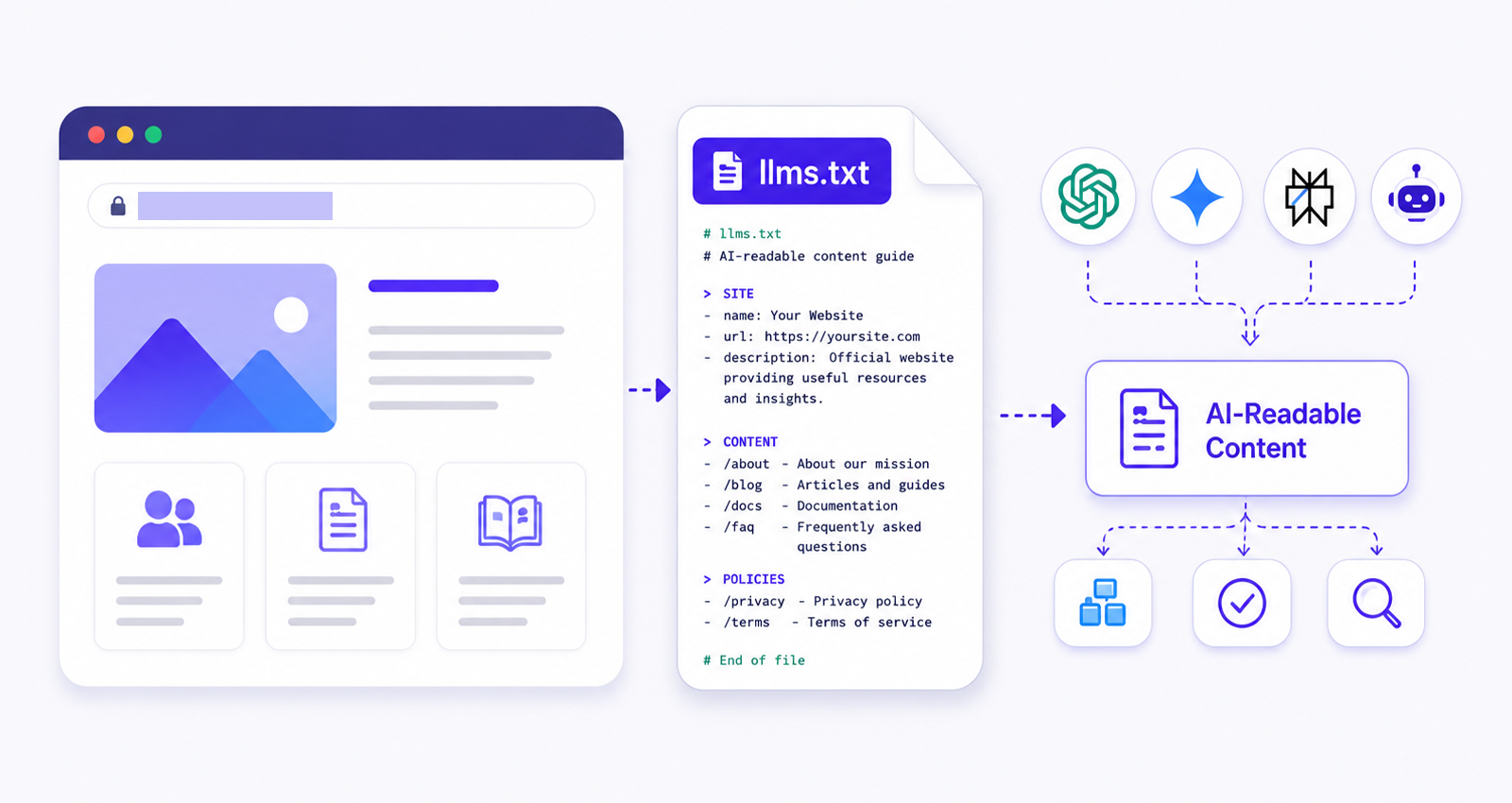
Artificial intelligence is changing how people discover information online. Instead of browsing multiple search results, users increasingly rely on AI assistants, AI search engines, and conversational tools to find answers.
This shift has created a new challenge for website owners: how do you help AI systems understand your website accurately?
One emerging solution is the LLMs.txt file. Although still considered an evolving standard, many businesses, SaaS companies, documentation sites, and publishers have started implementing an LLMs.txt file as part of their broader AI search optimization strategy. The goal is simple: provide AI systems with a structured overview of your website’s most important content.
A Quick Guide to Creating an LLMs.txt File
- Create a plain text file named llms.txt using Markdown formatting.
- Add a brief description explaining what your website does and who it serves.
- List your most important pages, such as product pages, documentation, support resources, and key content.
- Organize links into clear sections to create an AI-readable website structure.
- Save the file in your website’s root directory so it is accessible at yourdomain.com/llms.txt.
- Review and update the file regularly to reflect major content, product, or website changes.
What Is an LLMs.txt File?
An LLMs.txt file is a Markdown document hosted at the root of a website, typically located at:
https://example.com/llms.txt
Its purpose is to provide a concise, machine-readable overview of a website’s content, structure, and most important resources. The concept was introduced by Jeremy Howard through the llms.txt proposal as a way to help Large Language Models navigate websites more efficiently.
Think of it as a curated guide written specifically for AI systems. Instead of forcing an AI model to interpret hundreds or thousands of pages, the website owner can provide a structured roadmap highlighting:
- Core product pages
- Documentation
- Knowledge base articles
- Support resources
- Pricing information
- Important blog content
This can help AI systems identify the most important resources on your website and better understand how your content is organized.
What Is the Correct LLMs.txt Format?
There is no single mandatory format for an LLMs.txt file, but most implementations follow a simple Markdown structure. The goal is to clearly describe your website and organize important resources into logical sections.
# Website Name
> Brief description of your website

## Products
- Product A: Short description
- Product B: Short description

## Documentation
- Getting Started Guide
- API Documentation

## Resources
- Blog
- Tutorials

## Support
- Help Center
- Contact Page
Keeping the structure simple and descriptive makes the file easier for both humans and AI systems to understand.
Step-by-Step Guide to Creating an LLMs.txt File
Creating an LLMs.txt file is a straightforward process. Whether you build it manually or use an LLMs.txt generator, the goal is the same: organize your website’s most important content into a clear, structured format that AI systems can easily understand. Follow the steps below to create and implement an LLMs.txt file for your website.
| Manual Creation | LLMs.txt Generator |
|---|---|
| More control over content | Faster setup process |
| Best for small websites | Better for large websites |
| Requires manual formatting | Automatically structures content |
| Time-intensive for large sites | Scales more efficiently |
Step 1: Identify Your Most Important Pages
Start by listing the pages that best represent your website.
For example:
- Homepage
- Product pages
- Documentation
- Knowledge base
- Pricing
- Support center
- Key blog content
Avoid listing every URL on your site. The goal is to create a concise guide, not a sitemap.
Step 2: Add a Website Description
At the top of the file, explain what your website does.
Example:
JSON Schema App
> JSON Schema App helps businesses generate, validate, and manage structured data for SEO, rich results, and AI search optimization.
This summary helps AI systems understand your website’s purpose immediately.
Step 3: Organize Content Into Sections
Group related resources together.
Example:
Products
– Schema Markup Validator
– Rich Snippet Testing Tools
Resources
– Schema Guides
– SEO Documentation
– AI Search Optimization Tutorials
Logical organization improves readability for both humans and AI systems.
Step 4: Add Descriptive Links
Provide context for each page. Instead of:
– https://example.com/schema-generator
Use:
– Schema Markup Generator: Create JSON-LD schema markup for websites and ecommerce stores. Descriptions help AI systems understand page intent faster.
Step 5: Upload the File
Once your content is organized, save the document as llms.txt and upload it to your website’s root directory.
Alternatively, you can use an LLMs.txt generator to automatically create the file and ensure the formatting follows current best practices before publishing it.
The file should be accessible at: https://yourdomain.com/llms.txt
Where Should You Place an LLMs.txt File?
After creating your LLMs.txt file, upload it to the root directory of your website so it can be accessed directly from your domain.
The recommended location is:
https://yourdomain.com/llms.txt
Avoid placing the file inside subfolders unless you have a specific reason to do so. Most implementations publish the file at the root level because it is the simplest location for both users and AI systems to discover.
After uploading the file, open the URL in your browser to confirm it is publicly accessible.
LLMs.txt Example
The example below shows how a typical SaaS company might structure its LLMs.txt file. The exact sections can vary depending on your website, products, and content.
JSON Schema App
> Schema markup software that helps websites improve search visibility and AI understanding.
Products
– Schema Markup Generator: Create JSON-LD schema automatically.
– Schema Markup Validator: Validate structured data implementation.
Resources
– Beginner Schema Guide
– FAQ Schema Documentation
– Product Schema Tutorials
Support
– Help Center
– Contact Support
Important Pages
– Pricing
– Features
– Blog
This follows a clean and readable LLMs.txt format that can easily be expanded as the website grows.
Why Are Website Owners Creating LLMs.txt Files?
Website owners are creating LLMs.txt files to provide AI systems with a clearer understanding of their most important content and resources. As AI-powered search continues to evolve, many see it as a way to make websites easier for language models to navigate and interpret.
While traditional SEO focuses on search engine crawlers, AI optimization focuses on helping language models retrieve and understand information accurately. An LLMs.txt file can contribute to:
- Better content discoverability
- Clearer website structure
- Improved AI-readable navigation
- Easier access to documentation
- Reduced ambiguity for AI systems
However, it’s important to set realistic expectations. Publishing an LLMs.txt file does not automatically increase rankings, citations, or traffic. Traditional SEO, schema markup, authoritative content, and strong information architecture remain the primary drivers of AI visibility.
Which Websites Should Use an LLMs.txt File?
An LLMs.txt file is most useful for websites with a large amount of content or resources that AI systems need to navigate efficiently, including:
- SaaS websites
- Documentation portals
- Knowledge bases
- Developer tools and API documentation
- Large content and publishing websites
- Ecommerce websites with extensive guides or resources
For smaller websites with only a few pages, the impact may be limited. However, it can still help create a more AI-readable website structure as AI-driven search continues to evolve.
LLMs.txt vs Robots.txt
One of the most common misconceptions is that LLMs.txt replaces robots.txt. It does not. Both files serve different purposes.
| Feature | robots.txt | llms.txt |
|---|---|---|
| Purpose | Controls crawler access | Provides AI-friendly content guidance |
| Audience | Search engine crawlers | AI systems and LLMs |
| Required | Common SEO practice | Optional emerging standard |
| Blocks content | Yes | No |
| Lists important pages | Limited | Yes |
| Direct ranking impact | Indirect | Not currently confirmed |
The LLMs.txt vs robots.txt discussion often leads to confusion because both files live at the root level of a website. However, robots.txt controls access, while LLMs.txt provides context. Ideally, websites should use both.
LLMs.txt Best Practices for AI Search Optimization
If you’re implementing an LLMs.txt file, following a few best practices can make it more useful for AI systems and easier to maintain over time.
Keep It Focused
Use Plain Language
Update It Regularly
Prioritize High-Value Content
Maintain Consistency
Avoid listing every page on your website. Instead, highlight the resources that provide the most value, such as product pages, documentation, support content, and key guides.
Write clear, descriptive summaries and avoid marketing-heavy language. Simple explanations help AI systems understand the purpose of each resource more accurately.
Your LLMs.txt file should reflect your current website. Review and update it whenever you publish major content, launch new features, or reorganize important sections.
Documentation, tutorials, knowledge-base articles, and other evergreen resources are often the most useful pages to include because they provide clear and detailed information.
Make sure the information in your LLMs.txt file matches the content on your website. Consistent descriptions and links help prevent confusion and improve overall clarity.
Following these best practices can help you create a clearer and more useful LLMs.txt file. However, it is important to remember that the file is only one small part of a broader AI visibility strategy.
LLMs.txt Is Not Enough for AI Visibility
One mistake many website owners make is assuming that publishing an LLMs.txt file alone will improve AI citations. The reality is more complex. If your goal is a stronger website AI visibility, focus on:
Schema Markup
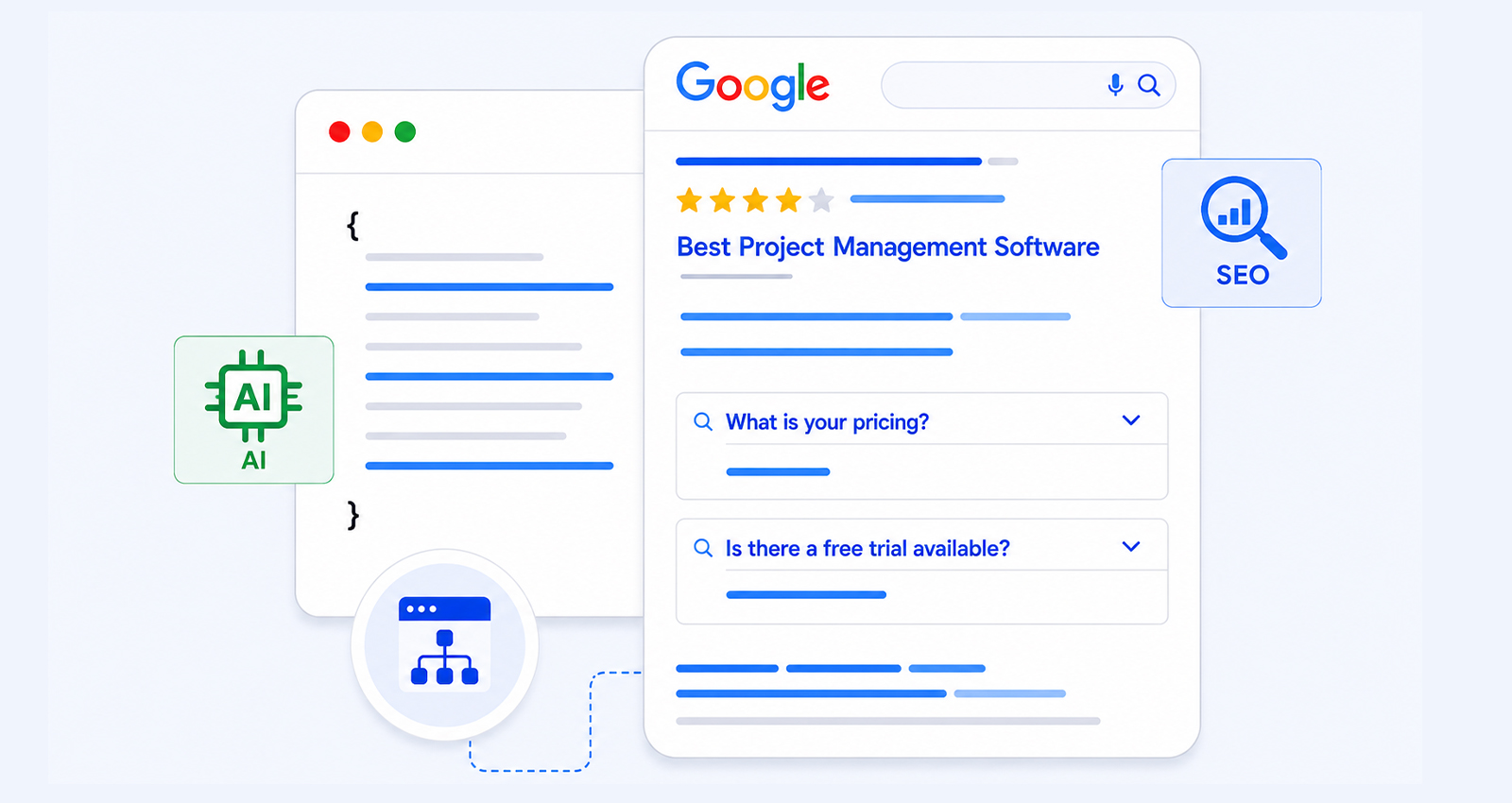
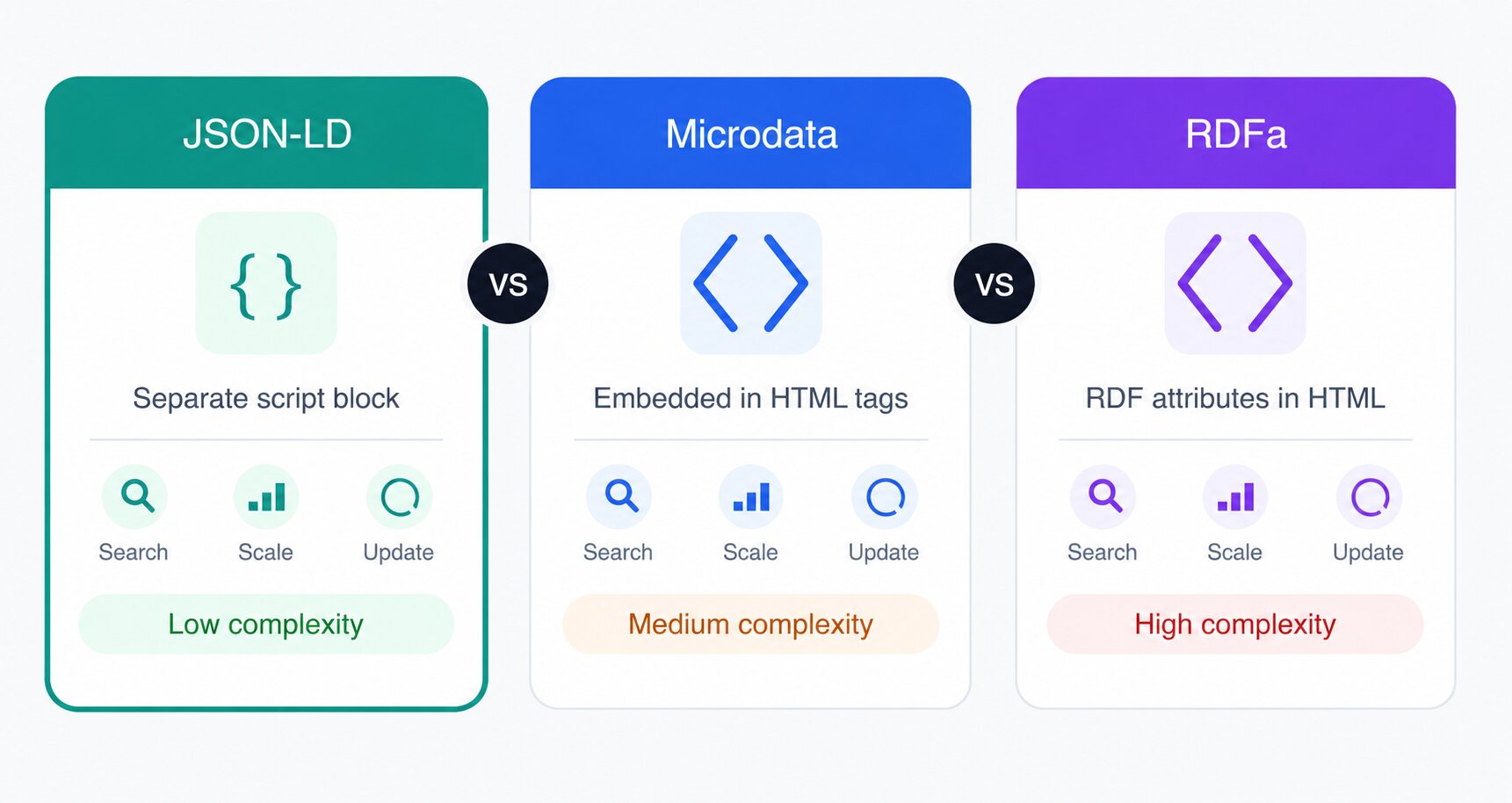
Structured data helps search engines and AI systems understand the meaning and context of your content more accurately. By implementing schema markup , you can provide clear signals about your products, services, articles, FAQs, and other website content, making it easier for machines to interpret and surface relevant information.
Strong Information Architecture
AI systems perform better when websites have:
- Clear navigation
- Logical hierarchy
- Descriptive headings
- Topic clusters
- Internal linking
An AI-readable website structure often matters more than a single text file.
High-Quality Content
AI systems increasingly reward content that demonstrates:
- Experience
- Expertise
- Authority
- Trustworthiness
Publishing comprehensive, well-researched content remains essential for AI search optimization.
Does LLMs.txt Improve AI Search Visibility?
The short answer is: possibly, but there is currently no public evidence showing that major AI platforms use LLMs.txt as a direct ranking, indexing, or citation signal.
That does not mean it is useless. An LLMs.txt file is inexpensive to implement, easy to maintain, and may help AI systems that choose to support the standard.
Most SEO professionals currently view it as a complementary AI crawler optimization tactic rather than a primary ranking factor.
As of 2026, major platforms such as ChatGPT, Google AI Overviews, Gemini, Claude, and Perplexity have not publicly confirmed that LLMs.txt influences rankings, citations, or content selection. For that reason, it is best viewed as an emerging best practice rather than a proven AI visibility signal.
Common LLMs.txt Mistakes to Avoid
Creating an LLMs.txt file is relatively simple, but a few common mistakes can reduce its usefulness for AI systems. Avoiding these issues helps ensure your file remains clear, accurate, and easy to understand.
Treating It Like a Sitemap
An LLMs.txt file is not meant to include every page on your website. Instead, focus on the most important resources, such as key product pages, documentation, support content, and high-value guides. Overloading the file with URLs can make it less useful.
Stuffing Keywords
The purpose of an LLMs.txt file is to provide context, not optimize for rankings. Filling descriptions with repetitive keywords can make the file harder to read and may reduce clarity for AI systems.
Using Generic Descriptions
Listing pages without explaining their purpose provides little value. Each resource should include a brief description that clearly explains what users and AI systems can expect to find on that page.
Forgetting to Update the File
As your website evolves, your LLMs.txt file should evolve with it. Regularly review and update the file when you add new products, documentation, resources, or major site sections to keep it accurate.
Relying on LLMs.txt Alone
An LLMs.txt file should complement, not replace, other AI visibility efforts. Clear site structure, high-quality content, internal linking, and schema markup often provide stronger signals that help search engines and AI systems understand your website.
Conclusion
The LLMs.txt file is a simple way to help AI systems better understand your website’s most important content. While it can support AI search optimization and website AI visibility, it works best alongside strong fundamentals such as high-quality content, schema markup, clear site structure, and technical SEO.
As AI-driven discovery continues to evolve, implementing an LLMs.txt file can be a useful addition to your strategy, helping create a more AI-readable website without replacing the core practices that drive long-term visibility.
Frequently Asked Questions
Q1: What is an LLMs.txt file?
An LLMs.txt file is a Markdown document placed at a website’s root directory that provides AI systems with a structured overview of important content, resources, and website sections.
Q2: How is LLMs.txt different from robots.txt?
Robots.txt controls crawler access, while LLMs.txt provides context and content guidance for AI systems. They serve different purposes and can coexist on the same website.
Q3: Does ChatGPT use LLMs.txt?
OpenAI has not publicly confirmed that ChatGPT uses LLMs.txt as a ranking, indexing, or citation signal. As of 2026, adoption remains experimental and platform-specific.
Q4: Does Google AI Overview read LLMs.txt?
Google has not officially stated that AI Overviews use LLMs.txt. Current guidance suggests Google AI Overviews primarily rely on Google’s indexed content, structured data, and traditional SEO signals.
Q5: Where should I place an LLMs.txt file?
The file should be uploaded to the root directory of your website and be accessible at: https://yourdomain.com/llms.txt
Q6: Can LLMs.txt improve AI search visibility?
Potentially, but there is no public confirmation that major AI platforms use it as a ranking factor. It should be viewed as part of a broader AI search optimization strategy.
Q7: Do I need an LLMs.txt file for SEO?
No. An LLMs.txt file is not currently required for SEO, and search engines do not treat it as a confirmed ranking factor. However, some website owners choose to implement it as part of a broader AI search optimization strategy because it provides a structured overview of important website content.







 Wix Schema
 Squarespace Schema
 BigCommerce Schema
 Shopify Schema
 Hubspot Schema
 Webflow Schema
 GoHighlevel Schema
 Duda Schema
 Weebly Schema