

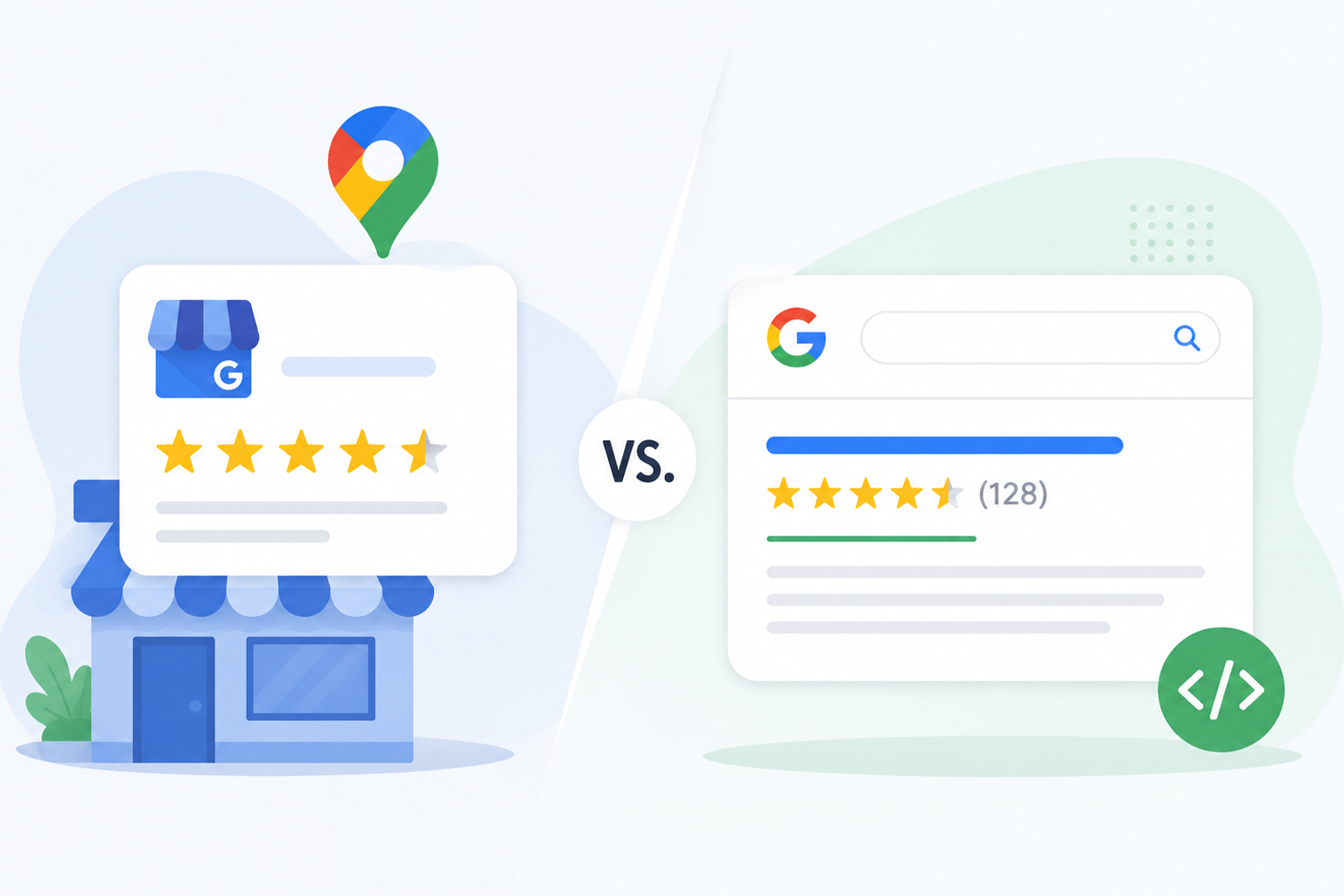
TL;DR: Google Business Profile stars appear in Maps, the local pack, and knowledge panels, and are powered by reviews left directly on your profile. Review rich snippets are star ratings in organic search results, powered by review snippet schema on your pages. They are two separate systems, and each has its own eligibility rules.
A common issue we hear from business owners sounds like this: “We have a 4.8 Google Business Profile star rating, so why don’t stars show under our website in search results?” The confusion is understandable, both look like the same gold stars. But they come from two completely different systems, and mixing them up leads to wasted effort, missing stars, and in some cases, policy violations.
In this article, we’ll break down how each system works, why your Google review stars may not be showing, and what it actually takes to earn star ratings in Google search results the right way.
Quick Answer: GBP Stars vs. Review Rich Snippets at a Glance
| Difference Basis | Google Business Profile Stars | Review Rich Snippets |
|---|---|---|
| Where they appear | Google Search and Maps, including local search surfaces | Google Search rich results and, in some cases, Knowledge Panels |
| Powered by | Reviews and ratings published on your Google Business Profile | Review or rating structured data on eligible pages |
| Controlled by | Google, automatically | You, through structured data |
| Eligible for | Businesses that can have reviews on a Google Business Profile | Specific supported types and pages that meet Google’s review snippet guidelines |
| Self-reviews allowed? | N/A, reviews come from customers | No, self-serving reviews are ineligible for LocalBusiness and Organization pages |
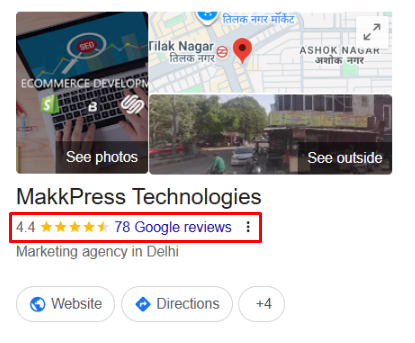
What Are Google Business Profile Stars?
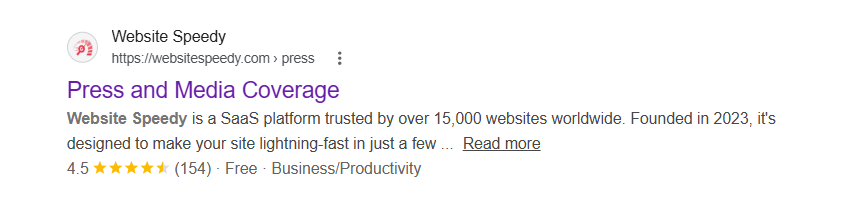
What Are Review Rich Snippets?
How Do GBP Stars and Review Rich Snippets Work?
The easiest way to keep the two straight is to follow the data.Google Business Profile stars work like this:
A customer leaves a review on your profile → Google stores it on its own servers → Google averages all ratings → the star rating appears automatically in Maps, the local pack, and your knowledge panel. You never touch code, and Google never asks your website for anything. The entire loop happens inside Google.Review rich snippets work like this:
You collect reviews on a page of your website → you add review snippet schema describing the rating and count → Google crawls the page and reads the markup → Google checks it against its rich result eligibility rules → if everything passes, stars may appear under that page’s organic listing. Here, the data starts on your site, and structured data is the bridge that carries it into search. That said, the two flows share one trait: in both cases, Google makes the final display decision. The difference is where the review data lives and who has to do the work to surface it.Why Are Your Google Review Stars Not Showing in Search Results?
This is the question behind most of the confusion, and in most cases, it comes down to one of four reasons.1. You’re expecting GBP stars to appear organically
They won’t. Your Google Business Profile star rating and organic star ratings in Google search results are separate systems. Having one doesn’t produce the other.2. Your reviews are considered “self-serving”
Since 2019, Google no longer shows review rich snippets forLocalBusiness and Organization schema types when the business being reviewed controls the reviews, including reviews on your own site or embedded through a third-party widget.
This directly affects service businesses that mark up their own testimonials with review schema for local business pages: the markup may validate, but Google won’t display the stars.
3. The markup is invalid or misplaced
Rich result eligibility depends on implementing schema markup correctly, the rating must reflect reviews visible on that page, use required properties likeratingValue and reviewCount, and sit on the page about the reviewed item, not sprayed site-wide.
4. Google is simply choosing not to show them
This one deserves emphasis: valid markup makes a page eligible, but it never guarantees that Google will show the stars. Google can choose not to display a rich result even when the structured data passes validation. Stars can also disappear after Google recrawls and reevaluates a page. So if your markup is valid but the stars aren’t showing, check the schema type, Google’s review guidelines, and whether the marked-up reviews and ratings are clearly visible on the page.Can You Get Review Stars Without Schema?
For review rich results on your own website, valid review or rating structured data is required for eligibility. A page can have genuine reviews and still not be eligible for review stars if the relevant structured data isn’t implemented. And even with valid markup, Google may choose not to display the stars. But stars can still show up in two places without you writing any markup. First, your Google Business Profile star rating appears in Maps and the local pack automatically, that system never needed schema. Second, third-party review platforms that publish reviews about your business on their domains can earn stars for their own pages, which sometimes rank for your brand name. So you may see stars connected to your business in search without ever touching code, they’re just never attached to your website’s organic listing until you add valid markup.Do Third-Party Review Widgets Create Review Stars?
This is one of the biggest sources of confusion. Embedding a widget from a platform like Trustpilot, Reviews.io, Yotpo, or Judge.me does not automatically make your page eligible for review stars in Google Search. Even if the widget adds structured data to the page, that markup still has to meet Google’s review snippet guidelines. Crucially, the self-serving restriction still applies: a widget showing reviews about your business on your own site is exactly the pattern Google excluded for LocalBusiness and Organization types. Where widgets genuinely help is on ecommerce product pages, where the reviews are about products rather than the business itself.How Different Business Types Can Earn Review Rich Snippets
The path to star ratings in Google search results depends on which schema types your content qualifies for. Google maintains a limited list of types that can carry review markup, and this is exactly where our three audiences diverge.Service-Based Businesses
This is the hardest category, because of the self-serving reviews restriction covered above. You can’t earn organic stars by marking up your own testimonials withLocalBusiness review schema.
What still works: focus your energy on earning genuine Google reviews for your Business Profile, and use review content on your pages as useful, first-hand customer feedback rather than as a way to force review stars into organic results.
SaaS Companies
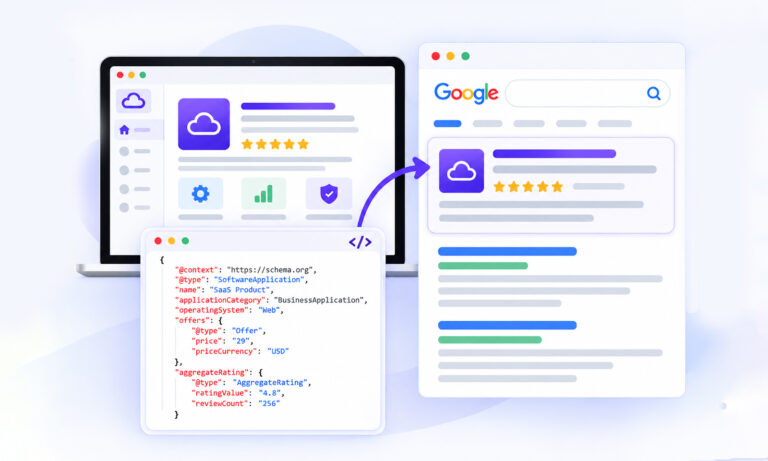
SaaS sits in a genuinely favorable position.SoftwareApplication review schema remains an eligible type for review snippets, so a SaaS product page with visible ratings, properly marked up with AggregateRating can earn organic stars. A minimal example:
{
"@context": "https://schema.org",
"@type": "SoftwareApplication",
"name": "YourApp",
"applicationCategory": "BusinessApplication",
"operatingSystem": "Web",
"aggregateRating": {
"@type": "AggregateRating",
"ratingValue": "4.7",
"reviewCount": "212"
}
}
Ecommerce Websites
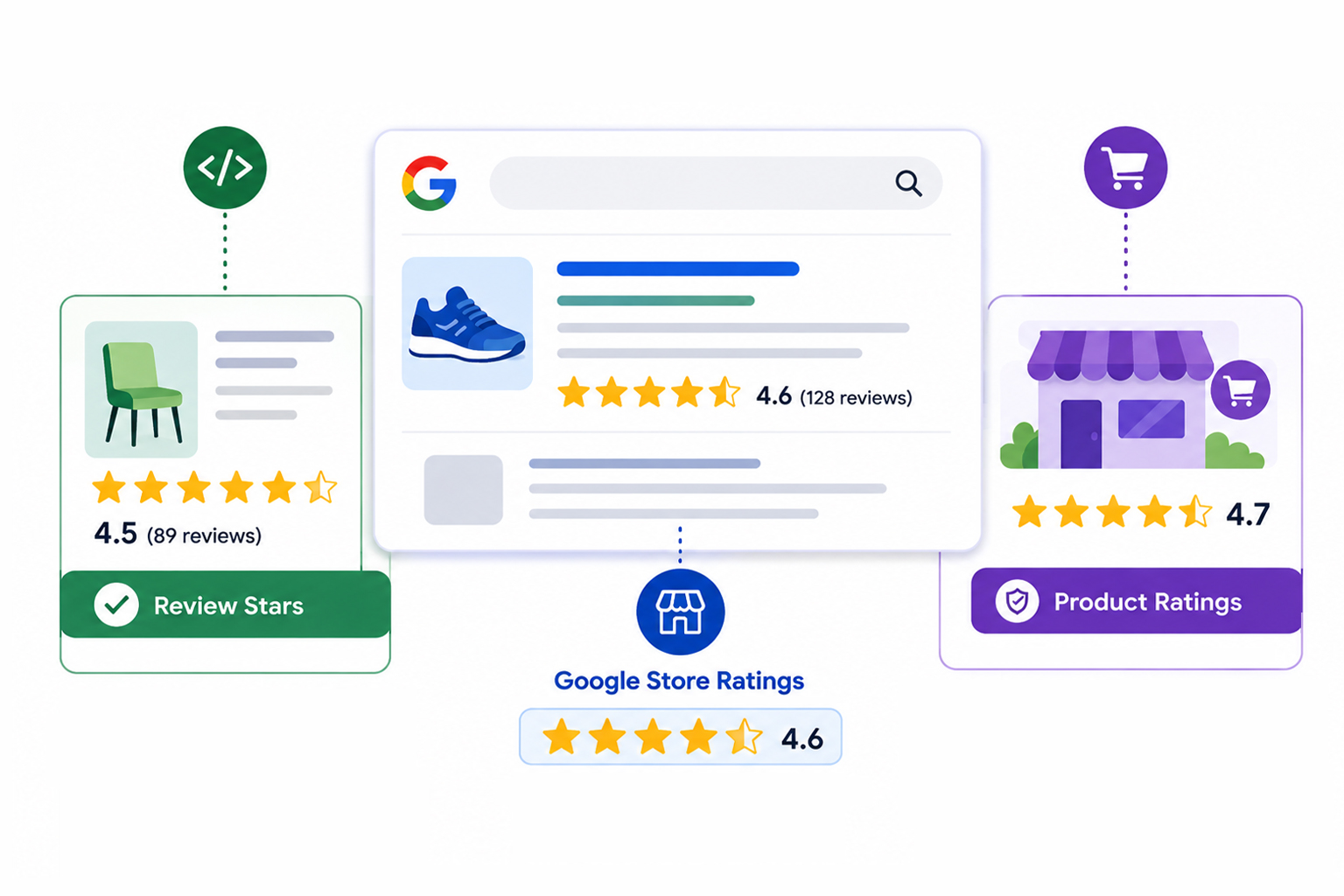
Ecommerce is the clearest win. Product review schema on individual product pages, reviews about the product, not your store, is fully eligible for product rich snippets showing stars, price, and availability. The reviews must be visible on the page and genuinely collected. Implementing product schema markup for e-commerce correctly on each product page is what unlocks the stars, and checking the supported schema types helps confirm which other pages on your store qualify.How to Check Whether Your Page Is Eligible
You don’t have to guess, three quick checks tell you where a page stands:- Rich Results Test: Run the URL through Google’s Rich Results Test to confirm Google can detect your review snippet schema and see any missing required properties.
- Search Console enhancement reports: Check the enhancement reports in Google Search Console to see which pages sitewide have valid, warned, or broken review markup based on Google’s actual crawls.
- Schema validator: Use the official Schema Markup Validator during implementation to catch syntax errors before Google ever sees the code.








 Wix Schema
 Squarespace Schema
 BigCommerce Schema
 Shopify Schema
 Hubspot Schema
 Webflow Schema
 GoHighlevel Schema
 Duda Schema
 Weebly Schema