

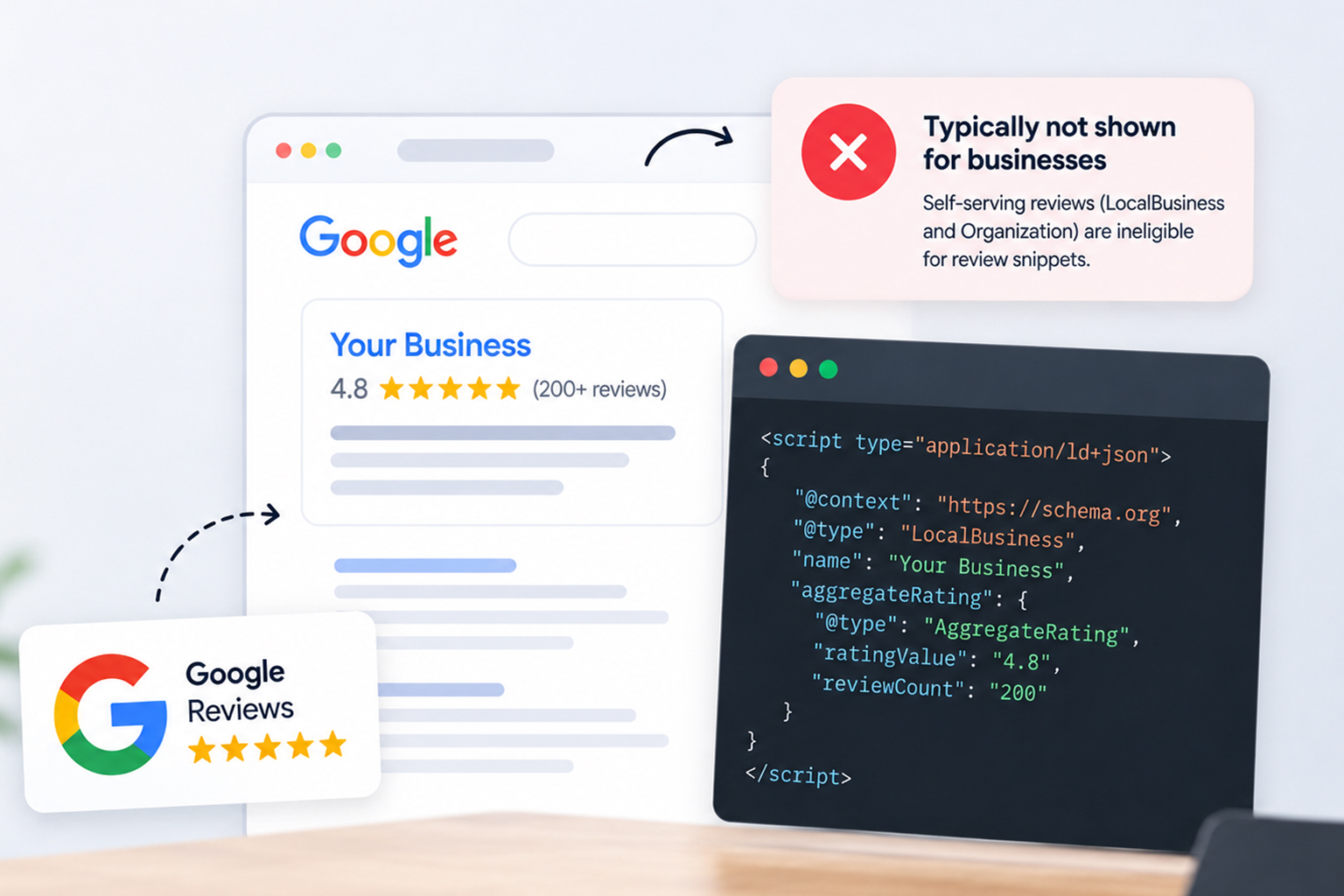
LocalBusiness or Organization in those cases. Review snippets can still be eligible for supported types such as Product, Book, Recipe, Movie, Event, and SoftwareApplication when the reviews meet Google’s guidelines.
You’ve collected 200-plus Google reviews with a solid 4.8 average. It seems obvious to pull that rating into your homepage markup and pick up star ratings in search. Plenty of plugins and widgets promise exactly that.
Then nothing happens. No stars, no review rich snippets, and no error in the Rich Results Test to explain why. The markup is valid. It’s just being ignored.
That gap between “valid” and “eligible” is where most Google reviews schema advice falls apart. Google’s rules here are specific, they’ve been in place since 2019, and they have less to do with your code than with who owns the reviews you’re marking up. Here’s what the guidelines actually say, and what still works.
Adding Google Reviews Schema: Guidelines and Eligibility
Before adding Google reviews schema, it’s important to understand what Google’s guidelines actually allow. This quick overview explains when review markup is eligible, how to implement it correctly, and why valid schema doesn’t always result in star ratings.
| Question | Quick Answer |
|---|---|
| Can you add Google reviews schema to your website? | Yes, but only if it complies with Google’s review markup guidelines and eligibility rules. |
| How do you add Google reviews schema? | Display eligible reviews, use the correct schema type, implement JSON-LD, and match the schema to visible content. |
| Will it show star ratings? | Not always. Google decides whether your page qualifies for review rich results. |
| Can you use Google Business Profile reviews? | You can display them, but using them for review rich results is subject to Google’s policies. |
| What’s the biggest mistake to avoid? | Marking up ineligible or non-visible reviews, or using the wrong schema type. |
What “Google Reviews Schema” Actually Means
The phrase gets used two ways, and that confusion causes most of the failed implementations. “Google reviews schema isn’t a schema type itself” . Usually, it means either Google’s Review and AggregateRating structured data or taking reviews and ratings from a Google Business Profile and adding them to a website. The first is a supported structured data feature. The second is where Google’s self-serving review rules become important.
The second meaning is what most people mean when they search for it: taking the star rating from your Google Business Profile and putting it into your site’s markup so it shows up in organic results.
The first is a supported feature. The second is where Google draws a hard line. Understanding which one you’re building matters more than any snippet of code.
Can You Add Google Reviews Schema to Your Website?
You can add review structured data to your site. But if the reviews are about your own business, Google won’t display review rich results for LocalBusiness or Organization when those reviews are considered self-serving. The markup can still be valid from a Schema.org perspective; validity just doesn’t make the page eligible for review stars.
The self-serving reviews rule
In September 2019, Google published an update to how review rich results work. Two things changed at once.
First, Google narrowed the list of schema types that can trigger review snippets at all. Second, it ruled out reviews where the entity being reviewed controls the reviews being displayed. That covers markup you write yourself and reviews pulled in through an embedded third-party widget, including a Google reviews widget.
The practical effect: pages using LocalBusiness or Organization structured data are not eligible for review stars when the business is reviewing itself. A dentist, an agency, a law firm, a SaaS company marking up its own homepage: none of them qualify. The exception is sites that publish reviews about other businesses, like a directory or comparison site.
The ratings-source rule for local businesses
The second constraint sits in Google’s review snippet documentation and is easy to miss. Ratings have to come directly from your users. Google specifically warns against relying on human editors to compile ratings information for local businesses.
That means you shouldn’t simply import a Google Business Profile average, sync a Trustpilot score into aggregateRating , or scrape Yelp and present that rating as your site’s own review rating. A third-party platform collecting the reviews doesn’t change the source of the rating you’re marking up.
The visible content rule
Google’s general structured data guidelines require that markup describe content actually visible on the page. If your JSON-LD claims 212 reviews at 4.8 stars, a user landing on that page needs to see those reviews and that average.
If the markup describes content that isn’t visible or doesn’t accurately represent the page, Google may ignore the structured data or, depending on the violation, take a structured data manual action that removes the page’s rich-result eligibility.
What Are Google’s Rules for Displaying Reviews on Your Website?
There’s a second layer here, and it isn’t a Search guideline. If you’re retrieving Google reviews through the Places API, Google’s Maps Platform policies also apply. Those policies restrict how Places API content can be pre-fetched, cached, or stored, and they require proper attribution when reviews are displayed.
For reviews, Google requires author attribution and says users must have access to the individual source review on Google Maps. There are also requirements around how reviews are ordered and filtered when they’re displayed.
So a workflow that pulls Google reviews into a database and treats them as permanent first-party review data is not something you should assume is allowed. Check the current Places API policies for the exact storage, caching, attribution, and display requirements that apply to your implementation.
Where Google Review Stars Do Show Up
Losing organic review rich snippets doesn’t mean losing star ratings entirely. It means they appear somewhere else.
Your Google Business Profile reviews can appear with your business across Google’s local search experiences and Google Maps. Those ratings come from Google’s own review systems, not from review structured data on your site.
The useful model is this: schema markup earns stars for pages, and Google’s own systems earn stars for the business. Your homepage isn’t going to inherit your Business Profile rating through structured data, no matter how the JSON-LD is written. Those are two separate surfaces with separate rules.
How to Add Review Schema to Your Website the Right Way
The shortcut doesn’t exist, but a compliant version of what you were trying to do does. Six steps.
Step 1: Put the reviews on the page
Google requires structured data to reflect content that’s available to users on the page. If you’re marking up individual reviews, those reviews should be visible to users. If you’re marking up an aggregate rating, the rating information should also be visible.
Embedding a Google reviews widget can make the reviews visible, but it doesn’t make them eligible for self-serving review rich results. The source of the ratings and the schema type still have to meet Google’s guidelines.
Step 2: Check whether the page qualifies.
This is the step that decides everything.
- Product pages with first-party ratings
- Software, recipe, book, movie, and event pages
- Directory pages reviewing other businesses
- Your homepage carrying your own rating
LocalBusinessorOrganizationmarkup about yourself- Any page pulling its score from Google, Trustpilot, or Yelp
Step 3: Match the page to the right schema type
Review markup attaches to the thing being reviewed, so the parent type has to fit the page.
| Page type | Schema type |
|---|---|
| Product page | Product |
| SaaS or app page | SoftwareApplication |
| Recipe page | Recipe |
| Book, movie, event | Book, Movie, Event |
| Business homepage | Usually not eligible |
Step 4: Add the JSON-LD
Nest aggregateRating and any individual review objects inside that parent type. The example below shows the full structure. Keep every number identical to what a visitor sees.
Step 5: Validate with both tools
The Rich Results Test confirms Google detects a review snippet and considers the page eligible. The Schema Markup Validator confirms the markup is correct against the schema.org spec. Passing one doesn’t mean passing the other.
Step 6: Wait, and read the result correctly
Validation is not eligibility, and eligibility is not displayed. Watch the Enhancements reports in Search Console for a few weeks. If the markup is detected and clean but stars still don’t appear, that’s Google’s discretion, not a bug in your code.
A compliant Product example
{
"@context": "https://schema.org",
"@type": "Product",
"name": "Trailhead 40L Backpack",
"image": "https://example.com/img/trailhead-40l.jpg",
"sku": "TH-40L-BLK",
"brand": { "@type": "Brand", "name": "Trailhead" },
"aggregateRating": {
"@type": "AggregateRating",
"ratingValue": "4.6",
"bestRating": "5",
"reviewCount": "128"
},
"review": [{
"@type": "Review",
"author": { "@type": "Person", "name": "Dana R." },
"datePublished": "2026-06-14",
"reviewRating": {
"@type": "Rating",
"ratingValue": "5",
"bestRating": "5"
},
"reviewBody": "Carried this for a four-day trek. Frame held up better than my old pack."
}]
}
Three things make this work: the reviewed item is named clearly, the ratings come from genuine users, and the structured data matches the review information visitors can see on the page.
What this doesn’t license
Wrapping a service page in Product markup to sneak past the self-serving rule is a bad trade. If the page isn’t actually about a defined product, the markup misrepresents the page and doesn’t meet Google’s structured data guidelines.
SaaS companies have a legitimate path through SoftwareApplication when the ratings are collected first-party, which fits alongside the other schema types that help SaaS sites earn rich snippets.
Keeping ratings in sync at scale
Manual markup holds up fine on ten product pages. On five hundred, ratings change daily, and the JSON-LD quietly falls out of step with what’s on the page. That mismatch is the same visible-content problem from Step 1, just arriving through neglect instead of intent.
Generating and validating structured data through a tool like JSON Schema App or an automated schema workflow keeps ratings and markup moving together, which removes most of the drift before it costs you eligibility. It doesn’t, however, make Google Business Profile reviews eligible for self-serving review rich results.
Common Google Review Markup Mistakes
A few patterns of review markup mistakes come up repeatedly:
- Homepage
LocalBusinessmarkup with an imported Google rating: The most common version of this question, and the one Google explicitly excluded. - Widget-injected review schema: Third-party review widgets often output their own JSON-LD. If it describes your business, it’s self-serving regardless of who wrote the code.
- Aggregate counts that don’t match the page: Twelve reviews visible, 340 in the markup.
- Ratings on pages with no reviewed item:
AggregateRatingneeds a clearly named subject, not a floating score. - Duplicate or conflicting review markup: It could be from a theme and a plugin firing at once.
Conclusion
Google reviews schema is one of those areas where the code is the easy part and the eligibility rules are the whole story. You can write the markup, it will validate, and it still won’t produce stars if the reviews are about your own business.
The path that works is narrower but more reliable: use a supported schema type, collect ratings from your own users on your own pages, keep the markup honest to what’s visible, and validate before you assume something is broken. For local visibility, put that effort into your Google Business Profile instead of trying to route its rating through structured data.
If you already have review markup live, the fastest useful check is a simple one. Open a page, compare what the JSON-LD claims against what a visitor can actually see, and start there.
FAQs
Can you add Google reviews to your website?
Yes, you may be able to display Google reviews on your website when your implementation follows the applicable Google Maps Platform requirements, including attribution and access requirements. But displaying those reviews doesn’t make them eligible for self-serving review rich results on your own LocalBusiness or Organization pages.
Why don’t my Google review stars show in search results?
In most cases it’s the self-serving reviews rule. If your site publishes ratings about your own business under LocalBusiness or Organization markup, those pages aren’t eligible for review rich results. Valid markup and eligible markup are different things.
Can I use Trustpilot or Yelp ratings in my schema markup?
No. Google’s review snippet guidelines require ratings collected directly from your own users. Ratings imported from any third-party platform, including Google itself, don’t meet that condition.
Does adding Google reviews schema hurt my SEO?
Adding it isn’t itself a penalty. The risk comes from marking up ratings that aren’t visible on the page, which violates Google’s general structured data guidelines and can lead to a manual action against your structured data.
Which schema types still get review stars in 2026?
Google currently supports review snippets for types including Product, Book, Recipe, Movie, Event, SoftwareApplication, and Course. LocalBusiness and Organization are restricted to sites that capture reviews about other businesses or organizations rather than reviews about themselves.
Can service businesses get review rich results at all?
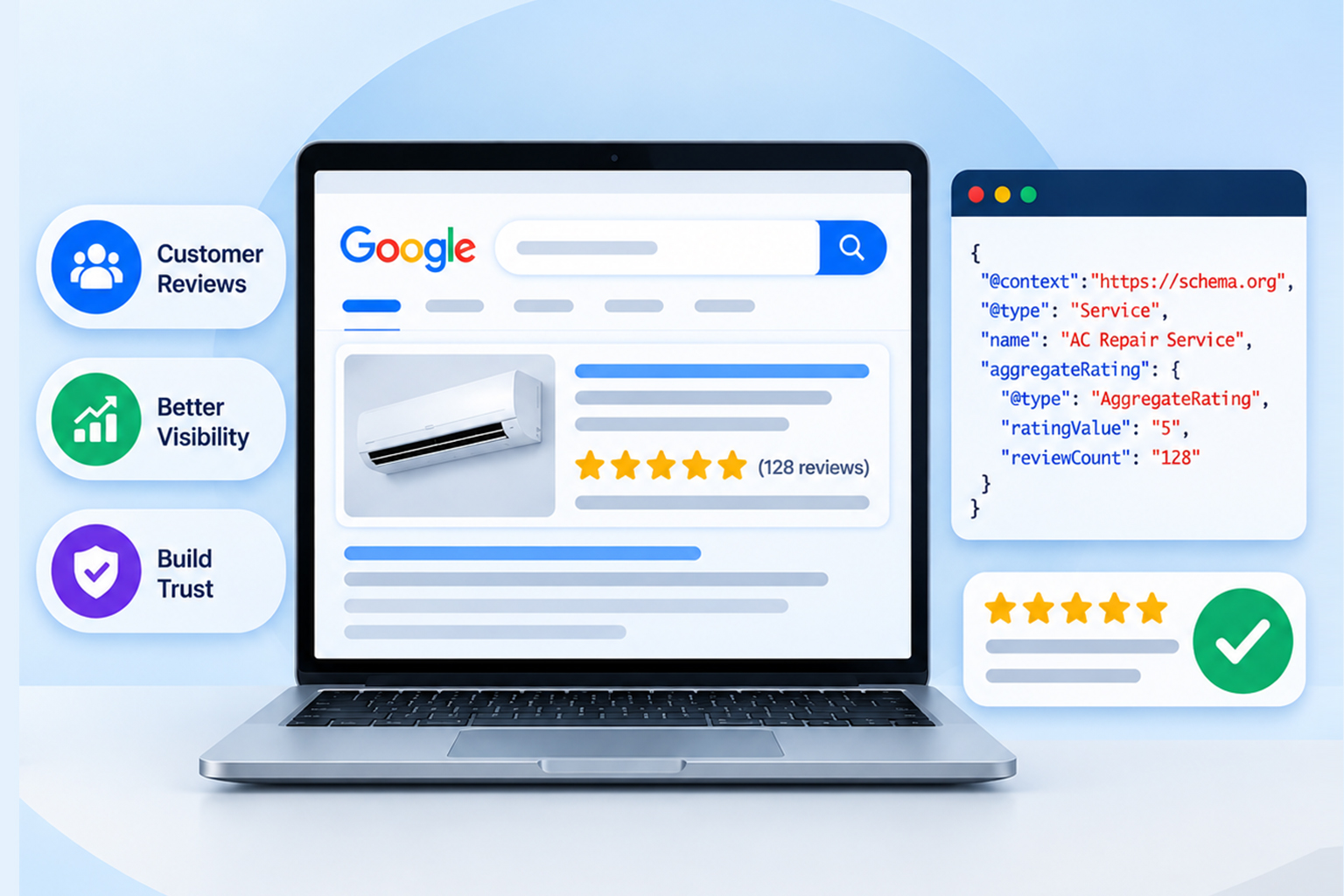
Not through a review schema about themselves. Service businesses earn star ratings through their Google Business Profile in local results and Maps, which is a separate system from organic review rich snippets.







 Wix Schema
 Squarespace Schema
 BigCommerce Schema
 Shopify Schema
 Hubspot Schema
 Webflow Schema
 GoHighlevel Schema
 Duda Schema
 Weebly Schema
 ClickFunnel Schema