

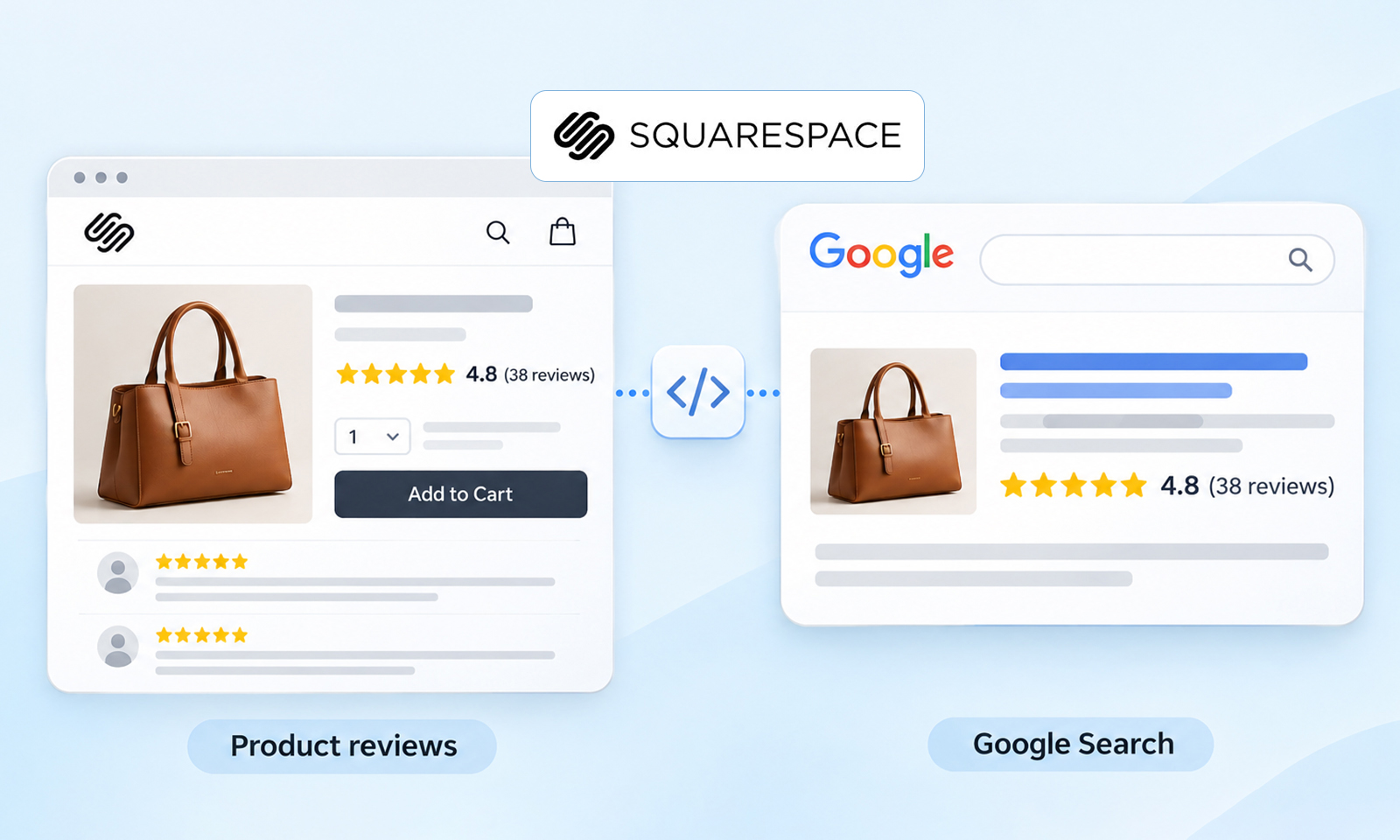
Star ratings can make a product result more noticeable in Google Search, but Squarespace product review stars require more than displaying five stars on a product page.
Squarespace provides native customer reviews for physical, download, service, and subscription products. Customers can receive automated review requests, and reviews can be displayed on product details pages.
The separate question is whether Google can understand those reviews and choose to display them as product review stars in Search.
That depends on the visible page content, structured data, Google’s review guidelines, and Google’s decision to show the rich result.
Ways to Get Product Review Stars on Squarespace?
To improve your chances of getting Squarespace product review stars on Google:
- Enable genuine product reviews and collect authentic customer ratings and written reviews.
- Display ratings and reviews on product pages so the information marked up is visible to shoppers.
- Verify Squarespace’s automatically generated Product structured data and make sure the product, rating, and review information is accurate and consistent.
- Validate the product page with Google’s Rich Results Test and fix any structured-data issues or duplicate Product markup.
- Monitor Search Console after Google recrawls the page, keeping in mind that valid markup does not guarantee that Google will display stars.
In short: Collect genuine reviews → make them visible → verify Product data → validate → monitor Google Search.
Following these steps can make a product eligible for review-related rich results, but Google does not guarantee that product review stars will appear in Search.
How Squarespace Product Reviews Work
Squarespace’s native customer review system lets eligible customers leave a 1-5 star rating and written review for supported products. Once reviews are enabled, Squarespace says customers receive an automated review-request email 14 days after an order is fulfilled. Reviews can then be displayed on product detail pages.
Squarespace also has some review-request limitations. Customers generally have 120 days after their order to submit a review, and each customer can review a product only once. Subscription renewals and canceled orders don’t trigger review requests. If a customer hasn’t received a request, check that the order was fulfilled and the review-request automation is active.
Squarespace also supports importing customer reviews from Etsy for eligible Commerce stores.
The important SEO point is that collecting genuine reviews comes first. You should not start by inventing an AggregateRating value or adding a schema that isn’t supported by visible content.
For example, if a product page visibly shows:
4.7 out of 5 stars – 38 reviews
Along with the corresponding customer reviews, Google has much clearer evidence of what that rating represents.
Google’s review guidelines require marked-up review content to be readily available to users on the page. If you use AggregateRating, the aggregate rating should also be visible.
Squarespace Product Stars vs. Google Product Review Stars
These are two different layers. Squarespace product ratings are what shoppers see in your store.
Google product review stars are a potential search-result enhancement that Google may show when it determines that the page and its structured data meet the relevant requirements.
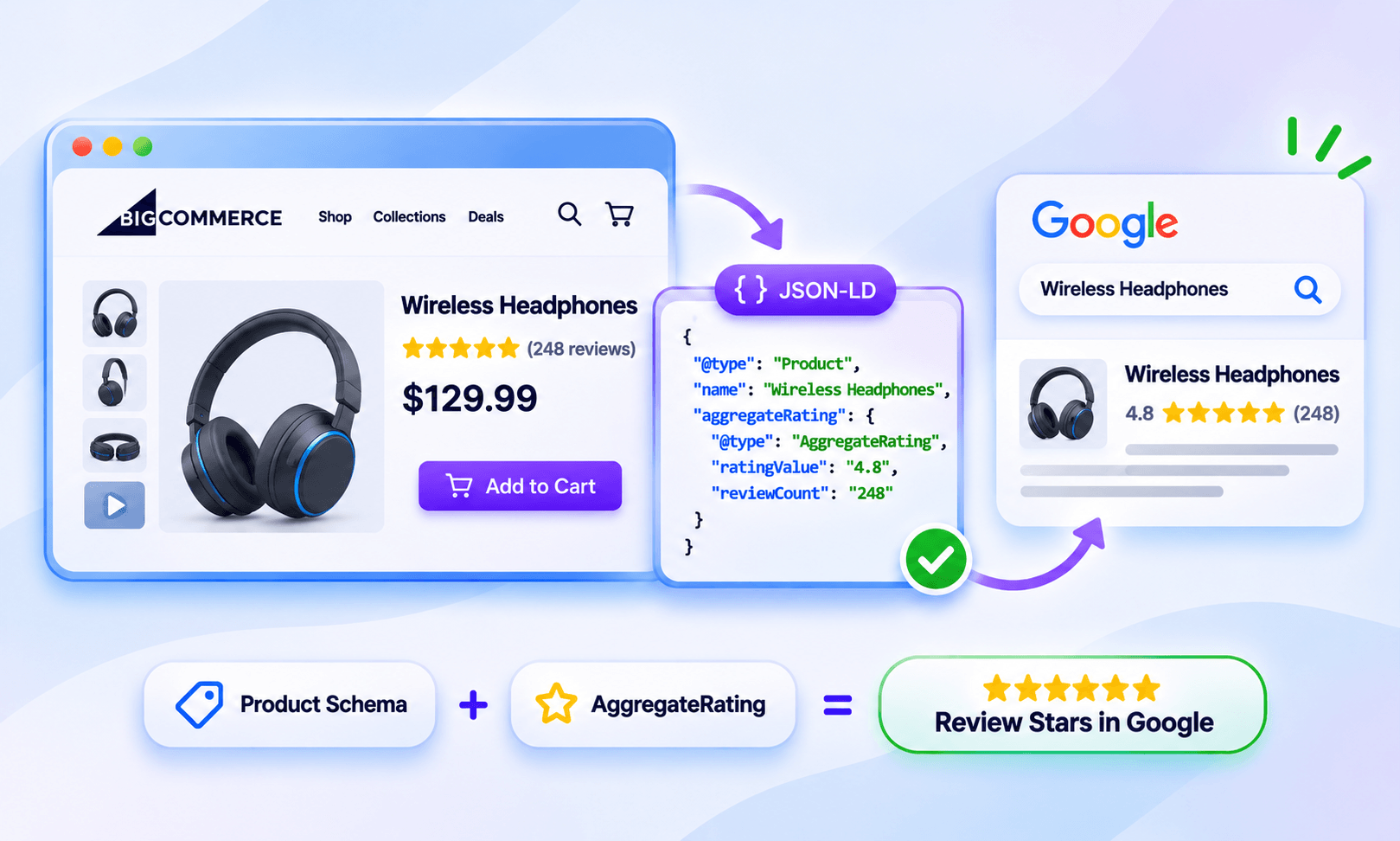
Google supports review snippets for Product pages, but valid structured data does not guarantee that stars will appear in Search. So, a product can have a 4.8-star rating on Squarespace and still show no stars in Google.
Steps to Make Squarespace Product Reviews Eligible for Google Stars
Getting product review stars in Google requires more than collecting ratings on your Squarespace store. These steps help ensure your reviews, product information, and structured data are properly set up for Google to evaluate.
Step 1: Enable Genuine Squarespace Product Reviews
Start with Squarespace’s native customer review functionality.
Enable reviews for your eligible products and make sure customers can actually see the resulting ratings and review content. Squarespace lets store owners control which product and store reviews are displayed on product details pages.
If you import Etsy reviews, make sure they genuinely belong to the relevant products. Don’t use imported reviews to create artificial ratings.
If a product has no genuine reviews, don’t add a made-up AggregateRating simply to try to trigger Google stars. Google’s guidelines prohibit fake or misleading review content.
Step 2: Make the Rating Visible on the Product Page
The rating Google sees in structured data should match what shoppers can see. For example, if structured data indicates:
4.8 stars from 38 reviews
but the product page doesn’t display that rating or the underlying reviews, the implementation can be problematic.
Google specifically requires marked-up reviews to be readily available to users. For aggregate ratings, users should be able to see the aggregate rating on the page.
For Squarespace, check the actual product details page, not just whether reviews exist somewhere in the site’s admin area. A simple rule:
If shoppers cannot reasonably find the rating on the product page, don’t assume Google can use it for review stars.
Step 3: Verify Squarespace’s Automatically Generated Product Schema
This is the biggest practical difference between Squarespace and platforms where merchants can directly customize Product markup.
Squarespace automatically generates Product structured data for product pages. However, the presence of a Product entity does not necessarily mean that review or aggregateRating information is included. Inspect the generated markup to determine whether Squarespace outputs the review properties needed for Google’s product review-related search features. Also check whether any custom markup creates duplicate or conflicting Product information.
So don’t make manually adding another Product JSON-LD block the default recommendation.
Instead:
- Open the live product page.
- Inspect the page source or rendered structured data.
- Look for the automatically generated Product entity.
- Check whether the product information is accurate.
- Check whether relevant
revieworaggregateRatinginformation is present and consistent with the visible page. - Look for duplicate or conflicting Product entities if you’ve added custom markup through another tool.
Google’s Product documentation supports review and aggregateRating as properties of a Product and uses them in product-related search experiences.
The key is to inspect first, add later only if there is a specific, technically justified reason. If Squarespace already generates the Product entity, adding a second competing version can create inconsistent information.
Step 4: Make Sure the Rating Represents the Specific Product
The structured data should describe the product being reviewed, not your entire store or another website.
For example, if a blue leather wallet has 38 reviews and a 4.7 rating, that aggregate should represent those product reviews. Don’t use:
- Your overall store rating as the rating for every product
- Another product’s rating
- A category-wide rating
- Reviews copied or aggregated from third-party websites
Google says review information should refer to a specific item and specifically prohibits aggregating reviews or ratings from other websites.
Squarespace’s distinction between product reviews and store reviews is especially important here. A store-wide rating should not automatically be treated as the AggregateRating for an individual product.
Step 5: Don’t Confuse Product Stars With Business Ratings
A Google Business Profile rating and a product review rating describe different things.
For example:
Business rating: Your store has 4.8 stars from 500 customer reviews.
Product rating: Your blue leather wallet has 4.7 stars from 38 product reviews.
The business rating should not simply be copied into the product’s AggregateRating.
Google also restricts self-serving review snippets for certain LocalBusiness and Organization markup. These restrictions are separate from Google’s Product review snippet guidelines, which apply to reviews of individual products.
See Google Business Profile Stars vs. Review Rich Snippets for the distinction.
Step 6: Validate the Product Page
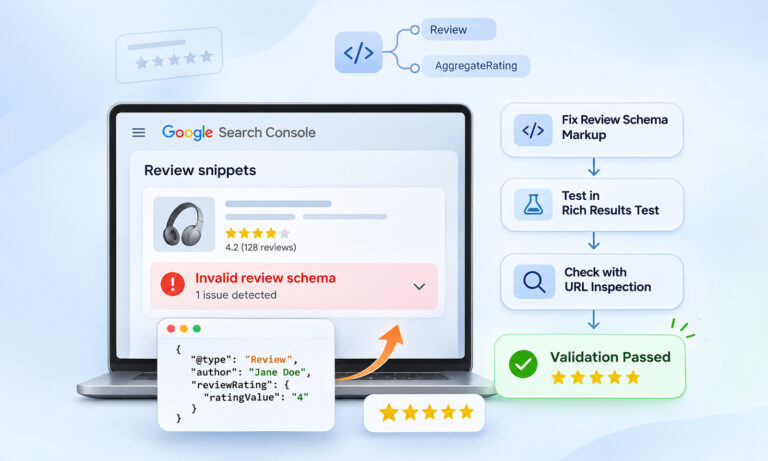
After your reviews are visible, test the actual product URL with Google’s Rich Results Test.
Check whether:
- The page is recognized as a
Product - The rating is associated with the correct product
ratingValueand review counts are accurate- Review information matches the visible page
- There are structured-data errors or warnings
- Duplicate Product markup is present
Google recommends validating structured data with the Rich Results Test before monitoring the live results.
Passing the test does not guarantee that Google will show stars. It means the page is technically eligible for the relevant search feature.
Step 7: Monitor Search Console
After making changes, give Google time to recrawl the product pages. Google notes that it can take several days for newly published or updated pages to be crawled and processed.
Use Search Console to monitor Product structured-data issues and search performance.
If Squarespace product review stars on Google disappear, check:
- Are the reviews still visible?
- Did the rating or review count change?
- Is the product still indexed?
- Did the product URL change?
- Did the generated structured data change?
- Is duplicate Product markup present?
- Does the structured data still match the visible content?
If everything looks correct but stars are still missing, remember that Google controls whether the enhancement appears.
Common Mistakes That Prevent Squarespace Product Review Stars
Adding AggregateRating Without Genuine Reviews
A rating such as 5.0 from 100 reviews must represent real customer feedback. Invented ratings can make the structured data misleading and violate Google’s guidelines.
Marking Up Reviews Users Cannot See
Google expects marked-up review content and aggregate ratings to be available to users on the page.
Using a Store Rating for Individual Products
A store-wide rating doesn’t automatically describe every product. Product ratings should represent the specific product being reviewed.
Copying Ratings From Third-Party Websites
Google says not to aggregate reviews or ratings from other websites for review snippets.
Adding Duplicate Product Schema
Because Squarespace already generates Product structured data, adding another Product entity without understanding the existing markup can create conflicting information.
Inspect first. Don’t duplicate by default.
Do Product Review Stars Improve Rankings?
Product review stars can make a result more informative and visually prominent, but they should not be treated as a direct ranking shortcut.
Google’s documentation separates structured-data eligibility from ranking. Even valid markup does not guarantee a rich result or a specific position in Search.
The practical SEO benefit is better understood as improved search-result presentation and additional product information, rather than “add stars and rank higher.”
What About Google Shopping Product Ratings?
Google Shopping product ratings and organic product review stars are related, but they are not the same search feature.
Google supports multiple product experiences, including product snippets and merchant listings, with different requirements. Product structured data can contribute to these experiences, but one implementation does not automatically guarantee every Google product enhancement.
Similarly, product review stars, Google Store Ratings, and seller ratings are different features with different eligibility requirements.
Google Shopping Product Ratings use aggregated product reviews from multiple sources through Google’s Product Ratings program. Participating merchants must meet the program’s eligibility requirements and provide product review data through an accepted method. Adding Product structured data to a Squarespace page does not automatically enroll a store in this program or guarantee Shopping ratings.
Conclusion
Getting Squarespace product review stars into Google Search is not about adding a star graphic or manually inserting an AggregateRating value.
The practical process is simpler: collect genuine reviews, make the ratings visible on the product pages, verify Squarespace’s automatically generated Product structured data, validate the implementation, and monitor Search Console.
Most importantly, treat Google stars as an eligibility outcome, not something you can force. Keeping your product information, reviews, ratings, and structured data accurate and consistent gives Google the clearest possible information to evaluate your pages.
FAQs
Q1. How do I get product review stars on Squarespace?
Enable Squarespace customer reviews, collect genuine reviews, and display the ratings and review content on the relevant product pages. Then verify Squarespace’s generated Product structured data, validate the page with Google’s Rich Results Test, and monitor Search Console.
Q2. Does Squarespace automatically add Product schema?
Yes. Squarespace says it automatically generates Product structured data and that its built-in Product schema cannot be edited or removed.
For this reason, the normal workflow is to inspect and validate the generated markup, rather than manually adding another Product schema block.
Q3. Why are my Squarespace review stars showing on my website but not Google?
On-page stars and Google Search stars are different. Google needs to crawl and understand the page, the structured data must follow its guidelines, and Google must decide that the enhancement is appropriate to display. Even valid markup does not guarantee stars.
Q4. Can I add AggregateRating if my Squarespace product has no reviews?
No. AggregateRating should represent a genuine aggregate rating. Adding an invented rating simply to obtain Google rich results would not accurately represent the page and can violate Google’s structured-data guidelines.
Q5. How long does it take for Squarespace product stars to appear on Google?
There is no guaranteed timeframe. Google needs to recrawl and process the page, which can take several days, and it ultimately decides whether to show the enhancement.
Q6. Can I use Google Business reviews as product reviews?
Not by simply copying the business rating onto a product page. Business reviews and product reviews describe different entities. Product review information should represent the specific product being reviewed.








 Wix Schema
 Squarespace Schema
 BigCommerce Schema
 Shopify Schema
 Hubspot Schema
 Webflow Schema
 GoHighlevel Schema
 Duda Schema
 Weebly Schema
 ClickFunnel Schema