


A product rating such as 4.8 stars from 126 reviews can make a search result more noticeable, but simply displaying stars on a Wix product page doesn’t guarantee that Google will show them.
For Wix product review stars, the important connection is between the actual customer reviews, what shoppers can see on the product page, and the structured data Google uses to understand that information.
Wix Stores already provides Product preset markup for product pages, which means the main task isn’t adding as much schema as possible. It’s making sure your product reviews and ratings are genuine, visible, accurate, and properly represented.
How Can a Wix Store Get Product Review Stars
To get Wix product review stars in Google, collect genuine reviews, display the ratings on product pages, and ensure accurate Product structured data. Wix already provides Product preset markup, so check it before adding a custom schema.
- Build product-level review signals: Collect authentic ratings and reviews for the products customers actually purchased.
- Keep the rating visible: The rating shown in markup should also be available to shoppers on the corresponding Wix product page.
- Use Wix’s existing Product markup: Wix Stores automatically generates Product structured data for its product pages.
- Represent the rating accurately: Where applicable,
Reviewdescribes an individual review whileAggregateRatingsummarizes multiple ratings. - Check the finished page: Test the live URL with Google’s Rich Results Test rather than relying only on the Wix editor.
- Treat stars as an eligibility outcome: Correct markup can make a page eligible, but Google does not guarantee a review-star display.
What Are Wix Product Review Stars?
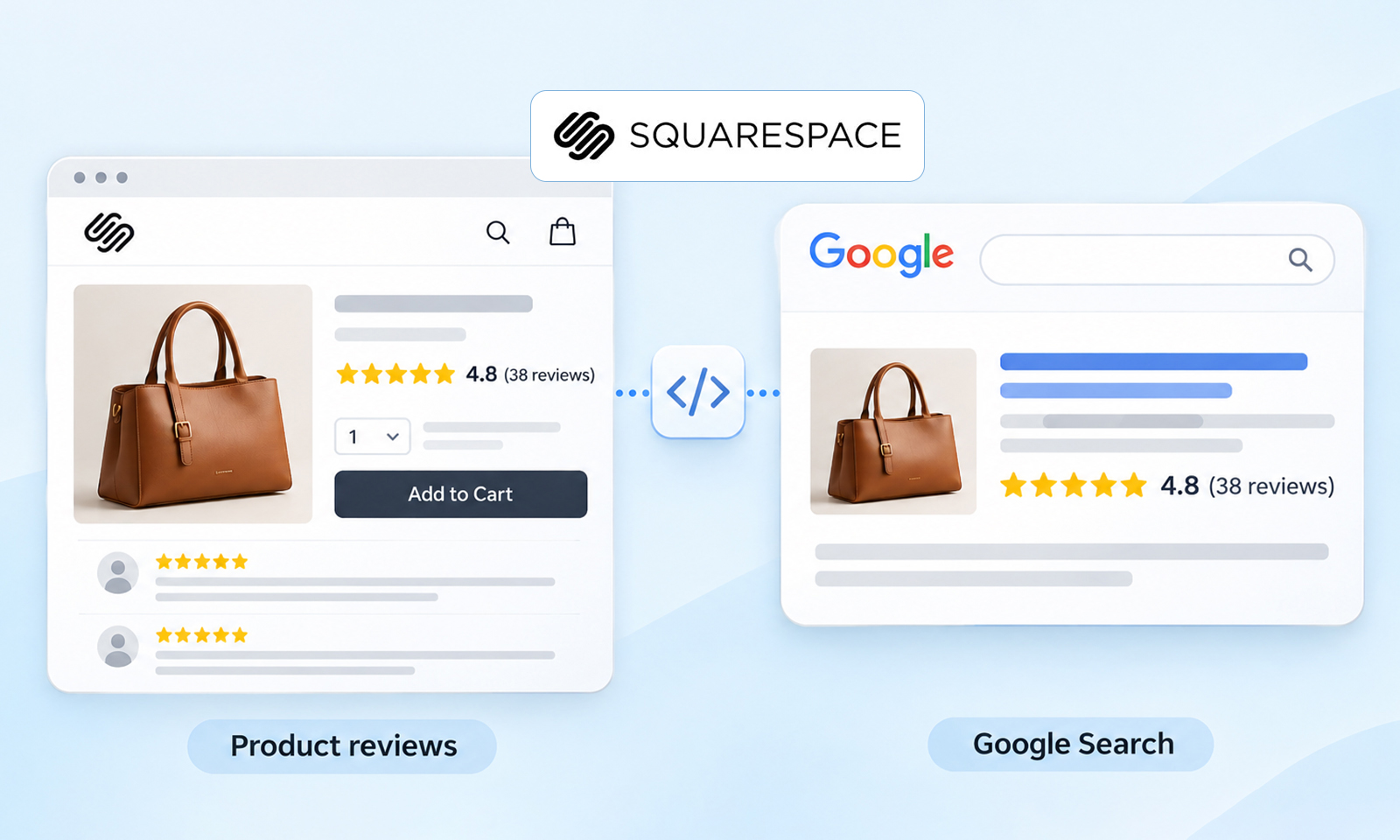
Wix product review stars are rating enhancements that Google may show with eligible product results. They can provide information such as an average rating and review count alongside other product details.
The stars aren’t simply pulled from the visual star icons on your Wix page. Google needs to understand what those ratings represent and whether the underlying structured data follows its guidelines.
Google’s Product structured data supports information such as product reviews and aggregate ratings, which can contribute to richer product search appearances.
Wix Product Reviews and Structured Data: What’s the Connection?
You don’t necessarily need to manually create a large block of Wix product review schema for every product.
Wix Stores automatically creates Product preset markup for product pages and updates its values based on the actual product information. The preset can communicate details such as product name, description, brand, price, availability, and images.
Reviews and ratings are separate pieces of information within that product context.
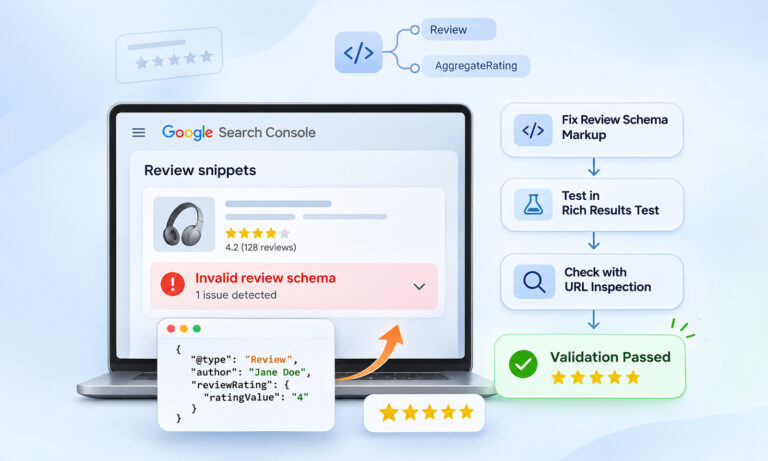
Review represents an individual customer review, while AggregateRating represents the combined rating from multiple reviews. Google supports both as properties within Product structured data.
Steps to Get Wix Product Review Stars in Google
This is the part that matters most if you’re trying to get product review stars in Wix results rather than simply adding review markup.
1. Collect Genuine Reviews For Individual Wix Products
Start with the reviews themselves. Wix offers the Wix Reviews app, which lets customers rate and review individual products directly on your store. It also provides Wix Product Ratings to display star summaries on product pages and product galleries.
After installing the app through the Wix App Market, configure the review form and display settings. You can also use its automated review-request emails to encourage customers to share feedback after purchasing.
Your reviews should be associated with the specific products customers actually purchased.
For example, a 5-star rating for a particular backpack should describe that backpack, not your entire Wix store, brand, or product category.
Don’t manufacture ratings or copy reviews from another website simply to create a richer search result. Google’s structured data guidelines require review content to follow its quality and spam policies.
2. Show the Rating On the Wix Product Page
The information you provide to Google should be supported by what shoppers can actually see.
If your product has a 4.7 rating from 83 reviews, that rating should be visible on the relevant product page. Individual reviews that you mark up should also be accessible to users.
This is an important distinction: structured data should describe your page, not create information that exists only for search engines.
Google’s review guidelines require marked-up review content to be available to users on the page.
3. Check Wix’s Existing Product Markup Before Adding Anything
Wix Stores product pages already come with Product preset markup. You can inspect or customize it through the product’s SEO settings.
In Wix, go to:
Products → Select the product → Edit SEO Settings → Advanced → Structured data markup
First, check what Wix is already generating.
However, don’t assume that Wix’s Product preset markup automatically includes your customer reviews or aggregate ratings. The preset provides product information, while review markup depends on the review data and implementation available on your site. Inspect the published product page to confirm whether Review or AggregateRating is actually present before deciding whether additional markup is necessary.
This step is easy to overlook. Adding another Product object without checking the existing markup can create duplicate or conflicting product information. If Wix already provides the Product entity, build on that structure rather than automatically adding another one.
4. Make AggregateRating Match the Real Wix Product Rating
If your product page implementation includes Wix AggregateRating schema, its values need to match the actual rating displayed on the product page.
For example:
  {
  "@type": "Product",
  "name": "Example Product",
  "aggregateRating": {
  "@type": "AggregateRating",
  "ratingValue": 4.7,
  "reviewCount": 83
  }
  }
The numbers above are illustrative only. Your markup should contain the product’s actual rating and review count.
Google’s Product documentation supports aggregateRating as a nested property of Product structured data.
5. Use Review Only When It Represents a Real Review
If your Wix product page contains individual customer reviews, you can represent them using Review structured data nested within the corresponding Product entity.
For example, the following is a simplified review property that belongs inside the existing Product markup:
  {
  "review": {
  "@type": "Review",
  "reviewRating": {
  "@type": "Rating",
  "ratingValue": 5
  },
  "author": {
  "@type": "Person",
  "name": "Customer Name"
  }
  }
  }
Again, the markup should correspond to an actual review displayed on the page.
Adding Wix Review schema simply because you want more structured data isn’t the goal. Accuracy matters more than volume.
6. Test the Live Wix Product Page
Once your product reviews and markup are in place, test the actual published URL with Google’s Rich Results Test.
Check whether Google can detect the Product data and whether the rating-related information is valid.
Look for:
- Correct Product information
- Accurate rating values
- Correct review or rating counts
- No conflicting Product markup
- No structured-data errors
Wix also recommends testing structured data, while noting that valid markup doesn’t guarantee a rich result.
7. Let Google Recrawl the Updated Page
Don’t expect Wix review stars in Google immediately after changing your reviews or markup.
Google needs to crawl and process the updated page before it can reconsider its search appearance. Wix likewise notes that SEO changes don’t appear immediately in search results.
If the page is important, monitor it through Google Search Console and make sure it remains indexable.
Why Your Wix Product Review Stars May Not Appear
Even valid Wix product review rich results aren’t guaranteed. Google says structured data can make pages eligible for certain search enhancements, but the final appearance is determined by Google.
If your Wix product rating stars aren’t appearing, check these issues first.
The Rating Isn’t Visible
If your schema says a product has a 4.8 rating, but shoppers can’t see that rating on the page, there’s a mismatch between your markup and visible content.
The Rating Belongs to the Wrong Entity
A store-wide or company rating shouldn’t be presented as the rating of an individual product. The review needs to describe the specific product being marked up.
You’re Importing Ratings From Another Website
Copying Google, Yelp, Trustpilot, or another site’s ratings into your Product markup isn’t a shortcut to Google product stars in Wix results.
Google’s guidelines place restrictions on how review content from other websites can be used in structured data.
You Created Conflicting Product Markup
If Wix’s preset markup already describes the product and you add another Product entity containing different information, Google may receive conflicting signals.
Always inspect the final rendered page rather than assuming the JSON-LD you manually added is the only structured data present.
Don’t Ignore Wix Product Page SEO
Wix product page SEO extends beyond review markup.
Your product pages should have useful product descriptions, accurate titles, appropriate URLs, quality images, and complete product information. Wix provides SEO controls for these elements as well as Product structured data.
Review stars aren’t a substitute for a useful product page. Structured data helps search engines understand existing content; it doesn’t make weak or incomplete product content more valuable.
Wix Product Stars vs. Other Google Ratings
It’s easy to confuse Wix product review stars with other rating systems.
A product review rating describes a specific product. A Google Business Profile rating relates to a business, while seller ratings represent a merchant’s reputation in Google’s shopping ecosystem.
Therefore, adding a business rating to your Wix homepage isn’t a replacement for product-level reviews.
Wix Product Review Stars Checklist
Before troubleshooting Wix rich snippets for products, check:
- Genuine reviews exist for individual products.
- Ratings are visible on the relevant product pages.
- Product markup accurately describes the product.
RevieworAggregateRatingvalues match visible content.- Review and rating counts are accurate.
- Ratings haven’t been copied from another review website.
- There isn’t duplicate or conflicting Product markup.
- The page is indexable.
- The live URL passes the relevant Rich Results Test.
- Google has had time to recrawl the page.
If everything validates but stars still don’t appear, don’t keep adding schema. Investigate indexing, content visibility, markup consistency, and Google’s decision about the search enhancement.
Conclusion
Getting Wix product review stars isn’t about adding the most schema possible. It’s about making the product, its genuine customer feedback, and its structured data agree.
Wix Stores already provides Product preset markup, so start by checking what is already present. Then make sure genuine product reviews are visible, ratings are accurate, and any Review or AggregateRating information matches the page.
Finally, validate the live URL and give Google time to recrawl it. Even with a technically correct implementation, product review stars in Wix results remain an eligibility-based search enhancement, not something a site owner can force Google to display.
FAQs
Q1. How do I add product reviews to Wix?
Use a legitimate product-review solution that allows customers to submit ratings or reviews for individual products. Display those reviews on the relevant Wix product pages and make sure your structured data accurately represents them.
Q2. How do I show star ratings on Wix products in Google?
Collect genuine product reviews, display the ratings on your Wix product pages, and ensure the Product structured data accurately represents those ratings. Then validate the live page. Google decides whether the eligible result receives review stars.
Q3. Does Wix support Product schema?
Yes. Wix Stores automatically creates Product preset markup for product pages. You can view and customize this markup through Wix’s SEO settings.
Q4. Does Wix product review schema guarantee Google stars?
No. Correct structured data can make a page eligible for a rich result, but Google does not guarantee that the enhancement will appear.
Q5. Why are my Wix product ratings not showing in Google?
Check whether the ratings are visible on the product page, accurately represented in structured data, associated with the correct product, and whether the page is indexable. Also give Google time to recrawl recent changes.
Q6. Can I use Google or Trustpilot reviews as Wix product reviews?
You shouldn’t simply copy ratings from another website into your Product markup. Review markup needs to follow Google’s guidelines and accurately represent reviews associated with the product.








 Wix Schema
 Squarespace Schema
 BigCommerce Schema
 Shopify Schema
 Hubspot Schema
 Webflow Schema
 GoHighlevel Schema
 Duda Schema
 Weebly Schema
 ClickFunnel Schema